Lock Screen
The track and the lyric on your lock screen, so a song you love is named without unlocking.
With your Mac locked, the screen usually shows a clock and a photograph. 9xLyrics can put the song and its current line there too, so a track you want to name does not need the machine unlocked.
Made for macOS. On Windows the lock screen is a separate desktop that apps cannot draw on, and Linux lock screens vary by desktop, so on those computers this page simply does not appear in Settings.
Lock Screen is Pro. See Free and Pro.
Turning it on
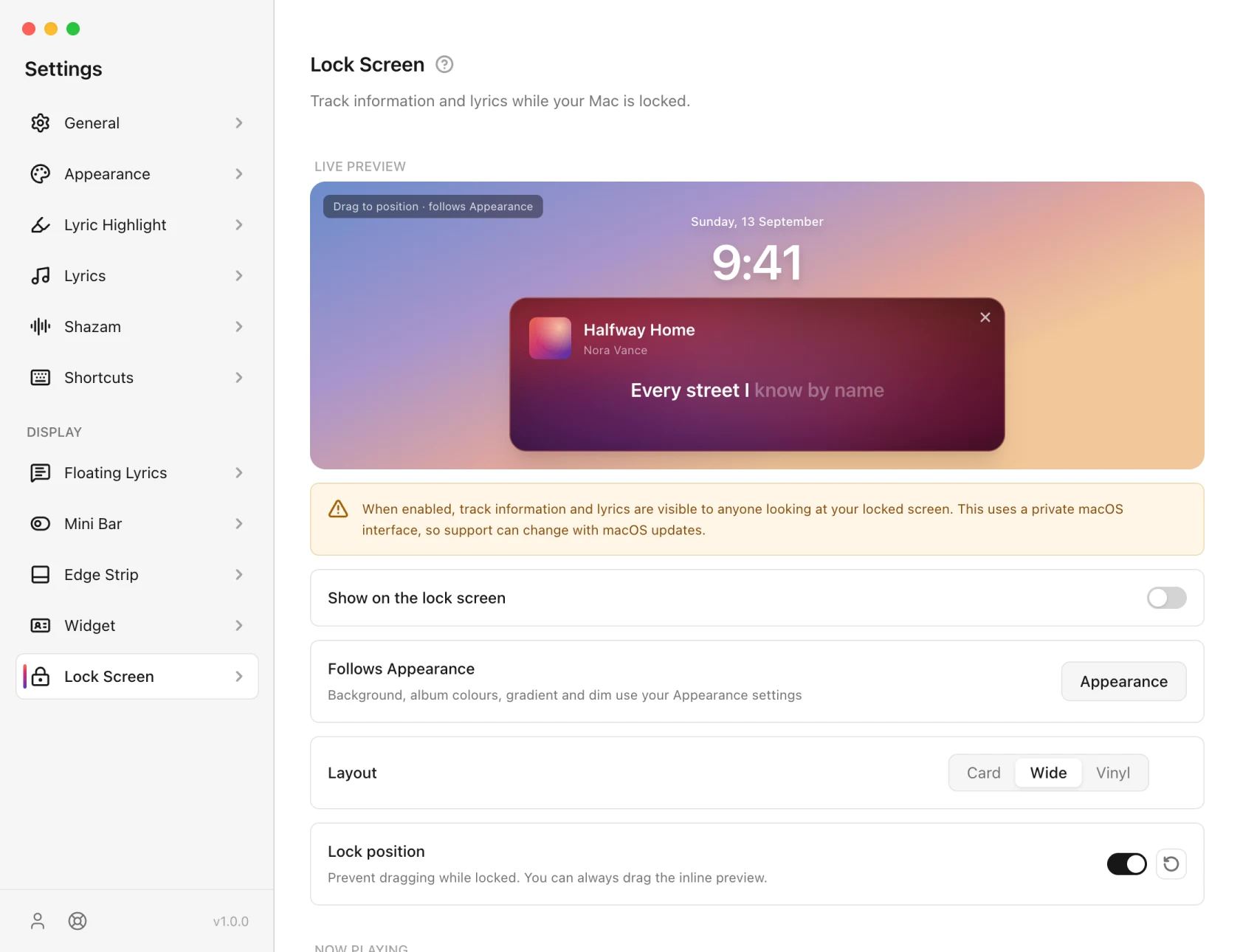
Show on the lock screen displays the lyric card while this Pro feature is enabled. It stops when your Mac sleeps or you quit the app.
The first time, macOS may ask for permission. If the card never appears, Troubleshooting has the checks.
Layout
Three layouts, Card, Wide and Vinyl, applying both to the preview here and to the real thing. Vinyl draws a grooved record with the album art on it, still rather than spinning: nothing animates continuously on a locked screen.
Colours follow Appearance rather than being set here.
Where it sits
Drag the card in the preview. It saves when you let go, and the reset button in the Lock position row puts it back near the top.
Lock position stops it being dragged on the real lock screen. You can always drag the preview here.
What it shows
- Show the current track: cover, title and artist.
- Show the current lyric line: the line, kept in sync with playback.
- Hide when paused: takes the card away while nothing is playing.
- Play a sound on unlock: a short sound when you come back.
After a macOS upgrade
Drawing over a locked Mac uses a macOS interface that 9xLyrics tests on every current release. If a future macOS version changes it, the fix arrives as a 9xLyrics update, with no setting to change on your side. Nothing else in the app depends on it.
On Android
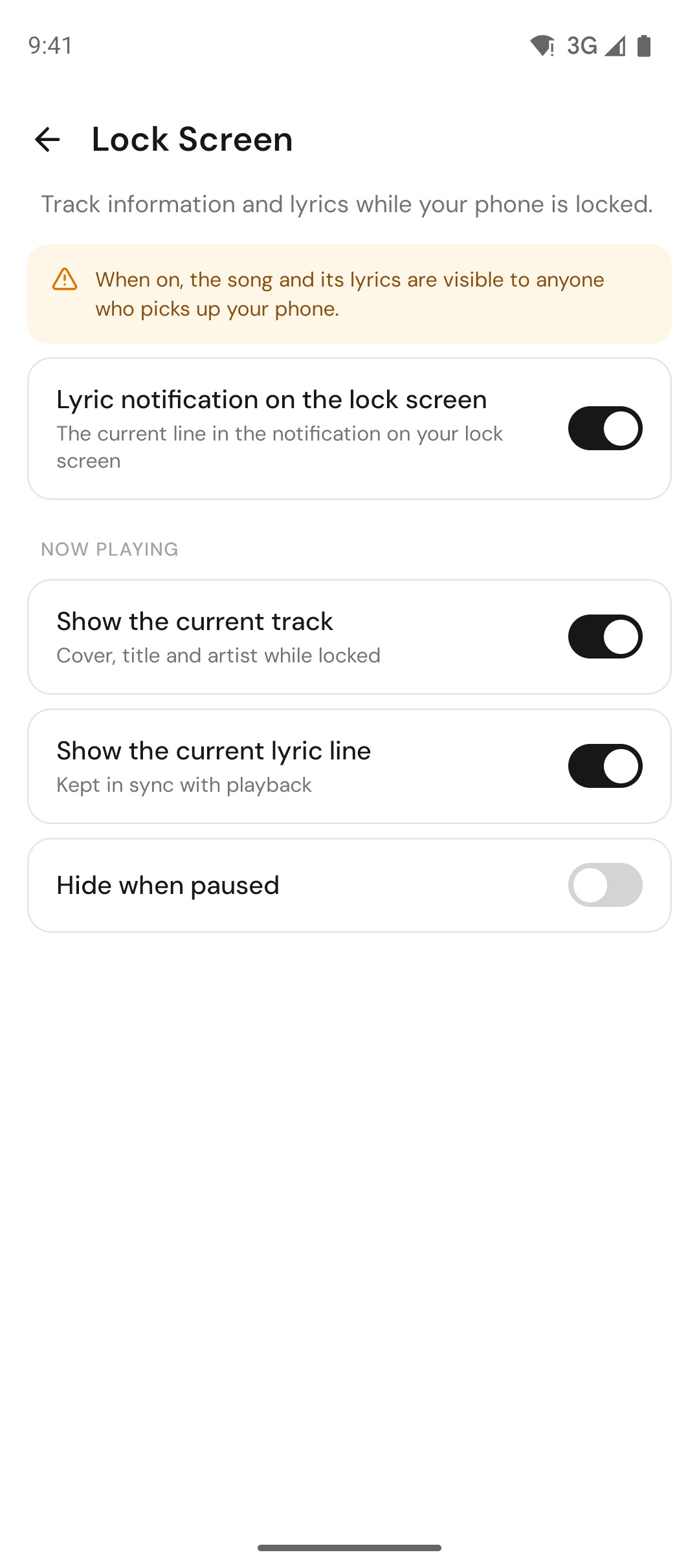
On your phone the lyric reaches the lock screen through the 9xLyrics notification: glance at a locked phone and see the song and the line being sung, kept in sync with playback.
In Settings › Lock Screen:
- Lyric notification on the lock screen: the current line in the notification while your phone is locked.
- Show the current track: cover, title and artist.
- Show the current lyric line: the line, in time with the music (Pro).
- Hide when paused: clears it while nothing is playing.
Android shows it only while notifications are allowed for 9xLyrics; the page offers a shortcut to turn them on. The notification styles are on 9xLyrics on Android.