Your UID and devices
The twelve-digit number that is your account, how to keep it, and what to do when the device limit is reached.
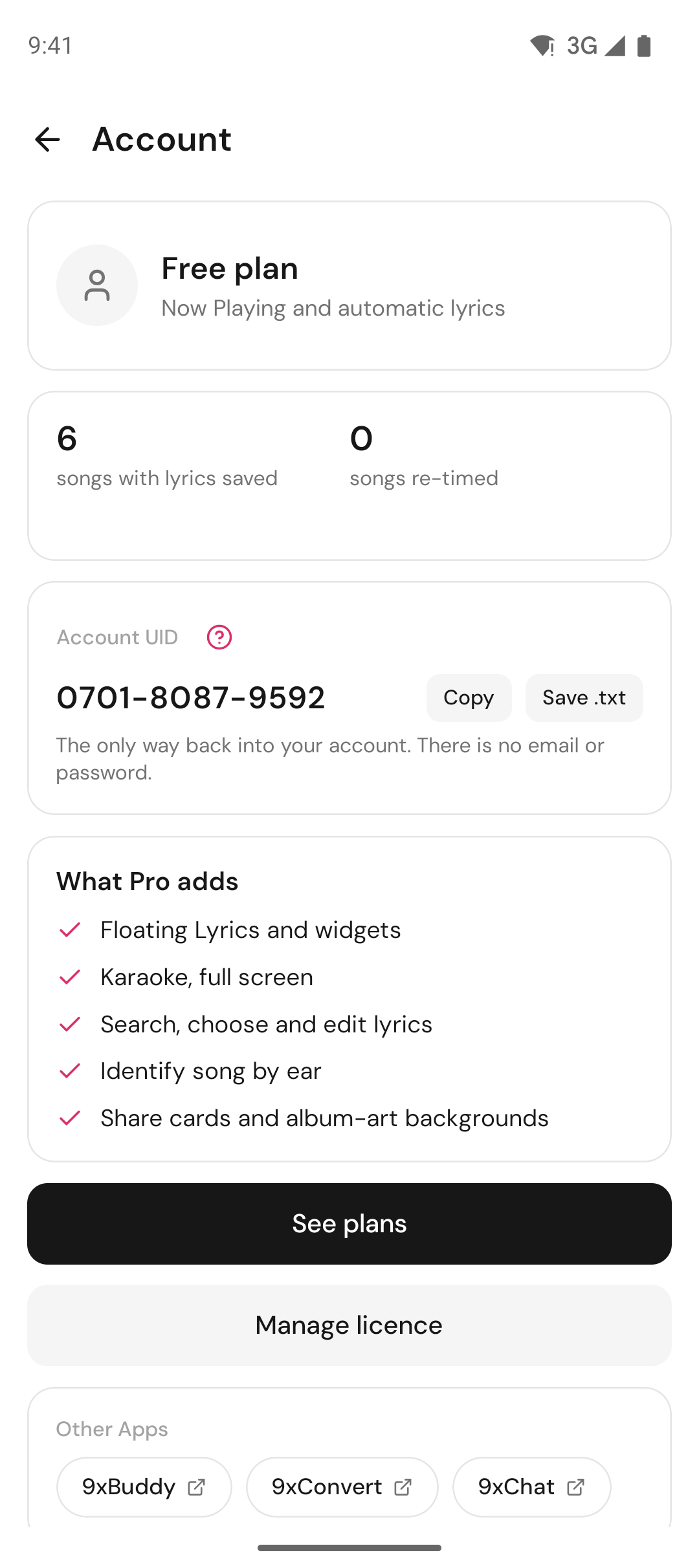
Your account is one twelve-digit number. No email, no password, nothing to reset. It looks like this:
4031-2953-6407Anyone who has that number can use the licence, and losing it means losing the licence. That trade is deliberate: there is no email address to leak, no password to reuse, and nothing about you stored anywhere. It also means the number is worth keeping somewhere you will still have if this computer stops working.
Creating one
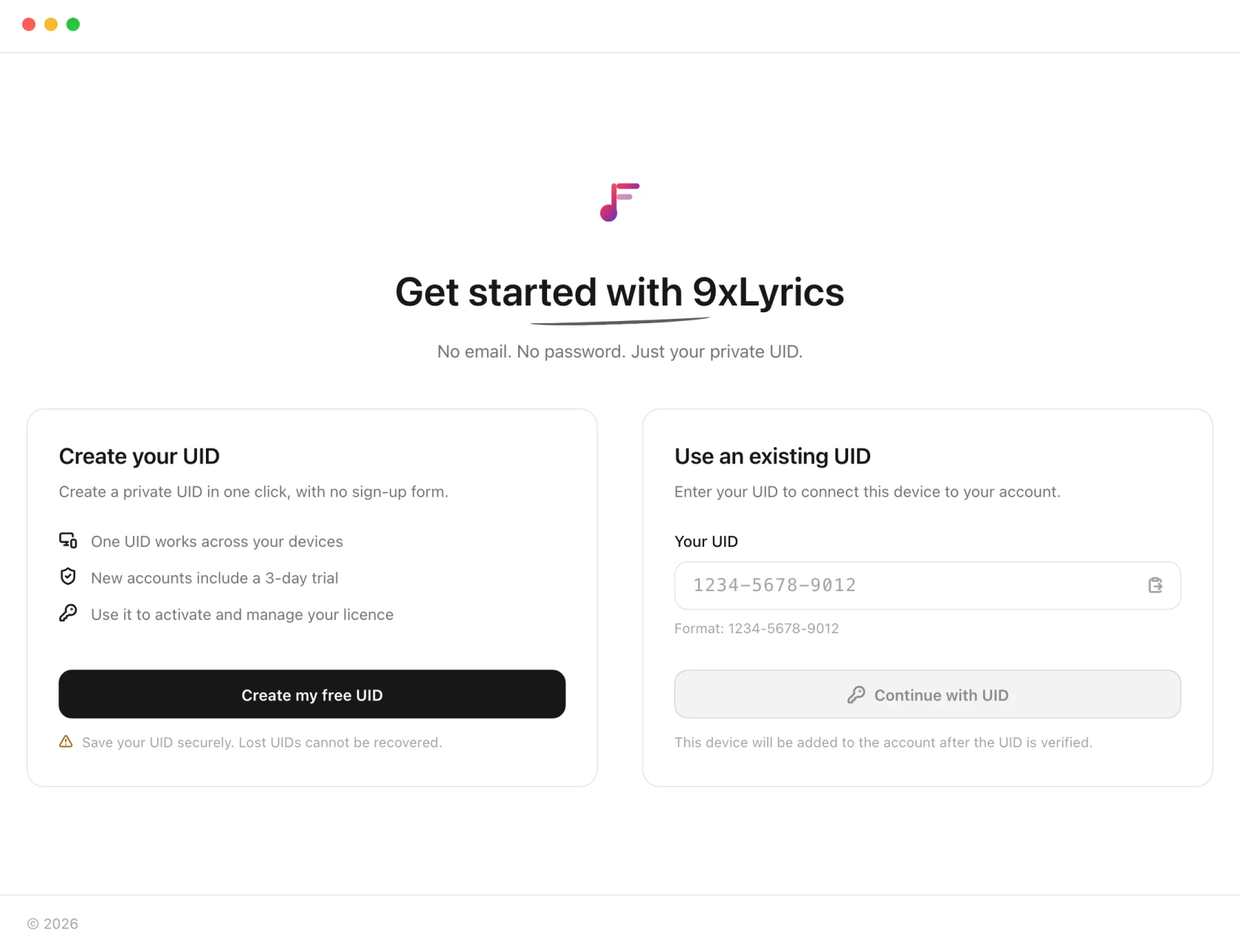
Create my free UID mints a number and starts a 3-day trial. The app shows it once and waits: it will not move on until you tick I have saved my UID somewhere safe, because that is the only moment it is easy to keep.
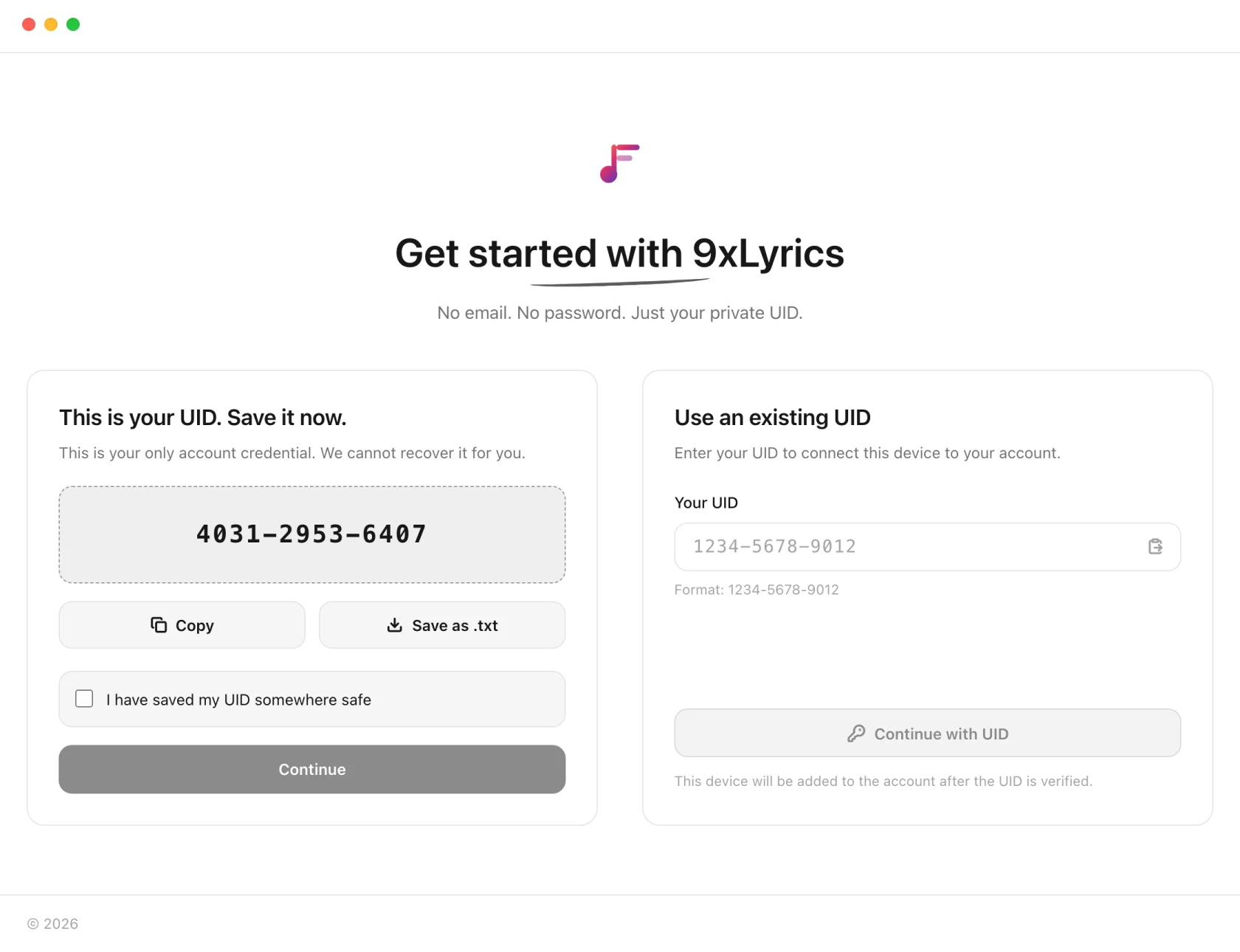
Save as .txt writes a short text file containing the number, a line explaining what it is, and a link to manage it. Put it wherever you keep things you would hate to lose.
A number bought on 123sudo.com works differently: it grants nothing until the payment settles, because that account is on its way to a checkout rather than trying the product.
Signing in on another machine
Choose Use an existing UID and type the number. The same account, the same licence, the same Pro features. Settings are per-machine, so each computer keeps its own overlays, positions and appearance.
Device limit reached
A licence covers a set number of machines. Signing in on one too many shows:
This licence is already on as many computers as it allows. Free one up in your account, then try again.
Nothing is lost and nothing was charged. Open your account page, remove a machine you no longer use, and sign in again. Old laptops and reinstalled systems are the usual culprits: a machine is recognised by its hardware, so reinstalling an operating system can look like a new computer.
Being offline
Cached lyrics can be displayed offline. New lyric lookups and song recognition need an internet connection. A temporary connection problem does not automatically sign you out; Pro features still require active access.
Losing the number
There is no recovery. That is the cost of an account with nothing in it to recover: no address to send a link to, no security question, no support agent who can look you up. If the file is gone and the number is not written down anywhere, the licence is gone with it.
Which is worth one minute now: Save as .txt, and put it somewhere that is not only this computer.
On Android
One UID covers your phone and your computer: sign in to the Android app with the number you already use, and your licence comes with it. Each device counts toward the same device limit, and each keeps its own settings and Library.
New to 9xLyrics on the phone? Create my free UID starts the 3-day trial there too. Copy the number or Save as .txt through the share sheet, then tick I have saved my UID somewhere safe to continue. If the licence is already on as many devices as it allows, the app shows the same device-limit message as the computer, with the same fix.