
The Mini Bar
A movable lyric pill with playback controls on hover, optional click-through and hiding under the pointer.
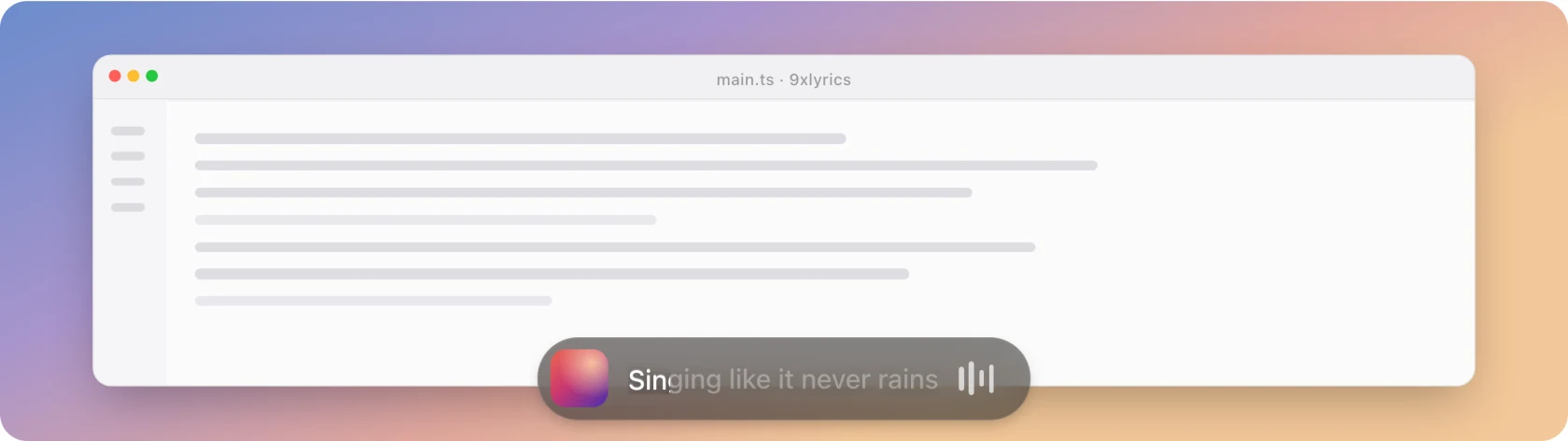
A small rounded pill docked to the top or bottom edge of the screen, showing the album cover and the line being sung. Hover it and it expands into transport controls.
The Mini Bar and all other desktop overlays require Pro or an active trial. See Free and Pro.
Where it sits
Dock to and Distance from edge choose its starting position at the top or bottom of the screen. You can also drag the pill anywhere. Hover to reveal the small drag handle; the four-arrow cursor shows that it can be moved. The handle disappears when you leave or enable Lock position.
The dragged position is remembered across restarts. Reset position returns it to the configured dock. Changing the dock, edge distance or selected display also returns it to docked placement.
Show on every display creates a pill on each screen, with positions remembered separately. Otherwise it follows Settings › General › Show on display. Show on every workspace (on by default) keeps the pill with you across virtual desktops and over full-screen windows.
Hover and click-through
Expand on hover reveals playback controls while the pointer is over the pill. Moving away collapses it unless you have pinned it open with the expand shortcut. There is no separate expand button.
The two Interaction switches decide what happens under the pointer, the same way on every overlay:
| Settings | Under the pointer |
|---|---|
| Both off | The full pill: it expands, shows its drag handle and controls, and takes clicks. |
| Click-through on | The pill stays visible and clicks pass through to the window behind. It does not expand and shows no controls or drag handle. |
| Hide while the mouse is over it on | The pill fades out and lets every click through, whatever Click-through says. |
Both are off by default. With both off you can also drag the pill by its background.
When hover expansion is off, click the pill to expand it (with Click-through off), or use Expand Mini Bar, assigned in Settings › Shortcuts; it has no default key combination.
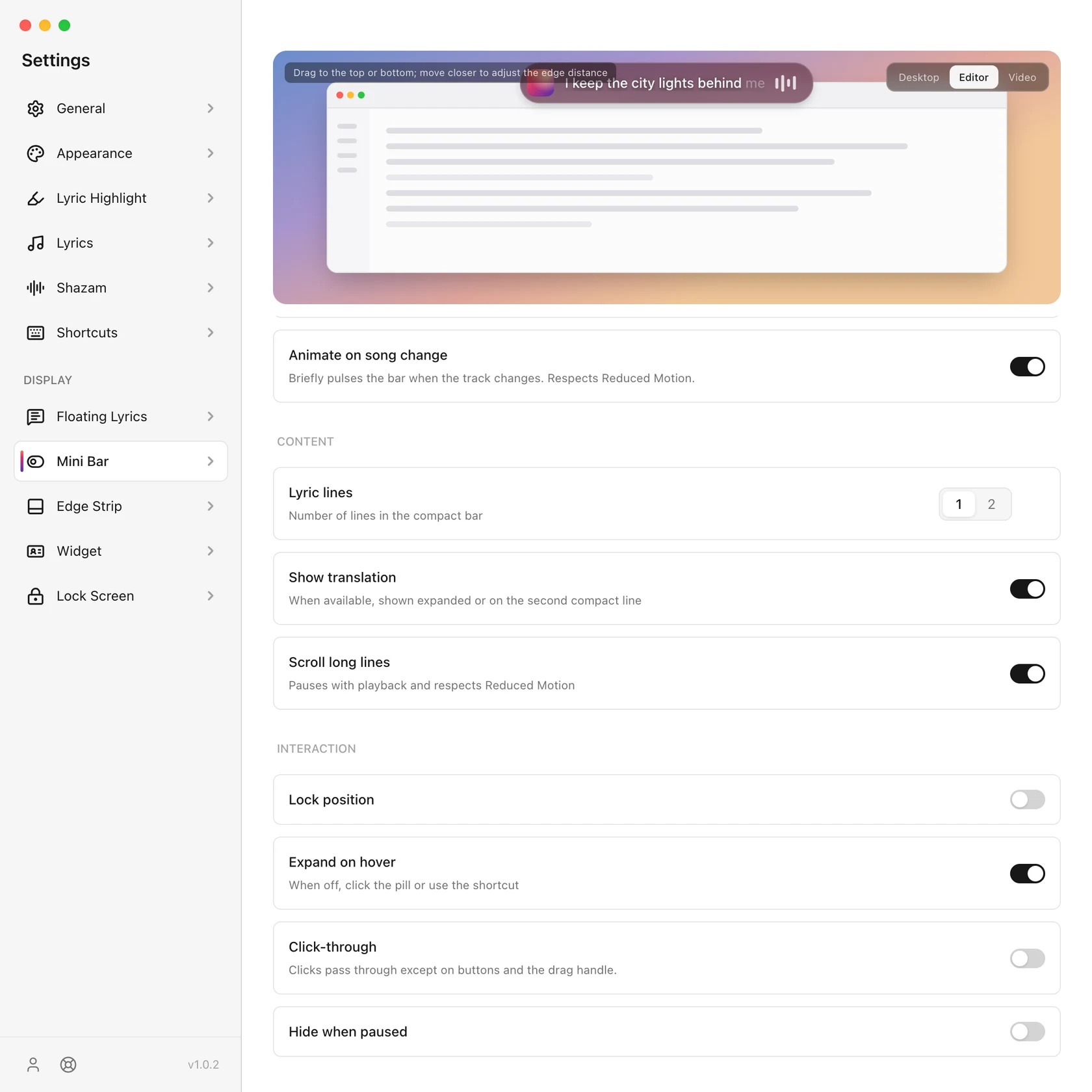
Lock position prevents dragging without disabling playback controls.
When a song has no lyrics, a Search button appears on the pill. It can be pressed even with Click-through on, and opens Search lyrics.
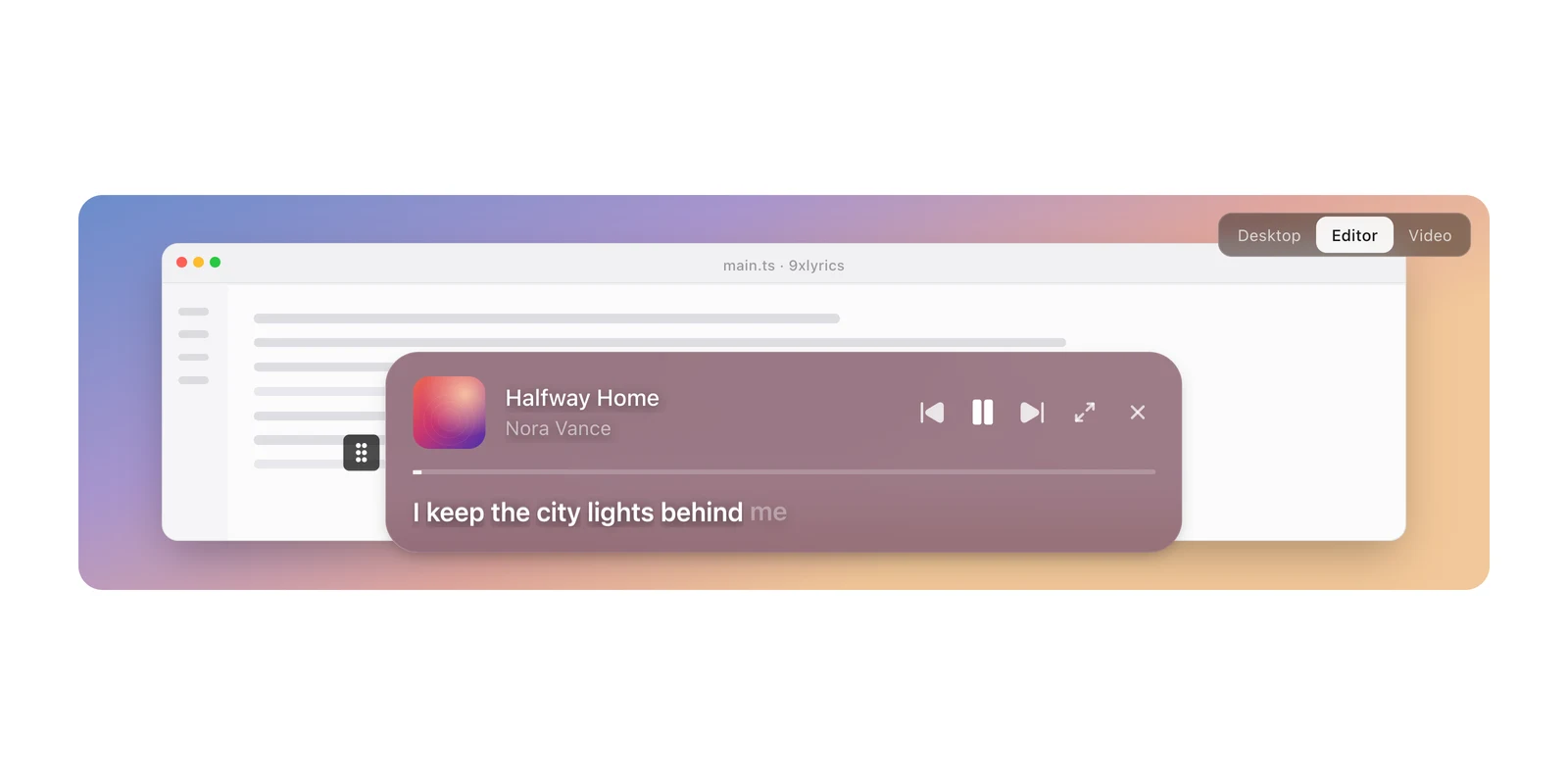
The close button hides Mini Bar for this session. Tray › Show overlays restores enabled overlays without changing their saved settings. Disabling Mini Bar in Settings keeps it off after restart.
What it shows
- Lyric lines: one line, or the next one underneath as well.
- Scroll long lines: a title, artist or lyric wider than the pill walks across once rather than being cut off. It pauses with playback and respects Reduced Motion.
- Show translation: the translated line under the original, when the source has one.
- Tint from album art: the pill's glass takes its colour from the cover, so it belongs to the song rather than to the app.
- Animate on song change: a short cross-fade when the song changes, instead of a snap.
- Hide when paused: off by default: the pill still shows the track, which is worth seeing while paused.
Settings
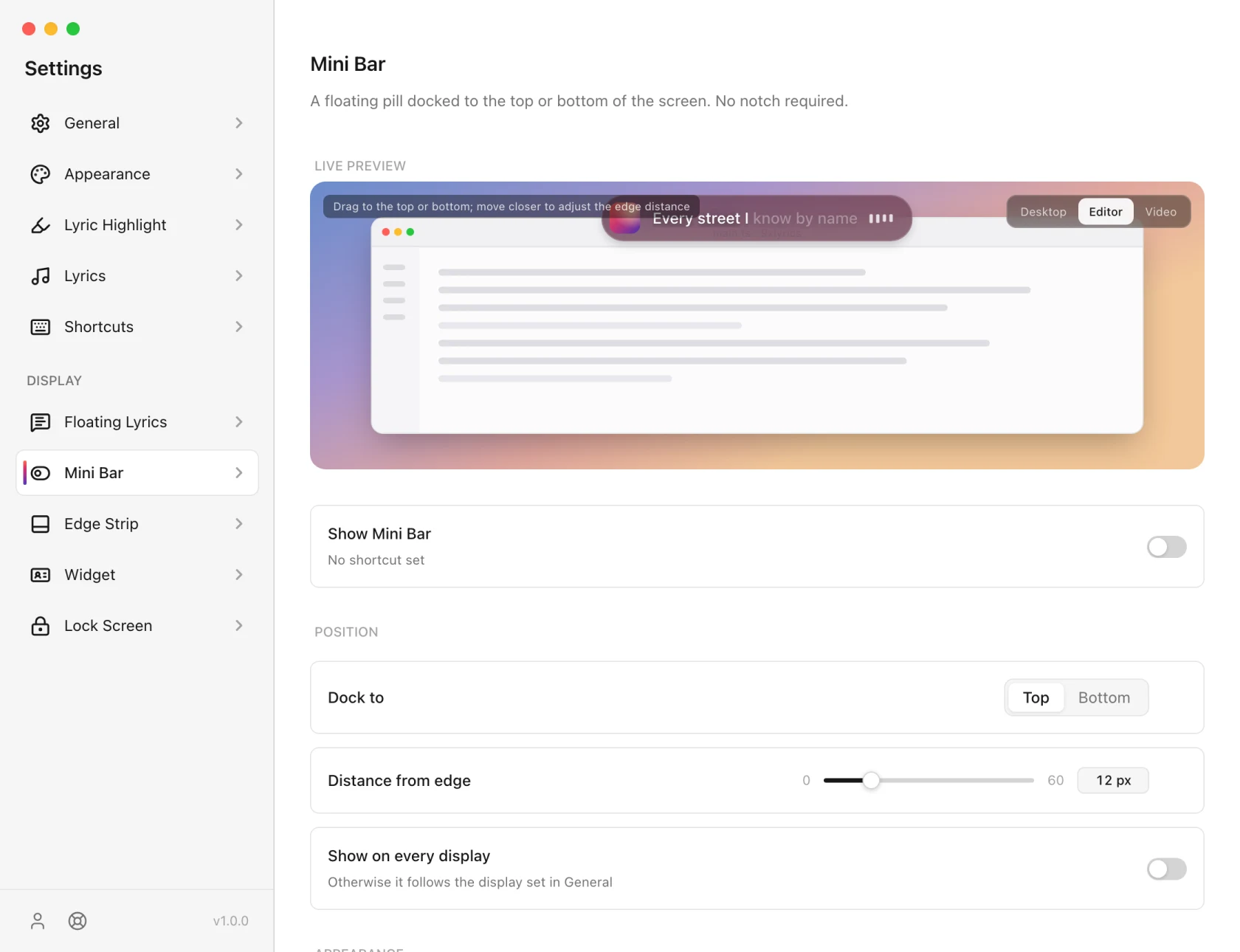
Assign a shortcut to Toggle Mini Bar and Expand Mini Bar in Shortcuts; neither has one by default.
The Mini Bar is made for your computer's screen edge. On Android, the same line floats over any app with Floating Lyrics and sits in your notification. See 9xLyrics on Android.