
9xLyrics on Android
Synced lyrics on your phone, over any app, in your notification, on the lock screen and on your home screen.
Download the Android APK from the 9xLyrics mobile page. Sign in with the same UID to use your plan on your phone. Install updates from inside the app when you are ready.
9xLyrics on Android follows Spotify, YouTube Music or any player on your phone, plays the songs saved on it, and keeps the words in time wherever you look: over the app you are using, in the notification, on the lock screen and on your home screen. Your UID and plan are the same on every device.
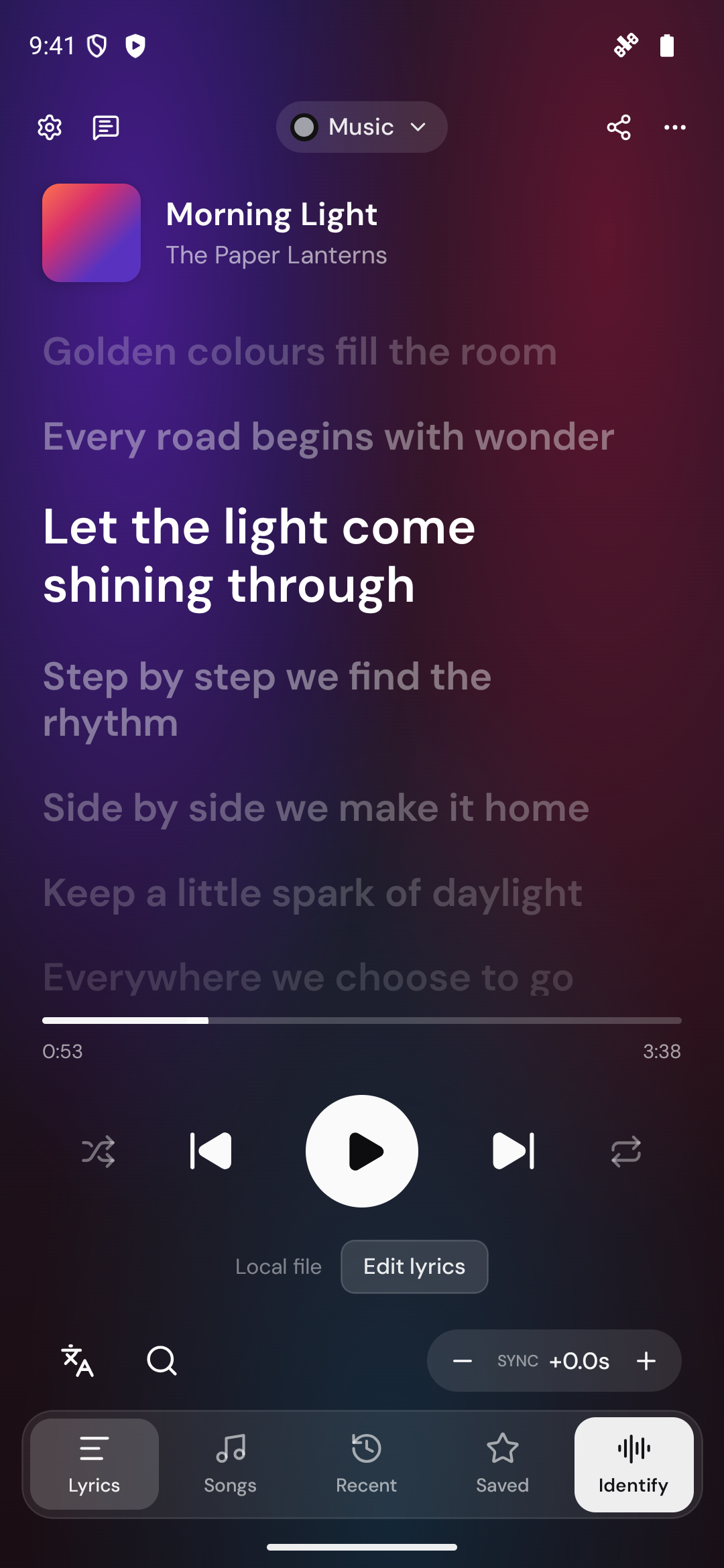
Getting around
Four tabs along the bottom:
- Now Playing: the whole song, in time. Tap a line to seek, star lines to keep them, adjust the offset, and open Karaoke, search or sharing.
- Music: the songs saved on your phone, with the built-in player.
- Library: Recently played and your Saved lines.
- Identify: name the song playing around you.
Following your player
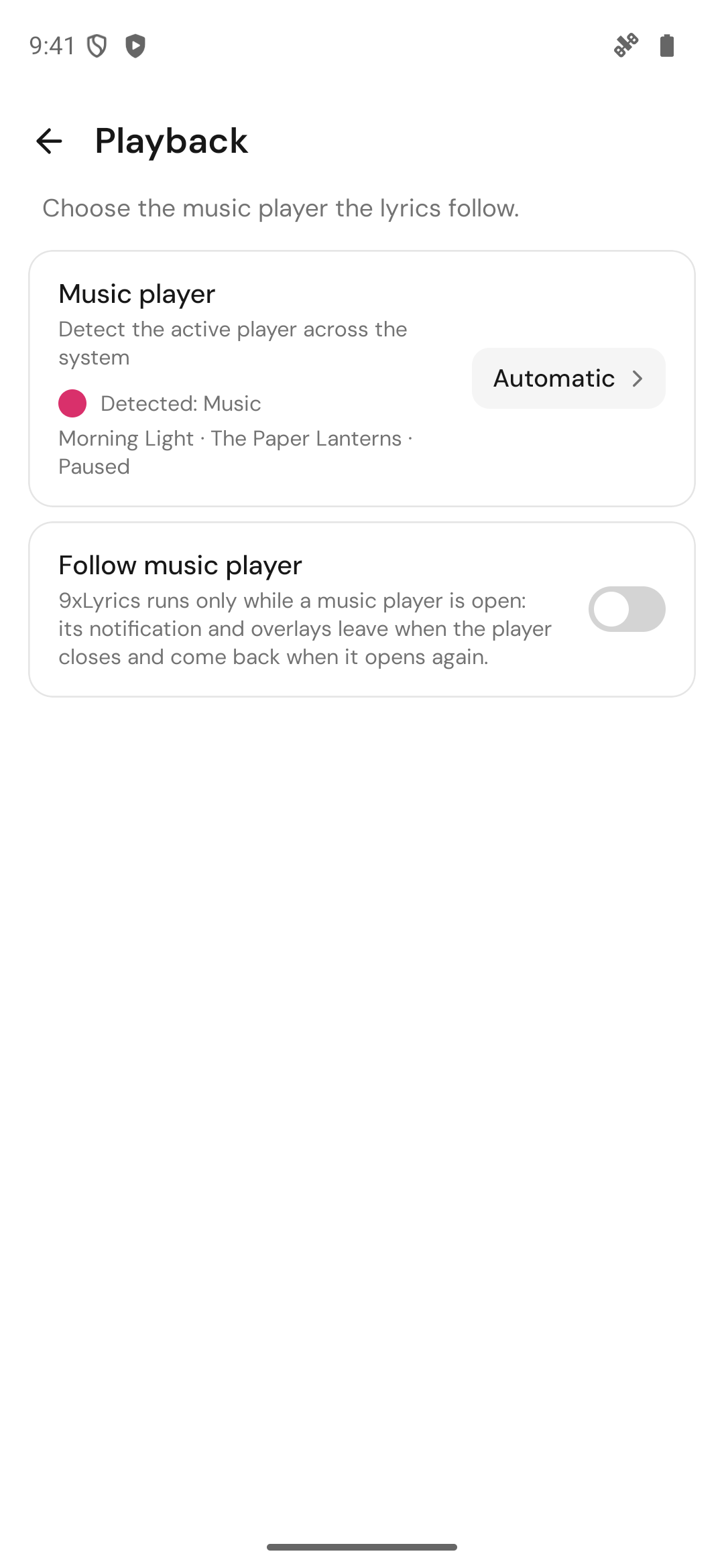
9xLyrics works with any music app that shows a media notification. Allow notification access once in the setup guide and every player you use just works. Pick a single player in Settings › Playback › Music player so lyrics come only from it, and turn on Follow music player (Pro) to have 9xLyrics run only while a music player is open. More in Players and detection.
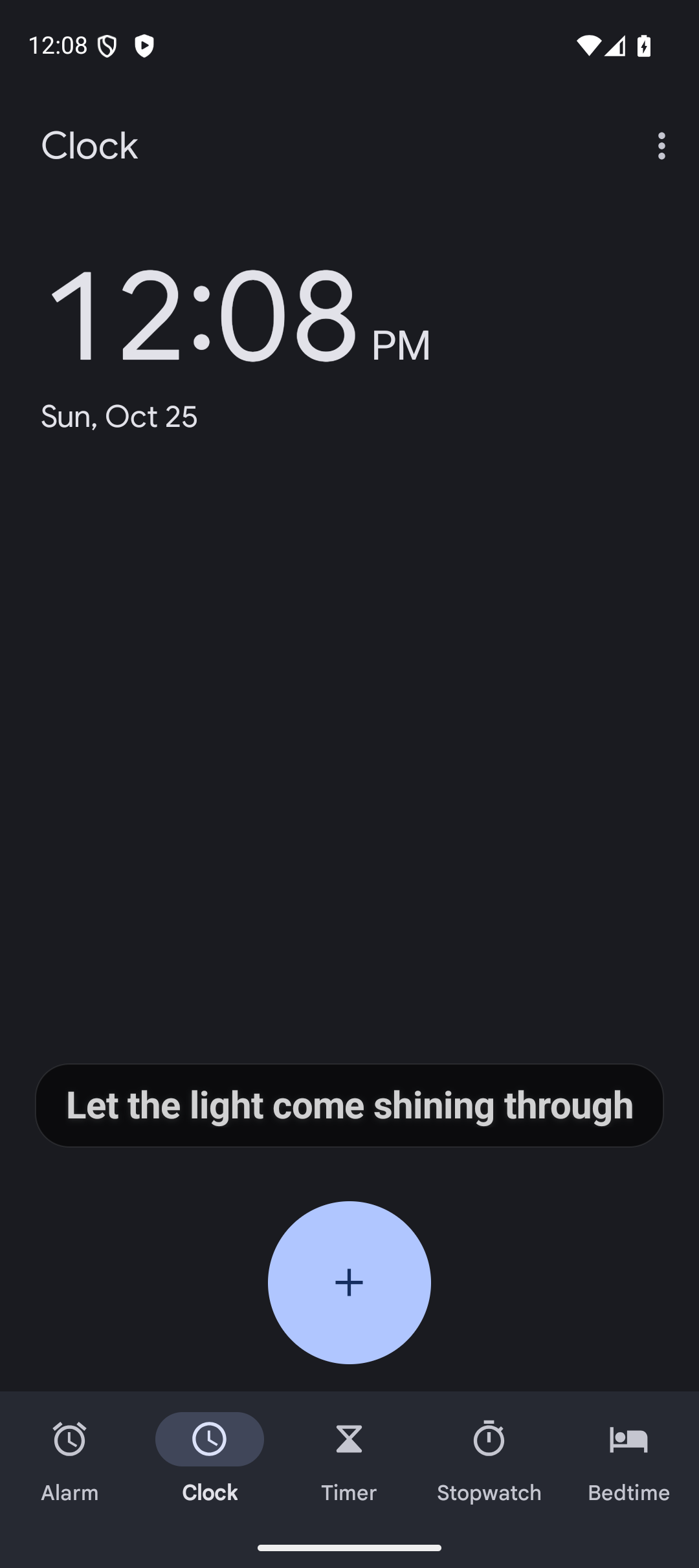
Floating lyrics over any app
The current line floats over whatever you are doing: a game, a chat, the browser. Drag it where you like and lock it there. Let touches through (on by default) sends your taps to the app underneath, and Hide during full-screen video steps aside while you watch. Floating Lyrics is Pro. See Floating Lyrics.
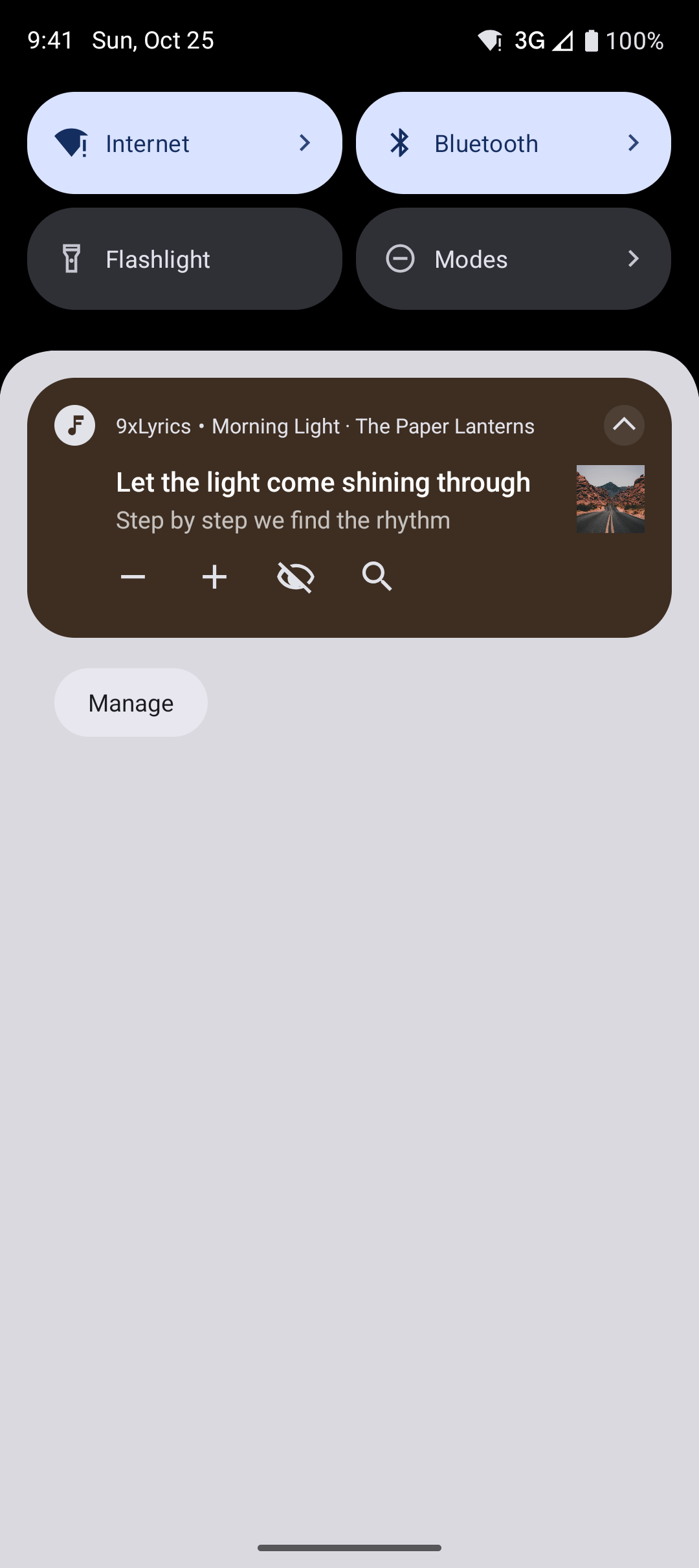
Notification and lock screen
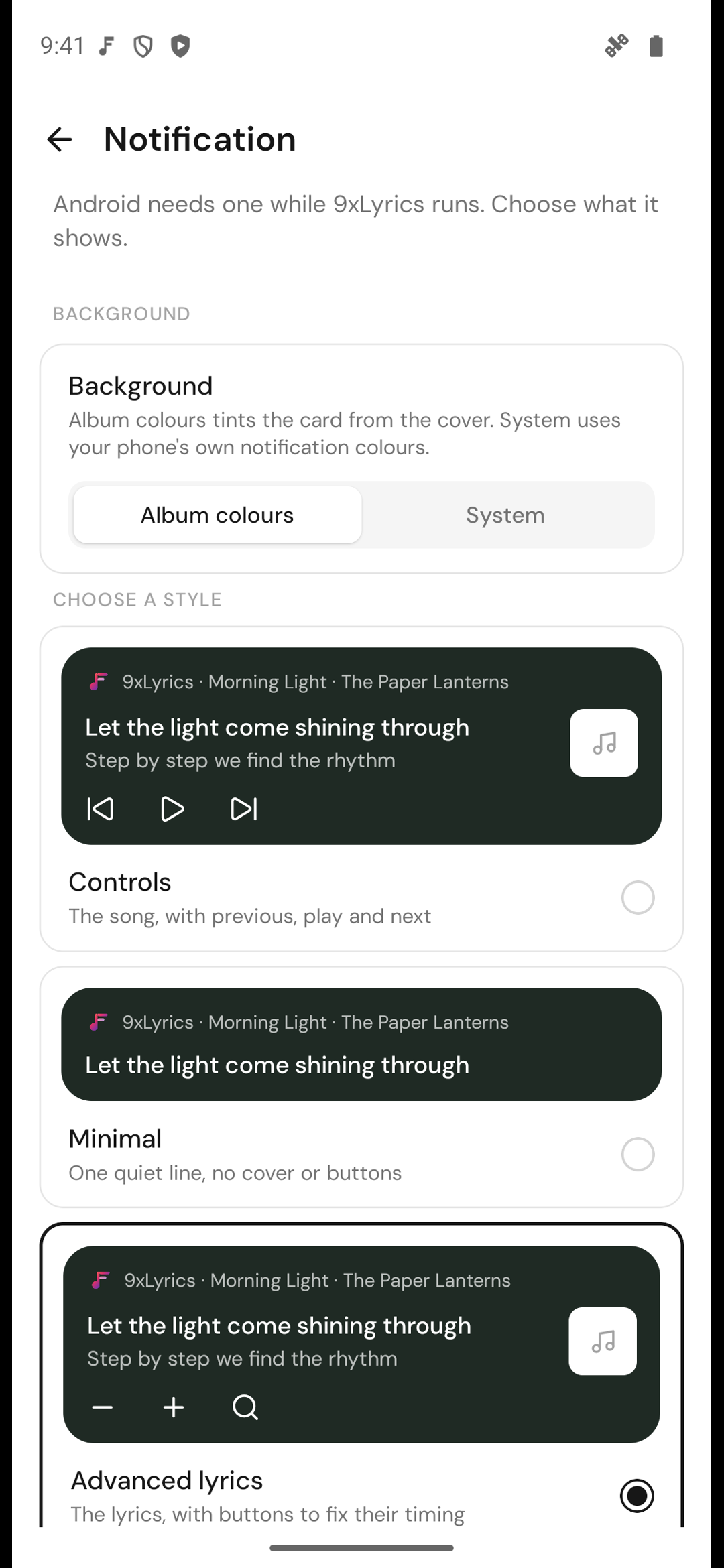
The 9xLyrics notification keeps the song one pull-down away, in three styles:
- Advanced lyrics (Pro): the current line, with buttons to fix its timing.
- Controls: the song, with previous, play and next.
- Minimal: one quiet line, with no cover or buttons.
Choose Album colours to tint it from the cover, or System for your phone's own notification colours. Turn on On the lock screen to see the song and the line on a locked phone. See Lock Screen.
Home-screen widget
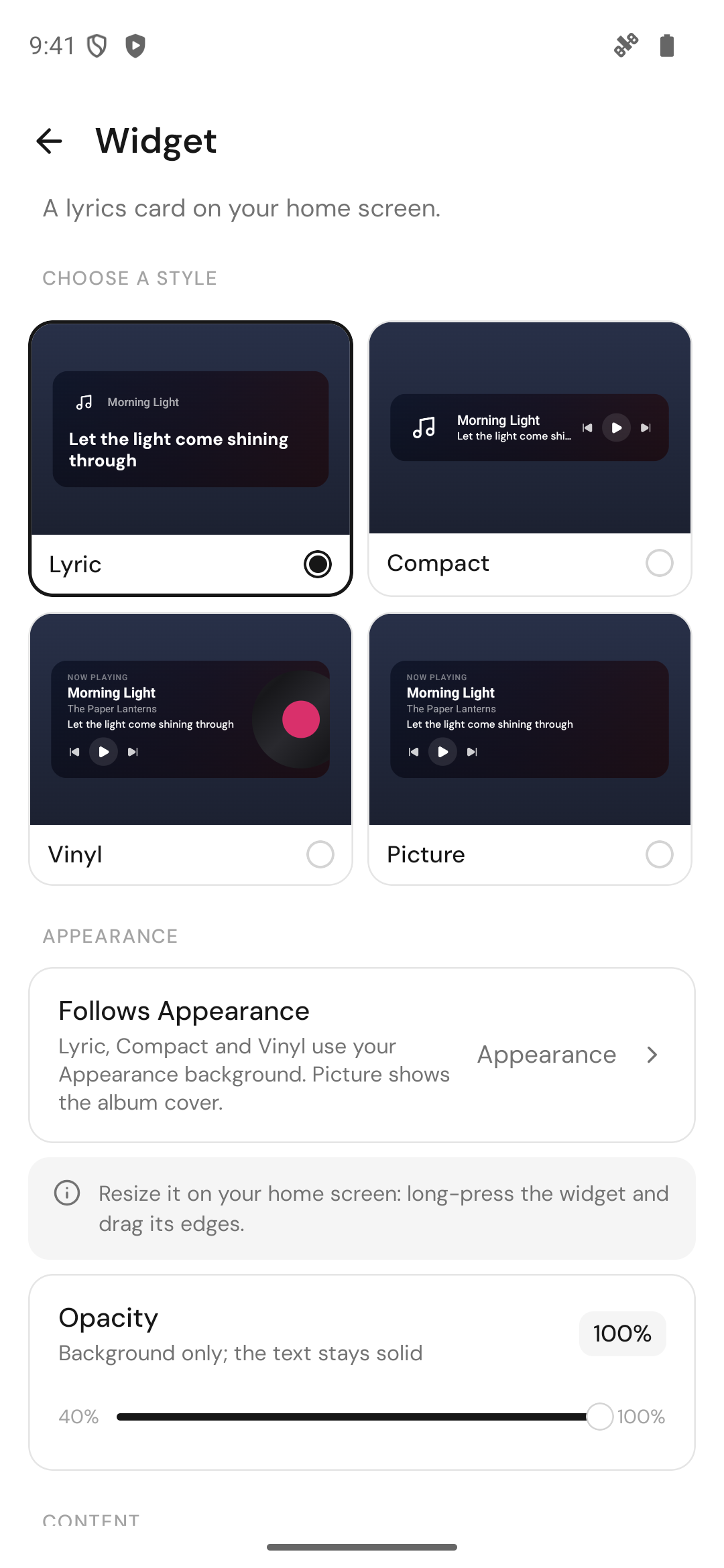
Four styles, Lyric, Compact, Vinyl and Picture, with playback controls built in and the current line on your home screen. Add widget in Settings › Widget asks Android where to put it. The widget lyric is Pro. See The Widget.
Quick Settings tile and shortcuts
- The 9xLyrics tile in Quick Settings: tap to show or hide the overlays, long-press to open the app.
- App-icon shortcuts: long-press the 9xLyrics icon for Toggle floating lyrics, Open lyrics, Identify song, Search lyrics and Save the current line.
- Double-tap the lyrics to hide the overlays.
See Shortcuts.
Music on the phone
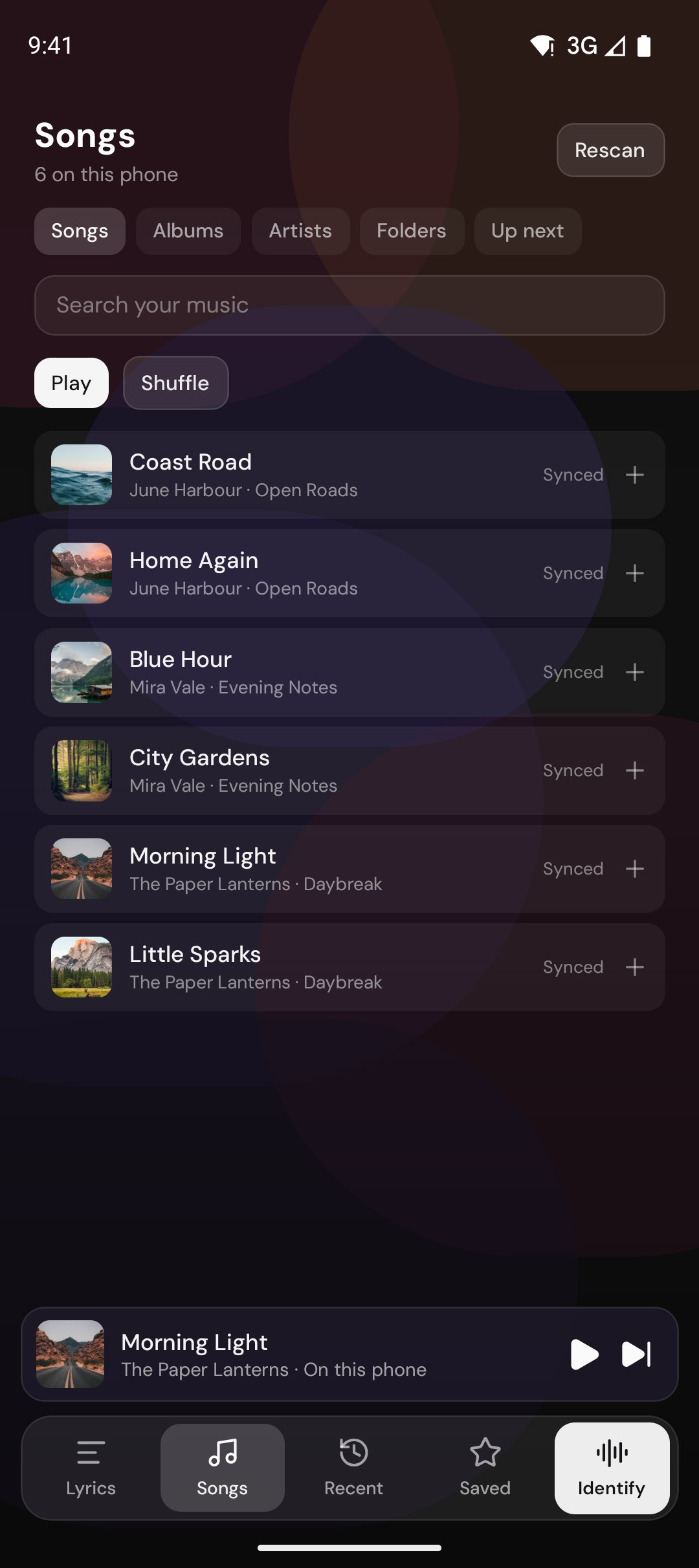
The Music tab finds every song saved on your phone, with albums, folders and
the built-in player, and the lyrics follow along. Local playback is free. Your own
.lrc files are checked first. See Songs and Library.
Identify the song in the room
Tap Identify song and 9xLyrics names the music playing around you, then the lyrics follow it. Add the Identify shortcut to your home screen for one-tap recognition. Identify Song is Pro. See Identify Song.
Karaoke and share cards
Karaoke turns the phone sideways and fills the screen with the line, word by word. Share cards turn up to four lines into a picture you can save to Pictures › 9xLyrics or send to any app. Both are Pro. See Karaoke and Share cards.
Buying Pro
A new UID created in the app starts a 3-day trial. The APK opens the 123sudo checkout in your browser; Confirm payment brings Pro to the app. Your plan covers your phone and computer, up to the device limit.
Phone and computer
| Feature | Android | Computer |
|---|---|---|
| Whole song with tap or click to seek | Now Playing | Lyrics Window |
| Floating Lyrics over other apps | Yes | Yes |
| Lyric in the notification | Yes | |
| Lyric on the lock screen | Yes | macOS |
| Widget | Home screen | Desktop |
| Karaoke, Identify Song, share cards, Library | Yes | Yes |
| Play songs saved on the device | Yes | Yes |
| Quick Settings tile and app-icon shortcuts | Yes | |
| Mini Bar, Edge Strip, menu bar text | Yes | |
| Global keyboard shortcuts | Yes |
The Mini Bar, the Edge Strip and the menu bar text are made for a computer's screen edges, so they live in the desktop app. Settings and the Library stay on each device.
iPhone
The iPhone version is on the way, with the lyrics on your lock screen and in home-screen widgets.