Players and detection
Which players 9xLyrics can see, how it picks one, and what to do when it sees nothing.
9xLyrics does not connect to any music service. It reads what your operating system already knows about what is playing, which is why it works with players nobody wrote an integration for, including a browser tab.
How each system reports it
| System | How | What that covers |
|---|---|---|
| macOS | System Now Playing information and permission to control supported music apps | Whatever macOS considers the active source |
| Windows | SMTC, the same media session that drives your keyboard's play button | Anything that registers media controls: Spotify, browsers, VLC |
| Linux | MPRIS over D-Bus | Nearly every player: Spotify, VLC, Rhythmbox, mpv, and browsers |
If a player puts a title on your media keys or your lock screen, 9xLyrics can usually see it.
Picking one
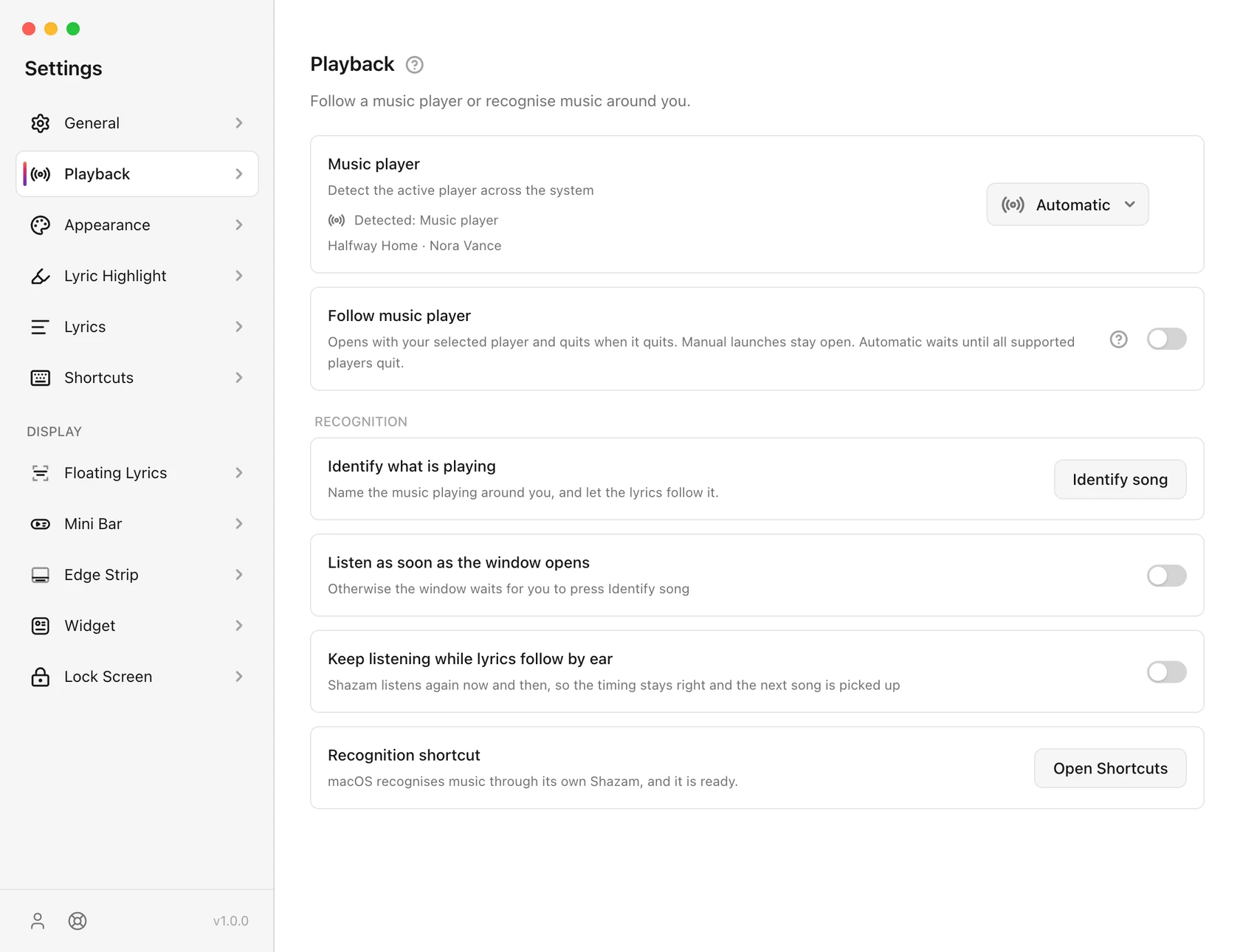
When two things are playing, 9xLyrics follows one, normally whichever the system calls active. Settings › Playback › Music player pins it to a specific app instead, which is worth doing if you keep a browser tab paused on a video and do not want it competing with your music.
The named choices include Apple Music/iTunes, Spotify, TIDAL, Deezer, Amazon Music, Qobuz, VLC, foobar2000 and Windows Media Player where supported by the platform. Availability differs by operating system; some Linux choices use compatible third-party clients. Detection and transport controls still depend on the media information each player exposes.
Selecting Apple Music follows only Apple Music for normal playback detection; selecting Spotify follows only Spotify. Microphone recognition is separate and does not become restricted to the selected player.
Follow music player
Enable Settings › Playback › Follow music player to open 9xLyrics when a supported native music player opens. This requires Pro or an active trial and the installed desktop app. It is off by default.
- A session opened automatically quits when the selected player exits. With Automatic, it waits until all supported native players have exited.
- A session you launch or reopen yourself stays independent and does not quit with the player.
- Pausing playback or closing a player window does not necessarily quit that player. A short grace period allows a player to restart.
- Quitting 9xLyrics yourself is respected until a new player-open event.
- Browser tabs can supply playback in Automatic mode, but do not trigger this startup setting.
- Disabling the setting or losing Pro stops automatic startup and quitting; saved preferences remain available for renewal.
Browsers on Linux
Supported browsers can share playback through Linux media controls. Use Automatic to detect them, and check that media controls are enabled in the browser if a tab is not detected.
When nothing is detected
Work down this list. The first two account for most of it:
- Is the player actually reporting? Press your keyboard's play/pause key. If it does not control the player, the system cannot see it either, and neither can 9xLyrics.
- Is something else winning? Pin the player in Settings › Playback › Music player.
- Has detection been paused? It stops while the machine sleeps and restarts a few seconds after waking. Give it a moment after opening the lid.
- Linux only: the player must support MPRIS. Almost all do; a few niche ones do not.
Position and seeking follow the same route. A player that reports its position lets lyrics stay in sync when you scrub; one that does not will drift until the next track.
On Android
On your phone, 9xLyrics follows any music app that shows a media notification: Spotify, YouTube Music, Apple Music, your phone's own player and many more. It reads that notification, which is why the setup guide asks for notification access. Allow it once and every player you use just works.
In Settings › Playback:
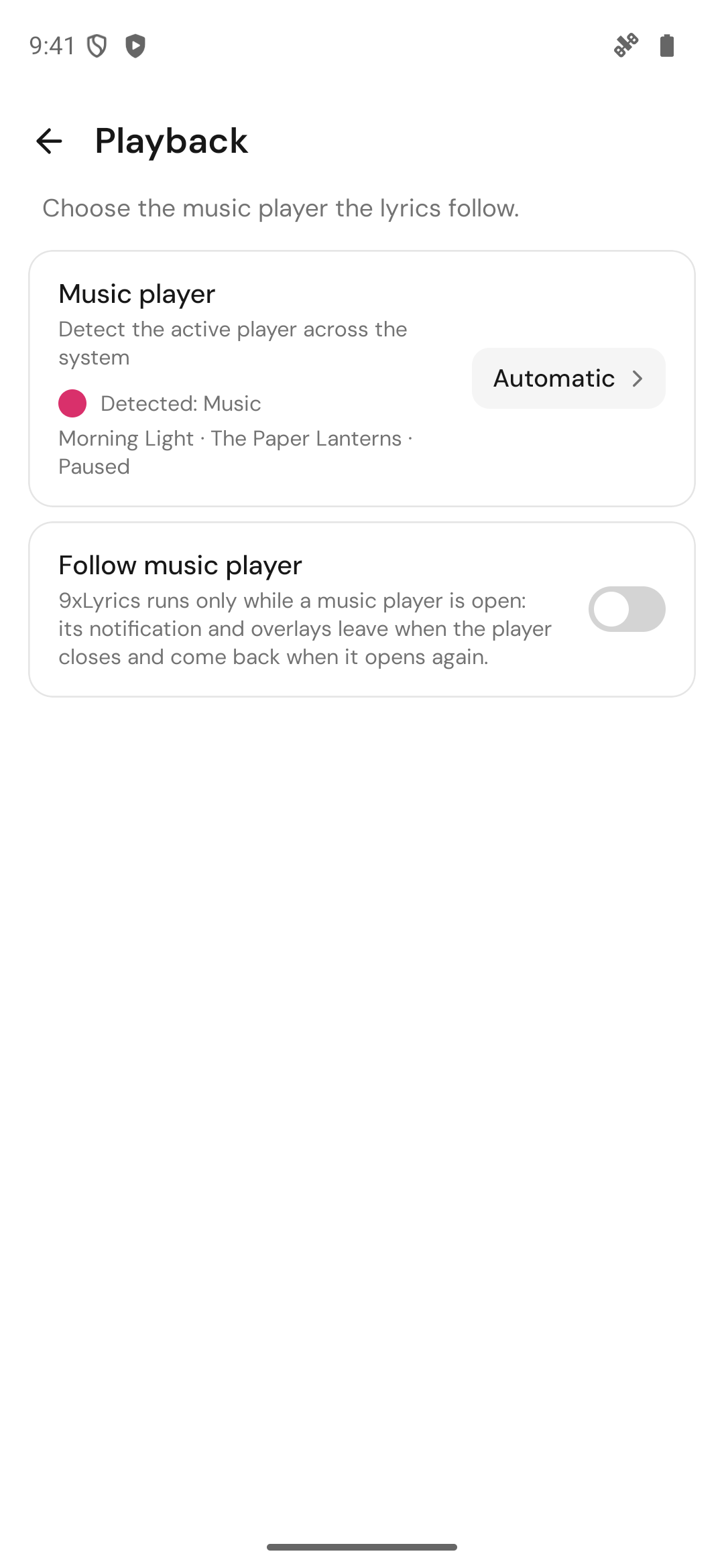
- Music player shows what is detected right now. Pick one player and lyrics come only from it, so a video in another app never takes over.
- When two apps are playing, tap Follow next to the one you want.
- Follow music player (Pro): 9xLyrics runs only while a music player is open. Its notification and overlays leave when the player closes and come back when it opens again. Set Battery use to Unrestricted in Settings › General so Android lets it come back.