The Widget
A small player card you park on the desktop, in one of four styles.
A card on the desktop with the cover, the song, the current line and transport controls. Unlike the other overlays it is not docked to anything: you put it somewhere and it stays.
The Widget is Pro. See Free and Pro.
Four styles
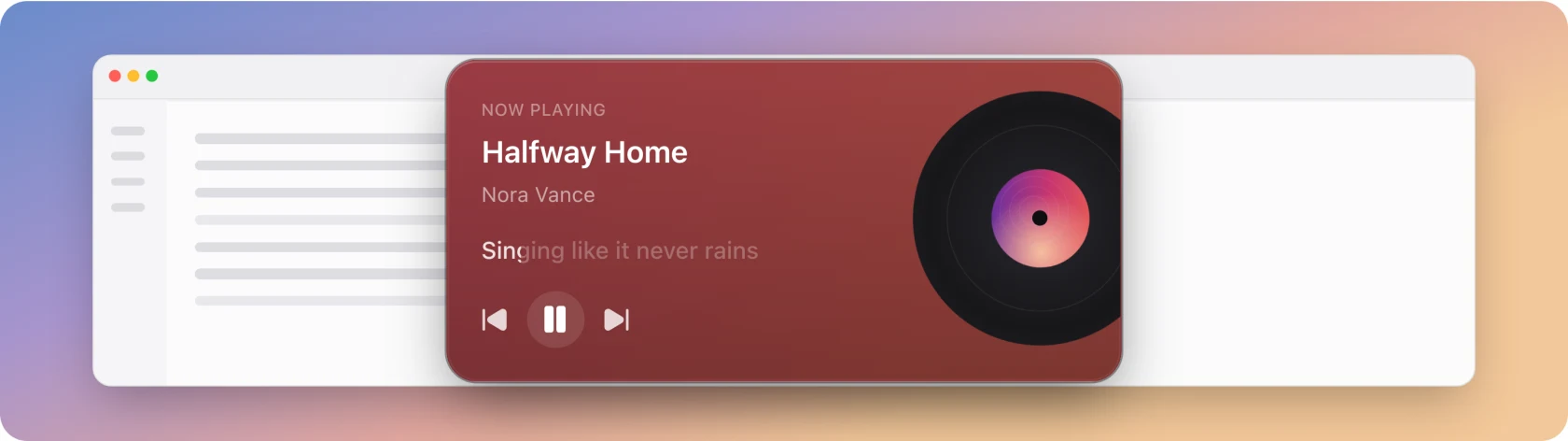
- Vinyl: the card above: a record with the cover on its label.
- Picture: the album art as the whole card, with the text over it.
- Compact: the smallest: cover, title, artist, controls.
- Lyric: the words given the most room, the art reduced to a tint.
Vinyl is the default. The card's colour is not set here: it follows Appearance, the same background choice the Lyrics Window uses, so the app keeps one look rather than four.
Placing it
Position snaps the card to a corner, or use the drag handle that appears on hover to move it anywhere. The handle shows a four-arrow cursor, and you can also drag the card background. The position is remembered across restarts.
Lock position hides the handle and prevents movement without disabling playback controls. Reset position returns the card to its default placement.
Show on every display puts a card on each screen, each with its own position; otherwise it follows Settings › General › Show on display. Show on every workspace (on by default) keeps it with you across virtual desktops and over full-screen windows.
Always on top decides whether it stays above other windows. On Windows it stays on top after you leave a full-screen app too. Card size scales the card from 70% to 150%, and Opacity fades it.
Interaction
The two Interaction switches decide what happens under the pointer, the same way on every overlay:
| Settings | Under the pointer |
|---|---|
| Both off | The full card: toolbar, drag handle and playback controls. The card takes clicks. |
| Click-through on | The card stays visible and clicks pass through to the window behind. No toolbar, drag handle or hover controls. |
| Hide while the mouse is over it on | The card fades out and lets every click through, whatever Click-through says. |
Both are off by default.
When a song has no lyrics, a Search button appears on the card. It can be pressed even with Click-through on, and opens Search lyrics.
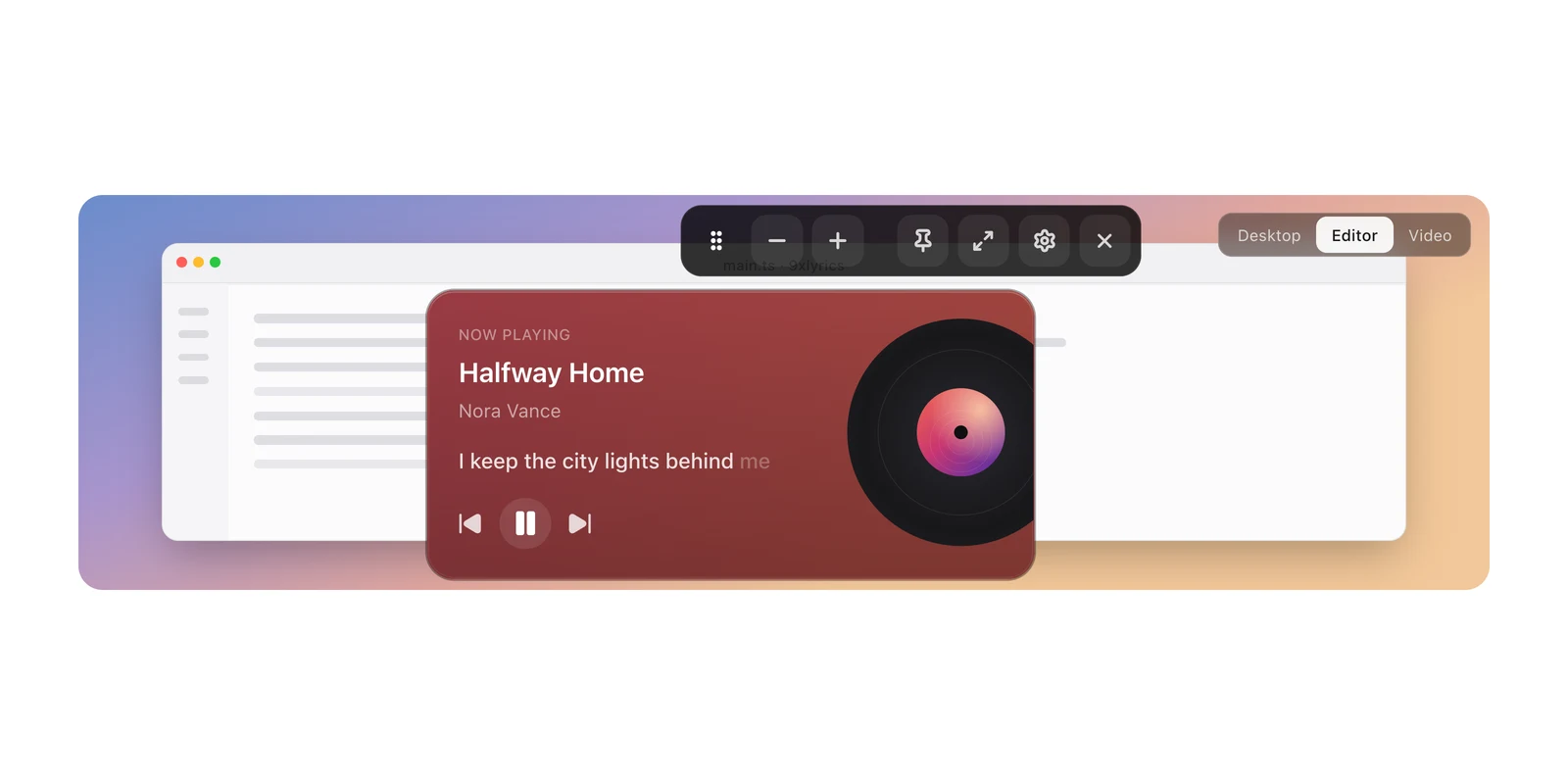
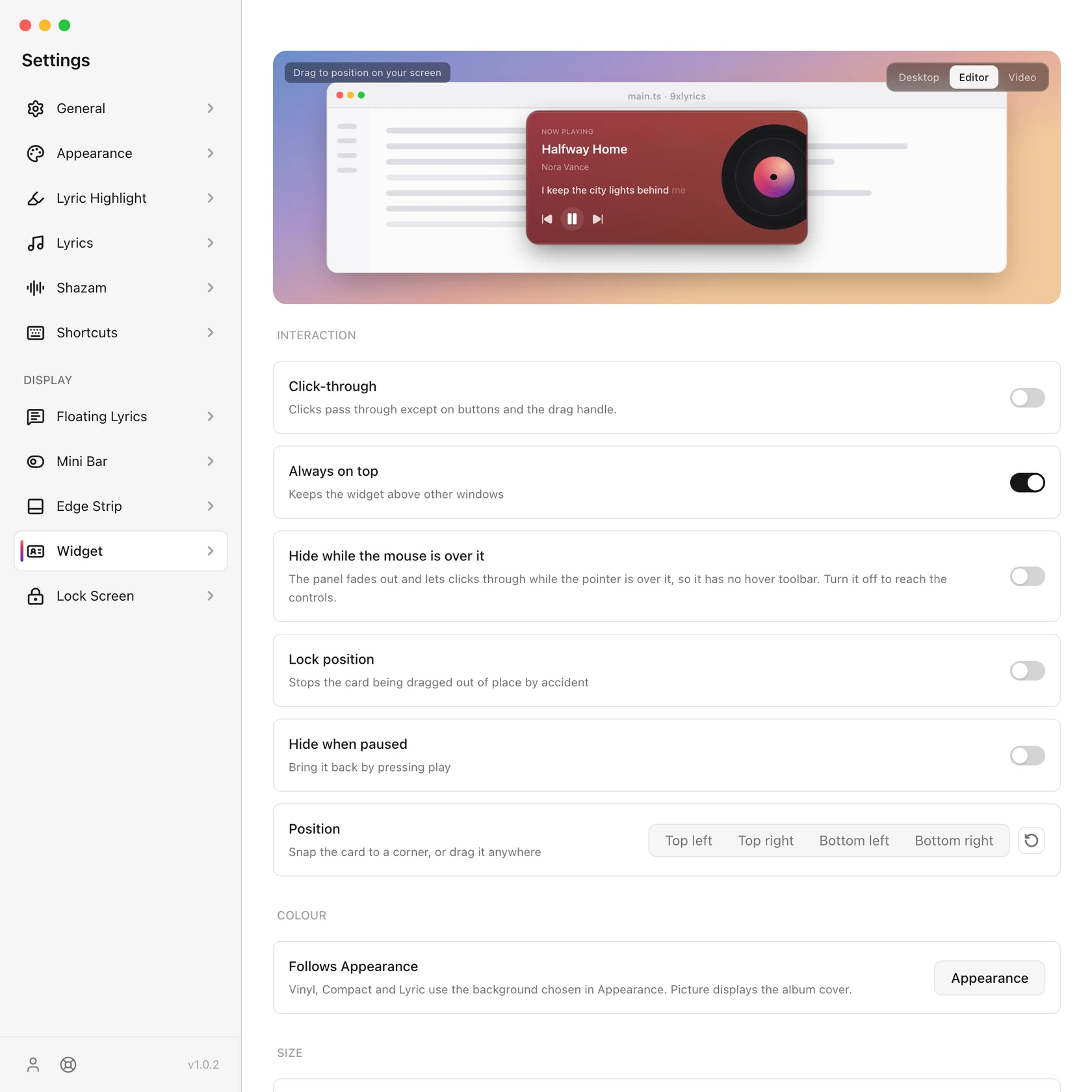
Closing the Widget hides it for this session. Tray › Show overlays restores it if enabled. Turning it off in Settings persists across restarts.
What it shows
- Show lyrics can be turned off to leave a plain player card.
- Scroll long lines walks a line wider than the card instead of cutting it.
- Translation appears under the line when the source has one.
- Hide when paused removes the card while nothing is playing. Bring it back by pressing play.
Settings
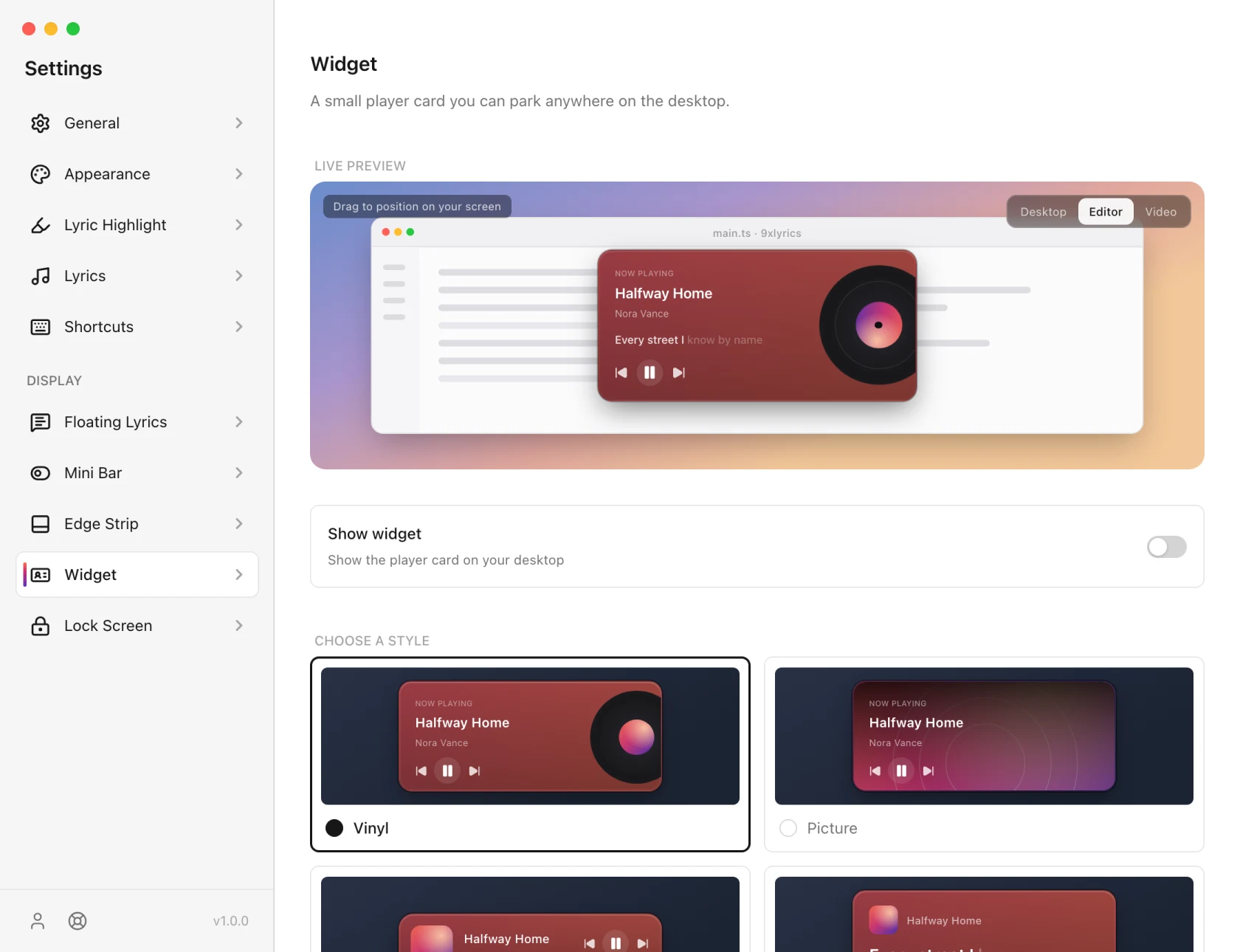
The Widget is the one surface with no keyboard shortcut of its own. Toggle it from this page or from the tray's Show widget. See Shortcuts for what can be bound.
On Android
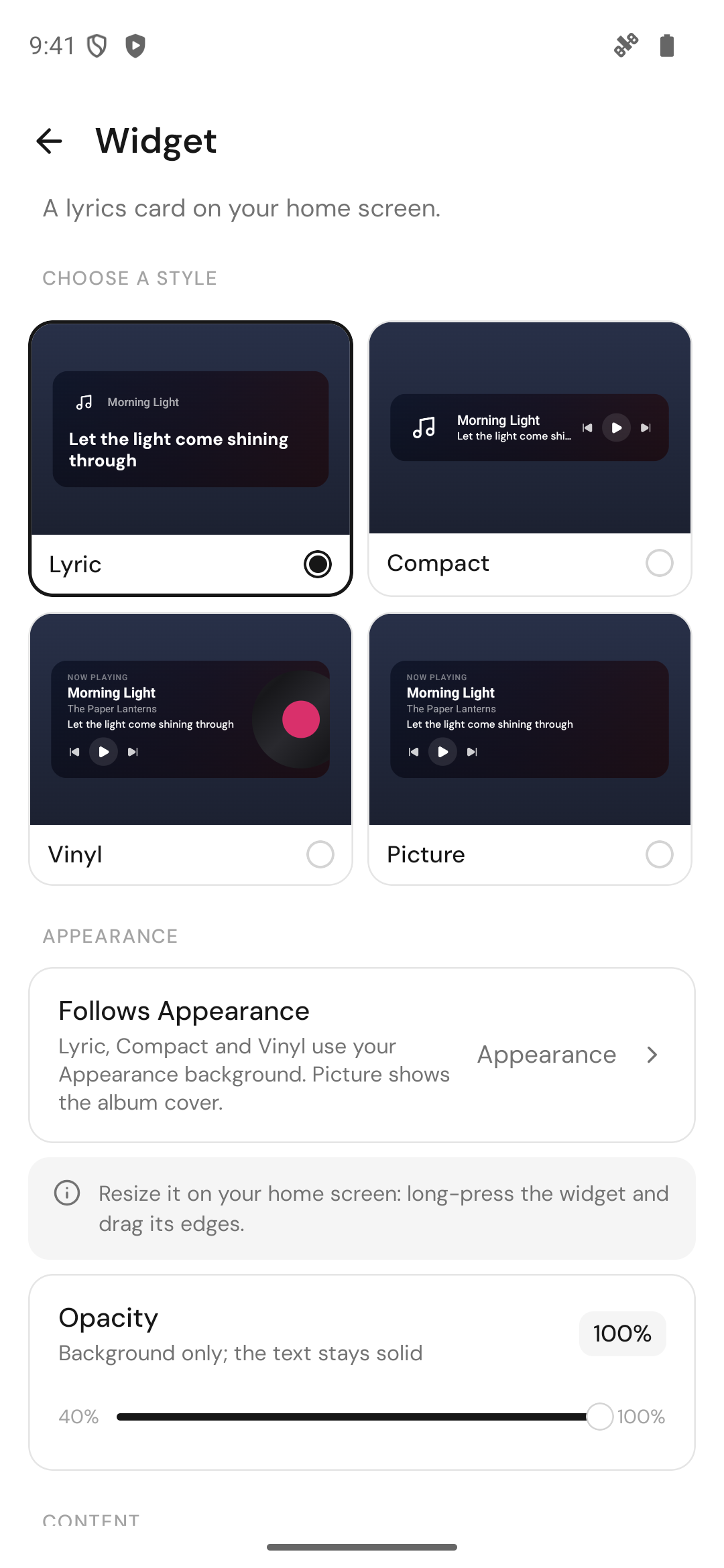
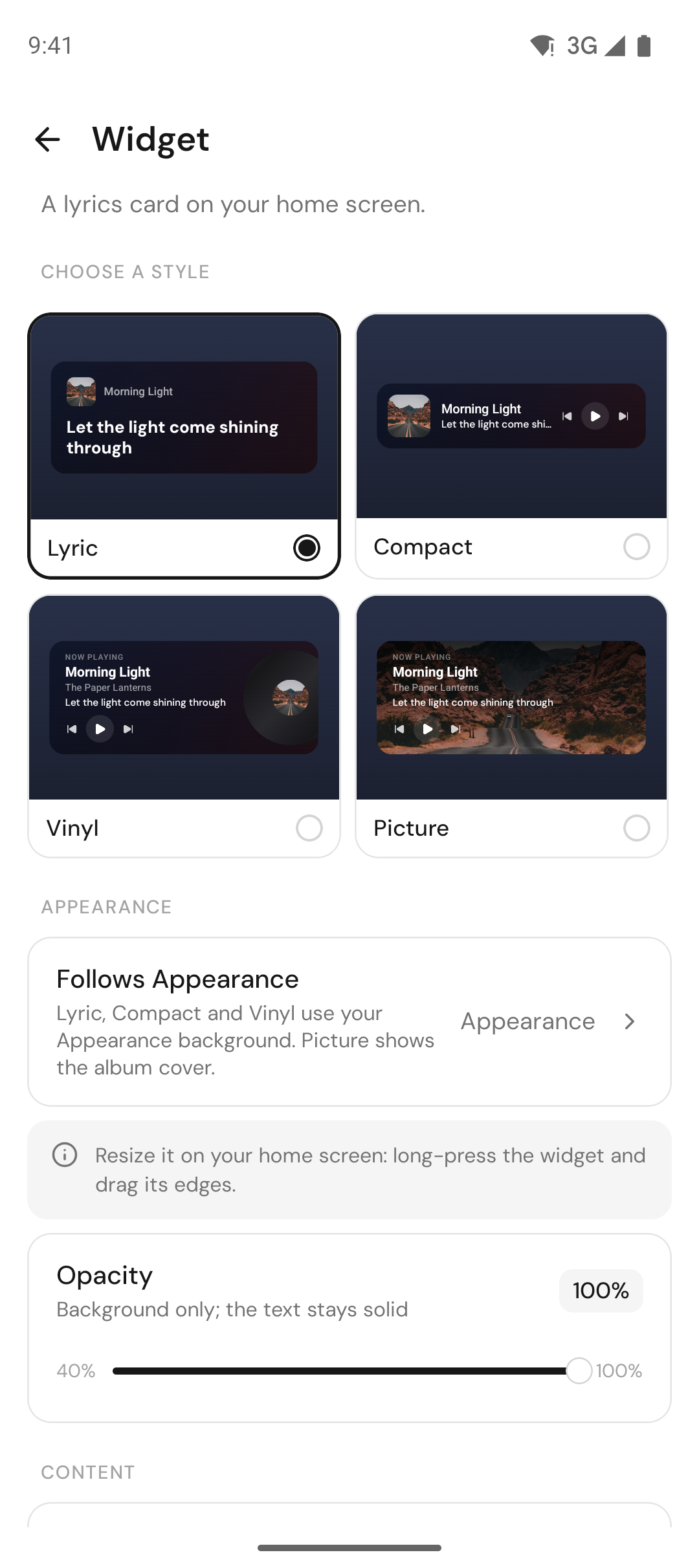
Put 9xLyrics on your home screen and the current line is there every time you unlock. The Android widget comes in four styles, Lyric, Compact, Vinyl and Picture, with playback controls built in. Lyric, Compact and Vinyl use your Appearance background; Picture shows the album cover. Resize it like any widget: long-press it and drag its edges.
Settings › Widget sets the style, the background opacity, and whether to show the lyric and its translation. Add widget asks Android where to put it, or long-press your home screen and pick Widgets. The widget lyric is Pro.