
What it does
The five surfaces, where the words come from, and what Pro adds.
9xLyrics reads what your system says is playing, finds the words, and shows them in time. It can follow your existing music app or play local audio files itself from Songs, with albums, artists, folders and an editable Up next queue. Local playback is free; overlays and advanced lyric tools still require Pro.
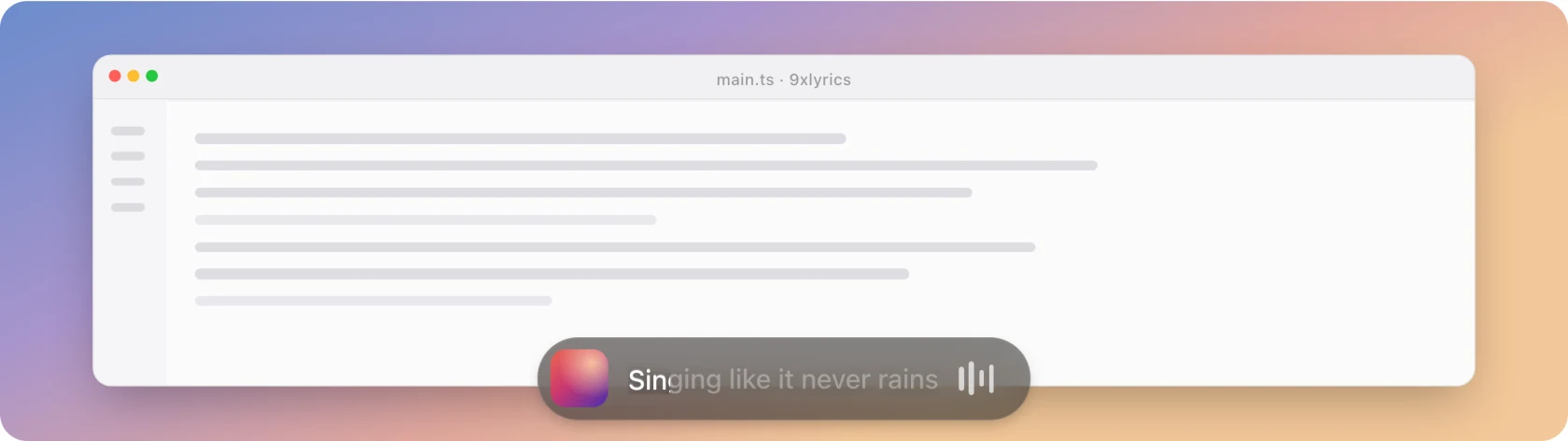
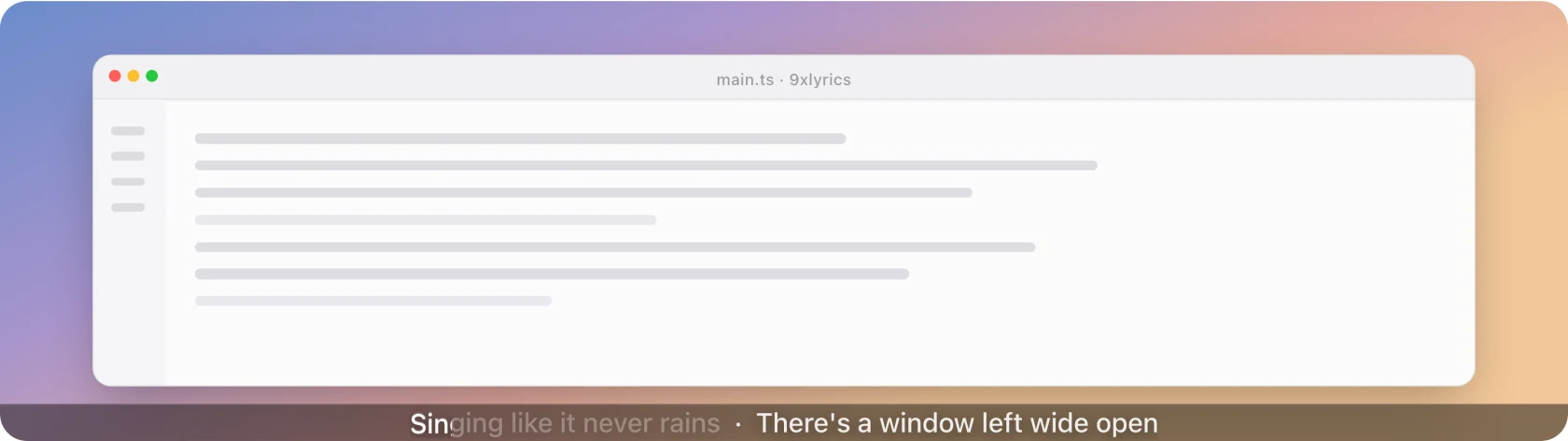
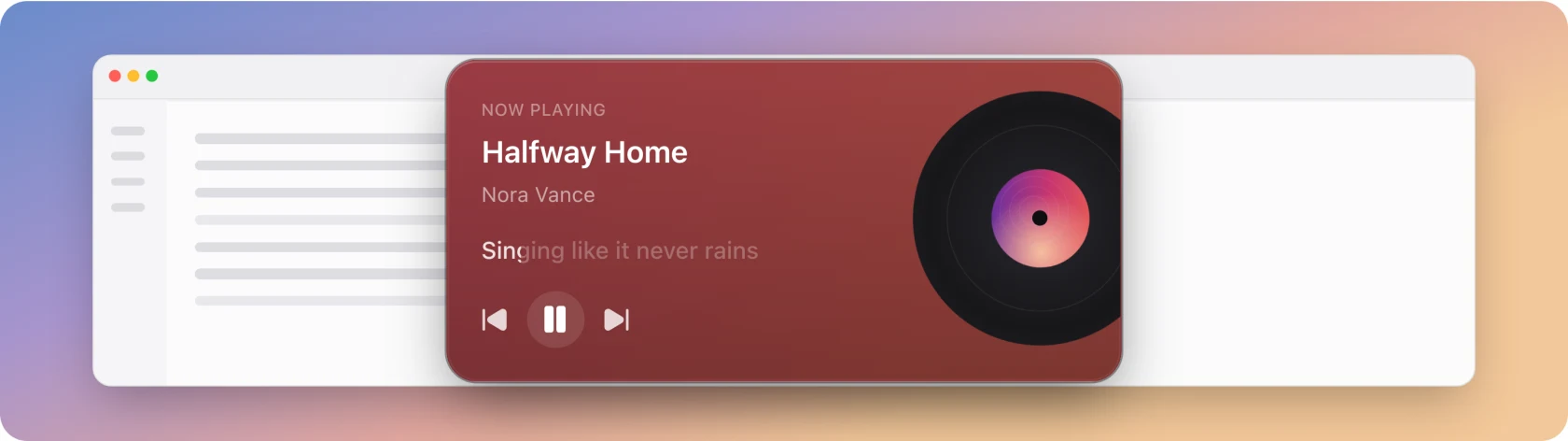
Five ways to see the words
| Surface | Best for |
|---|---|
| Floating Lyrics | One line, anywhere on screen, clicks falling through it |
| The Lyrics Window | Reading the whole song, and jumping to a line |
| The Mini Bar | A pill on a screen edge, with controls on hover |
| The Edge Strip | The lightest possible presence: one thin line |
| The Widget | A player card parked on the desktop |
The standard Lyrics Window is free. Every desktop overlay requires Pro or an active trial; Pro can run them together.
And a few things around them
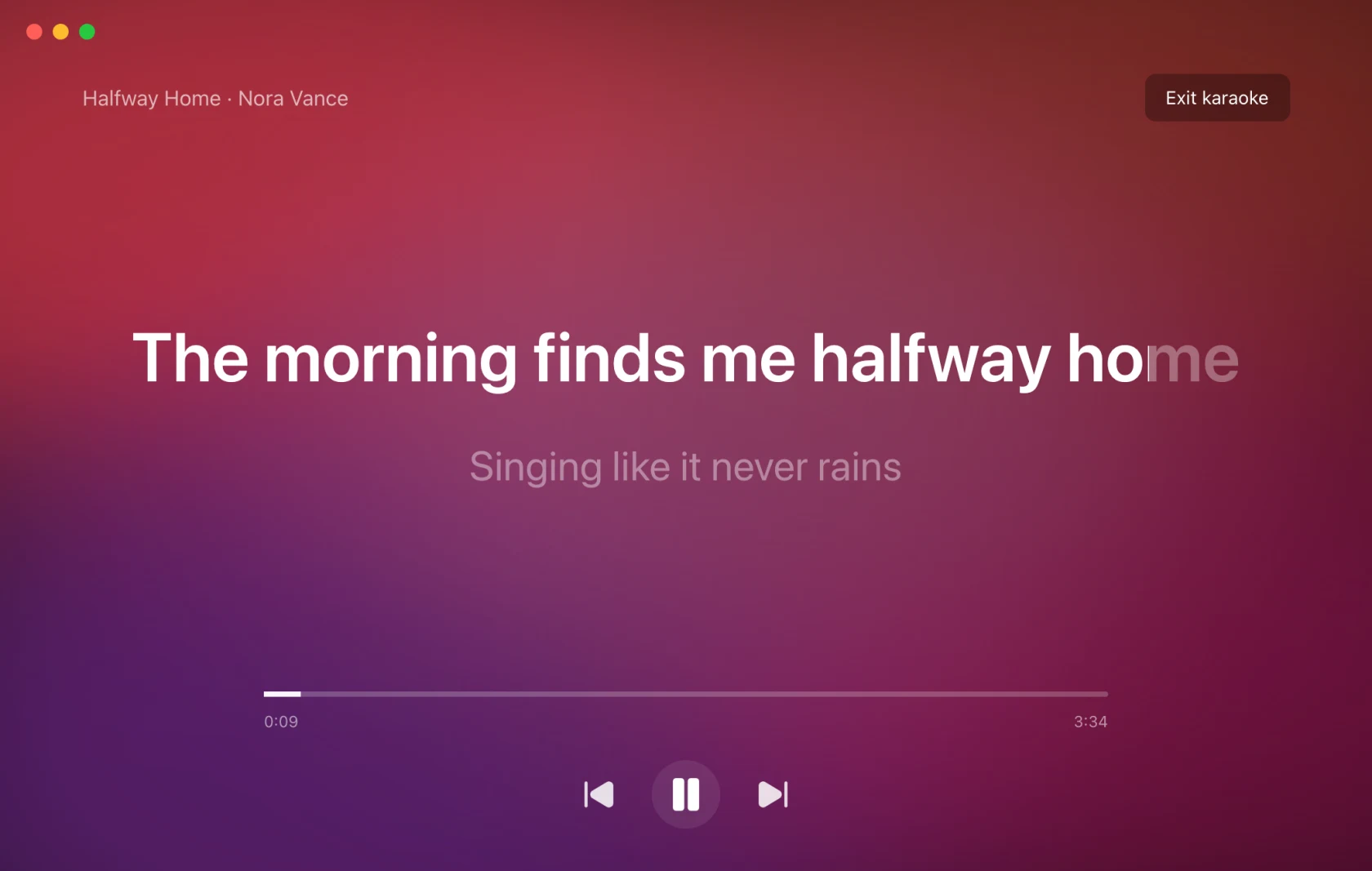
- Karaoke: the current line, full screen, filling word by word.
- Identify Song (Pro): what is playing in the room, not on this computer.
- Library: songs you played, songs you identified, and lines you starred. Free.
- Share cards: a few lines as a picture.
Where the words come from
Automatically, matched by title, artist and length. Your own .lrc files are
checked first, so a file you have beats anything online. When the automatic match
is wrong you can search the sources yourself, paste or load your own lyrics, or
use a YouTube video's captions, then fix the words and time each line in the
lyrics editor. What you save follows the song to any player. See
the Lyrics Window.
Two timing controls: a global delay for a system that runs ahead, and a per-song offset for a recording that does not match the common lyrics. Both are free and both are remembered.
On Android
The phone app brings the same lyrics to Android, with surfaces made for a phone:
| Feature | Computer | Android |
|---|---|---|
| Whole song with tap or click to seek | Lyrics Window | Now Playing |
| Floating Lyrics over other apps | Yes | Yes |
| Lyric in the notification and on the lock screen | macOS Lock Screen | Yes |
| Widget | On the desktop | On the home screen |
| Karaoke, Identify Song, share cards, Library | Yes | Yes |
| Play the songs saved on the device | Yes | Yes |
| Mini Bar, Edge Strip, menu bar text | Yes | Made for the computer |
| Quick Settings tile and app-icon shortcuts | Yes |
Pro covers the same features on both, and one UID works on your phone and your computer. See 9xLyrics on Android.
What Pro adds
All desktop overlays, Karaoke, Follow music player, choosing, editing and timing lyrics yourself, recognition, album artwork and gradient backgrounds, sharing and animated word fill. The full split is in Free and Pro.
Everything, by screen
Each card below is one screen of the app. Rows tagged Pro need an active trial or subscription; everything else works on a free account.
Floating Lyrics
- The current line on top of every windowPro
- Clicks fall through to the window behindPro
- On every display and every workspacePro
- Drag anywhere, or lock it in placePro
- One line, or the next one underneathPro
- Fade out while the pointer is over itPro
Lyrics Window
- The whole song, with the current line lit
- Click a line to seek the player to it
- Per-song offset, remembered
- Search every source, including lyrics you savedPro
- Paste lyrics, load a file, or use YouTube captionsPro
- Edit the words and set each line's timePro
- Auto-sync from a synced version of the songPro
- Your saved lyrics follow the song to any playerPro
Songs and Library
- Play local music with albums, artists and folders
- Shuffle, repeat and manage Up next
- Songs you played, grouped by day
- Songs identified with Shazam
- Star lines and keep them in Saved lines
- Open a song's lyrics again, even after a restart
- Kept on this computer, with an off switch
Mini Bar, Edge Strip and Widget
- A pill docked to a screen edgePro
- Transport controls on hoverPro
- One thin line along an edgePro
- A player card on the desktop, in four stylesPro
- Several overlays at oncePro
Karaoke and highlighting
- Full-screen, one line at a timePro
- Word-by-word highlighting
- Highlight colour shared by every surface
- Seven gradients, from Sunset to Rainbow
- Smooth word fill as each word is sungPro
Identify Song
- Recognise what is playing in the roomPro
- Show its lyrics in every surfacePro
- Timing estimated from the matchPro
- Built in on Windows and LinuxPro
- Apple's Shazam integration on macOSPro
Share cards
- Up to four lines as a picturePro
- Square, Story and Wide formatsPro
- Art, Dark and Light themesPro
- Copy, save as PNG, or sharePro
Settings - General, Playback and Lyrics
- Detect one music player, or whatever is active
- Launch at login and start minimised
- Global lyric delay for every song
- Your own .lrc folder, checked first
- Open and close with your music playerPro
- Song title or lyric in the macOS menu barPro
Appearance
- Accent colour and interface size
- Nineteen languages
- A solid colour behind the lyrics
- Album colours or the cover itselfPro
- Gradient presets, blur and dimPro
Shortcuts and the tray
- Global shortcuts you can customise
- Every surface toggled from the tray
- Player picker and offset nudge in the menu
- Play, pause and skip the followed player
Lock Screen (macOS)
- Track and lyric while your Mac is lockedPro
- Card, Wide and Vinyl layoutsPro
- Drag it where you want itPro
- A sound on unlockPro