Share cards
Turn a few lines into a picture, in three shapes and three themes.
Pick up to four lines of the song you are on and get a picture of them: square for a post, tall for a story, wide for anything else.
Open it from the share button in the Lyrics Window or from karaoke. Share on a saved line or on a song opened from the Library opens it with those lines ready to pick.
Share cards are Pro. See Free and Pro.
Pick the lines
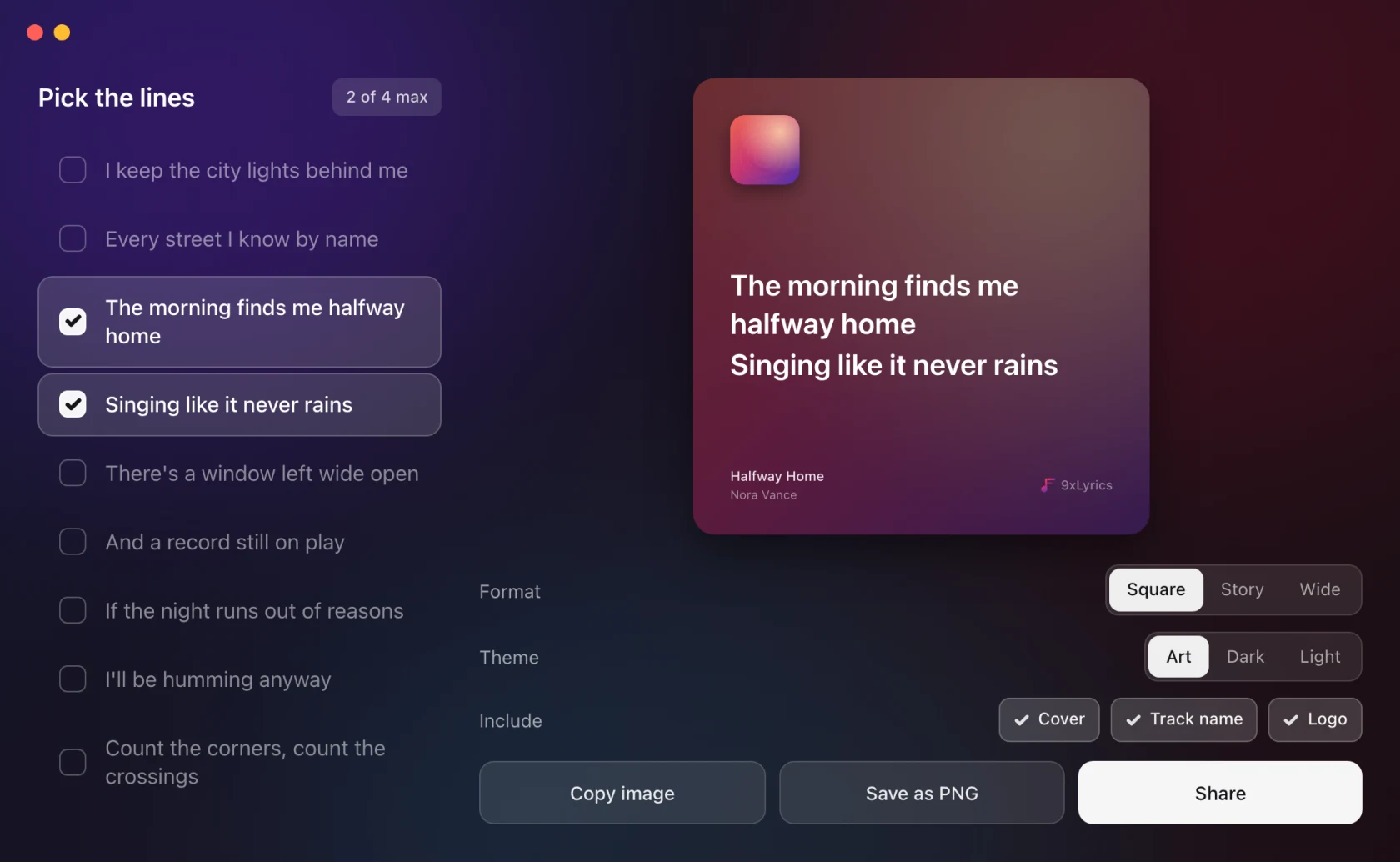
Tick up to four. The counter at the top reads 2 of 4 max. The card redraws as you tick, so the length of what you chose is visible before you export it.
The lines come from the lyrics currently in use, so lyrics you chose or edited yourself are what get shared.
Format, theme, and what is on the card
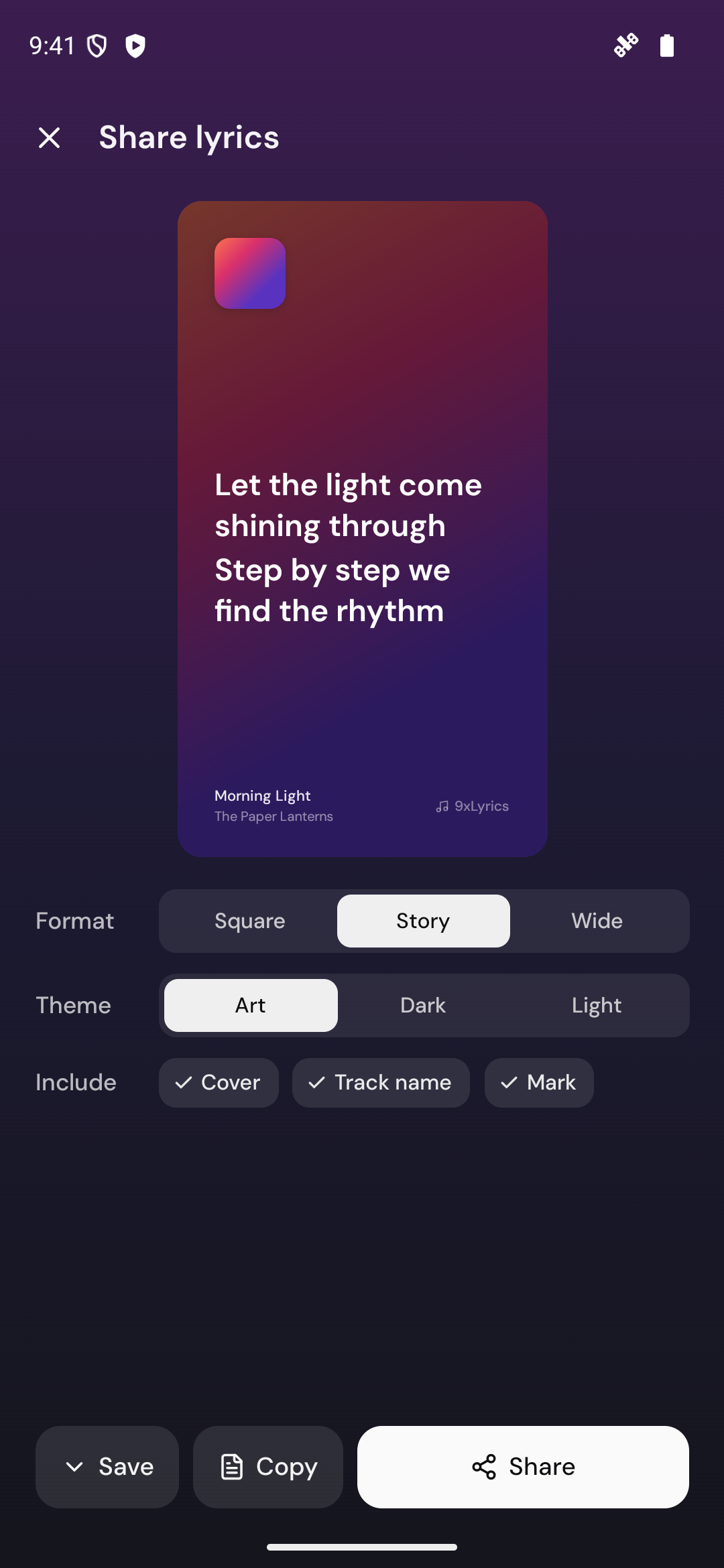
- Format: Square, Story or Wide.
- Theme: Art takes the card's colours from the album cover, Dark and Light are fixed.
- Include: Cover, Track name and Logo, each on or off. Turn all three off and the card is only the words.
The highlight colour or gradient from Lyric Highlight is used as a flat fill on the card; a light card adds a thin dark outline so the words stay readable.
Getting it out
- Copy image puts the PNG on the clipboard, ready to paste straight into a post or a message.
- Save as PNG writes it to a file.
- Share hands it to the system share sheet where there is one, and copies it where there is not.
Each button confirms in place: Copied, Saved.
No lyrics, no card
With nothing playing, or with a song whose lyrics were never found, the composer says so rather than offering an empty card.
On Android
Share cards work the same way on your phone: tick up to four lines, tap Next, then pick the Format, Theme and what to Include. Save puts the picture in Pictures › 9xLyrics, Copy puts it on the clipboard, and Share sends it straight to any app. Start from Now Playing or from a saved line in the Library. Share cards are Pro.