Keyboard shortcuts
The actions you can bind, how recording one works, and what happens when a key is taken.
9xLyrics shortcuts are global: they work while another app has focus, so the lyrics are one key away whatever you are doing.
Two defaults
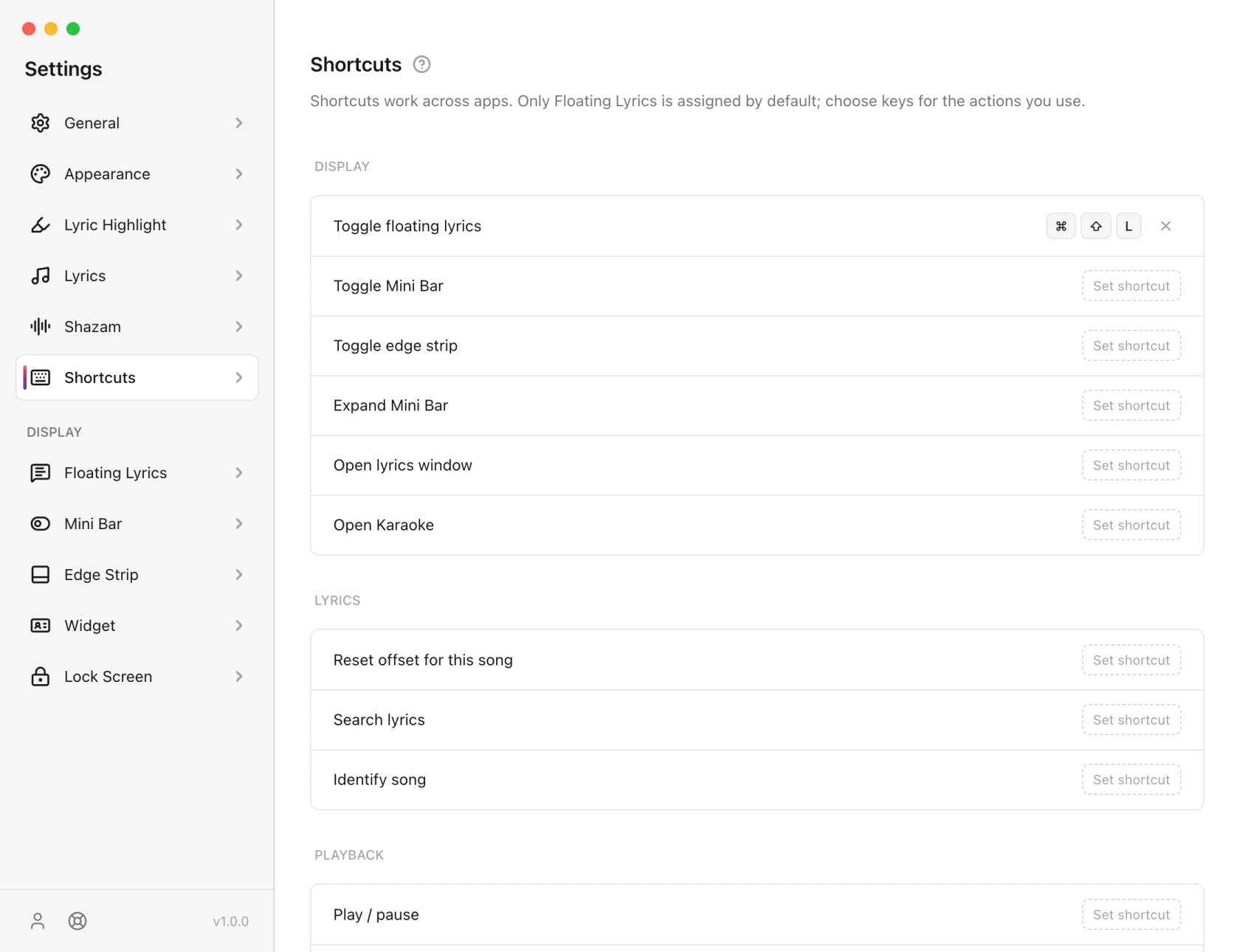
- Toggle floating lyrics: Cmd/Ctrl + Alt + L (Option on a Mac), with Pro or the trial.
- Open lyrics window: Cmd/Ctrl + Alt + K, free.
Set 9xLyrics up before version 1.0.8? Your shortcuts stay exactly as they were, including the earlier defaults, Cmd/Ctrl + Shift + L and Cmd/Ctrl + Shift + K. Change them here any time.
Other actions are unassigned so they do not take keys from your other apps. Configuring shortcuts is free. Shortcuts work while you are signed in, and the overlay toggles (Floating Lyrics, Mini Bar, Edge Strip and Expand Mini Bar) work with Pro or the trial.
Actions
Display
| Action | Default |
|---|---|
| Toggle floating lyrics | Cmd/Ctrl + Alt + L |
| Toggle Mini Bar | Not set |
| Toggle edge strip | Not set |
| Expand Mini Bar | Not set |
| Open lyrics window | Cmd/Ctrl + Alt + K |
| Open Karaoke | Not set |
Lyrics
| Action | Default |
|---|---|
| Reset offset for this song | Not set |
| Search lyrics | Not set |
| Save the current line | Not set |
| Identify song | Not set |
Playback
| Action | Default |
|---|---|
| Play / pause | Not set |
| Next track | Not set |
| Previous track | Not set |
Save the current line stars the line being sung and keeps it in Library › Saved lines. It is free.
The playback three control the player 9xLyrics is following, not 9xLyrics.
Setting one
Click Set shortcut and press the combination. It is recorded as you press it, and saved when you let go. The × beside a bound row clears it.
While a row is recording, 9xLyrics stops acting on its own shortcuts, so pressing an existing combination records it rather than firing it.
When a key is already taken
The operating system decides who gets a global shortcut, and it is not always 9xLyrics. If the system or another app already holds the combination, the row says so right there. Pick a different one: adding Shift to a combination is usually enough.
Some combinations can never be taken: the system reserves them, and no application can register them.
The tray is the fallback
Everything a shortcut does is also in the tray menu. If a binding will not take, or you would rather not spend the keys, the menu is one click away and needs no setup.
On Android
Your phone has its own quick ways in:
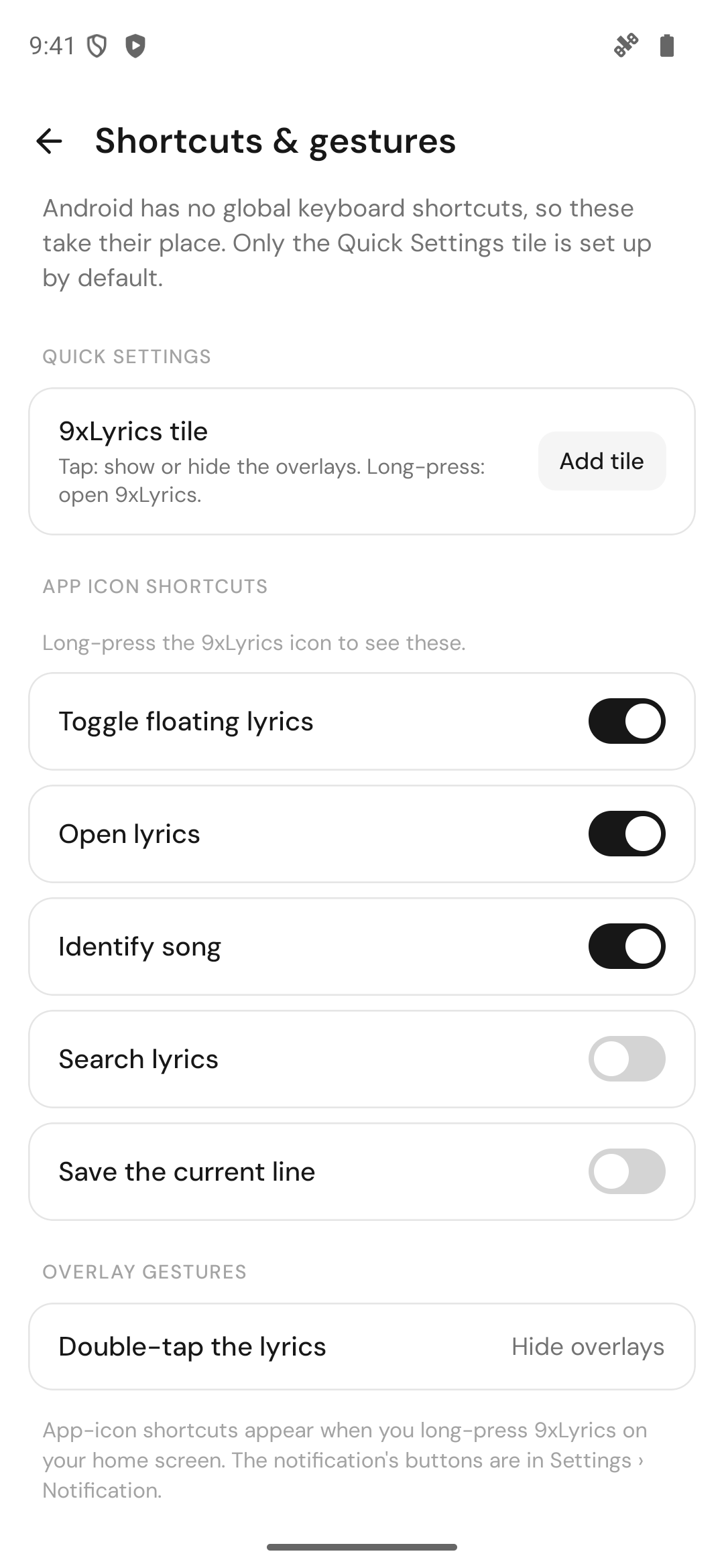
- The 9xLyrics Quick Settings tile: tap it to show or hide the overlays from anywhere, long-press it to open 9xLyrics. Add it from Settings › Shortcuts & gestures or Settings › General.
- App-icon shortcuts: long-press the 9xLyrics icon on your home screen for Toggle floating lyrics, Open lyrics, Identify song, Search lyrics and Save the current line.
- Double-tap the lyrics to hide the overlays.
The overlay shortcuts need Pro, like on the computer.