The Lyrics Window
The whole song, with click-to-seek, the offset, starred lines, and the tools to find, fix and time the lyrics.
The only surface that is a window rather than an overlay, and the one that shows the whole song rather than the line you are on. It is free, and there is no limit on using it alongside an overlay.
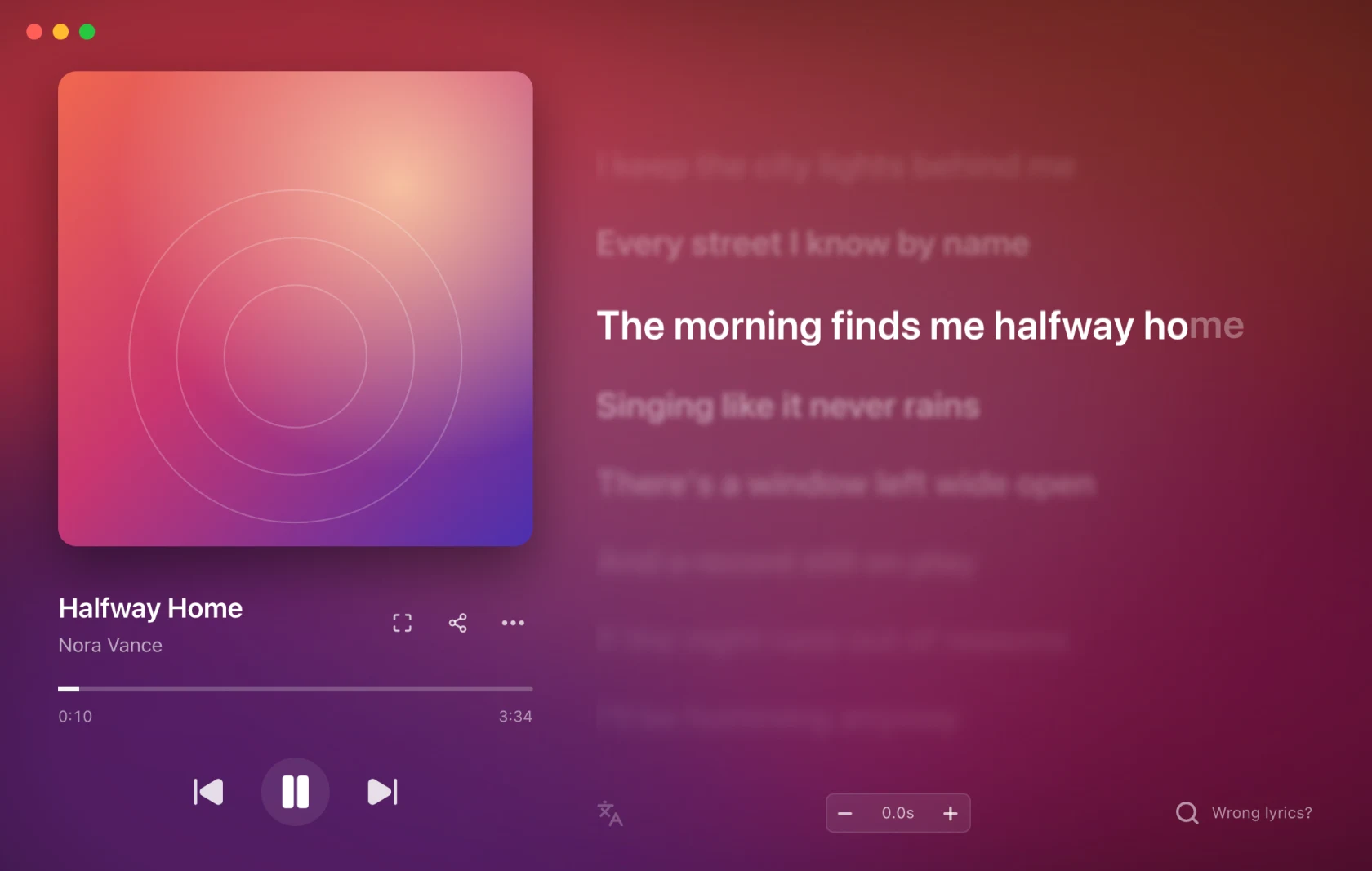
Open it from the tray's Open lyrics window, with Cmd/Ctrl + Alt + K (Cmd/Ctrl + Shift + K if you set the app up before 1.0.8), or by clicking the Mini Bar.
Switch views
The right-hand rail opens Lyrics, Songs, Recent and Saved, with Identify at the bottom. Songs plays local audio files; Recent shows listening history and identified songs; Saved holds starred lines. See Songs and Library. Escape returns to lyrics.
Click a line to jump there
Every line is a seek target. Click one and the player jumps to it: the real player, not just the lyrics. Play from this line is what the line says when you hover it.
Scroll away and the window stops following the song so you can read ahead; Back to current line appears to bring you back.
This works wherever the player allows seeking. Some sources (a Shazam match, for instance) have no transport to seek, and the controls are drawn disabled rather than removed.
Star a line to keep it
Hover any line, synced or plain, and a star appears beside it. Click it and the line is kept in Saved; a saved line keeps a filled star. More › Save the current line stars the line being sung. Starring and the Library are free.
The footer
Under the lyrics:
- Translate: the translated line under each original, where the source provides one.
- Offset: the timing for this song only (below).
- Wrong lyrics?: search for other lyrics, or bring your own (below).
- Save lyrics: keeps the lyrics on screen as your own for this song, in one click. Once the lyrics are already yours, or come from a local file, a note says so instead.
- Edit lyrics: opens the lyrics editor.
On a narrow window the footer takes two rows.
The offset, for this song only
Some recordings do not match the lyrics everyone has: a live version, a remaster, a track with a long silent intro. The Offset field at the bottom nudges the timing for that one song, and remembers it.
It is a number in seconds, positive or negative, typed or stepped. Zero shows as
a quiet 0.0s; anything else is marked so you can see at a glance that this song
is shifted. Reset it from the tray's Lyric offset › Reset for this song or a
shortcut.
For a system that runs ahead of itself on every song, use the Global lyric delay in Settings › Lyrics instead.
Wrong lyrics?
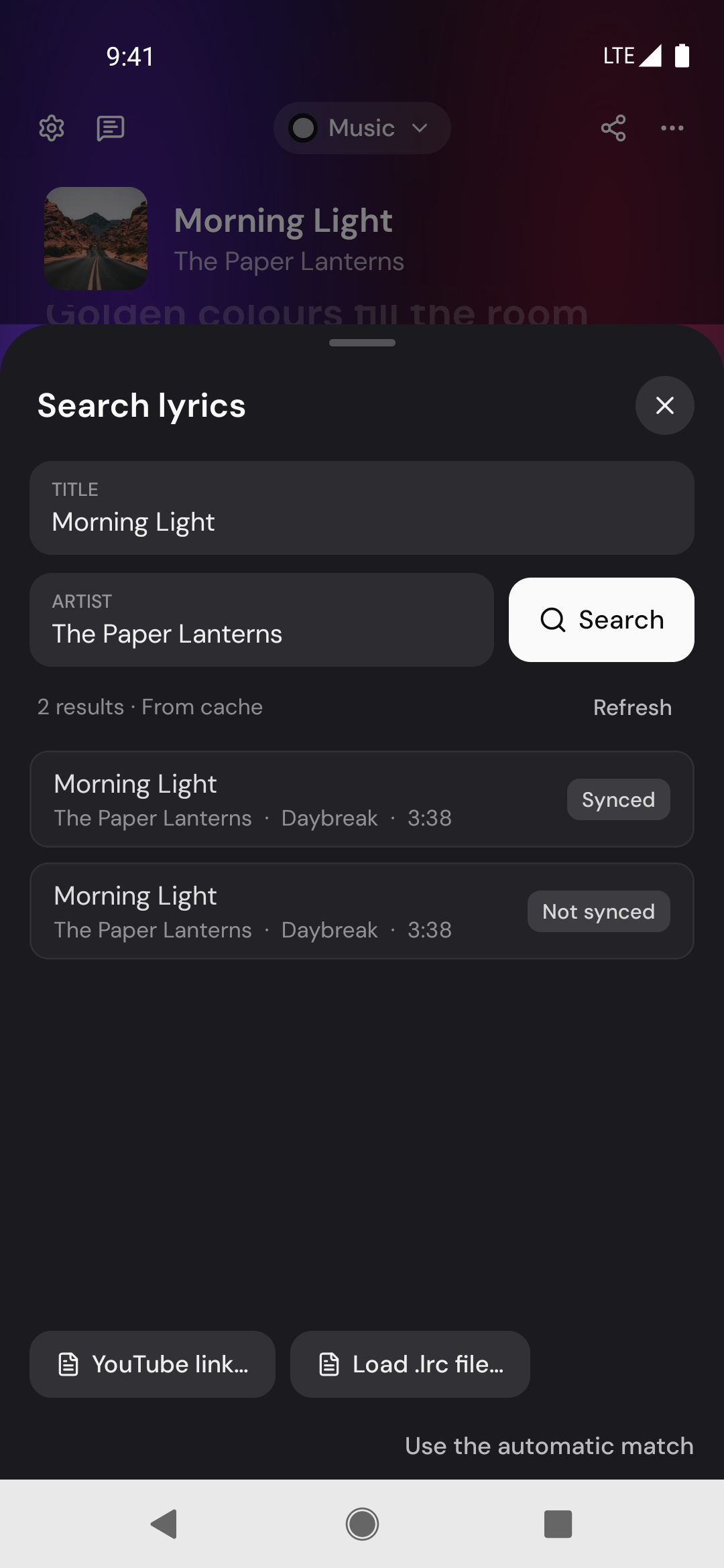
The button at the bottom right of the list. It opens Search lyrics in the same window.
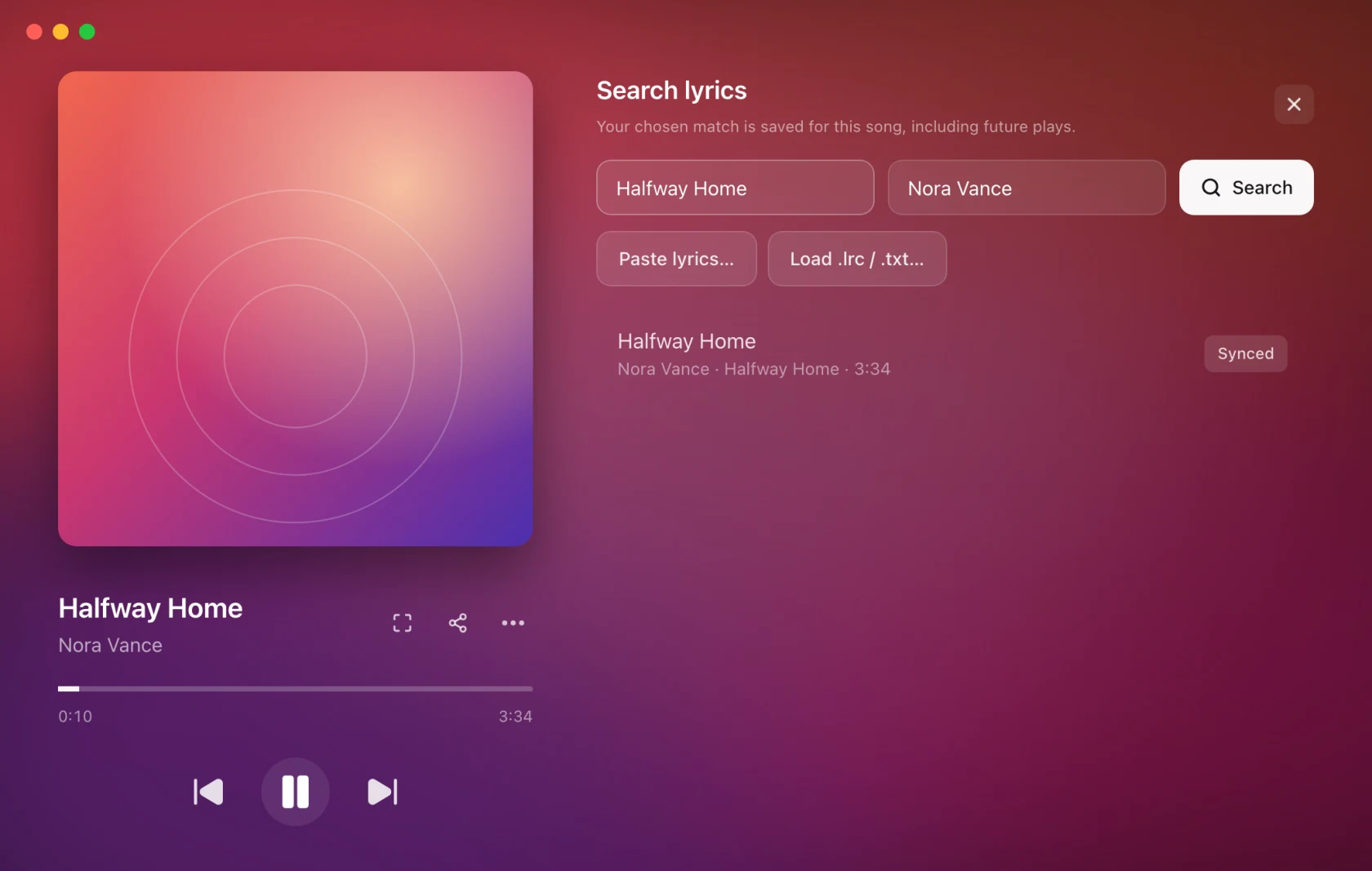
- Search looks across every lyric source. Each result says where it came from and whether it is Synced or plain.
- Saved by you versions of this song are listed first, each with the date it was saved. Matching files from your lyrics folder are listed as Local file. Neither is picked automatically; they are there to choose.
- Click a result to preview it. The preview offers Use these lyrics, Edit, and a close button; a Saved by you version also has Delete.
- The lyrics you use are kept for that song from then on, including on future plays, and survive a cleared cache.
Choosing, editing and timing lyrics yourself is Pro. The automatic match is free. See Free and Pro.
Bring your own lyrics
Three buttons under the search:
- Paste lyrics…: text or timed LRC pasted straight in. Timed LRC follows the song as it is. Plain text syncs itself when a synced version of the same song lines up with it (most of the lines have to match); otherwise it stays unsynced until you time it. Edit & sync opens it in the editor instead.
- YouTube link…: paste a YouTube or YouTube Music video link and its captions become the song's lyrics. It works for songs no lyric source has, whatever player you are listening in. The captions are timed to the video, so if the video has an intro, fix the timing with the Offset.
- Load .lrc / .txt…: a file from disk.
Editing and timing lyrics
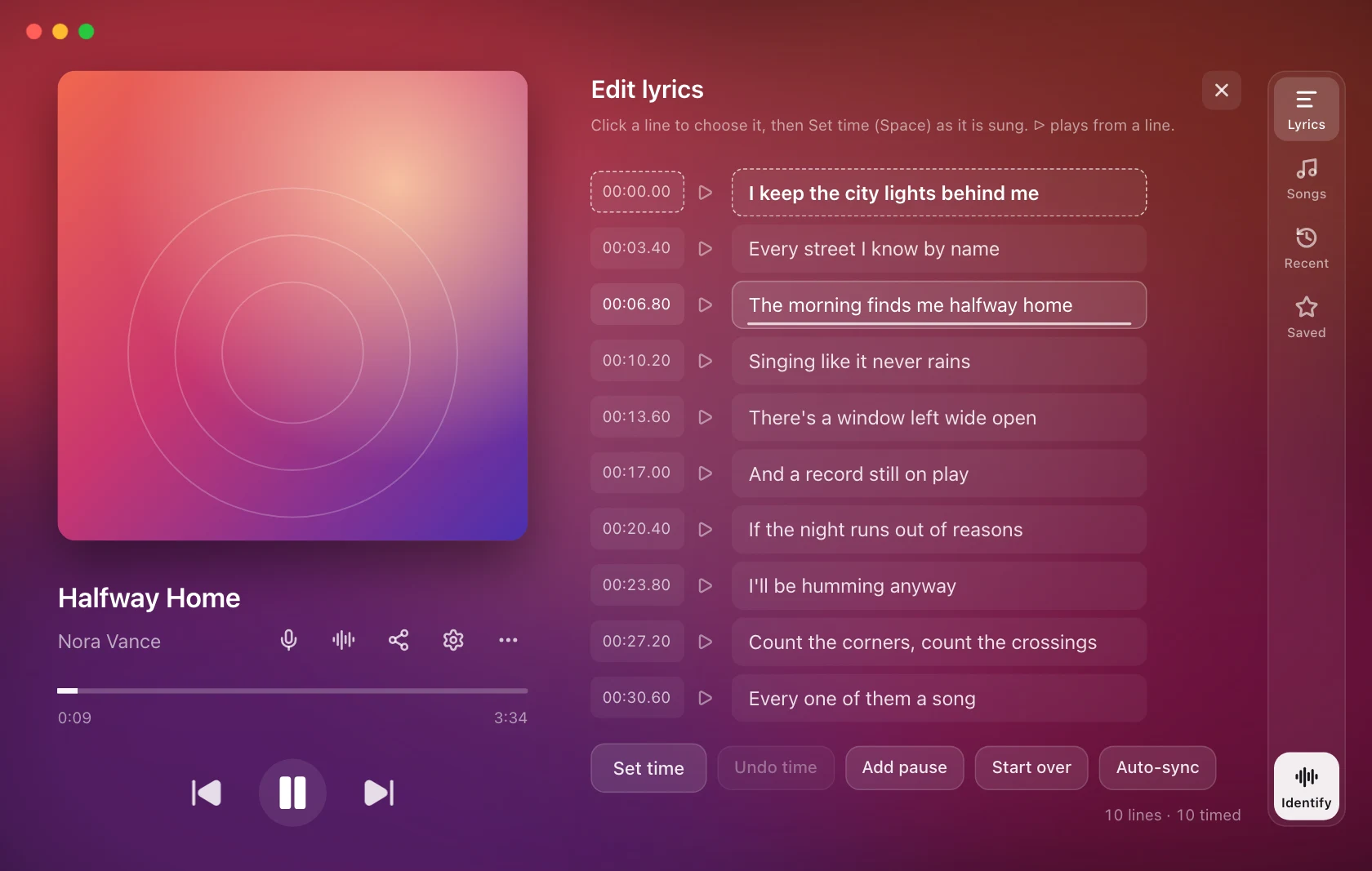
Open it from Edit lyrics in the footer, Edit in any search preview, or Edit & sync in the paste card.
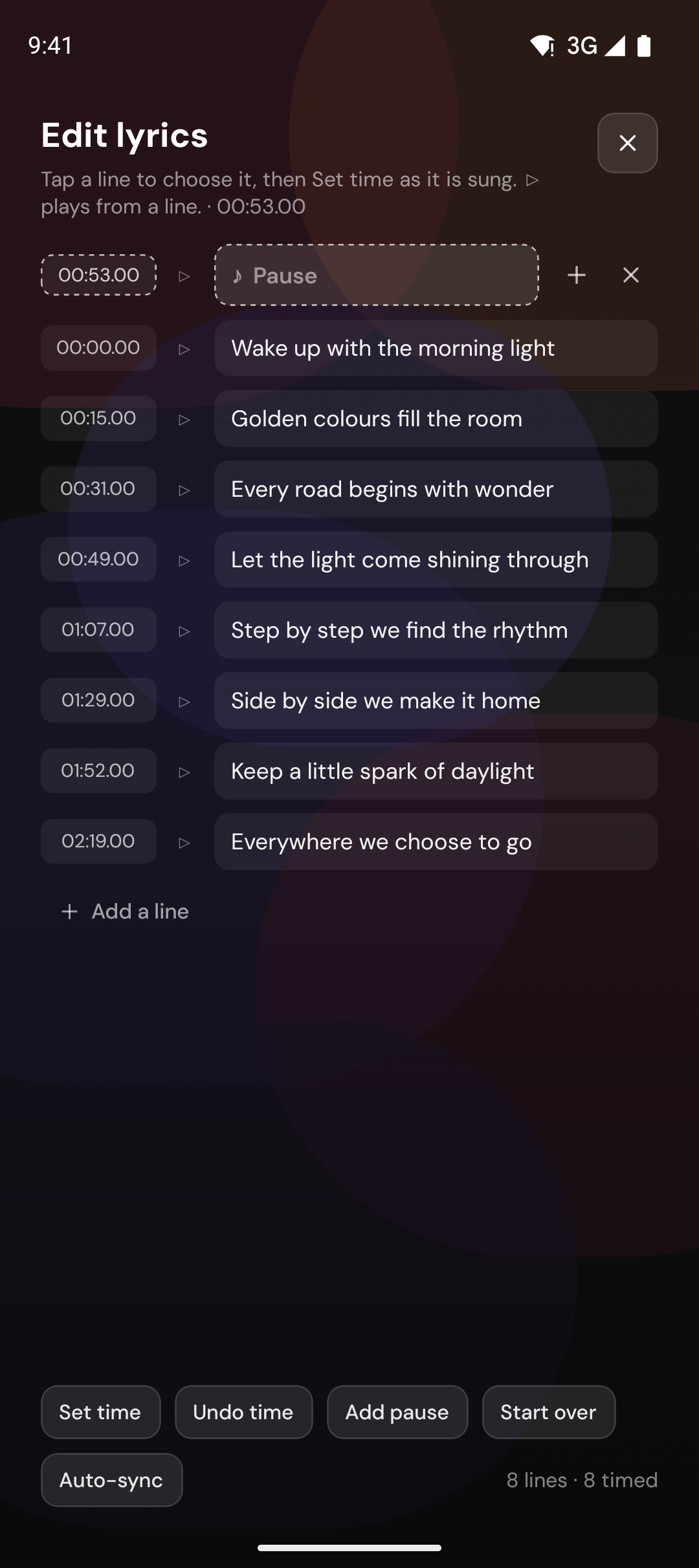
Each line has its time, a play button that plays the song from that line, its words, and buttons to add a line below or delete it. Fix a word, add or delete lines, or type a line's time.
To time the song as it plays:
- Click a line to choose it.
- Press Set time (or Space) as that line is sung. The next line is chosen, so you can tap straight through the song or fix a single line.
- Undo time takes the last one back and replays from just before it. Add pause inserts an empty line where the singing stops for a while. Start over clears every time.
Auto-sync takes the timing from a synced version of the same song, for when you have the right words but no timing.
There is no Save button. Changes save themselves as you go, and the lyrics on screen and on every overlay follow them.
Saved by you
Everything you save (pasted, loaded, edited, or kept with Save lyrics) is kept by song as Saved by you:
- The same song played in another player gets your lyrics.
- Each save is its own version, listed in Search lyrics with its date, so an earlier version is one click away.
- Use the automatic match puts one track back on the automatic lyrics without deleting anything you saved.
The rest of the window
- Karaoke (Pro) opens the full-screen view.
- Share lyrics (Pro) opens the share card composer.
- More holds Search lyrics…, Library…, Save the current line, Identify song, Reload lyrics, the lyric nudges and the links out to the lyric source.
Size
The window scales with Interface size in Settings › Appearance, along with Settings itself. The overlays have their own sizes and are not affected.
On Android
On your phone the whole song lives on the Now Playing tab. Tap any line to
jump the player there, adjust the offset for the song, and star lines to keep
them in the Library. Save lyrics and Edit lyrics work the same way, and
the search sheet lets you search every lyric source, paste lyrics or load an
.lrc file, then fix the words and timing in the editor (Pro). Lyrics you save
on the phone are kept for that song on the phone.