
The Edge Strip
One thin line along a screen edge, the lightest way to keep lyrics visible.
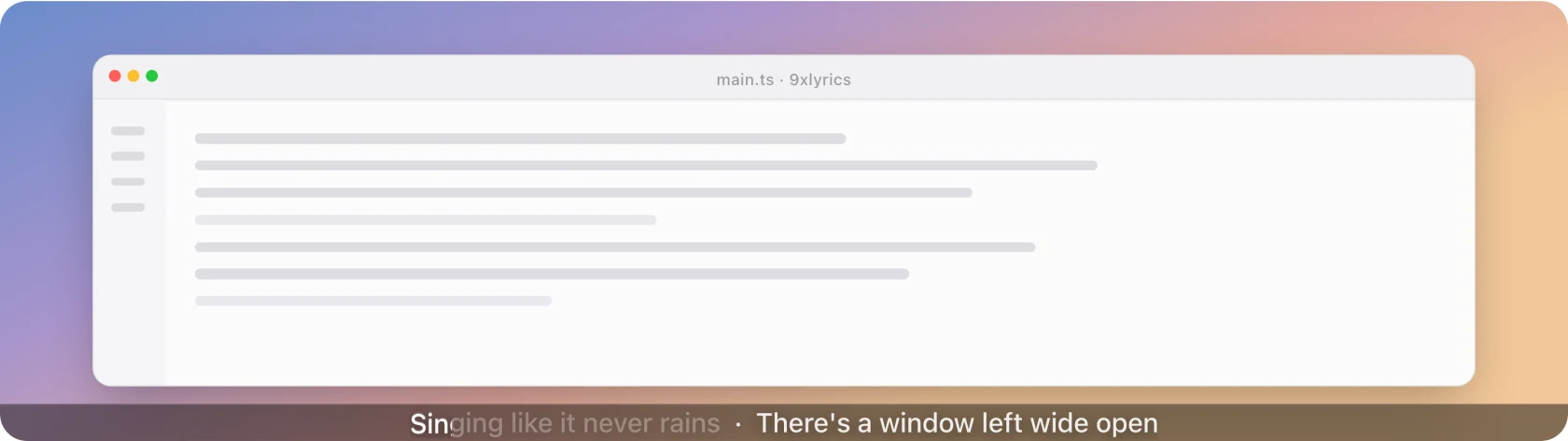
A single band across the top or bottom of the screen with the current line in it. The quietest surface 9xLyrics has: it takes one line of screen and gives nothing else back.
The Edge Strip is Pro. See Free and Pro.
Shape
- Dock to: the top or bottom edge.
- Strip height: how thick the band is.
- Maximum characters: where a long line is cut. Lower it and the strip stays narrow; raise it and more of the line fits.
What it shows
- Single-line mode shows only the line playing now. Turn it off and the next line follows it after a separator, as in the picture above.
- Scroll long lines walks a line that does not fit rather than truncating it, pausing with playback and respecting Reduced Motion.
- Show translation appends the translated line when the source has one.
- Tint from album art colours the band from the cover.
- Hide when paused takes the strip away while nothing is playing.
Interaction
The strip never takes focus. The two Interaction switches decide what happens under the pointer, the same way on every overlay:
| Settings | Under the pointer |
|---|---|
| Both off | The full strip: its hover controls (open the Lyrics Window, Edge Strip settings, and hide the strip) appear at the end of the line, and it takes clicks. |
| Click-through on | The strip stays visible and clicks pass through to the window behind. No hover controls. |
| Hide while the mouse is over it on | The strip fades out and lets every click through, whatever Click-through says. |
Click-through is on by default, which is what lets the strip sit over a maximised window without ever getting in the way.
When a song has no lyrics, a Search button appears on the strip. It can be pressed even with Click-through on, and opens Search lyrics.
The strip has no drag handle or position lock; use Dock to to place it at the top or bottom.
Every display, every workspace
- Show on every display puts a strip on each screen. Off by default; otherwise it follows Settings › General › Show on display.
- Show on every workspace keeps it with you across virtual desktops and over full-screen windows. On by default.
Settings
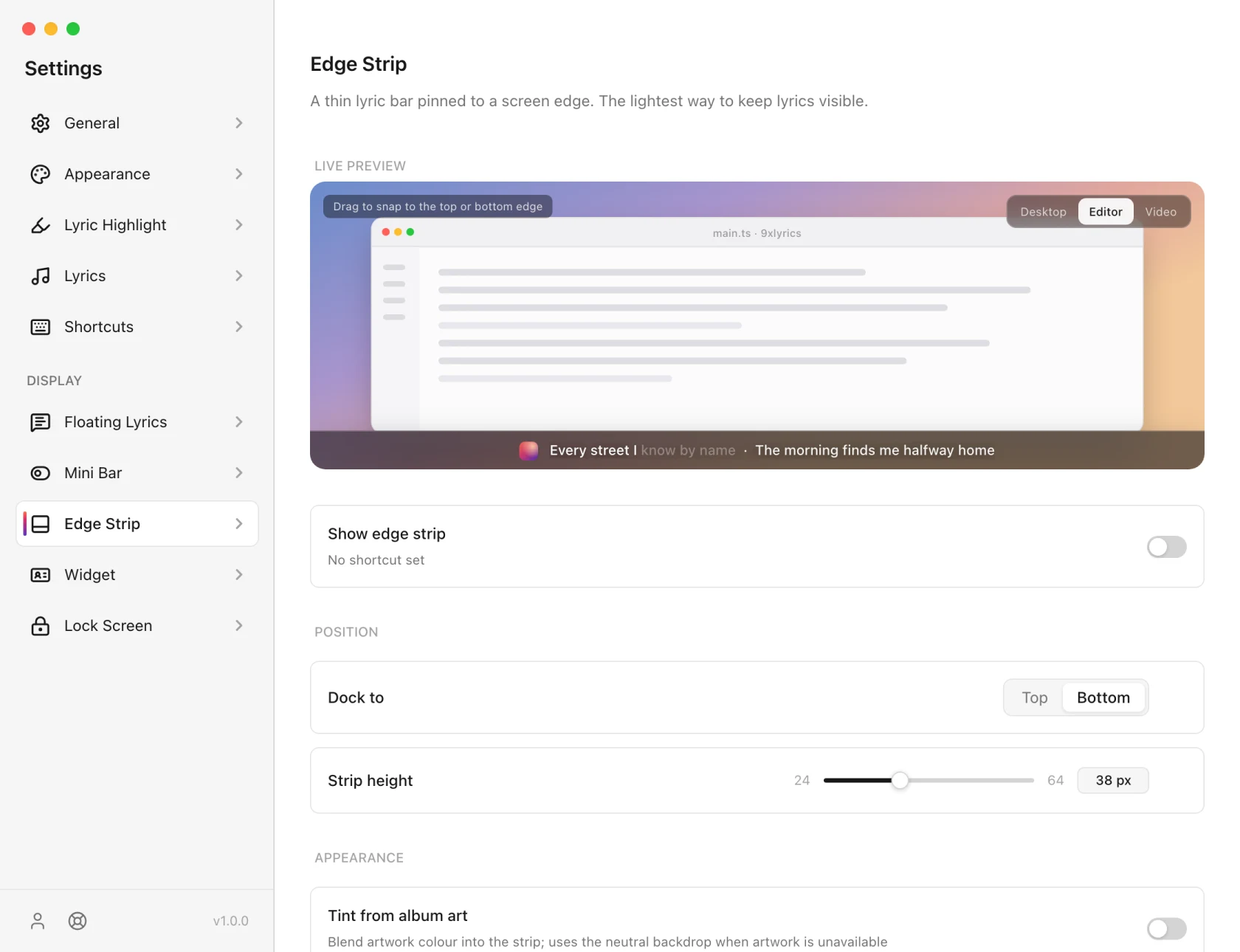
Toggle edge strip can take a shortcut in Shortcuts. It has none by default.
The Edge Strip is made for your computer's screen edge. On Android, keep the line in view with Floating Lyrics or the lyric notification. See 9xLyrics on Android.