
Knowledge and Memories
The difference between files you give the assistant and things it works out for itself, with their scopes and how to remove them.
Both put context into a conversation without you pasting it, and they are easily confused. The short version:
- Knowledge is what you gave it: folders of your files it can search.
- Memories are what it worked out: facts about you and your projects, saved as you chat.
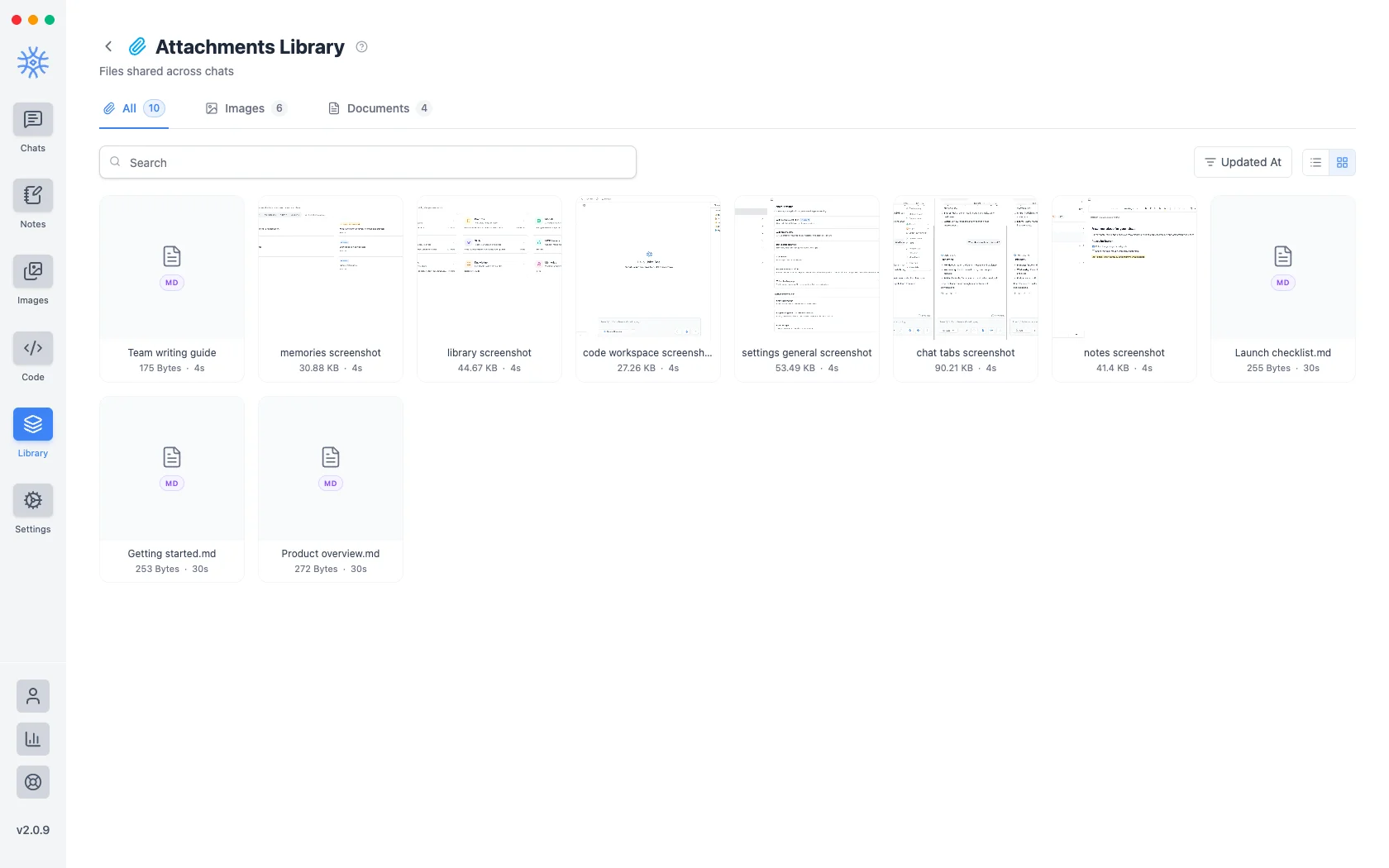
Attachments sit alongside them: a file you dropped into one conversation, rather than a library it searches. Library → Attachments collects them all, split into images and documents, so a file shared in one chat can be found and reused in another. See Attachments.
Knowledge
Library → Knowledge holds collections: folders of files the assistant can search across chats. Create a collection, add files, and attach it to a chat or to an agent.
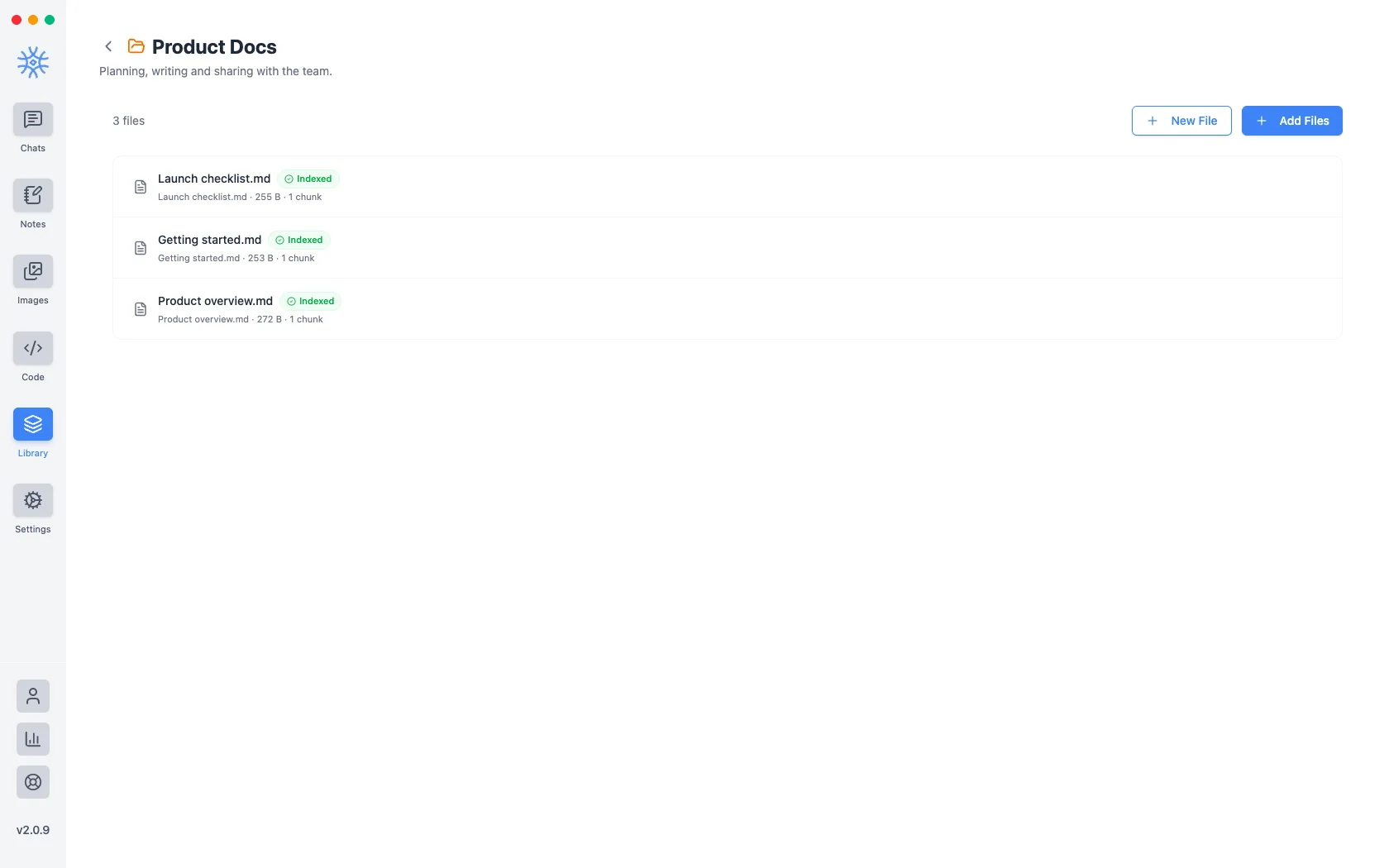
Searching is done by the Search Knowledge tool, so a collection is only consulted when that tool is enabled and the assistant decides it is relevant. What matches enters the conversation, and travels wherever that conversation goes.
Indexing sends your files to an embeddings provider
To make a collection searchable, 9xChat builds an index, which sends the text of those files to your embeddings provider, 123sudo by default. Choose Ollama to index locally instead. This happens when you add the files, not when you search, so it is worth setting before you add anything sensitive. See Privacy and data flow.
Use a collection for material you want available repeatedly, such as product docs, a style guide, reference material. Use an attachment for something relevant to one conversation only.
Memories
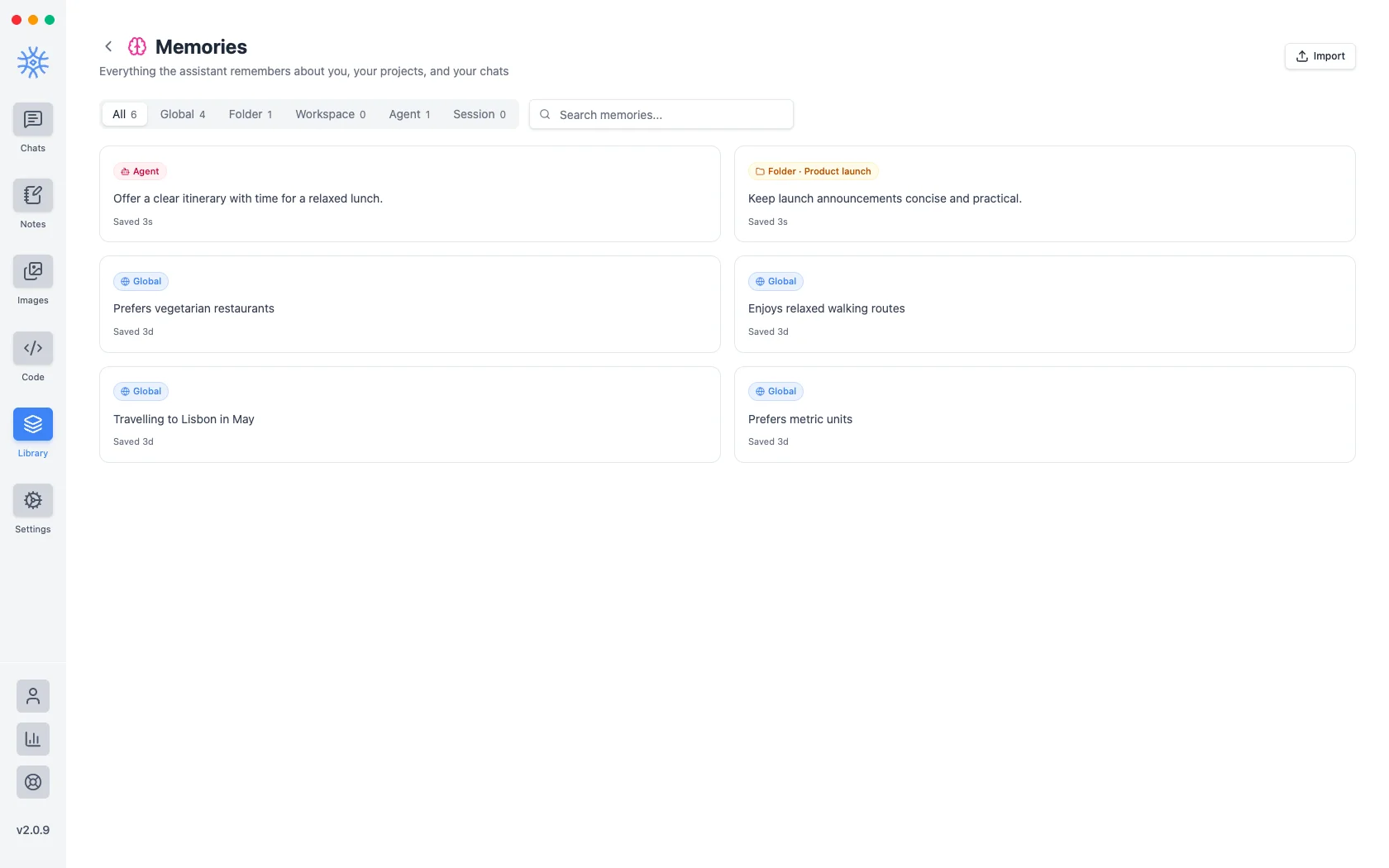
Library → Memories is everything the assistant has remembered about you, your projects, and your chats. They are saved automatically as you talk, and you can also just ask it to remember something.
Memories, knowledge collections and attachments all work on a free account, with one knowledge collection and up to 3 attachments per message. Pro removes both limits and adds the Import Memory extension. See Free and Pro.
Scopes
Memories are filed by how widely they apply:
| Scope | Applies to |
|---|---|
| Global | Everything you do in 9xChat |
| Folder | Chats inside one folder |
| Workspace | Every session on one Code workspace |
| Session | A single conversation |
| Agent | Chats with one agent |
Pin a memory to keep it no matter how many others are saved. When the assistant wants to save or change a global memory, it asks you first.
Scope is what stops work context leaking into personal chats, so it is worth checking when something is remembered more broadly than you intended.
Reading and removing them
The Memories screen lists them all, filtered by scope, and lets you edit, pin or delete any of them.
Bring your memories from another assistant
Switching from another AI assistant? Import opens the Import Memory extension Pro, which moves what that assistant knows about you in a minute:
- Copy the prompt it shows and paste it into your other assistant.
- Paste that assistant's reply into Paste your memory details here.
- Choose Save. The memories are saved as global memories, and duplicates are skipped.
You can also open it from the composer: type /e for extensions.
Deleting one removes it from the assistant's context going forward. It does not retroactively change conversations that already happened.
Where they live
Memories are stored in 9xChat's local database on that device. They are not synchronized between your devices: a second machine signed in with the same UID starts with none. Handing a chat to another device pairs the two for that conversation; it does not copy memories across.
Memory is per-device, so removing a memory on one machine leaves it in place on another. Clear it on each device you use.
Which should I use?
| You want | Use |
|---|---|
| The assistant to know your coding style without being told each time | A memory |
| It to answer from your product documentation | A knowledge collection |
| It to read one PDF in one conversation | An attachment |
| Something remembered only for this chat | A session-scoped memory |