
Attachments
The library of every file you have shared into a chat, for finding one again, reusing it, and seeing which conversations depend on it.
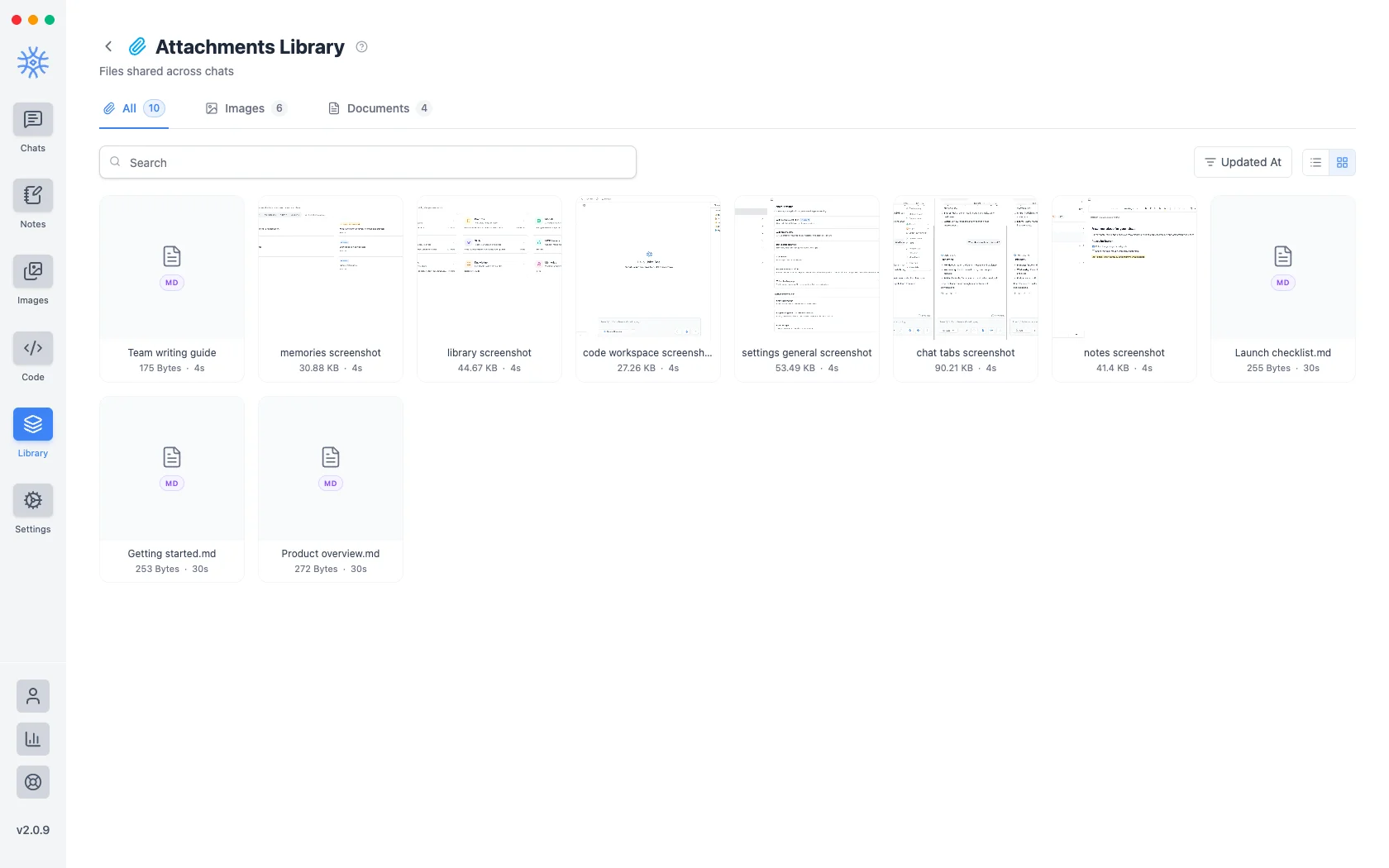
Every file you attach to a message is kept in Library → Attachments. The point is reuse: a screenshot you shared three conversations ago is findable without remembering which conversation it was.
An attachment is not Knowledge. An attachment is a file that was part of a conversation. Knowledge is a folder the assistant searches across conversations. If you want a document consulted repeatedly, it belongs in a collection.
Adding files to a message
- Add → Attach files or Paste from clipboard in the composer.
- Add → Take a screenshot (desktop) captures a screen or a window straight into the message.
- Add → Camera or Image (mobile) attaches a new photo or one from your gallery.
- Share from another app (mobile) sends text, links and files into the current chat. See 9xChat on Android and iOS.
A free account attaches up to 3 files per message. Pro removes the limit, which makes it easy to compare a stack of documents in one question.
Every file you attach is also saved here, so it is ready to reuse.
Finding one
- Search matches file names.
- Images and Documents filter by type.
- Starred only narrows to what you have marked.
- Sort by orders by Updated At, Created At, or name in either direction.
- List view and Grid view switch layout. Grid previews images, which is faster for finding a picture; list shows more per screen, which is faster for finding a filename.
Star anything you reach for repeatedly: starring is the only ordering that survives a library too big to scan.
Using one again
Use Attachment adds the file to the chat you currently have open, without re-uploading it or hunting down the original.
Seeing what depends on a file
View Sources lists the threads that reference this attachment, so you can tell whether a file is still load-bearing before you remove it. A file used in no conversation says so plainly.
This matters because attachments outlive the conversations that introduced them, and a file that looks stray in the library may still be the thing a thread's answers were based on.
Removing them
Delete removes an attachment permanently, and select several to remove them together. References are checked first, so deletion is a decision you make knowing what still points at the file.
Deleting an attachment cannot be undone, and it does not remove the file from the conversations that already used it. Those messages keep what was said about it, without the file behind it.