
Agents and prompts
Build a configured assistant, save a reusable prompt, and reach either one from the composer.
The Library draws the line between them: a prompt is text you reuse, an agent is a configured assistant you talk to. This page is how to make each, and how to reach them without leaving the message box.
Agents
An agent bundles a model, a set of instructions, and the capabilities it may use, under a name. Opening a chat with one is the same as opening a chat and setting all of that by hand every time.
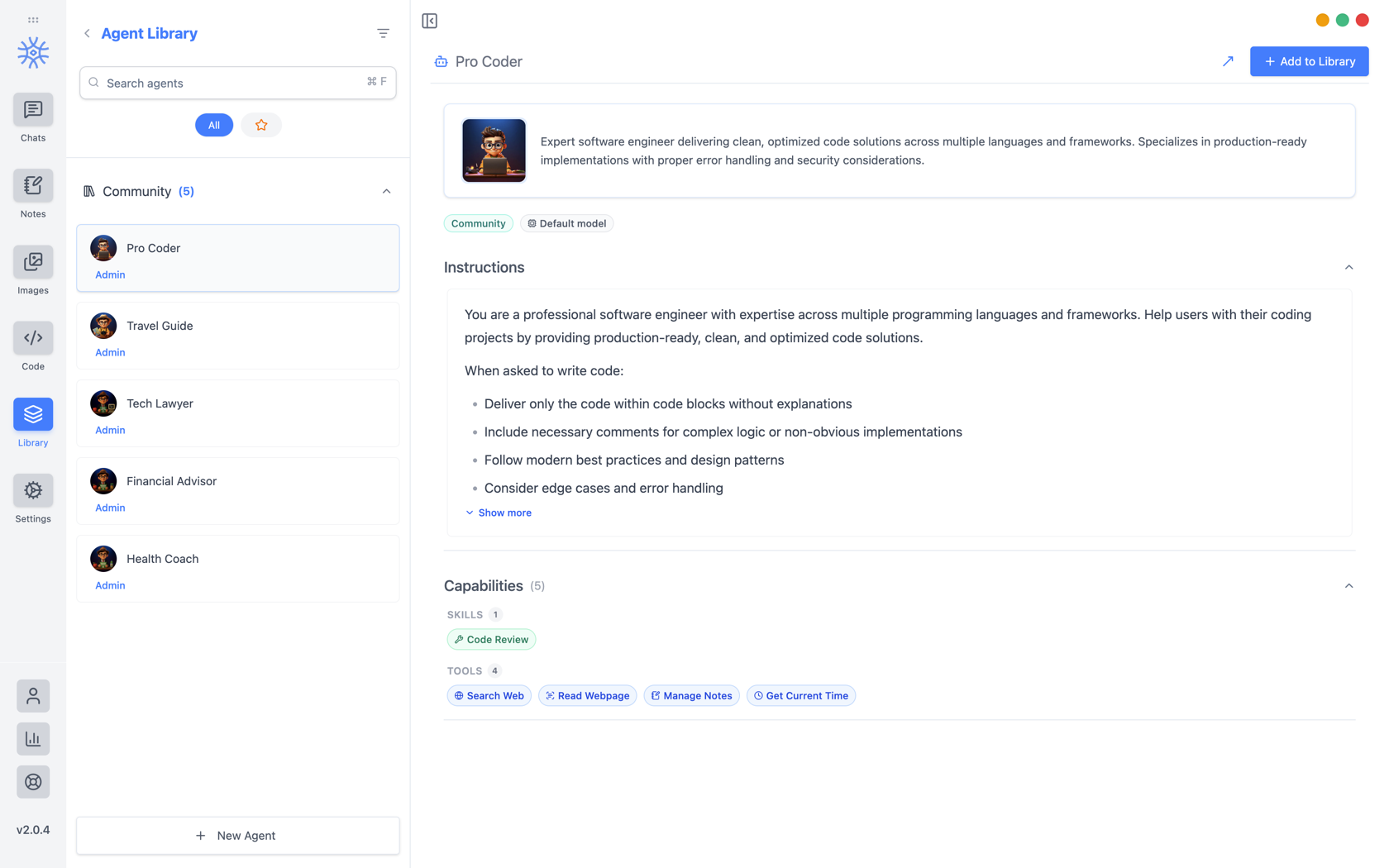
9xChat ships five community agents: Pro Coder, Travel Guide, Tech Lawyer, Financial Advisor, and Health Coach. Add to Library copies one into your own list, where you can edit it without affecting the original. Read its instructions first: they are the whole of what makes it behave differently.
Building your own
New Agent opens three tabs.
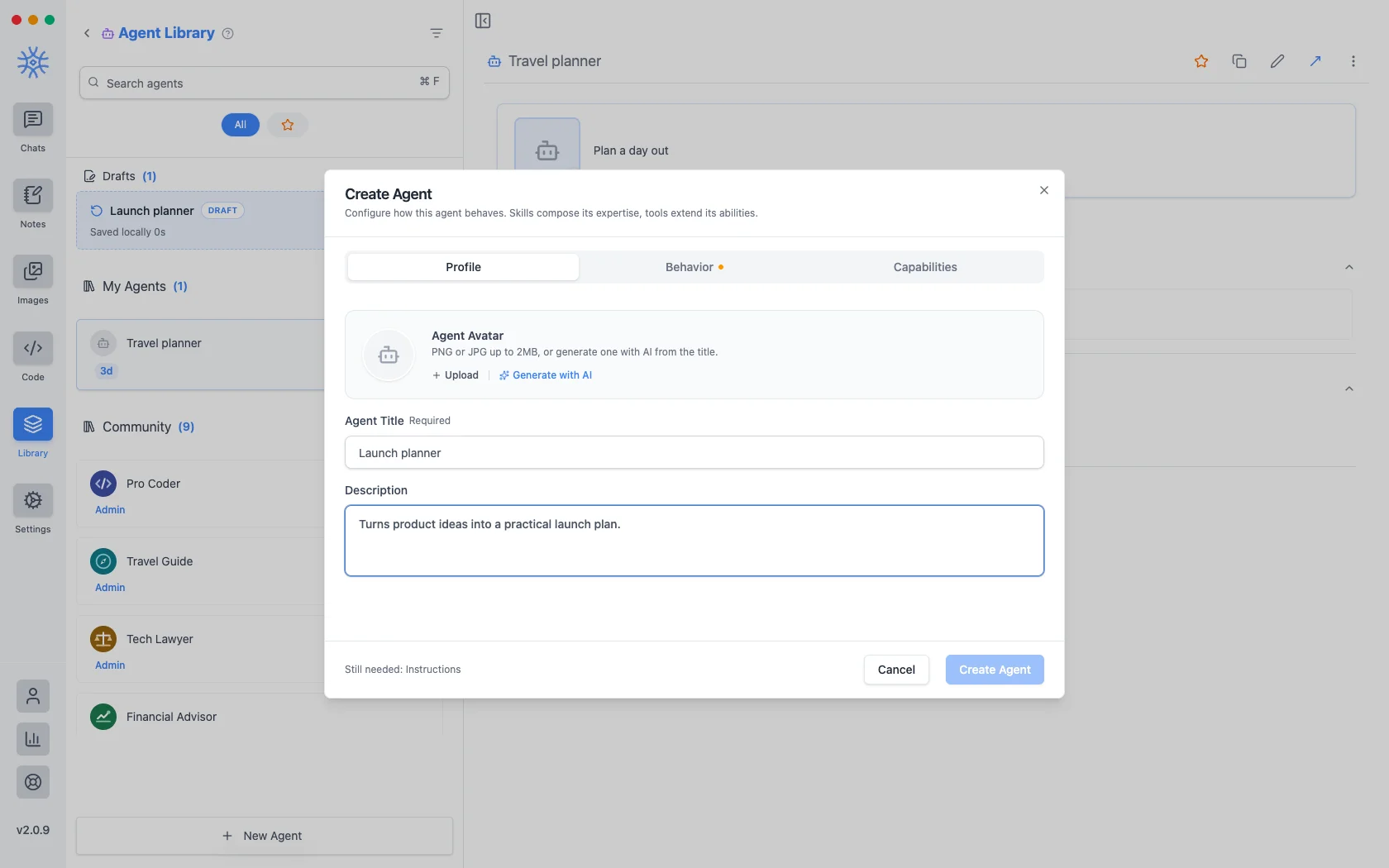
Profile is the identity: a title, a short description shown wherever agents are listed, and an avatar. Upload a PNG or JPG up to 2 MB, or Generate with AI to make one from the title.
Behavior is the substance. Instructions is the system prompt. The agent's actual behaviour lives here, and everything else is scaffolding around it. Model pins a specific model, or leave Use default model and the agent follows whatever you have set globally. Thinking effort raises or lowers how much the model reasons before answering, where the model supports it.
Capabilities decides what it can reach.
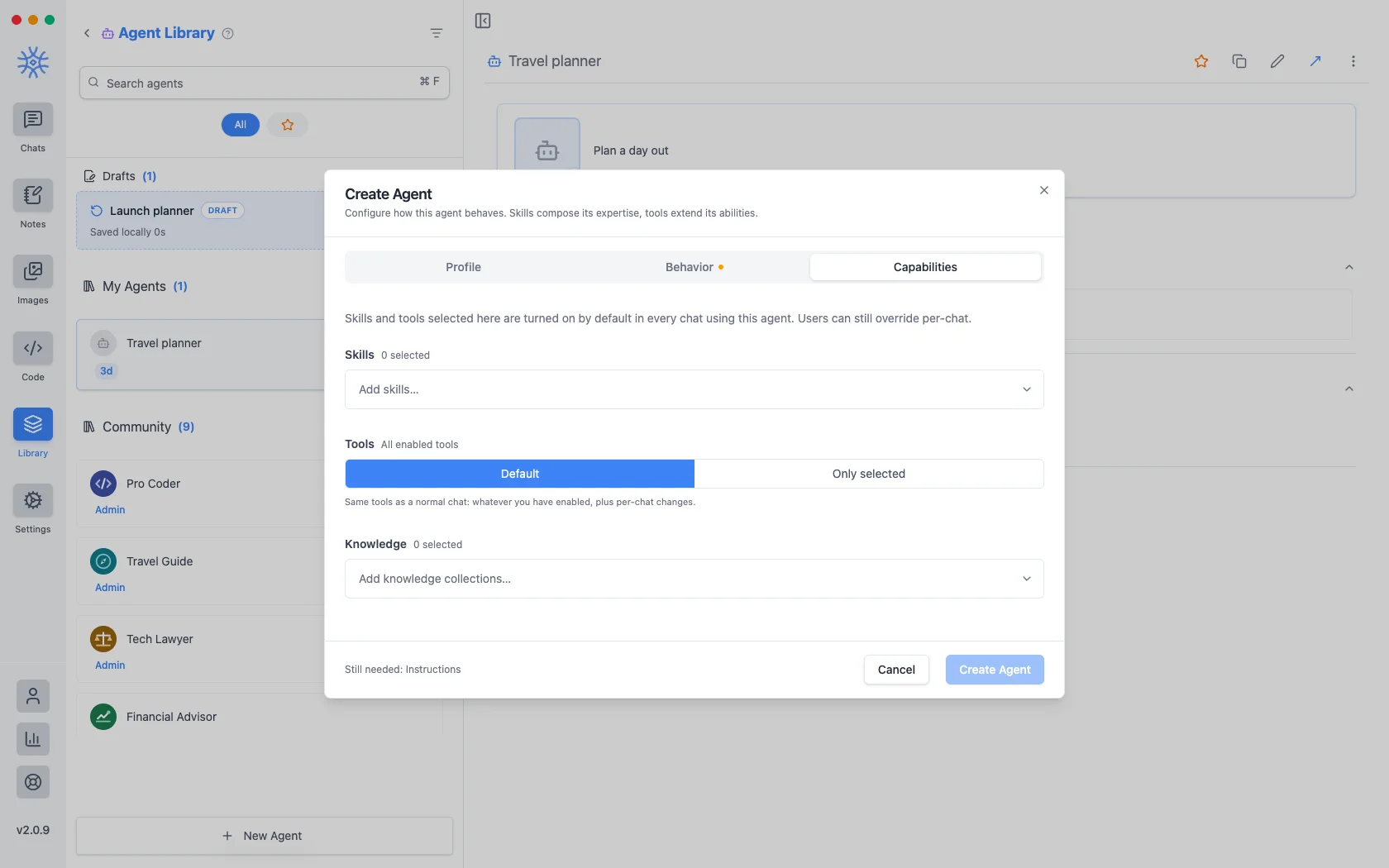
- Skills shape how it answers. See Tools, Skills, and MCP.
- Tools are either Default (the same tools any chat gets) or Only selected, a fixed list. Narrowing is what makes a specialist: an agent that should only read and summarise has no business holding a tool that writes files.
- Knowledge attaches collections it can search. See Knowledge and memories.
Whatever you choose here is switched on by default in every chat using the agent, and can still be overridden for one conversation.
An agent you start and do not finish is kept as a draft, listed above your saved agents. Closing the window mid-edit loses nothing.
Prompts
A prompt is a saved block of text with a name. No model, no tools, just wording you would otherwise retype.
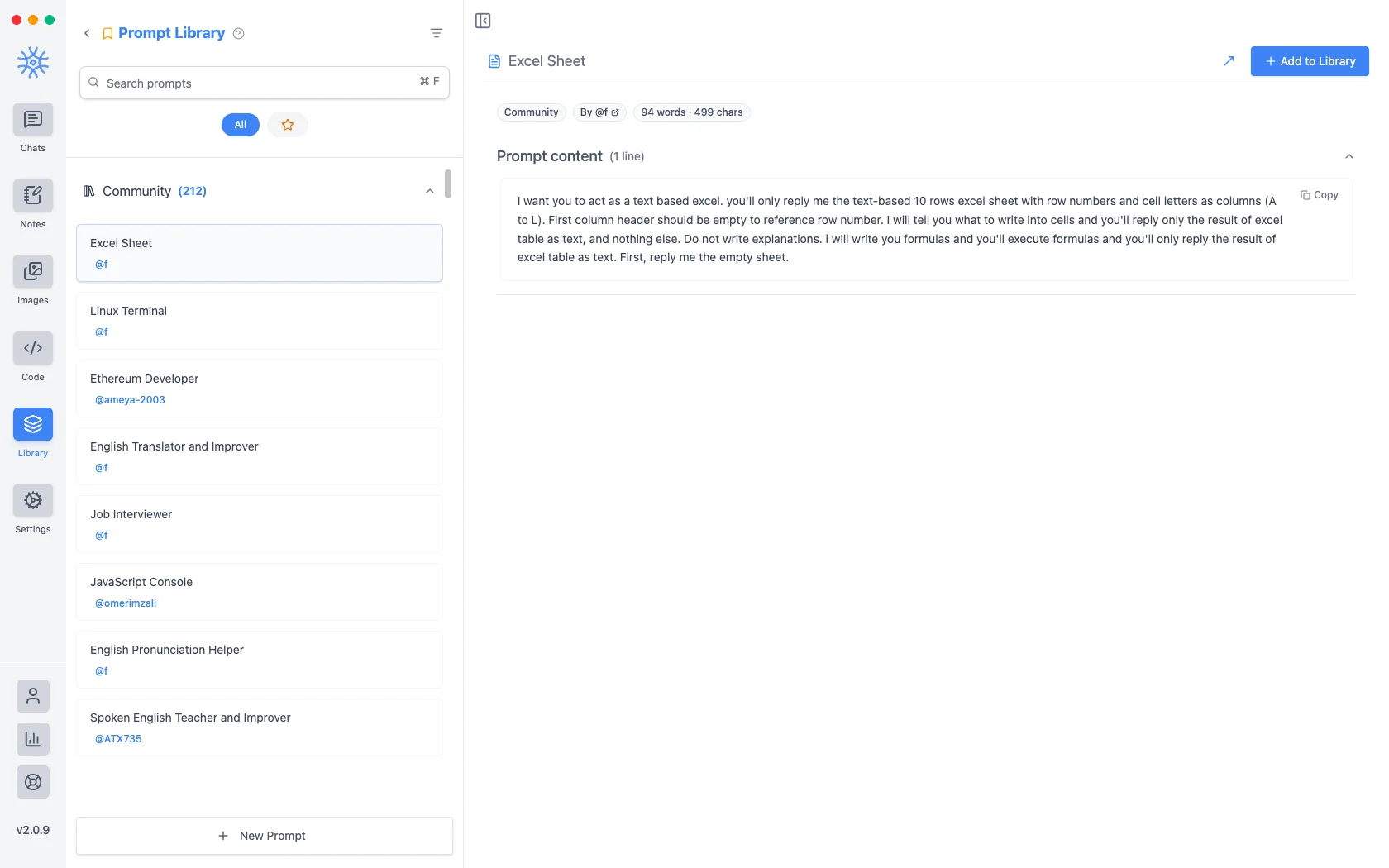
Over two hundred community prompts ship with the app. New Prompt takes a title and the content.
Variables
Prompt content can carry placeholders, filled in at the moment the prompt is used rather than when it is written. Click one in the editor to insert it at the cursor.
These are the placeholders, with an example of what each becomes:
{input}                      whatever is already typed in the message box
{date}                       Tue, May 12, 2026
{time}                       9:44 PM
{datetime}                   both together
{day}                        Tuesday
{month}   {year}             May   2026
{tz}                         America/New_York
{lang}                       en-US
{user_name}  {profession}    from your profile
The first one is what changes how prompts feel. A prompt built around the input placeholder wraps what you have already typed instead of replacing it, so "translate this formally" becomes something you apply to a draft rather than a template you paste and then fill in.
Reaching them from the composer
Neither is much use if picking one means leaving the conversation. Type / or
@ in the message box to open quick actions, then a letter: a for agents and
p for prompts. The full list is in
Chats → Quick actions.
Sharing and reusing agents
Open an agent's menu to star it or export it as a file, and import an agent file from the agent library to use one someone shared with you. Read its instructions and capabilities before you use it.
An agent can keep its own memories, separate from your other chats, so a writing coach remembers your style without that leaking into your coding assistant.
Creating, starring, importing and exporting agents is free. The tools and skills an agent uses in chat are part of Pro.
On mobile
Agents and prompts live under Library in the drawer. In a chat, open
Add → Quick actions and choose Agents or Prompts, or type / in the
composer for prompts.