
The Library
What Agents, Prompts, Models, Tools, Skills, MCP Servers, Attachments, Knowledge, and Memories each do.
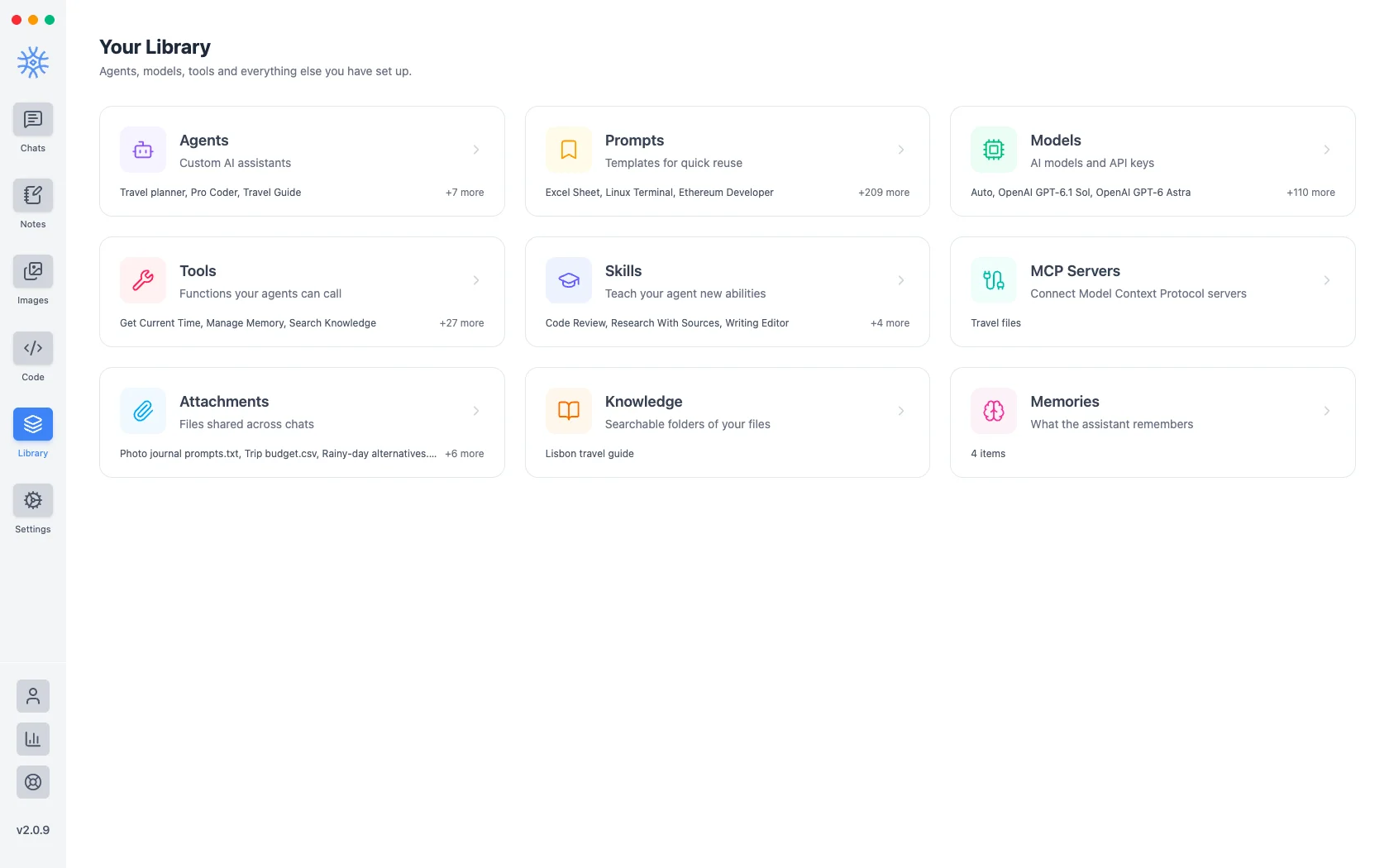
Library is where everything that shapes the assistant lives: nine sections, each with its own count. This page is about which one you want.
| Section | What it holds |
|---|---|
| Agents | Custom assistants: a model, instructions, and the tools it may use |
| Prompts | Reusable prompt templates, with a community collection of over 200 |
| Models | Every model you can pick, your API keys, and local models |
| Tools | Functions the assistant can call, such as web search |
| Skills | Instructions that shape how the assistant works |
| MCP Servers | External tool collections you connect |
| Attachments | Files you have shared into chats |
| Knowledge | Folders of your files the assistant can search |
| Memories | What the assistant has remembered about you |
The distinctions that matter
Agents vs Prompts. A prompt is text you reuse. An agent is a configured assistant (its own model, its own instructions, and its own set of tools) that you talk to.
Tools vs Skills vs MCP. A tool is a single function the model can call. A skill teaches an agent a capability built from what it already has. An MCP server is someone else's tool collection, connected over the Model Context Protocol, so its tools appear alongside the built-in ones.
Attachments vs Knowledge. An attachment is a file you dropped into one conversation. Knowledge is a folder the assistant can search across conversations, for material you want available repeatedly.
Knowledge vs Memories. Knowledge is what you gave it to read. Memories are what it worked out from talking to you: your projects, your preferences, how you like things written.
Memories
Memories are saved in the app on that device. Open Library → Memories to read, edit, pin or delete any of them, or to import memories from another AI assistant. Knowledge and memories covers scopes and importing.
Models and keys
Library → Models lists the models available to you and holds your API keys. A model can be reached three ways (9xChat credits, your own key, or a model running locally), and which you choose decides both who bills you and what leaves your machine.
Models and API keys covers adding a provider, browsing catalogs, and what Auto does.