
Free and Pro
The 3-day trial, what a free account includes, what Pro adds, how AI credits work, and what each plan costs.
Free: chat with every model on your own API keys or local models, notes, agents, prompts, knowledge, memories and the image playground, on 1 device. Pro: live web search, agentic tools, voice chat, multiple tabs, the Quick Assistant, the Code workspace, Handoff and priority support, on 3 devices.
Two things are easy to mix up, so here they are side by side:
- Pro unlocks features in the app.
- AI credits pay for model usage through 9xChat. With your own API key or a local model you pay your provider, or nothing at all.
The 3-day trial
Creating a UID inside the app starts a 3-day trial with every Pro feature unlocked, plus $1.00 of AI credit. The first screen says so under Create your UID: "Includes a 3-day trial and $1.00 of AI credit". No card is needed.
During the trial, Profile shows Free trial and the days left. When it ends, 9xChat shows Your trial has ended once. Nothing is deleted: your chats, notes and settings stay as they are, and every model, your own API keys and local models keep working on the free plan.
A UID bought on 123sudo.com works differently: it grants nothing until the payment settles. See Your 123sudo UID.
What each plan includes
| Free | Pro | |
|---|---|---|
| Devices per UID | 1 | 3 |
| Chats, folders, search, private chat, export | Yes | Yes |
| Models on your own API keys, and local models | Every model | Every model |
| Models on 9xChat credits | A set of fast, capable models | Every model |
| Notes, with read aloud | Yes | Yes |
| AI Editor for notes | Yes | |
| Agents and prompts library | Yes | Yes |
| Knowledge collections | 1 | Unlimited |
| Attachments per message | 3 | Unlimited |
| Memories | Yes | Yes, plus Import Memory |
| Image playground | Yes | Yes |
| Edit an image region, regenerate images, images in chat | Yes | |
| Read Out Loud quality | Standard | Standard, HD and Mini TTS |
| Live web search and agentic tools | Yes | |
| Skills, extensions and MCP tools in chat | Yes | |
| Voice chat and dictation | Yes | |
| Multiple tabs, Split New Tab, Extract to New Chat | Yes | |
| Regenerate with another model | Yes | |
| Context Shield and Enhance Input | Yes | |
| Auto generate chat titles and Auto Rename | Yes | |
| Quick Assistant and chat window (desktop) | Yes | |
| Code workspace and browser pane (desktop) | Yes | |
| Handoff: send a chat to another device | Yes | |
| Usage Stats, backups and restore | Yes | Yes |
| Automatic backups on desktop | Yes | |
| Priority support in the app | Yes |
Settings that need Pro stay visible on a free account with a Premium label, so a setting is always where this guide says it is.
What it costs
| Price | Includes | |
|---|---|---|
| Pro, monthly | $4.99 / month | Every Pro feature |
| Pro, yearly | $24.99 / year | Every Pro feature |
| Pro, lifetime | $49.99 once | Every Pro feature, for good |
| AI credits | $1 each, in any amount | AI usage on 9xChat models |
Pro is bought as time and never renews automatically: you choose when to add more.
Pro prices vary by country, as with 9xBuddy. AI credit prices are unchanged and have no regional discount. Pro + AI is no longer sold on the web; existing purchases keep their Pro access and credits.
In India, web Pro costs ₹199 for one month, ₹999 for 12 months or ₹1,999 for lifetime. Mobile purchases use the price shown by Google Play or the App Store.
Pricing carries the current terms.
AI credits
Credits pay for every request that goes through a 9xChat model: chat replies, images, read aloud, dictation and knowledge indexing. Each request costs what its model costs, so an Eco model costs a fraction of a Premium one.
- Credits never expire. What you buy stays until you spend it.
- Credits are separate from Pro. Buy them with or without a plan.
- Your balance is in Profile as Credits Balance, marked Low balance under $1.
- Top up with Purchase Credits in Profile. On mobile, packs of 5, 10, 50 and 100 credits are sold in the app.
When a request costs more than your balance, the chat shows Not enough credits for this request with your balance, the estimated cost and Buy Credits. Switch to your own key or a local model to keep going for free.
Usage Stats shows where your credits went.
Where the limits show up
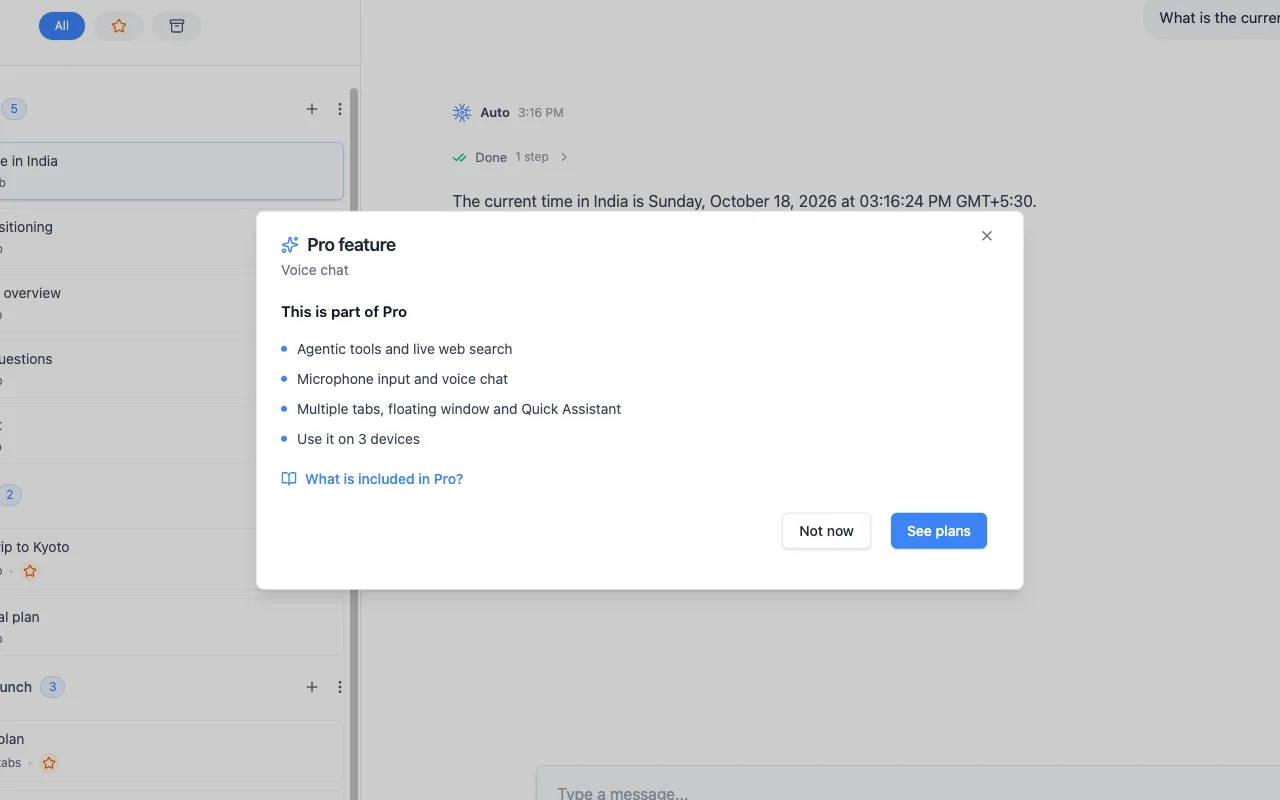
- Pro feature. Choosing a Pro feature on a free account opens a short dialog that names the feature, lists what Pro includes, and offers See plans or Not now. What is included in Pro? opens this page.
- Free plan. On desktop, a reminder during the trial summarizes what Pro adds and offers Add time.
- Your trial has ended or Your subscription has expired appears once when a plan lapses, with the same options.
- Device limit reached appears when every device slot is in use. See Your UID and devices.
- Premium Model appears when a free account picks a model on 9xChat credits that needs Pro.
Buying Pro or credits
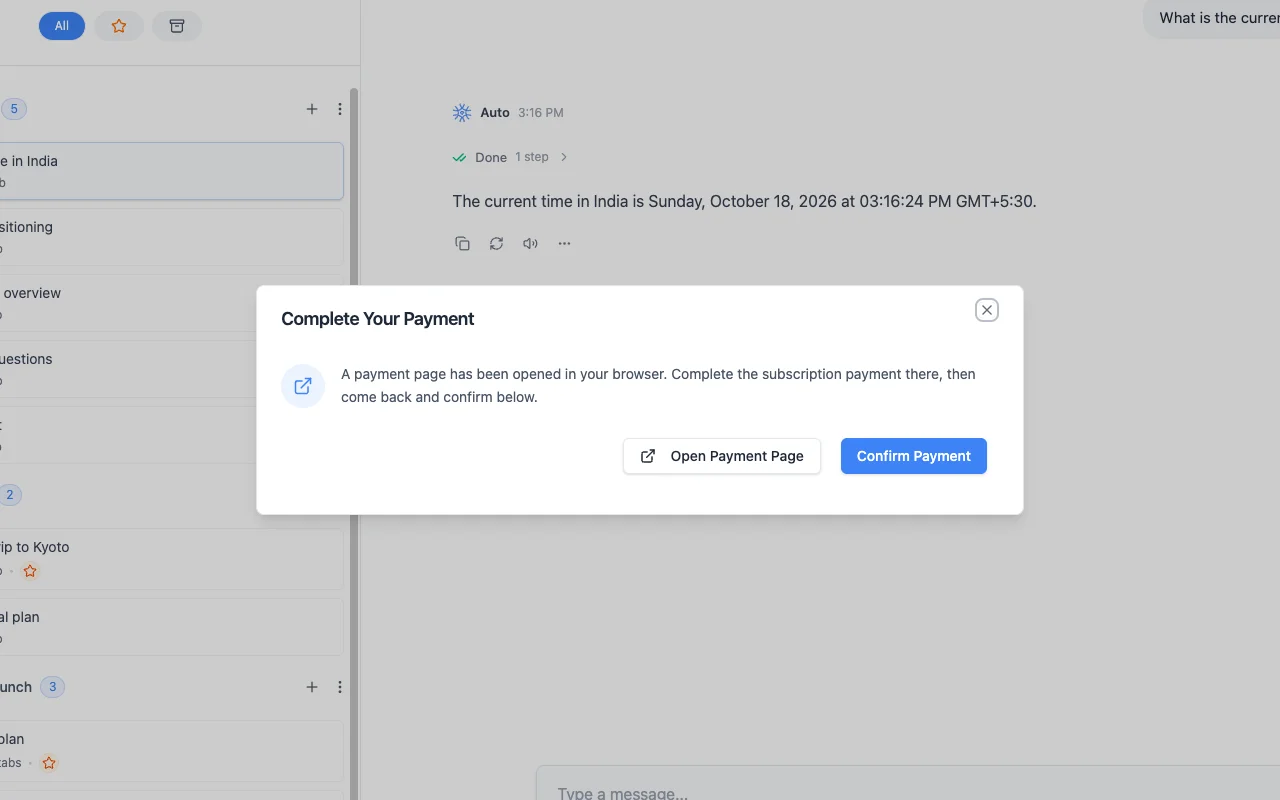
- Desktop: Profile → Upgrade now, Add more time or Renew now (or Purchase Credits) opens the payment page in your browser. Pay there, return to 9xChat and choose Confirm Payment. If it shows Payment Not Detected, the payment may still be processing: wait a moment and choose Try Again.
- Google Play and App Store: the same buttons open the in-app pricing screen with Lifetime, 12 Months and Monthly, and Buy AI credits. Restore Purchases brings back an earlier store purchase.
- Android APK: pays on the 123sudo website, like desktop.
- Web: Pricing or your license page.
Payment attaches to the UID, so every device that signs in with it picks up the plan.
Where desktop and mobile differ
The Free and Pro split is the same everywhere. A few features exist on one platform only:
| Desktop | Android and iOS | |
|---|---|---|
| Local models (Ollama) | Every plan | Not offered |
| Code workspace, browser pane, Quick Assistant, chat window | Pro | Not offered |
| Export a message as an image | Every plan | Not offered |
| Automatic backups | Pro | Every plan |
| In-app pricing with store billing | Opens the web | Google Play and App Store |
| Manage Devices and Manage license buttons | Yes | Android only; iOS uses the license page |