
Floating panels and widget
Desktop Quick Panels, clipboard widget and recording controls.
Desktop
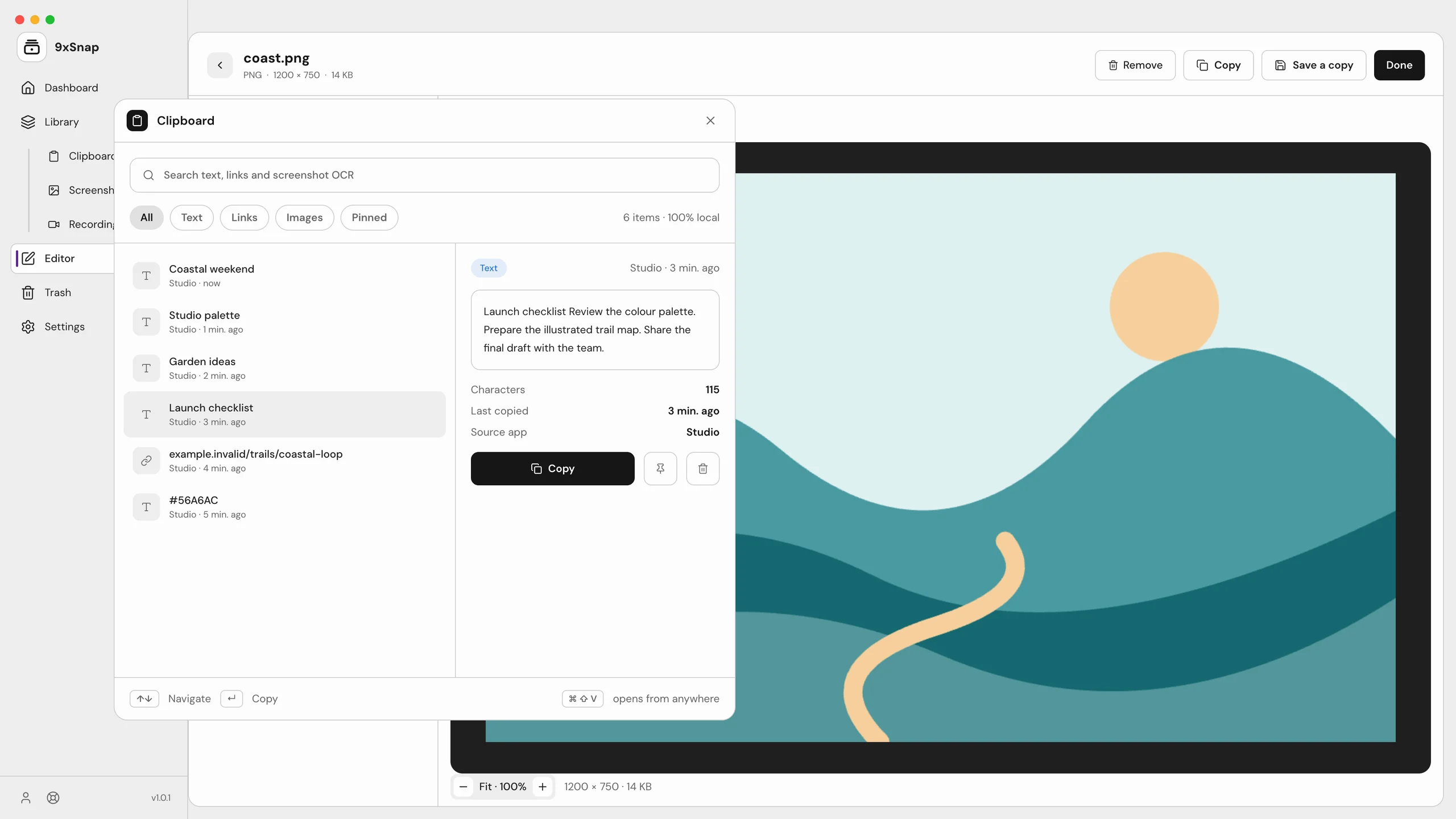
Pro offers three always-on-top Quick Panels: Screenshot, Recording and Clipboard. Open them from the tray or their shortcuts. Each panel has one instance; different panels can coexist. The clipboard panel searches, pins and copies clips, then closes after a successful copy. Use Paste in the destination app yourself.
The Pro desktop clipboard widget stays above other windows, shows six recent clips and remembers its dragged position. It is not a pinned screenshot window. The recording timer has pause, resume and stop controls; on Linux it can appear in the recording, so turn it off or keep it outside the selected region.
Capture countdowns, selection overlays and saved-result notifications are temporary controls, not persistent screenshot pins. Basic screenshot notifications can appear on Free; choosing Edit still requires Pro.
Android
Android uses the floating 9x button and menu, a keyboard-adjacent paste panel and a recording pill, rather than desktop Quick Panels. The floating button/menu requires Pro; basic shortcut routes retain the chosen action's own plan requirements.