
Files and folders
Where downloads are saved, how to reuse a folder, temporary files, and which screen holds what.
Three screens deal with files, and they hold different things. Knowing which is which answers most "where did it go" questions.
| Screen | What it holds |
|---|---|
| Downloads | Transfers happening now, and ones that stopped |
| Library | Files this app has finished downloading |
| History | Attempts, with a status - whether or not they produced a file |
Where downloads are saved
Open Settings → Downloads.
- Location is the folder every download is written to. Choose Change to pick another one.
- Download Format is the file-naming pattern,
[title]_[quality]by default, so a 1080p clip called Sunset is saved asSunset_1080p.mp4.
File naming pattern lists the available placeholders and examples.
The action bar on the result page also shows the destination as Saving to, and lets you override it for that transfer. See Your first download.
Saving somewhere else, once
The Saving to menu remembers the folders you have chosen before, so a second download to the same place is one click rather than a trip through the file browser.
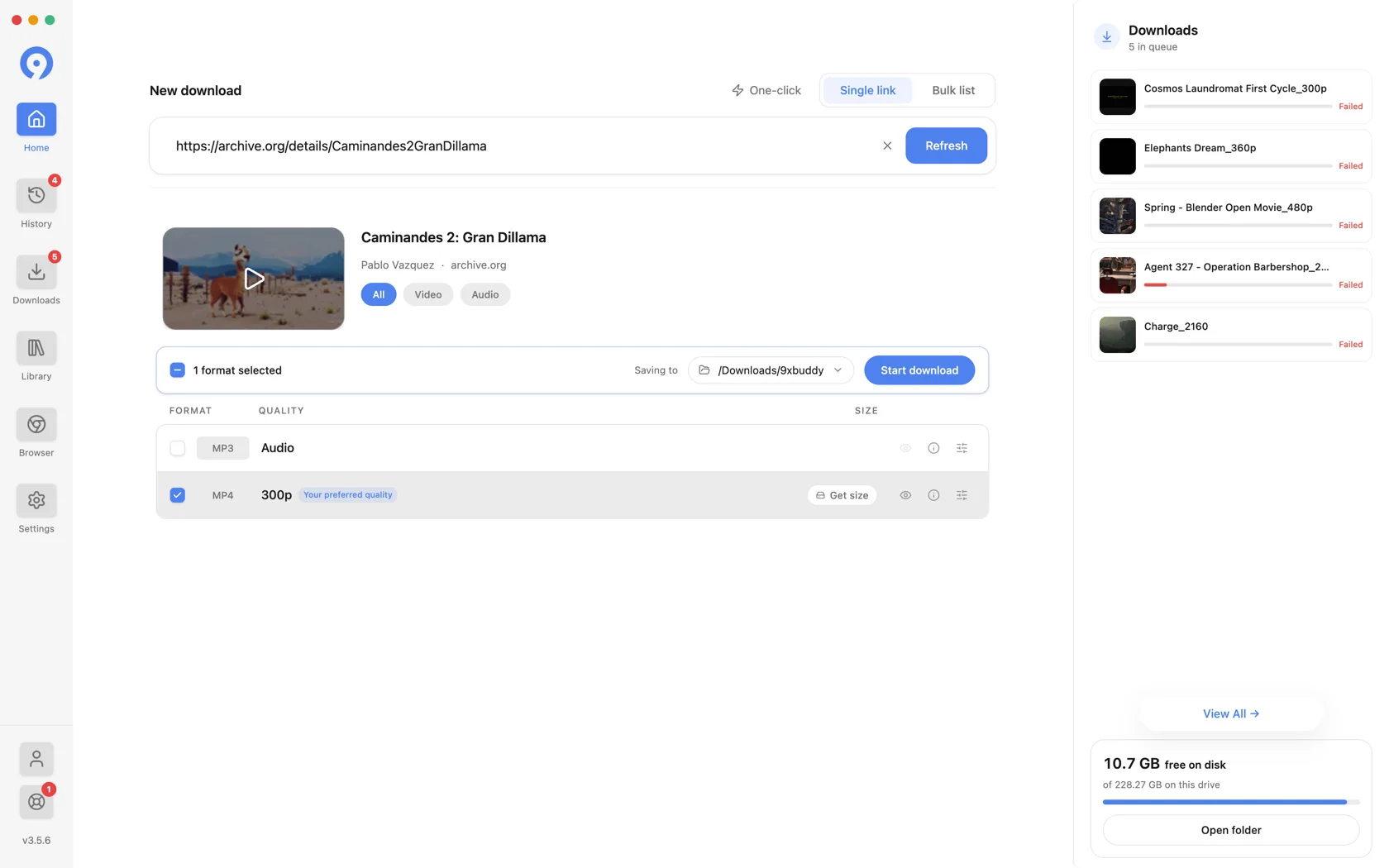
Two things decide what appears in that menu:
- A folder is remembered when you choose it, not when the download finishes. Picking one and then closing the window still records it. Canceling the system file dialog records nothing.
- Settings → Downloads → Location is not a recent folder. It sets the default, which the menu pins separately - listing it twice would be noise.
Controlling what is remembered
Settings → Downloads → Recent Locations sets how many folders the menu
keeps, from 0 to 20. 0 is a real setting: it means the menu keeps no list at
all, and falls back to the default plus Browse.
Clear empties the list and shows how many entries it holds, so a grayed-out button means there is nothing stored rather than something being wrong.
One folder is kept outside that list: the last one you chose in Saving to.
It is what the clipboard popup offers to
download into, so it is remembered even when the limit is 0, and Clear
does not remove it. Choosing another folder replaces it, and until you have
chosen one the default is used.
The list holds folder paths, nothing about the files saved into them. Clearing it does not touch anything on disk, and it does not affect History or your Library.
Temporary files
A download is written to a working file and published to its final name only when it completes, so a half-finished transfer never looks like a finished one.
Settings → Downloads → Temporary storage decides where that working file lives:
- Same drive as each download (default) keeps it beside its destination, so nothing is written to the system drive. On a machine whose system disk is small, this is the setting that matters.
- Custom folder puts every in-progress file in one place you choose.
- System temporary folder uses the operating system's.
Clear unused files removes leftovers from transfers that will never finish, and reports how much it freed. Active and resumable downloads are kept.
Opening a file you have downloaded
Go to Library and use the row's menu:
- Clicking the card plays the file in 9xbuddy.
- Show in folder reveals it in Finder or your file manager - the quickest answer to "where did it go".
- You can also drag the card straight out of the window into Finder, Explorer, or any application that takes a file.
The list supports searching by name, filtering by type and sorting, so a long library stays usable. See Library.
History
History is a record of what you have attempted, not of what you saved. Each row carries a title, its source, when it ran, and how it ended - completed, failed or canceled - so a source can be reached again without pasting the link.
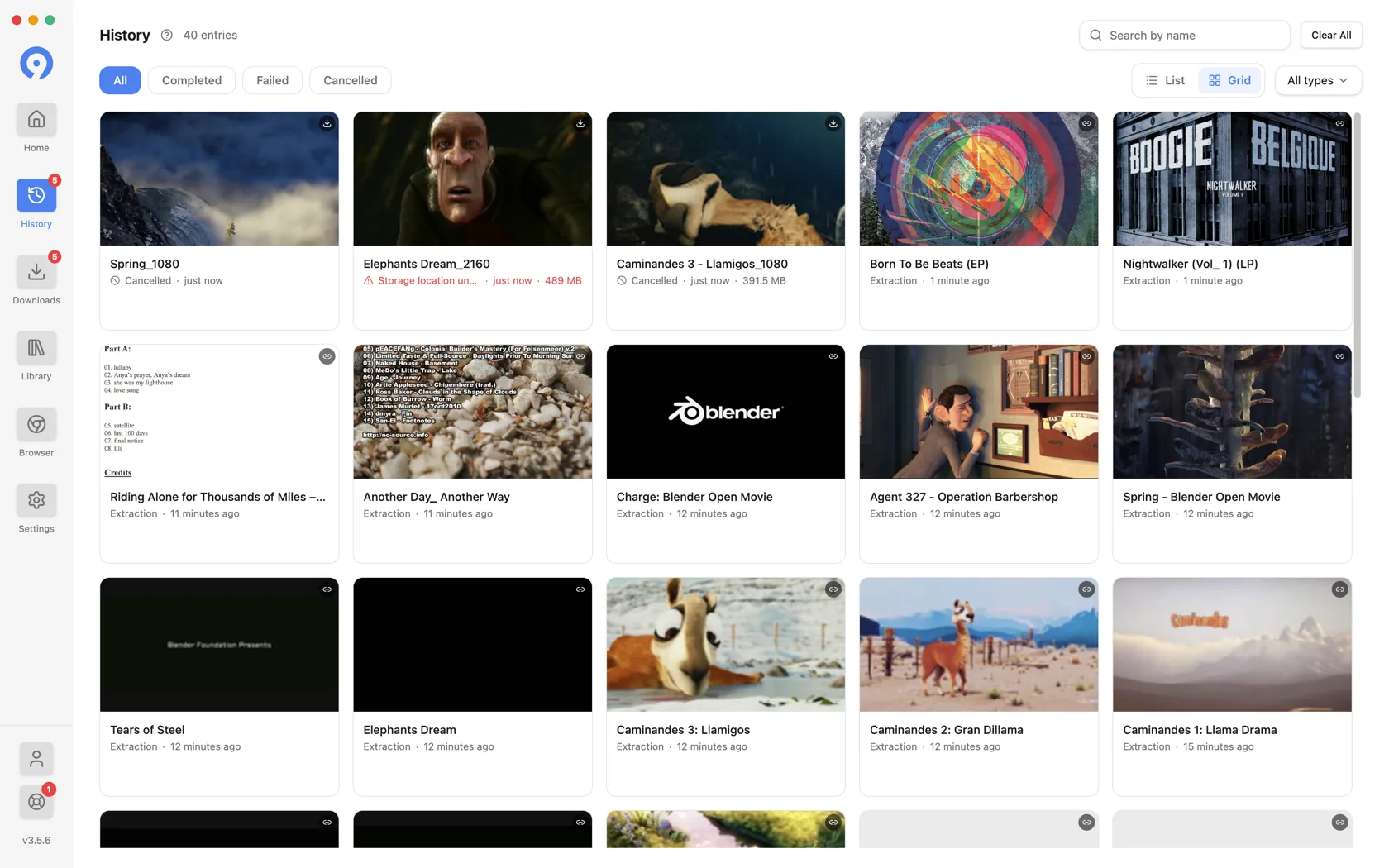
Filter by status and by type, search by name, remove a single row, or use Clear All to empty it. History can also be turned off entirely, and its sidebar row goes with it.
Removing a row from History, or an entry from your Library, clears the record. It does not delete the downloaded file from your disk - Move file to Trash in the Library row menu is the action that does.
If a file is not where you expect
- Check Settings → Downloads → Location; the folder may have been changed since.
- Use Show in folder on the Library row, which reveals the file's actual location rather than the current default.
- If the file was moved or deleted outside 9xbuddy, the entry stays in the Library but the file is gone - use Extract again on the row to fetch it from its source.