
9xbuddy
Download video, audio, images, subtitles, playlists, and batches from the desktop app.
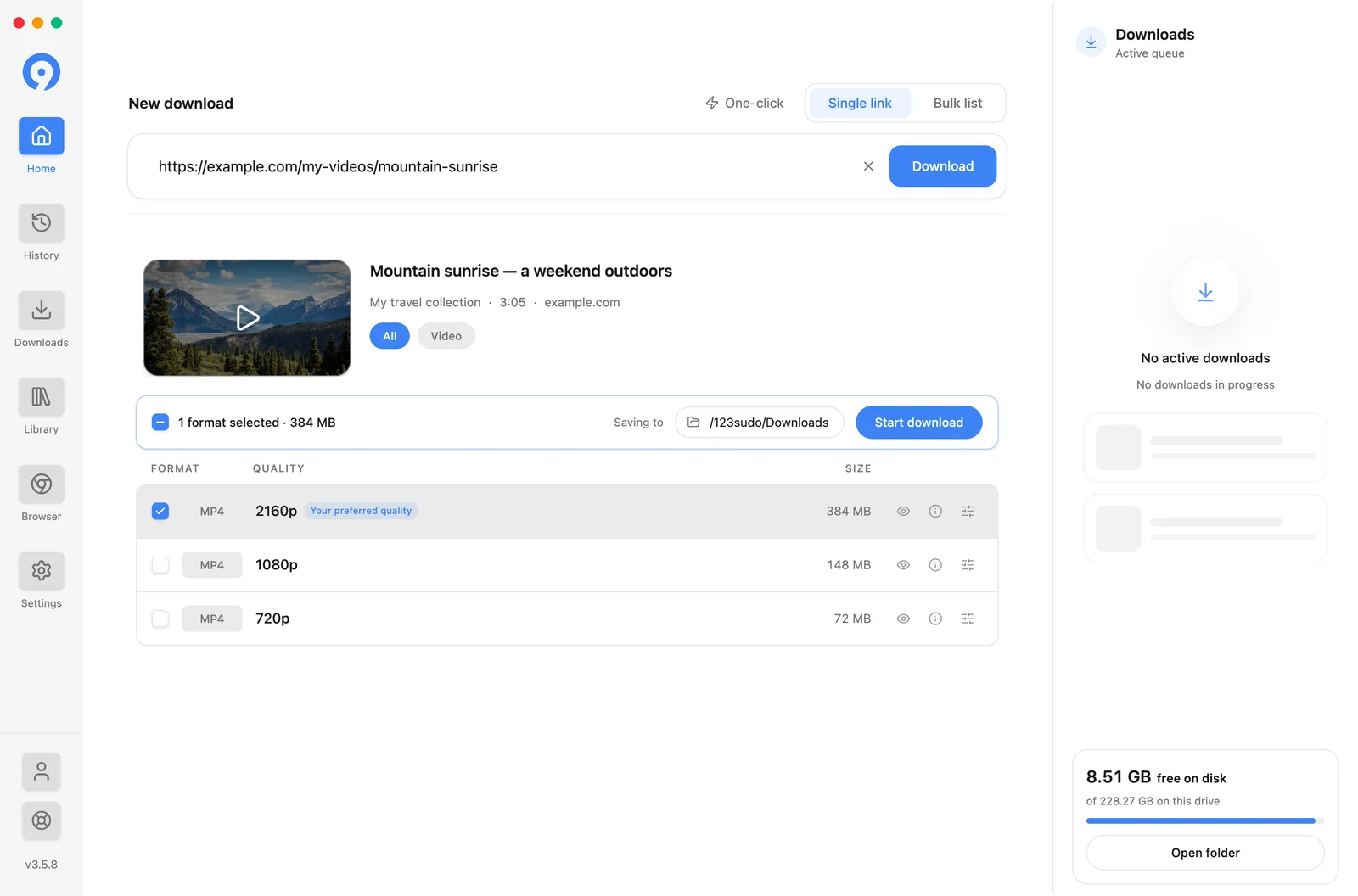
9xbuddy reads a supported page or media link and shows the video, audio, image, and subtitle formats that source makes available. Use it for a single item, paste a batch, or import a list. A difficult page can be opened in the built-in browser, which is a Pro feature.
Start here
Install 9xbuddy
Download the app and launch it for the first time.
Set up your UID
Create, save, find, verify, and reuse your 123sudo UID.
UID on three devices
Connect a Pro UID to three devices or switch this app to another UID.
Download one item
Extract a link, pick a format, and start the transfer.
Your Library
Find, organise, play and edit the files you have downloaded.
Free and Pro
Daily limits, device count, the 3-day trial, and what Pro adds.
What is in the desktop app
Six screens, in the order they appear in the sidebar.
| Screen | What it is for |
|---|---|
| Home | Extraction. Paste one link, paste a batch, or type a search term |
| History | Every attempt with a status - extractions, downloads and edits, including the ones that failed |
| Downloads | The queue: what is transferring now, and what stopped |
| Library | Every file you have finished downloading, with collections, previews and editing |
| Browser | Open a page inside 9xbuddy when a pasted URL is not enough. Pro only |
| Settings | Ten pages, from appearance and folders to cookies, proxy and shortcuts |
The feature map breaks each of these down and points at the guide that covers it.
Downloads and Library are not the same screen. Downloads is the queue and empties as transfers finish; Library is what you have. There is no "completed" tab - a finished file lands in the Library.
Only download media you own or are authorised to save. Site rules, account permissions, region restrictions, and available formats still apply.