
添付ファイル
The library of every file you have shared into a chat, for finding one again, reusing it, and seeing which conversations depend on it.
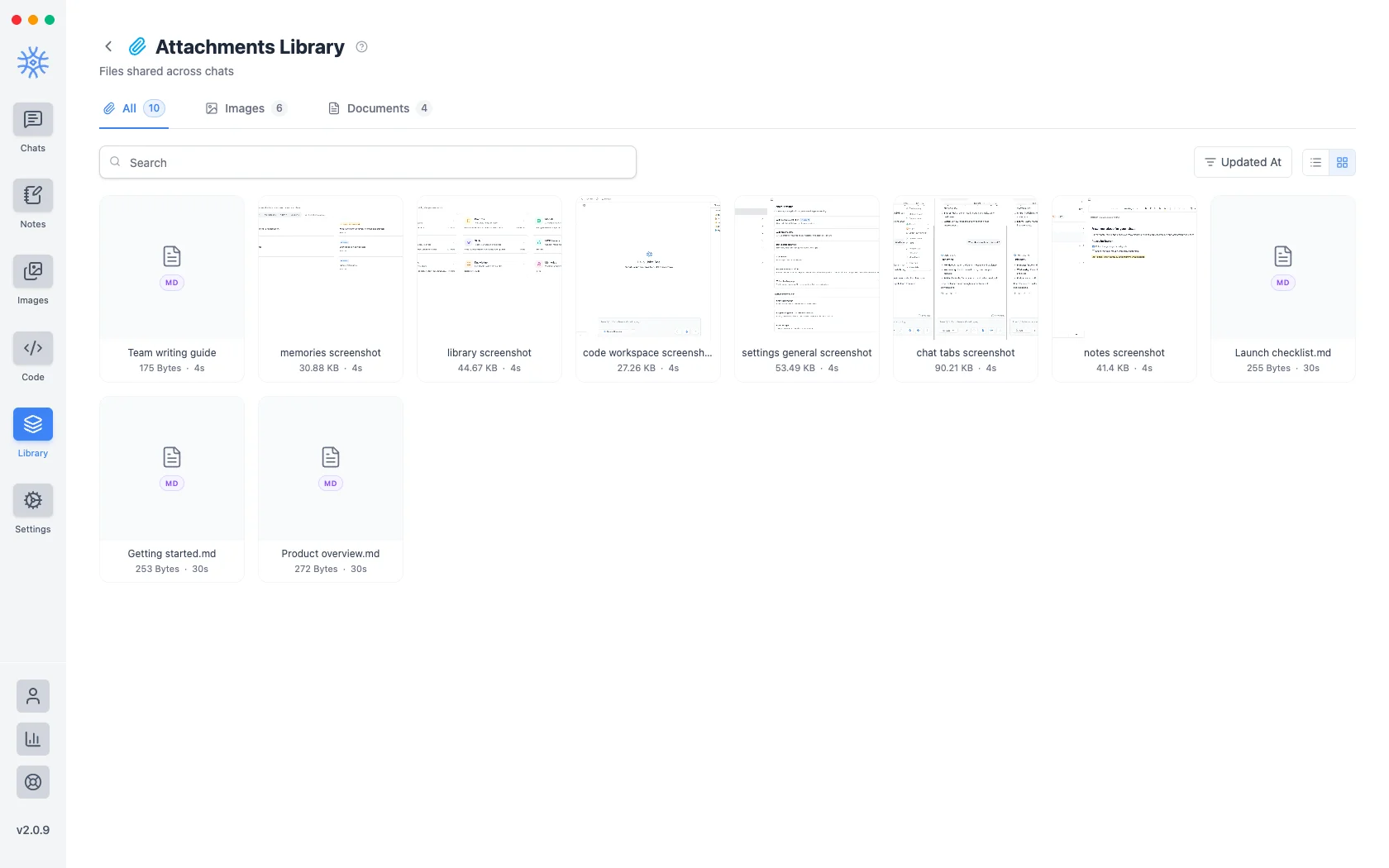
メッセージに添付したすべてのファイルは、ライブラリ → 添付ファイル に保存されます。重要なのは再利用です。3 つ前の会話で共有したスクリーンショットは、どの会話だったかを覚えていなくても見つけることができます。
添付ファイルは Knowledge ではありません。添付ファイルは、会話の一部であったファイルです。ナレッジは、アシスタントが会話全体で検索するフォルダーです。ドキュメントを繰り返し参照したい場合、そのドキュメントはコレクションに属します。
Adding files to a message
- Add → Attach files or Paste from clipboard in the composer.
- Add → Take a screenshot (desktop) captures a screen or a window straight into the message.
- Add → Camera or Image (mobile) attaches a new photo or one from your gallery.
- Share from another app (mobile) sends text, links and files into the current chat. See 9xChat on Android and iOS.
A free account attaches up to 3 files per message. Pro removes the limit, which makes it easy to compare a stack of documents in one question.
Every file you attach is also saved here, so it is ready to reuse.
1つを見つける
- 検索 はファイル名と一致します。
- 画像とドキュメントはタイプ別にフィルタリングされます。
- スター付きのみ は、マークした内容に絞り込まれます。
- 更新日、作成日、またはいずれかの名前で注文を**並べ替えます 方向。
- リスト ビューとグリッド ビュー のレイアウトを切り替えます。グリッドプレビュー画像。 画像を見つけるのが速くなります。リストには 1 画面あたりの表示が多くなり、ファイル名を見つけるのが速くなります。
Star anything you reach for repeatedly: starring is the only ordering that survives a library too big to scan.
もう一度使用する
添付ファイルを使用 では、ファイルを再アップロードしたり、元のファイルを探したりすることなく、現在開いているチャットにファイルを追加します。
ファイルに依存するものを確認する
ソースの表示 には、この添付ファイルを参照するスレッドがリストされるため、ファイルを削除する前にファイルがまだ負荷に耐えているかどうかを確認できます。会話に使われていないファイルは、それを端的に物語っています。
これが重要なのは、添付ファイルはそれを導入した会話よりも長く存続し、ライブラリ内に放置されているように見えるファイルが、スレッドの回答の基になっている可能性があるためです。
それらを削除する
削除 では添付ファイルを完全に削除し、複数の添付ファイルを選択してまとめて削除します。最初に参照がチェックされるため、削除は、ファイルがまだ参照しているものを知った上で決定します。
Deleting an attachment cannot be undone, and it does not remove the file from the conversations that already used it. Those messages keep what was said about it, without the file behind it.