
モデルとAPIキー
How a model is reached, adding providers and keys, browsing and adding models, and what Auto does.
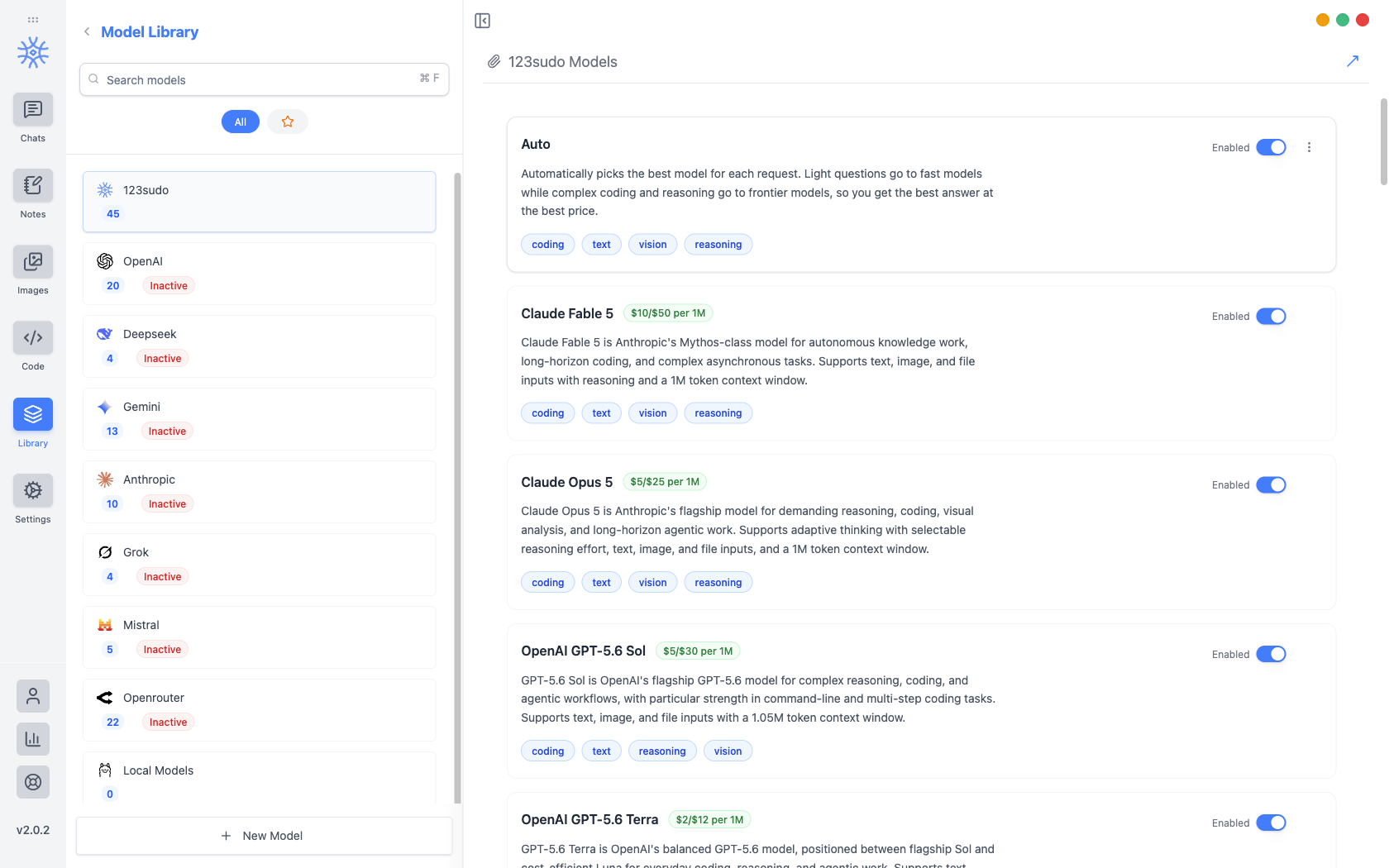
ライブラリ → モデルには、選択できるすべてのモデルがリストされ、それらのモデルに到達する API キーが保持されます。プロバイダーはそれぞれモデル数とともに左側に表示され、プロバイダーはキーを取得するまで非アクティブ のままです。
モデルに到達する 3 つの方法
どちらを選択するかによって、誰に請求されるか、何がマシンに残されるかが決まります。
| ルート | 誰があなたに請求するのか | あなたのマシンに残るもの |
|---|---|---|
| 123sudo クレジット | 123sudo、クレジット残高から | ルーティング先のプロバイダーへのメッセージ |
| 独自の API キー | あなたのアカウント上のプロバイダー | そのプロバイダーへのあなたのメッセージ |
| オラマ経由ローカル | 誰も | 何もない |
ローカル モデルは ローカル モデル で設定され、プライバシーのトレードオフは Privacy でカバーされます。
プロバイダーキーの追加
Pick the provider, open API Configuration, and paste the key. It is encrypted before it is written, with the encryption key held in the operating system's keychain rather than in the app, so the stored file is useless on its own. If the OS cannot provide that secure storage, the app says so instead of quietly falling back to writing the key in the clear.
キーが保存されるとプロバイダーは アクティブ に切り替わり、モデルを選択できる場所であればどこでもそのモデルを選択できるようになります。
API キーはパスワードと同様に扱います。それを持っている人は誰でも、あなたのプロバイダーアカウントに対して使用できます。これはエクスポートに含まれることはなく、スクリーンショットやサポート メッセージにも表示されるべきではありません。
モデルの参照と追加
Browse Models fetches the provider's current catalogue (Anthropic, OpenAI, Gemini, Mistral, DeepSeek, or OpenRouter) so you can search it by name or ID and add several at once. Models already in your library are marked Added.
Fetching the catalogue is how a newly released model appears the day it launches, without waiting for an app update.
To add something the catalogue does not list (a proxy, a self-hosted endpoint, a preview model), add it by hand with its Model Engine, Model ID, Model Name, Model Base URL, and Model Purpose. The purpose is what makes it offerable in the right places, so a vision model is proposed where images are involved.
Free and Pro models
Every model on your own API key or running locally works on every plan, with no limits from 9xChat.
For models billed to your 9xChat credits, a free account can use a set of fast, capable models, and Pro unlocks the full catalogue, frontier models included. A locked model is dimmed in the picker; choosing it on a free account explains that it needs Pro. The 3-day trial unlocks every model, so you can find your favourite before deciding.
リストを読む
Each model shows its price per million tokens and what it is suited to (coding, text, vision, reasoning), so capability can be weighed against cost before you commit a long conversation to it. In the chat model picker the same information appears as a badge: Premium ($$$), Standard ($$) or Eco ($).
上に移動および下に移動 プロバイダーを並べ替えます。この順序はモデルを選択するときに表示される順序なので、実際に使用するものを先頭に置くことは 10 秒の価値があります。
自動
Auto は 123sudo リストの先頭にあり、あなたのために選んで、軽い質問は高速で安価なモデルに、難しい質問は最先端のモデルに送信されます。
It is the right default when you do not want to think about it, and the wrong one when you need a specific model's behaviour, in which case name the model rather than letting the router choose.
どのモデルが何をするのか
新しいチャット、メモ、コード、画像、生成されたタイトルはそれぞれ独自のデフォルトで開始されます。これらは Settings → Default Models で設定されており、個々のスレッドは変更せずに別のモデルに移動できます。