
附件
The library of every file you have shared into a chat, for finding one again, reusing it, and seeing which conversations depend on it.
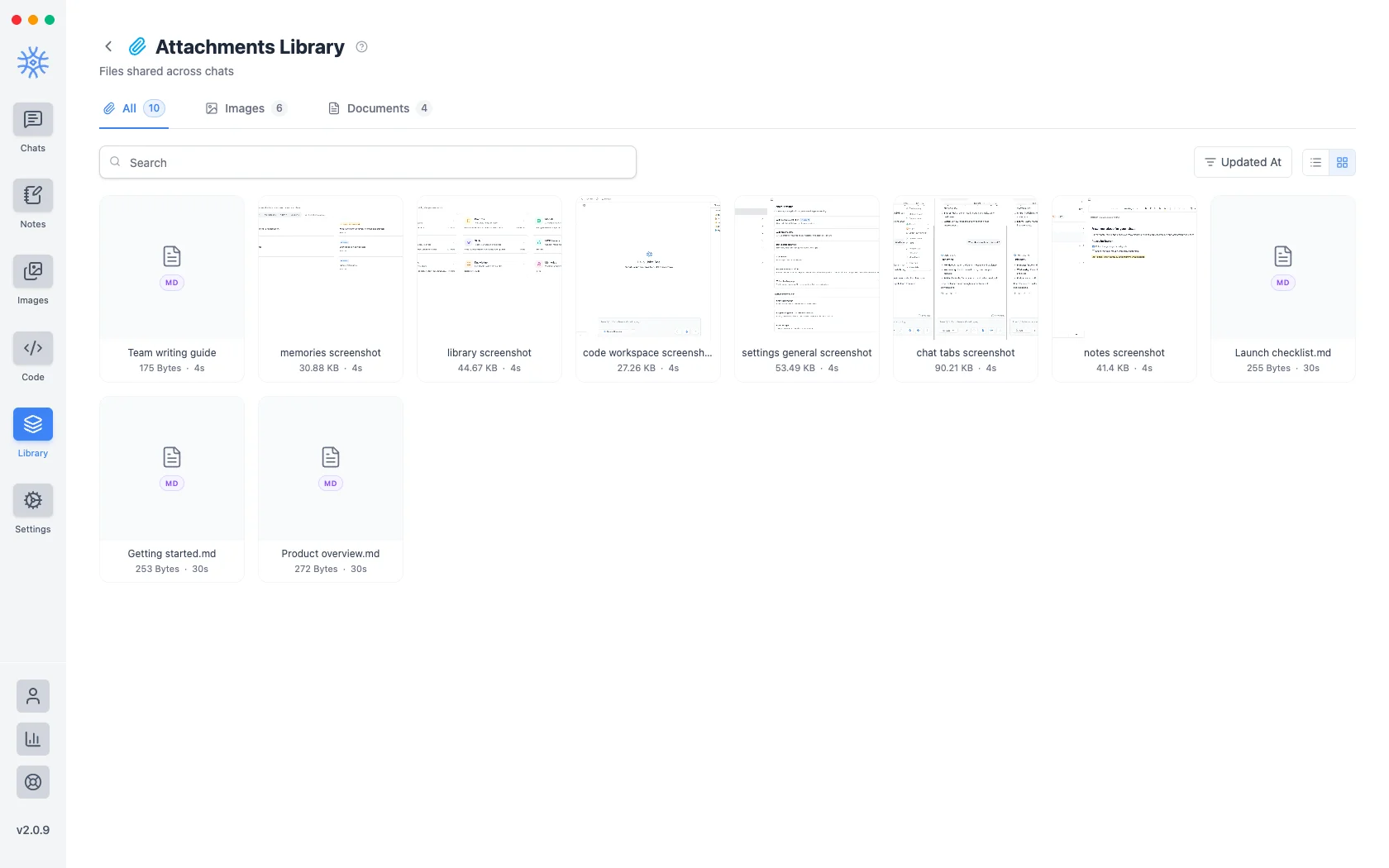
您附加到邮件的每个文件都保存在库→附件中。重点是重用:您可以找到您在三个对话之前共享的屏幕截图,而无需记住它是哪个对话。
附件不是 Knowledge。附件是对话的一部分的文件。知识是助手在对话中搜索的文件夹。如果您想要重复查阅某个文档,则它属于集合。
Adding files to a message
- Add → Attach files or Paste from clipboard in the composer.
- Add → Take a screenshot (desktop) captures a screen or a window straight into the message.
- Add → Camera or Image (mobile) attaches a new photo or one from your gallery.
- Share from another app (mobile) sends text, links and files into the current chat. See 9xChat on Android and iOS.
A free account attaches up to 3 files per message. Pro removes the limit, which makes it easy to compare a stack of documents in one question.
Every file you attach is also saved here, so it is ready to reuse.
寻找一个
- 搜索匹配文件名。
- 图像和文档按类型过滤。
- 仅加星标缩小到您标记的范围。
- 排序依据订单按照更新时间、创建时间 或任一名称 方向。
- 列表视图和网格视图切换布局。网格预览图像,即 更快地查找图片;列表每个屏幕显示更多内容,查找文件名的速度更快。
Star anything you reach for repeatedly: starring is the only ordering that survives a library too big to scan.
再次使用一个
使用附件 将文件添加到您当前打开的聊天中,无需重新上传或查找原始文件。
查看依赖于文件的内容
查看源代码列出了引用此附件的线程,因此您可以在删除文件之前判断该文件是否仍然可以承载。一份没有在任何对话中使用过的文件清楚地说明了这一点。
这很重要,因为附件比引入它们的对话更长久,并且库中看起来杂散的文件可能仍然是线程答案所基于的东西。
删除它们
删除永久删除附件,并选择多个将它们一起删除。首先检查引用,因此删除是您在了解仍然指向该文件的内容后做出的决定。
Deleting an attachment cannot be undone, and it does not remove the file from the conversations that already used it. Those messages keep what was said about it, without the file behind it.