
代理和提示
构建一个已配置的助手,保存可重用的提示,然后从编写器中访问任一助手。
The Library draws the line between them: a prompt is text you reuse, an agent is a configured assistant you talk to. This page is how to make each, and how to reach them without leaving the message box.
代理商
代理将模型、一组指令及其可能使用的功能捆绑在一个名称下。与某人打开聊天与每次打开聊天并手动设置所有内容相同。
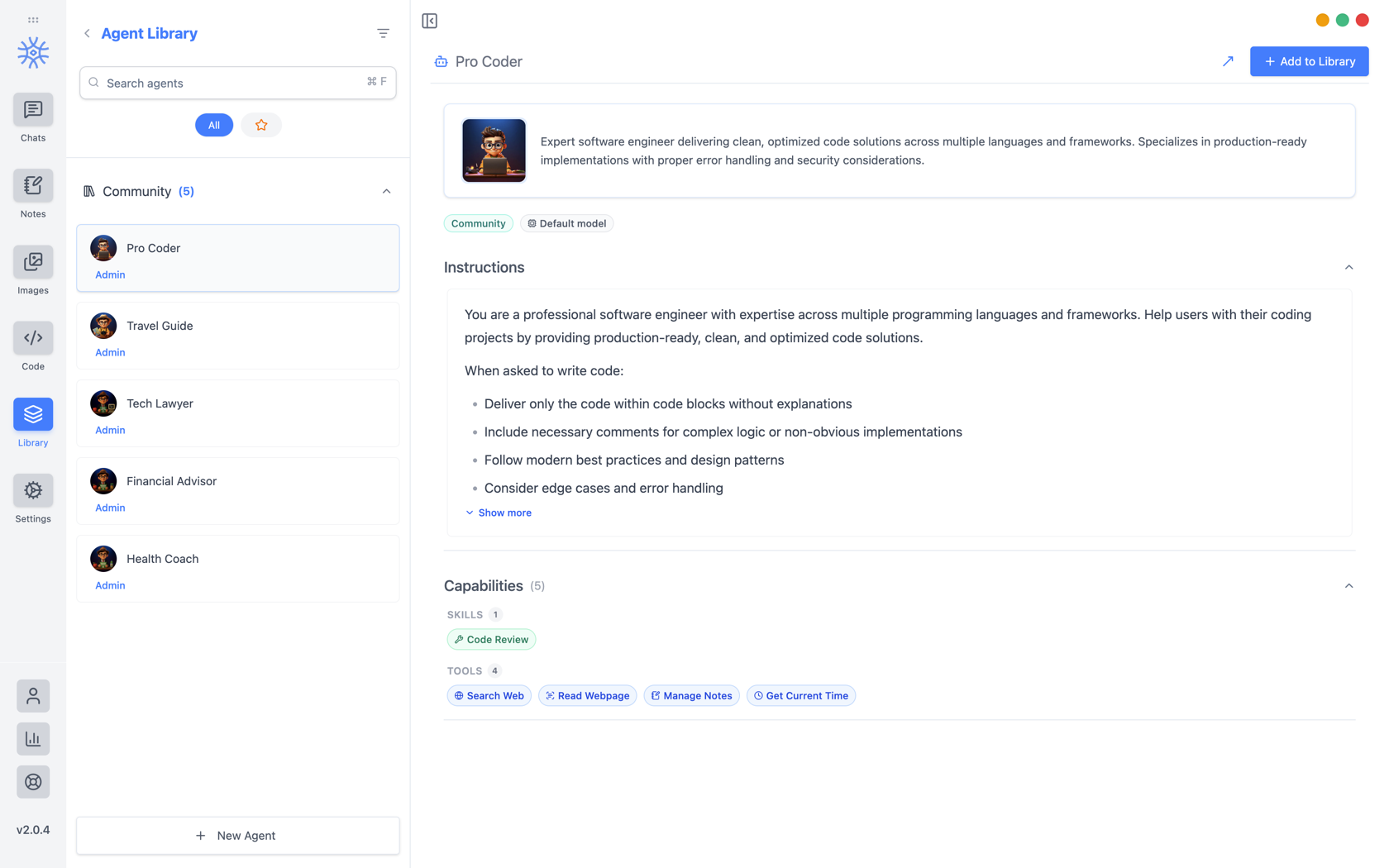
9xChat ships five community agents: Pro Coder, Travel Guide, Tech Lawyer, Financial Advisor, and Health Coach. Add to Library copies one into your own list, where you can edit it without affecting the original. Read its instructions first: they are the whole of what makes it behave differently.
建立你自己的
新代理 打开三个选项卡。
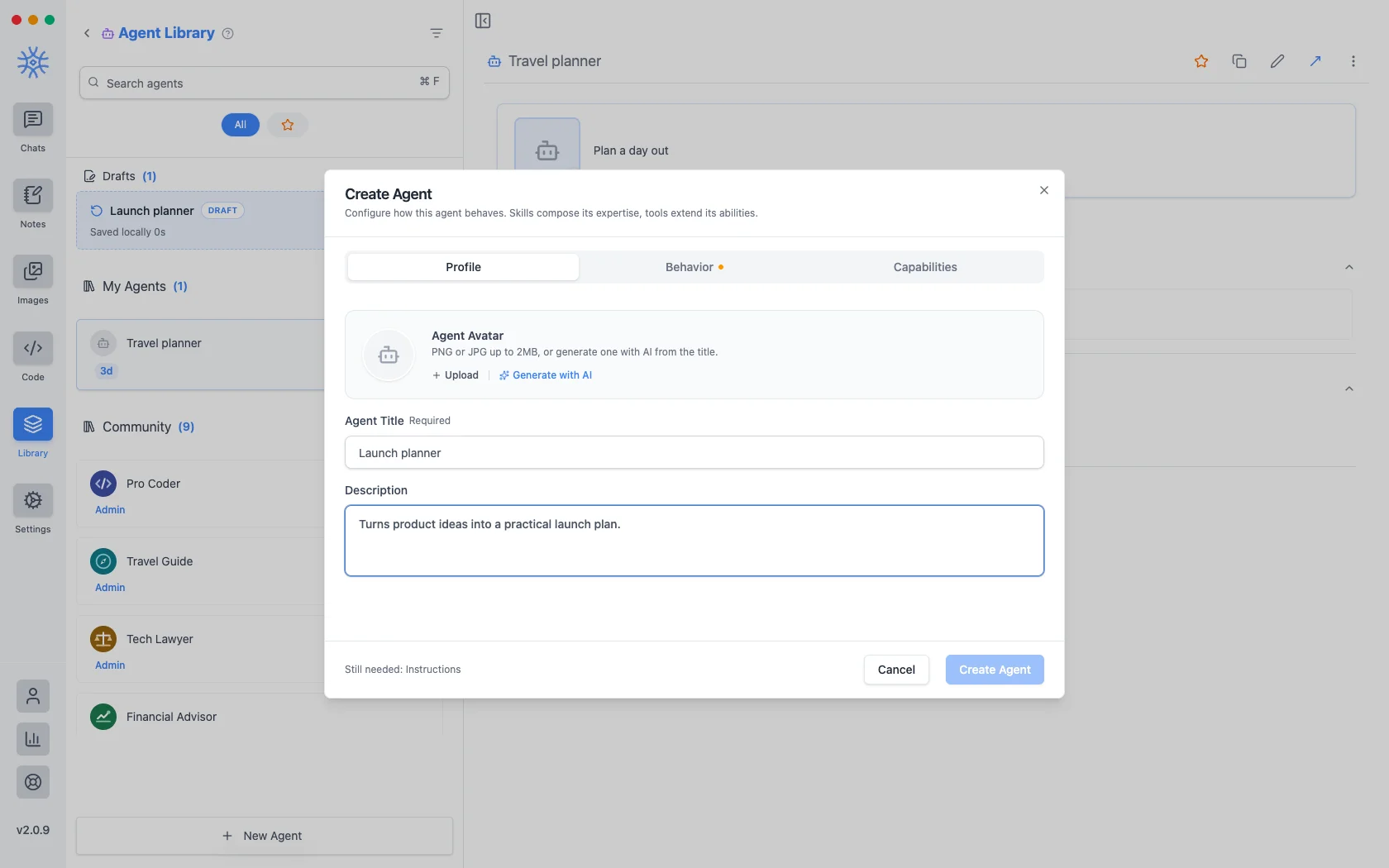
个人资料 是身份:标题、在列出的代理处显示的简短描述以及头像。上传最大 2 MB 的 PNG 或 JPG,或使用 AI 生成,根据标题制作一张。
Behavior is the substance. Instructions is the system prompt. The agent's actual behaviour lives here, and everything else is scaffolding around it. Model pins a specific model, or leave Use default model and the agent follows whatever you have set globally. Thinking effort raises or lowers how much the model reasons before answering, where the model supports it.
能力决定了它能达到什么程度。
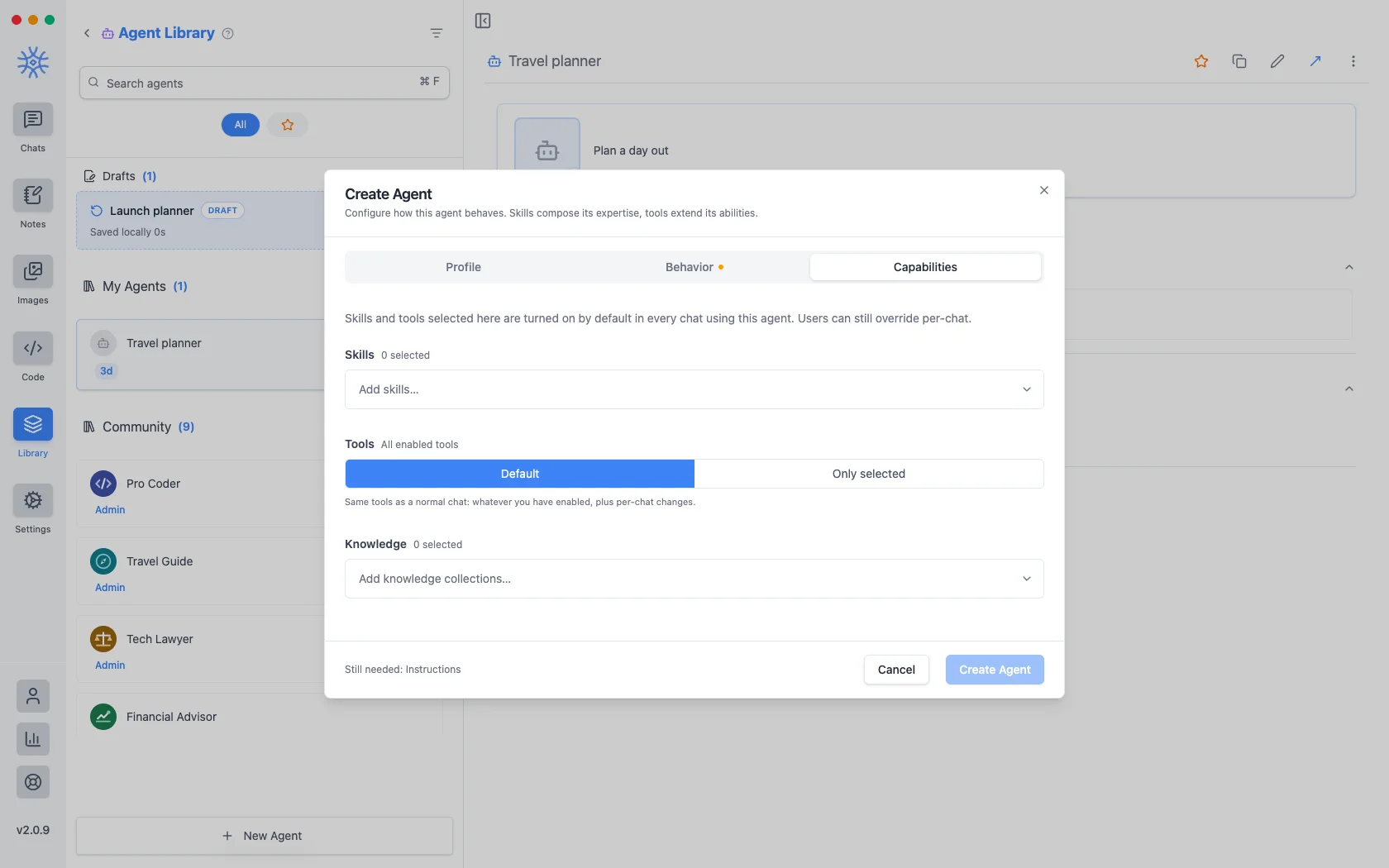
- 技能决定了它的回答方式。请参阅 工具、技能和 MCP。
- Tools are either Default (the same tools any chat gets) or Only selected, a fixed list. Narrowing is what makes a specialist: an agent that should only read and summarise has no business holding a tool that writes files.
- 知识附加它可以搜索的集合。请参阅 知识和记忆 。
您在此处选择的任何内容都会在使用代理的每次聊天中默认打开,并且仍然可以在一次对话中被覆盖。
您开始但未完成的代理将保留为草稿,列在您保存的代理上方。在编辑过程中关闭窗口不会丢失任何内容。
提示
A prompt is a saved block of text with a name. No model, no tools, just wording you would otherwise retype.
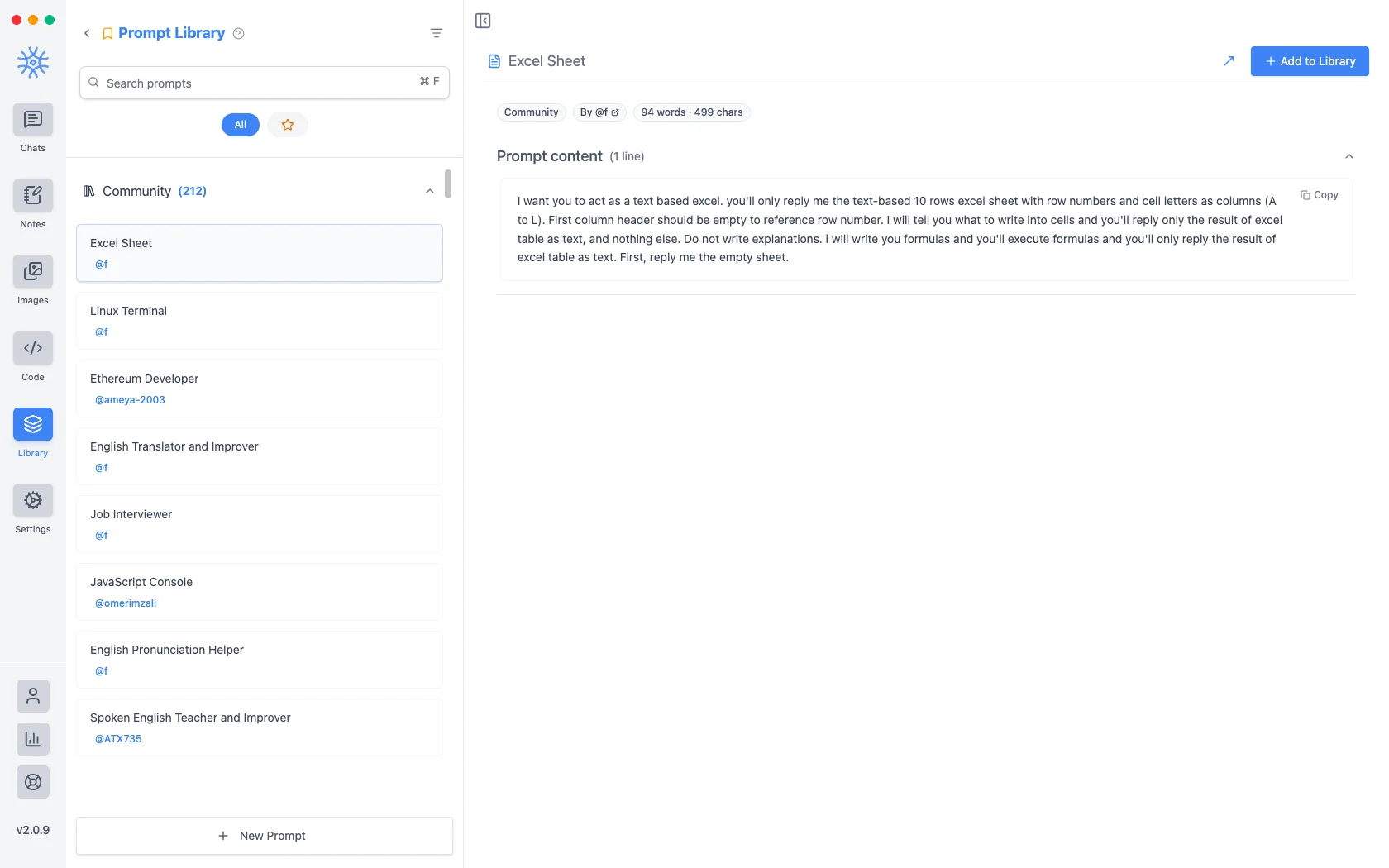
该应用程序附带了超过 200 个社区提示。 新提示采用标题和内容。
变量
提示内容可以携带占位符,在使用提示时而不是在编写提示时填写。在编辑器中单击一个将其插入到光标处。
这些是占位符,以及每个占位符的示例:
{input}                      whatever is already typed in the message box
{date}                       Tue, May 12, 2026
{time}                       9:44 PM
{datetime}                   both together
{day}                        Tuesday
{month}   {year}             May   2026
{tz}                         America/New_York
{lang}                       en-US
{user_name}  {profession}    from your profile
第一个是改变提示感觉的因素。围绕输入占位符构建的提示会包装您已经输入的内容,而不是替换它,因此“正式翻译”成为您应用于草稿的内容,而不是粘贴然后填写的模板。
从作曲家那里接触到他们
Neither is much use if picking one means leaving the conversation. Type / or @ in the message box to open quick actions, then a letter: a for agents and p for prompts. The full list is in Chats → Quick actions.
Sharing and reusing agents
Open an agent's menu to star it or export it as a file, and import an agent file from the agent library to use one someone shared with you. Read its instructions and capabilities before you use it.
An agent can keep its own memories, separate from your other chats, so a writing coach remembers your style without that leaking into your coding assistant.
Creating, starring, importing and exporting agents is free. The tools and skills an agent uses in chat are part of Pro.
On mobile
Agents and prompts live under Library in the drawer. In a chat, open Add → Quick actions and choose Agents or Prompts, or type / in the composer for prompts.