
Agentes e prompts
Crie um assistente configurado, salve um prompt reutilizável e acesse qualquer um deles a partir do compositor.
The Library draws the line between them: a prompt is text you reuse, an agent is a configured assistant you talk to. This page is how to make each, and how to reach them without leaving the message box.
Agentes
Um agente agrupa um modelo, um conjunto de instruções e os recursos que pode usar, sob um nome. Abrir um chat com um é o mesmo que abrir um chat e configurar tudo manualmente sempre.
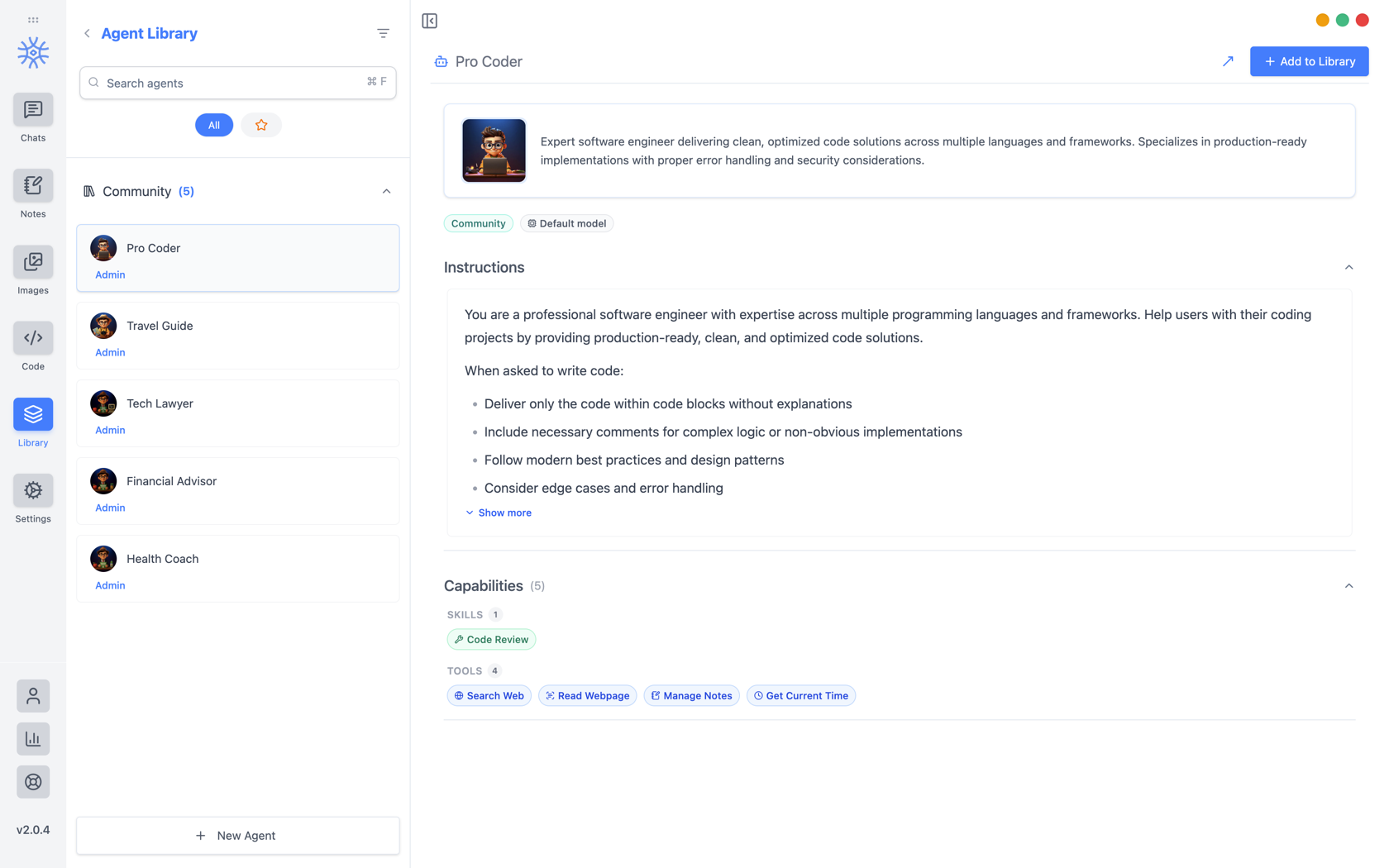
9xChat ships five community agents: Pro Coder, Travel Guide, Tech Lawyer, Financial Advisor, and Health Coach. Add to Library copies one into your own list, where you can edit it without affecting the original. Read its instructions first: they are the whole of what makes it behave differently.
Construindo o seu próprio
Novo Agente abre três guias.
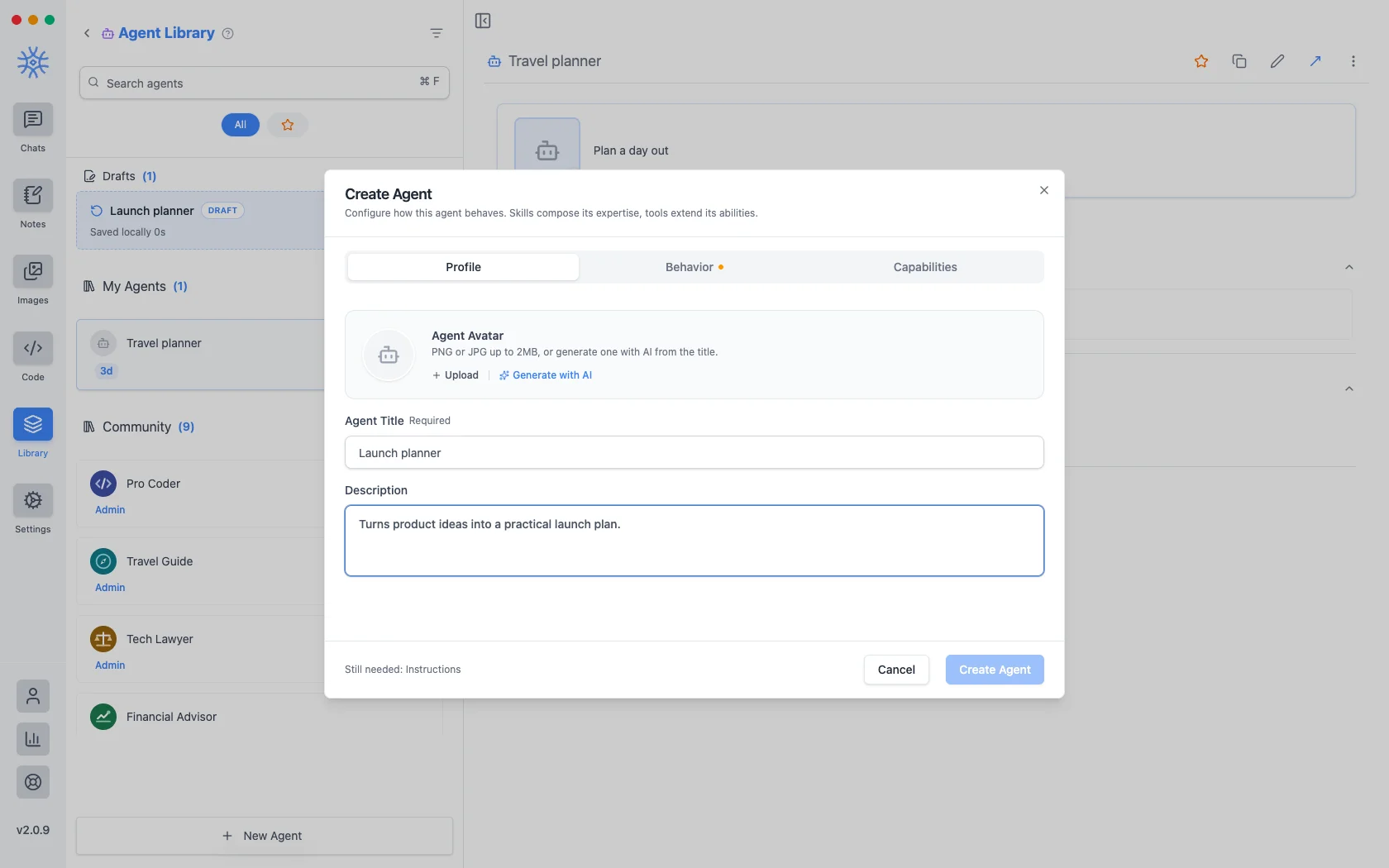
Perfilé a identidade: um título, uma breve descrição mostrada onde quer que os agentes estejam listados e um avatar. Faça upload de um PNG ou JPG de até 2 MB ouGere com IA para criar um a partir do título.
Behavior is the substance. Instructions is the system prompt. The agent's actual behaviour lives here, and everything else is scaffolding around it. Model pins a specific model, or leave Use default model and the agent follows whatever you have set globally. Thinking effort raises or lowers how much the model reasons before answering, where the model supports it.
Capacidades decide o que pode alcançar.
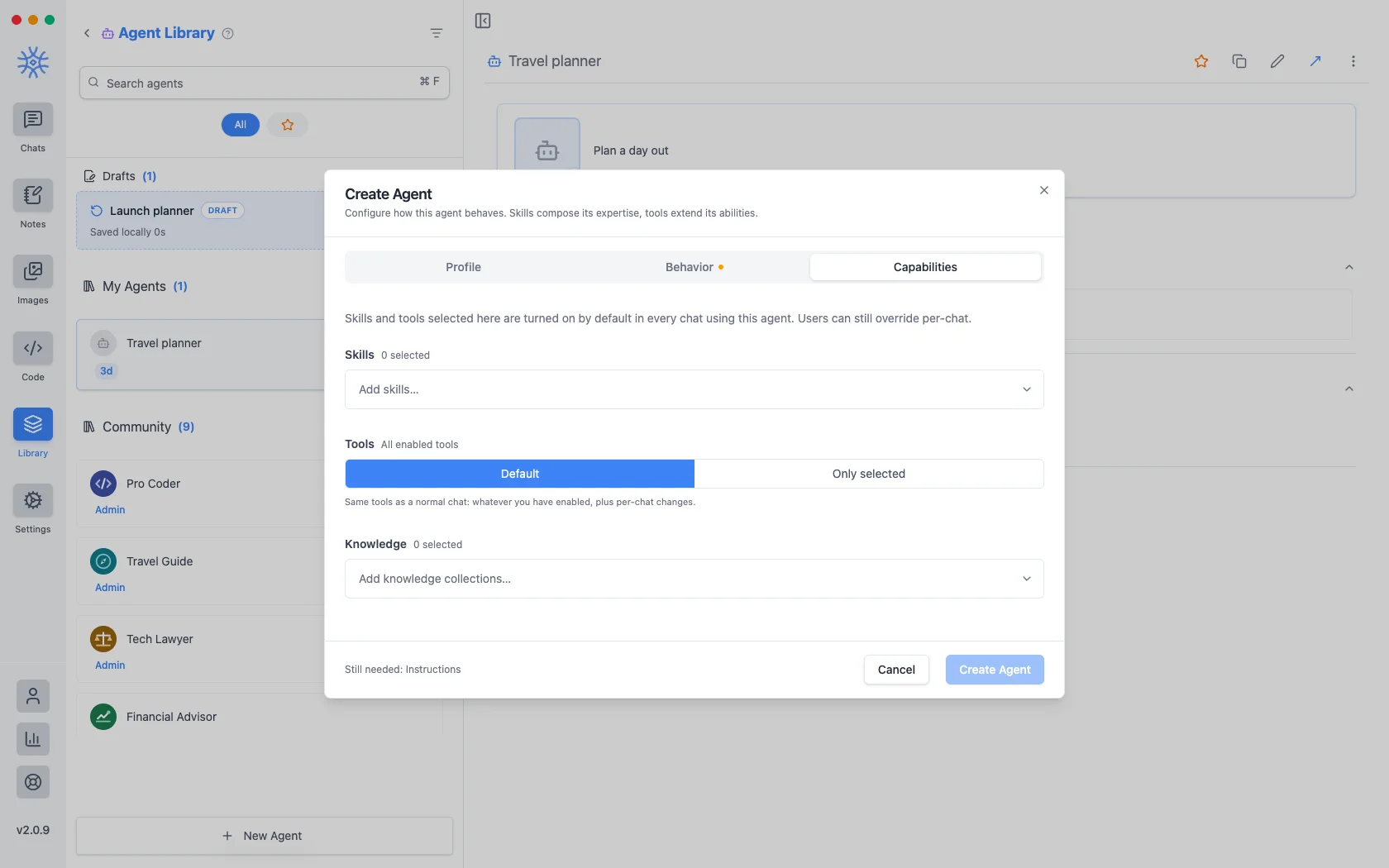
- Habilidades determinam como ele responde. Consulte Ferramentas, habilidades e MCP.
- Tools are either Default (the same tools any chat gets) or Only selected, a fixed list. Narrowing is what makes a specialist: an agent that should only read and summarise has no business holding a tool that writes files.
- Conhecimento anexa coleções que pode pesquisar. Consulte Conhecimento e memórias.
Tudo o que você escolher aqui está ativado por padrão em todos os bate-papos usando o agente e ainda pode ser substituído em uma conversa.
Um agente que você inicia e não termina é mantido como rascunho, listado acima dos seus agentes salvos. Fechar a janela no meio da edição não perde nada.
Solicitações
A prompt is a saved block of text with a name. No model, no tools, just wording you would otherwise retype.
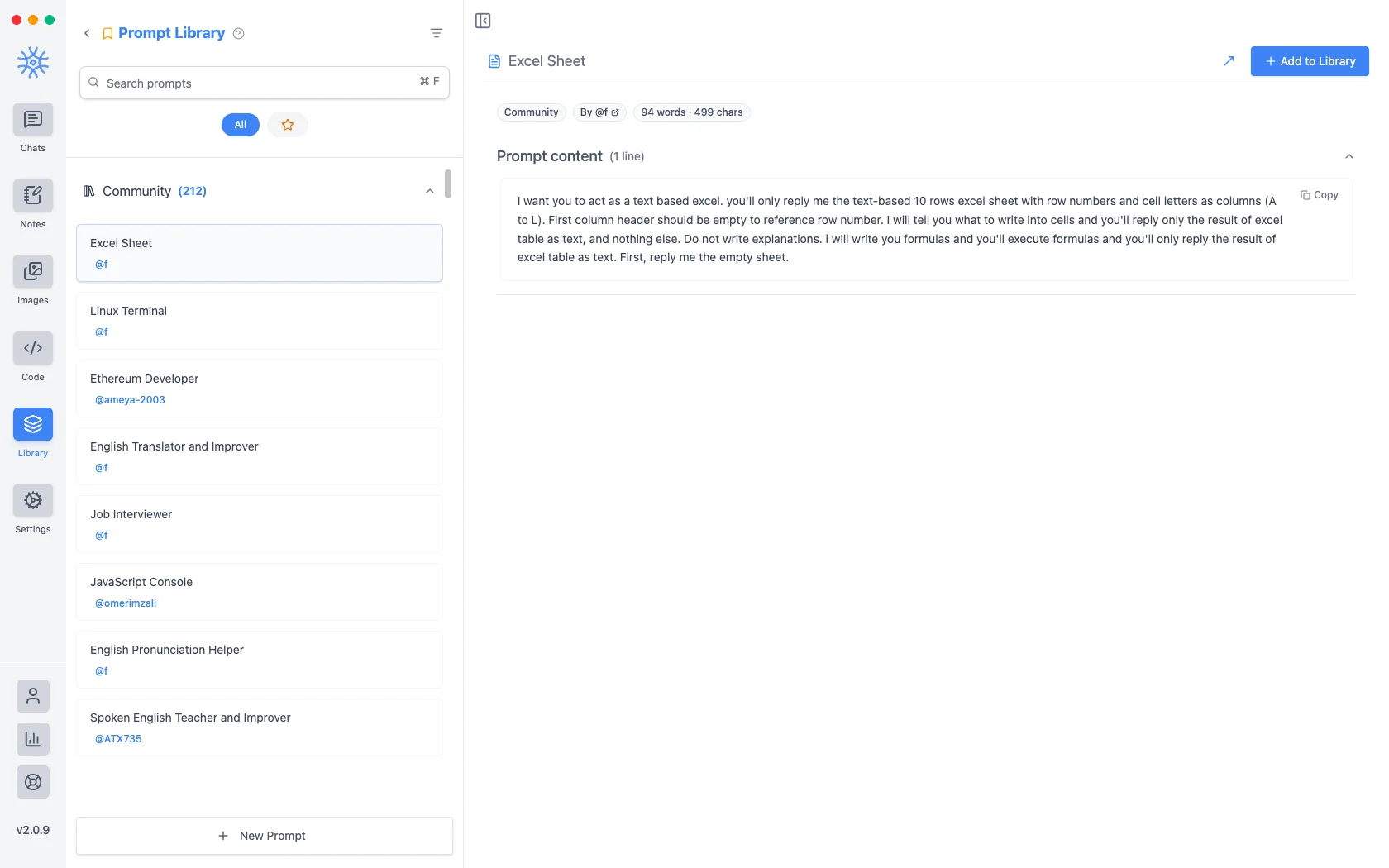
Mais de duzentas solicitações da comunidade são fornecidas com o aplicativo. Novo prompt leva um título e o conteúdo.
Variáveis
O conteúdo do prompt pode conter espaços reservados, preenchidos no momento em que o prompt é usado, e não quando ele é escrito. Clique em um no editor para inseri-lo no cursor.
Estes são os espaços reservados, com um exemplo do que cada um se torna:
{input}                      whatever is already typed in the message box
{date}                       Tue, May 12, 2026
{time}                       9:44 PM
{datetime}                   both together
{day}                        Tuesday
{month}   {year}             May   2026
{tz}                         America/New_York
{lang}                       en-US
{user_name}  {profession}    from your profile
O primeiro é o que muda a sensação dos prompts. Um prompt construído em torno do espaço reservado de entrada envolve o que você já digitou em vez de substituí-lo, então "traduzir isso formalmente" torna-se algo que você aplica a um rascunho em vez de um modelo que você cola e depois preenche.
Alcançando-os do compositor
Neither is much use if picking one means leaving the conversation. Type / or @ in the message box to open quick actions, then a letter: a for agents and p for prompts. The full list is in Chats → Quick actions.
Sharing and reusing agents
Open an agent's menu to star it or export it as a file, and import an agent file from the agent library to use one someone shared with you. Read its instructions and capabilities before you use it.
An agent can keep its own memories, separate from your other chats, so a writing coach remembers your style without that leaking into your coding assistant.
Creating, starring, importing and exporting agents is free. The tools and skills an agent uses in chat are part of Pro.
On mobile
Agents and prompts live under Library in the drawer. In a chat, open Add → Quick actions and choose Agents or Prompts, or type / in the composer for prompts.