
Agenten en prompts
Bouw een geconfigureerde assistent, sla een herbruikbare prompt op en bereik een van beide via de componist.
The Library draws the line between them: a prompt is text you reuse, an agent is a configured assistant you talk to. This page is how to make each, and how to reach them without leaving the message box.
Agenten
Een agent bundelt een model, een reeks instructies en de mogelijkheden die hij kan gebruiken onder een naam. Een chat openen met één is hetzelfde als een chat openen en dat elke keer weer met de hand instellen.
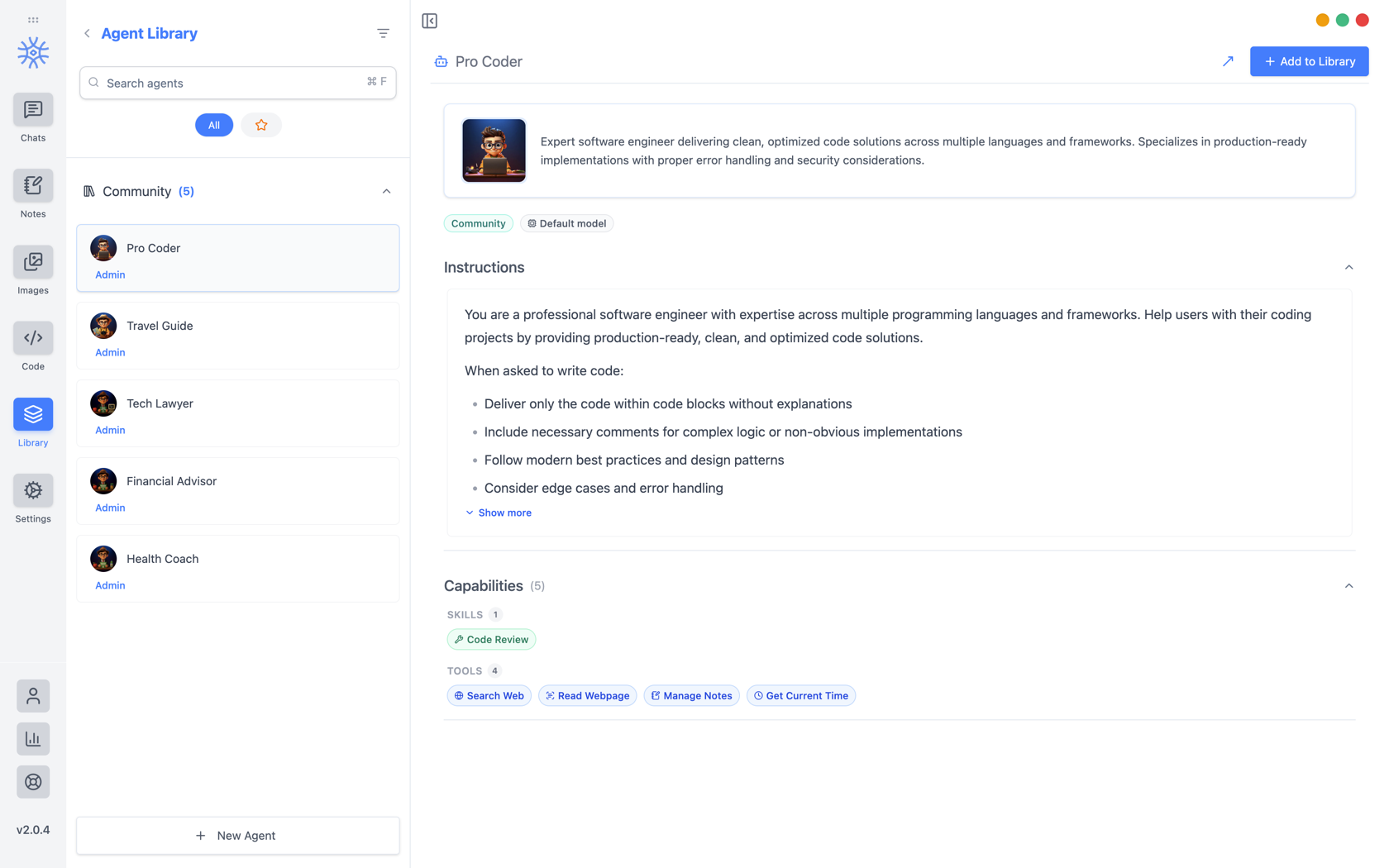
9xChat ships five community agents: Pro Coder, Travel Guide, Tech Lawyer, Financial Advisor, and Health Coach. Add to Library copies one into your own list, where you can edit it without affecting the original. Read its instructions first: they are the whole of what makes it behave differently.
Je eigen bouwen
Nieuwe agent opent drie tabbladen.
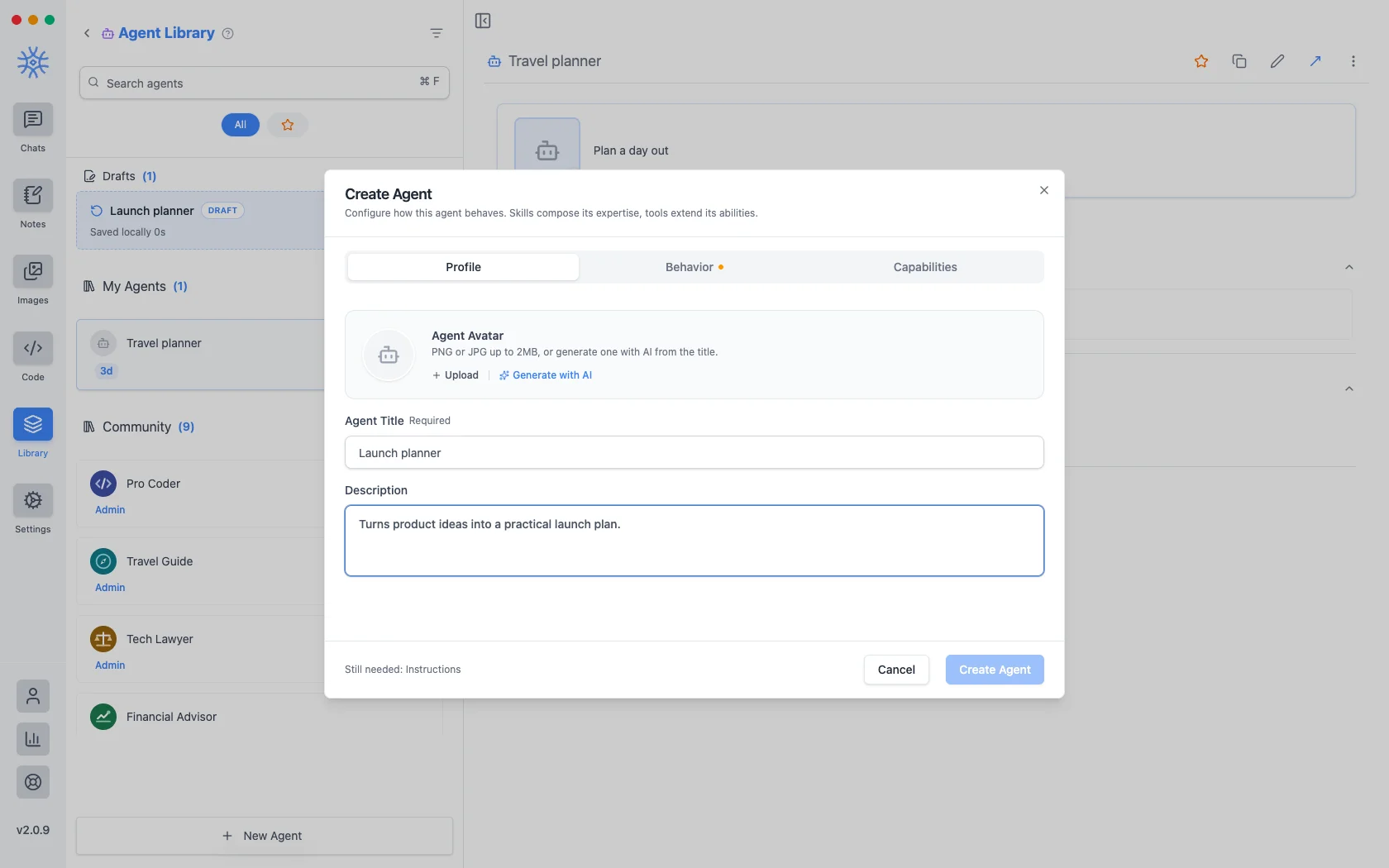
Profielis de identiteit: een titel, een korte beschrijving die overal wordt weergegeven waar agenten worden vermeld, en een avatar. Upload een PNG of JPG van maximaal 2 MB, ofGenereer met AI om er een te maken van de titel.
Behavior is the substance. Instructions is the system prompt. The agent's actual behaviour lives here, and everything else is scaffolding around it. Model pins a specific model, or leave Use default model and the agent follows whatever you have set globally. Thinking effort raises or lowers how much the model reasons before answering, where the model supports it.
Capabilities bepaalt wat het kan bereiken.
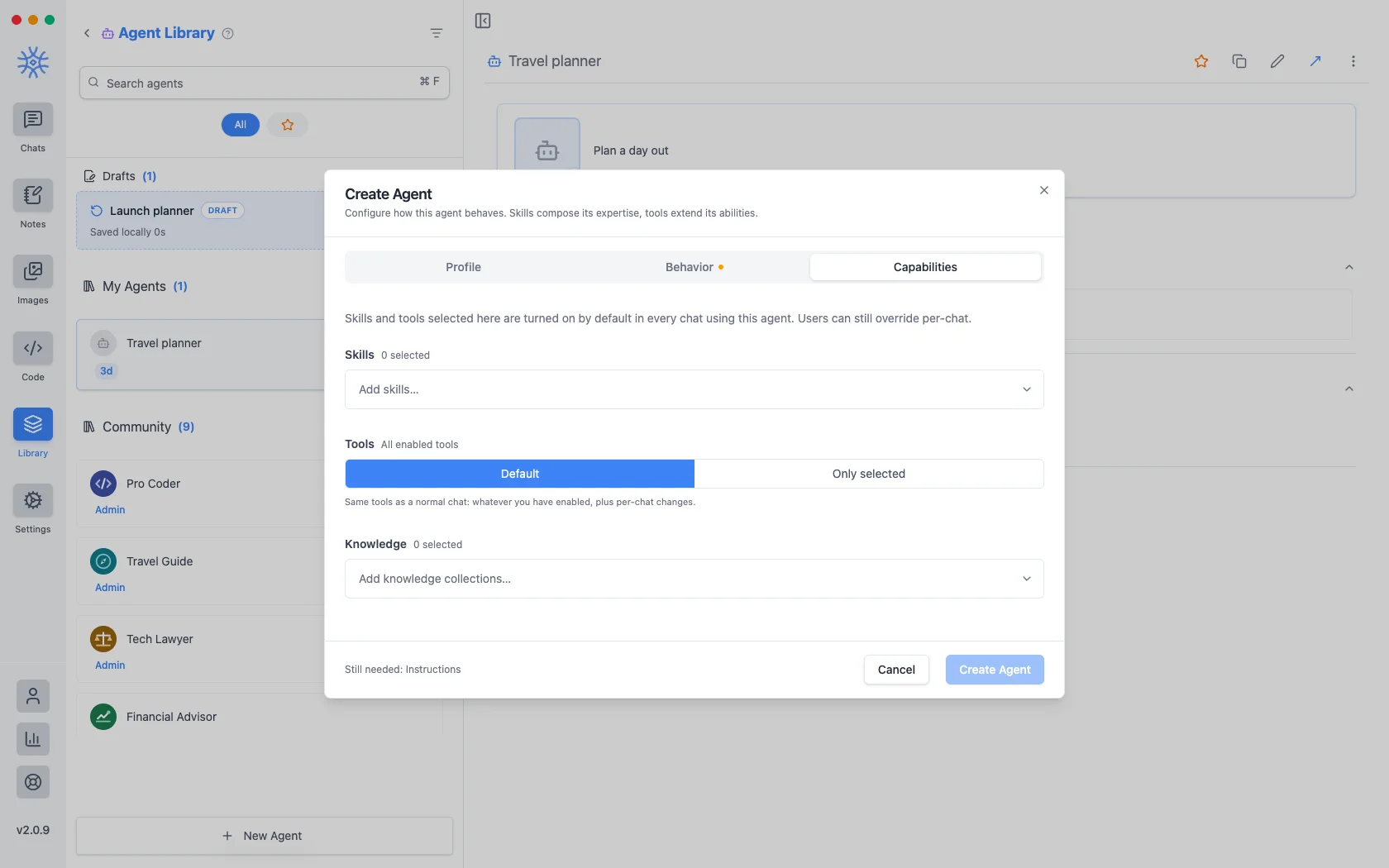
- Vaardigheden bepalen hoe het antwoordt. Zie Hulpmiddelen, vaardigheden en MCP.
- Tools are either Default (the same tools any chat gets) or Only selected, a fixed list. Narrowing is what makes a specialist: an agent that should only read and summarise has no business holding a tool that writes files.
- Kennis voegt collecties toe die kunnen worden doorzocht. Zie Kennis en herinneringen.
Wat je hier ook kiest, het wordt standaard ingeschakeld in elke chat die de agent gebruikt, en kan nog voor één gesprek worden overschreven.
Een agent die je start en niet voltooit, wordt als concept bewaard en vermeld boven je opgeslagen agenten. Als u het venster halverwege de bewerking sluit, gaat er niets verloren.
Prompts
A prompt is a saved block of text with a name. No model, no tools, just wording you would otherwise retype.
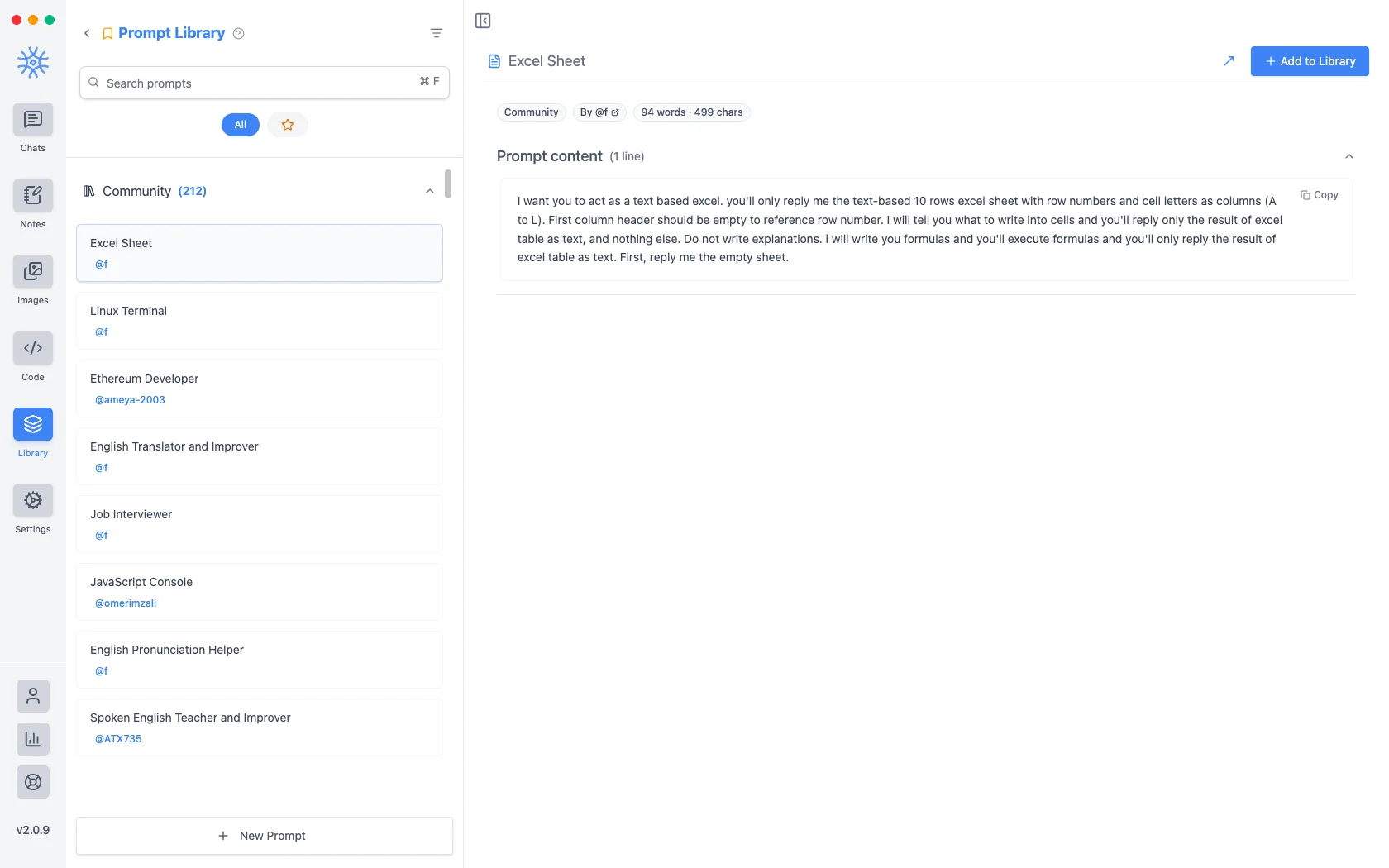
Meer dan tweehonderd community-prompts worden bij de app geleverd. Nieuwe prompt neemt een titel en de inhoud.
Variabelen
Promptinhoud kan tijdelijke aanduidingen bevatten, die worden ingevuld op het moment dat de prompt wordt gebruikt in plaats van wanneer deze wordt geschreven. Klik op één ervan in de editor om deze bij de cursor in te voegen.
Dit zijn de tijdelijke aanduidingen, met een voorbeeld van wat elk wordt:
{input}                      whatever is already typed in the message box
{date}                       Tue, May 12, 2026
{time}                       9:44 PM
{datetime}                   both together
{day}                        Tuesday
{month}   {year}             May   2026
{tz}                         America/New_York
{lang}                       en-US
{user_name}  {profession}    from your profile
De eerste is wat verandert hoe prompts aanvoelen. Een prompt rond de tijdelijke aanduiding voor invoer omhult wat u al hebt getypt in plaats van het te vervangen, zodat 'dit formeel vertalen' iets wordt dat u op een concept toepast in plaats van een sjabloon dat u plakt en vervolgens invult.
Ze bereiken via de componist
Neither is much use if picking one means leaving the conversation. Type / or @ in the message box to open quick actions, then a letter: a for agents and p for prompts. The full list is in Chats → Quick actions.
Sharing and reusing agents
Open an agent's menu to star it or export it as a file, and import an agent file from the agent library to use one someone shared with you. Read its instructions and capabilities before you use it.
An agent can keep its own memories, separate from your other chats, so a writing coach remembers your style without that leaking into your coding assistant.
Creating, starring, importing and exporting agents is free. The tools and skills an agent uses in chat are part of Pro.
On mobile
Agents and prompts live under Library in the drawer. In a chat, open Add → Quick actions and choose Agents or Prompts, or type / in the composer for prompts.