
Model dan kunci API
How a model is reached, adding providers and keys, browsing and adding models, and what Auto does.
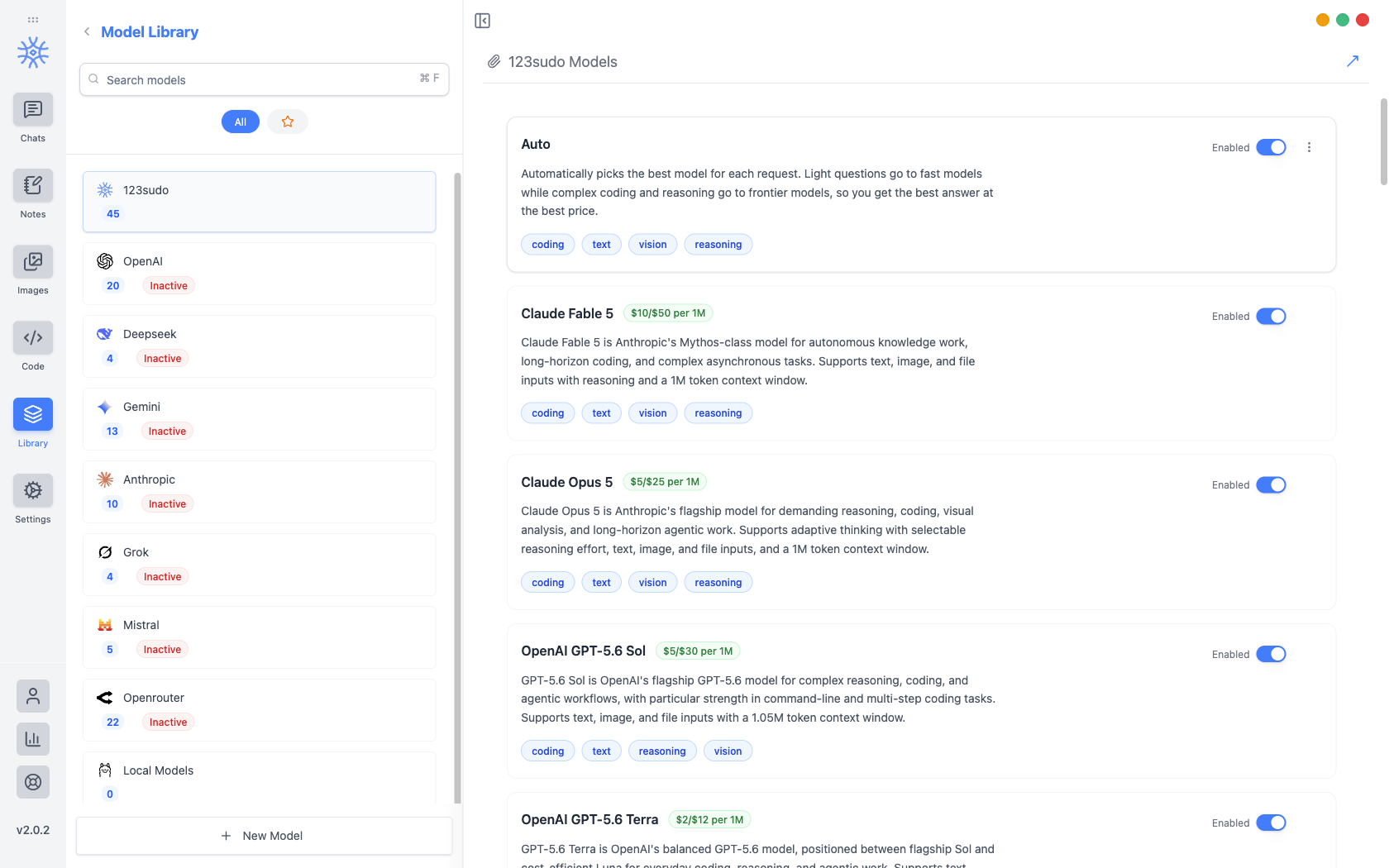
Perpustakaan → Modelmencantumkan setiap model yang dapat Anda pilih dan menyimpan kunci API yang menjangkau model tersebut. Penyedia berada di sebelah kiri dengan jumlah model masing-masing, dan penyedia tetapTidak aktif hingga memiliki kunci.
Tiga cara untuk mencapai model
Yang mana yang Anda pilih akan menentukan siapa yang menagih Anda dan apa yang keluar dari mesin Anda.
| Rute | Siapa yang menagih Anda | Apa yang meninggalkan mesin Anda |
|---|---|---|
| Kredit 123sudo | 123sudo, dari saldo kredit Anda | Pesan Anda, kepada penyedia yang kami tuju |
| Kunci API Anda sendiri | Penyedia, di akun Anda | Pesan Anda, kepada penyedia itu |
| Lokal melalui Ollama | Tidak ada | Tidak ada |
Model lokal disiapkan di Model lokal, dan trade-off privasi tercakup dalam Privacy.
Menambahkan kunci penyedia
Pick the provider, open API Configuration, and paste the key. It is encrypted before it is written, with the encryption key held in the operating system's keychain rather than in the app, so the stored file is useless on its own. If the OS cannot provide that secure storage, the app says so instead of quietly falling back to writing the key in the clear.
Penyedia beralih ke Aktif setelah kunci disimpan, dan modelnya dapat dipilih di mana pun model dapat dipilih.
Perlakukan kunci API seperti kata sandi. Siapa pun yang memegangnya dapat membelanjakannya dengan akun penyedia Anda. Itu tidak pernah disertakan dalam ekspor, dan tidak boleh muncul di tangkapan layar atau pesan dukungan.
Menjelajah dan menambahkan model
Browse Models fetches the provider's current catalogue (Anthropic, OpenAI, Gemini, Mistral, DeepSeek, or OpenRouter) so you can search it by name or ID and add several at once. Models already in your library are marked Added.
Fetching the catalogue is how a newly released model appears the day it launches, without waiting for an app update.
To add something the catalogue does not list (a proxy, a self-hosted endpoint, a preview model), add it by hand with its Model Engine, Model ID, Model Name, Model Base URL, and Model Purpose. The purpose is what makes it offerable in the right places, so a vision model is proposed where images are involved.
Free and Pro models
Every model on your own API key or running locally works on every plan, with no limits from 9xChat.
For models billed to your 9xChat credits, a free account can use a set of fast, capable models, and Pro unlocks the full catalogue, frontier models included. A locked model is dimmed in the picker; choosing it on a free account explains that it needs Pro. The 3-day trial unlocks every model, so you can find your favourite before deciding.
Membaca daftarnya
Each model shows its price per million tokens and what it is suited to (coding, text, vision, reasoning), so capability can be weighed against cost before you commit a long conversation to it. In the chat model picker the same information appears as a badge: Premium ($$$), Standard ($$) or Eco ($).
Pindah ke atasdanPindah ke bawah menyusun ulang penyedia. Urutannya adalah urutan yang Anda lihat saat memilih model, jadi menempatkan apa yang sebenarnya Anda gunakan di bagian atas bernilai sepuluh detik.
Otomatis
Otomatis berada di bagian atas daftar 123sudo dan pilihannya untuk Anda, mengirimkan pertanyaan ringan ke model yang cepat dan murah, dan pertanyaan sulit ke model terdepan.
It is the right default when you do not want to think about it, and the wrong one when you need a specific model's behaviour, in which case name the model rather than letting the router choose.
Model mana yang melakukan apa
Obrolan baru, catatan, kode, gambar, dan judul yang dihasilkan masing-masing dimulai secara default. Itu diatur dalam Pengaturan → Model Default, dan setiap thread dapat dipindahkan ke model lain tanpa mengubahnya.