
ایجنٹ اور اشارے
ایک کنفیگرڈ اسسٹنٹ بنائیں، دوبارہ قابل استعمال پرامپٹ کو محفوظ کریں، اور کمپوزر سے کسی ایک تک پہنچیں۔
The Library draws the line between them: a prompt is text you reuse, an agent is a configured assistant you talk to. This page is how to make each, and how to reach them without leaving the message box.
ایجنٹس
ایک ایجنٹ ایک ماڈل، ہدایات کا ایک سیٹ، اور وہ صلاحیتیں جو وہ استعمال کر سکتا ہے، ایک نام کے تحت بنڈل کرتا ہے۔ کسی کے ساتھ چیٹ کھولنا ایک چیٹ کھولنے اور ہر بار ہاتھ سے سیٹ کرنے کے مترادف ہے۔
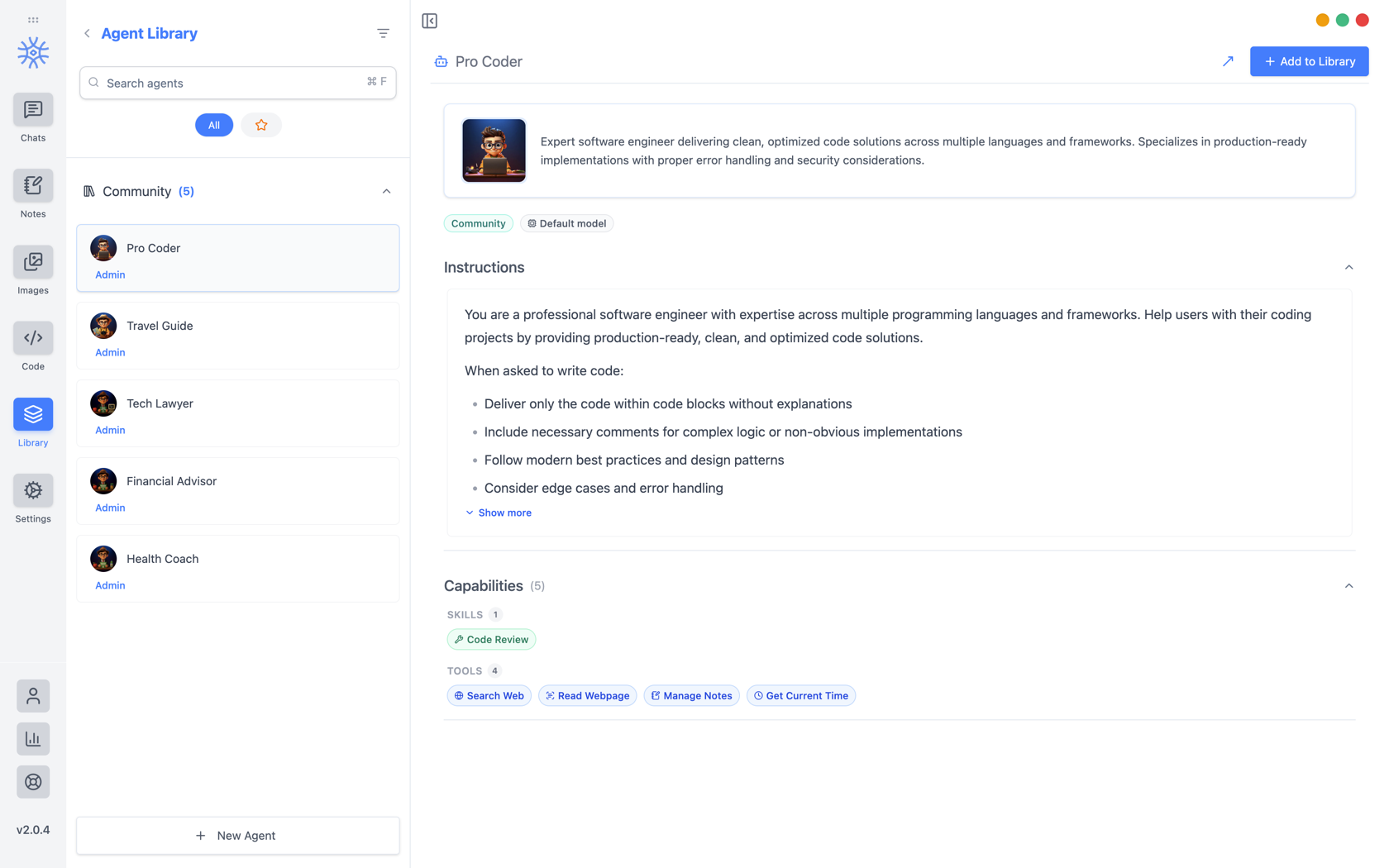
9xChat ships five community agents: Pro Coder, Travel Guide, Tech Lawyer, Financial Advisor, and Health Coach. Add to Library copies one into your own list, where you can edit it without affecting the original. Read its instructions first: they are the whole of what makes it behave differently.
اپنی خود کی تعمیر
نیا ایجنٹ تین ٹیبز کھولتا ہے۔
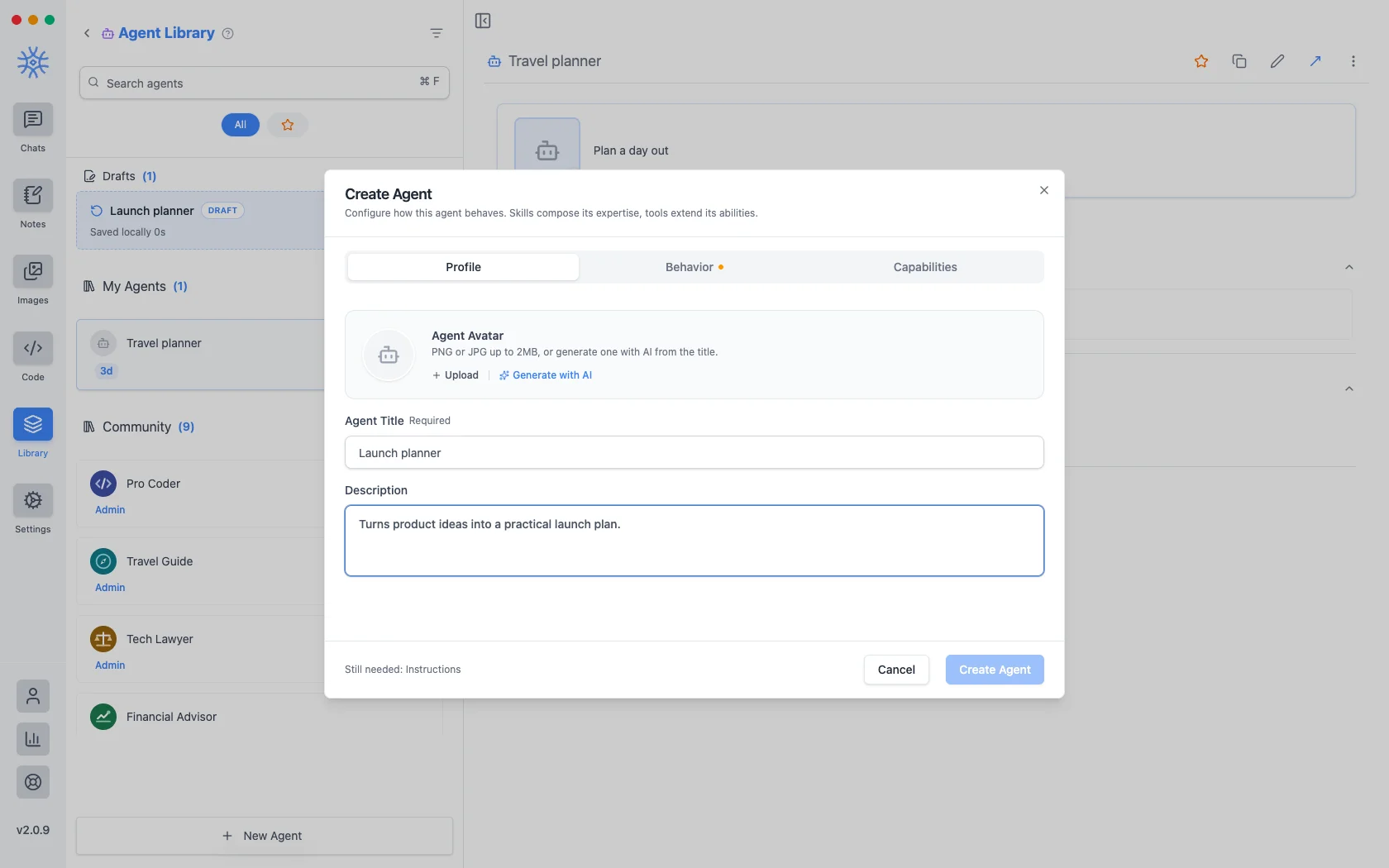
پروفائلشناخت ہے: ایک عنوان، ایک مختصر تفصیل دکھائی جاتی ہے جہاں بھی ایجنٹ درج ہوں، اور ایک اوتار۔ 2 MB تک PNG یا JPG اپ لوڈ کریں، یا عنوان سے ایک بنانے کے لیےAI کے ساتھ بنائیں۔
Behavior is the substance. Instructions is the system prompt. The agent's actual behaviour lives here, and everything else is scaffolding around it. Model pins a specific model, or leave Use default model and the agent follows whatever you have set globally. Thinking effort raises or lowers how much the model reasons before answering, where the model supports it.
صلاحیتیں فیصلہ کرتی ہیں کہ یہ کس تک پہنچ سکتی ہے۔
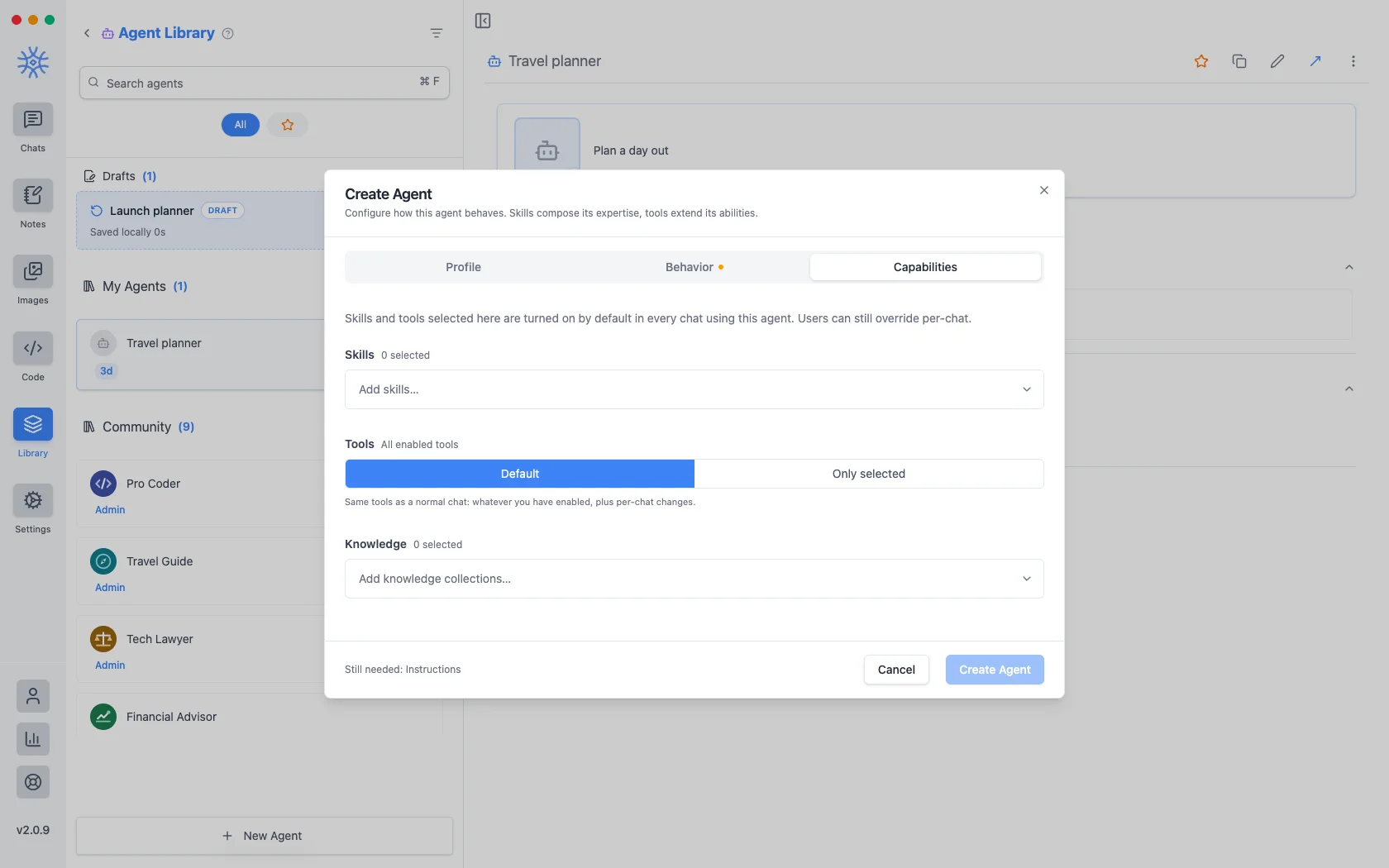
- مہارت اس کا جواب کیسے دیتی ہے۔ Tools، Skills، اور MCP دیکھیں۔
- Tools are either Default (the same tools any chat gets) or Only selected, a fixed list. Narrowing is what makes a specialist: an agent that should only read and summarise has no business holding a tool that writes files.
- علم ان مجموعوں کو منسلک کرتا ہے جسے وہ تلاش کر سکتا ہے۔ دیکھیں علم اور یادیں۔
آپ یہاں جو بھی انتخاب کرتے ہیں وہ ایجنٹ کا استعمال کرتے ہوئے ہر چیٹ میں بطور ڈیفالٹ آن ہوتا ہے، اور پھر بھی ایک بات چیت کے لیے اسے اوور رائیڈ کیا جا سکتا ہے۔
ایک ایجنٹ جسے آپ شروع کرتے ہیں اور ختم نہیں کرتے ہیں، ایک مسودہ کے طور پر رکھا جاتا ہے، جو آپ کے محفوظ کردہ ایجنٹوں کے اوپر درج ہوتا ہے۔ ونڈو کے وسط میں ترمیم کو بند کرنے سے کچھ بھی ضائع نہیں ہوتا ہے۔
اشارہ کرتا ہے۔
A prompt is a saved block of text with a name. No model, no tools, just wording you would otherwise retype.
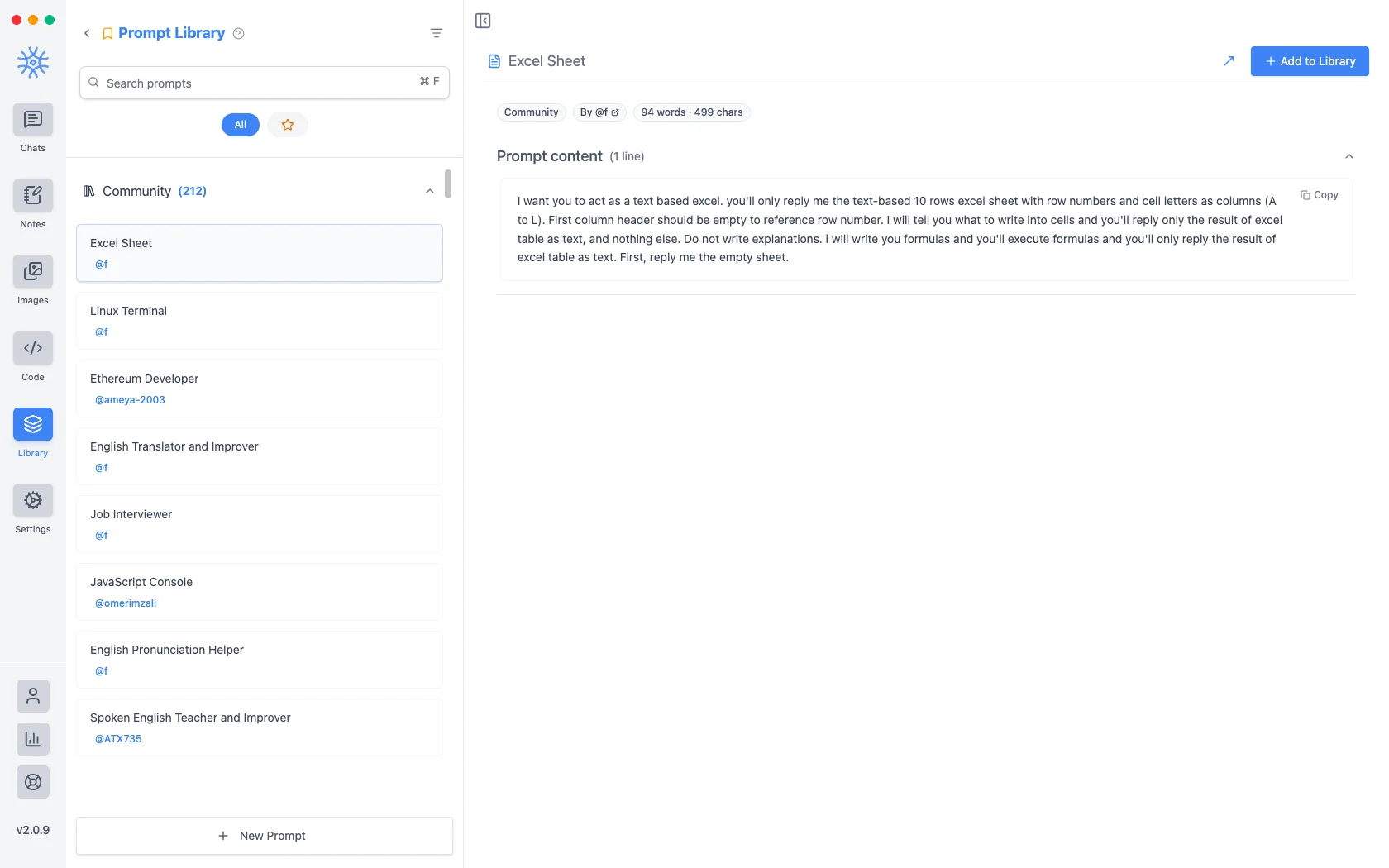
دو سو سے زیادہ کمیونٹی پرامپٹ ایپ کے ساتھ بھیجتے ہیں۔ نیا پرامپٹ ایک عنوان اور مواد لیتا ہے۔
متغیرات
فوری مواد پلیس ہولڈرز لے جا سکتا ہے، اس وقت بھرا ہوا ہے جب پرامپٹ استعمال کیا جاتا ہے بجائے اس کے لکھے جانے کے وقت۔ کرسر پر داخل کرنے کے لیے ایڈیٹر میں ایک پر کلک کریں۔
یہ پلیس ہولڈرز ہیں، اس کی مثال کے ساتھ کہ ہر ایک کیا بنتا ہے:
{input}                      whatever is already typed in the message box
{date}                       Tue, May 12, 2026
{time}                       9:44 PM
{datetime}                   both together
{day}                        Tuesday
{month}   {year}             May   2026
{tz}                         America/New_York
{lang}                       en-US
{user_name}  {profession}    from your profile
پہلا وہ ہے جو بدلتا ہے کہ اشارہ کیسے محسوس ہوتا ہے۔ ان پٹ پلیس ہولڈر کے ارد گرد بنایا گیا ایک پرامپٹ اسے تبدیل کرنے کے بجائے جو آپ نے پہلے ہی ٹائپ کیا ہے اسے لپیٹ دیتا ہے، لہذا "اس کا رسمی ترجمہ کریں" وہ چیز بن جاتی ہے جسے آپ کسی مسودے پر لاگو کرتے ہیں بجائے اس کے کہ آپ اس ٹیمپلیٹ کو چسپاں کرتے ہیں اور پھر بھرتے ہیں۔
کمپوزر سے ان تک پہنچنا
Neither is much use if picking one means leaving the conversation. Type / or @ in the message box to open quick actions, then a letter: a for agents and p for prompts. The full list is in Chats → Quick actions.
Sharing and reusing agents
Open an agent's menu to star it or export it as a file, and import an agent file from the agent library to use one someone shared with you. Read its instructions and capabilities before you use it.
An agent can keep its own memories, separate from your other chats, so a writing coach remembers your style without that leaking into your coding assistant.
Creating, starring, importing and exporting agents is free. The tools and skills an agent uses in chat are part of Pro.
On mobile
Agents and prompts live under Library in the drawer. In a chat, open Add → Quick actions and choose Agents or Prompts, or type / in the composer for prompts.