
Aracılar ve istemler
Yapılandırılmış bir asistan oluşturun, yeniden kullanılabilir bir istemi kaydedin ve besteciden ikisinden birine ulaşın.
The Library draws the line between them: a prompt is text you reuse, an agent is a configured assistant you talk to. This page is how to make each, and how to reach them without leaving the message box.
Temsilciler
Bir aracı, bir modeli, bir dizi talimatı ve kullanabileceği yetenekleri bir ad altında bir araya getirir. Birisiyle sohbet açmak, sohbet açmak ve bunların hepsini her seferinde elle ayarlamakla aynı şeydir.
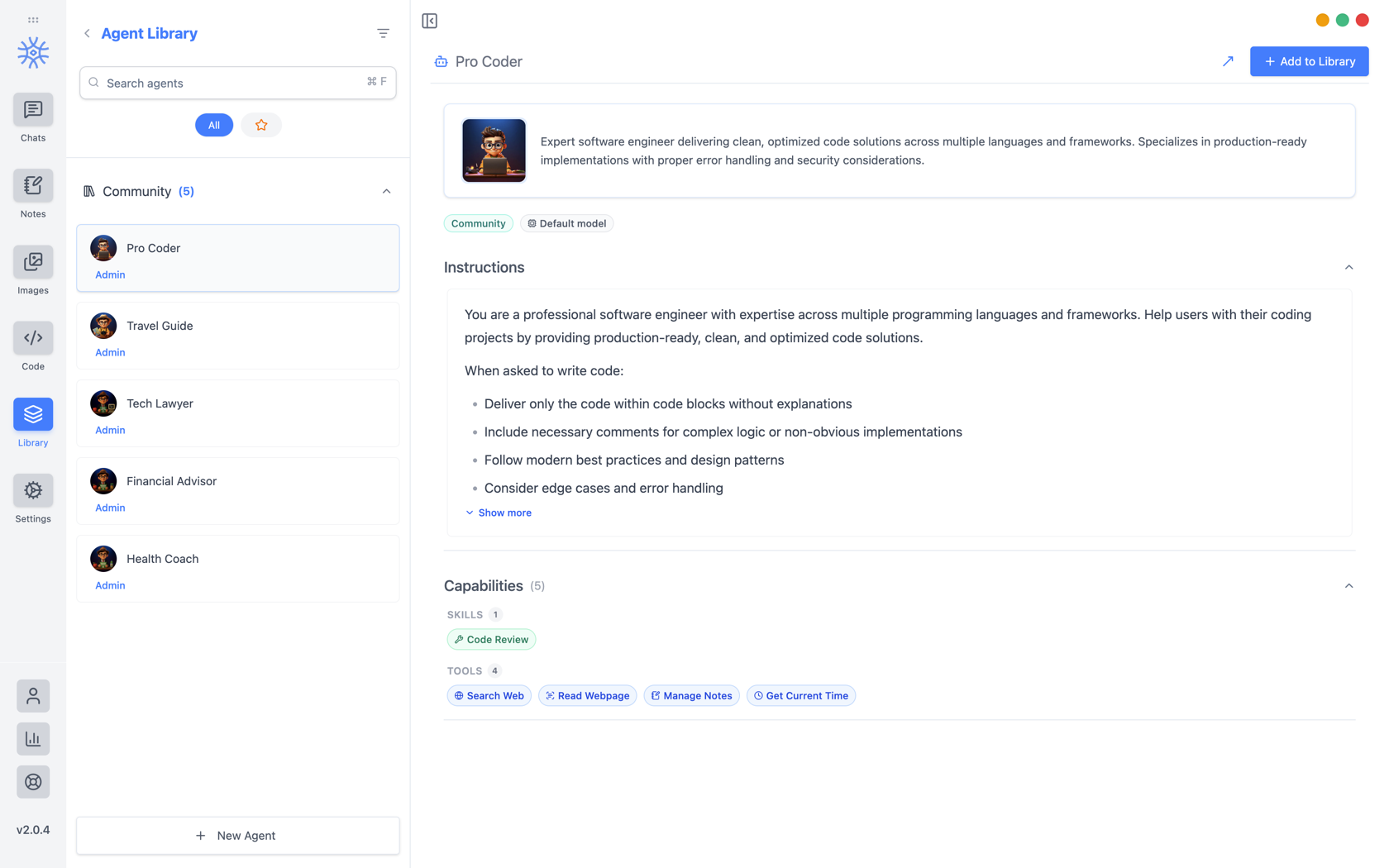
9xChat ships five community agents: Pro Coder, Travel Guide, Tech Lawyer, Financial Advisor, and Health Coach. Add to Library copies one into your own list, where you can edit it without affecting the original. Read its instructions first: they are the whole of what makes it behave differently.
Kendinizinkini inşa etmek
Yeni Aracı üç sekme açar.
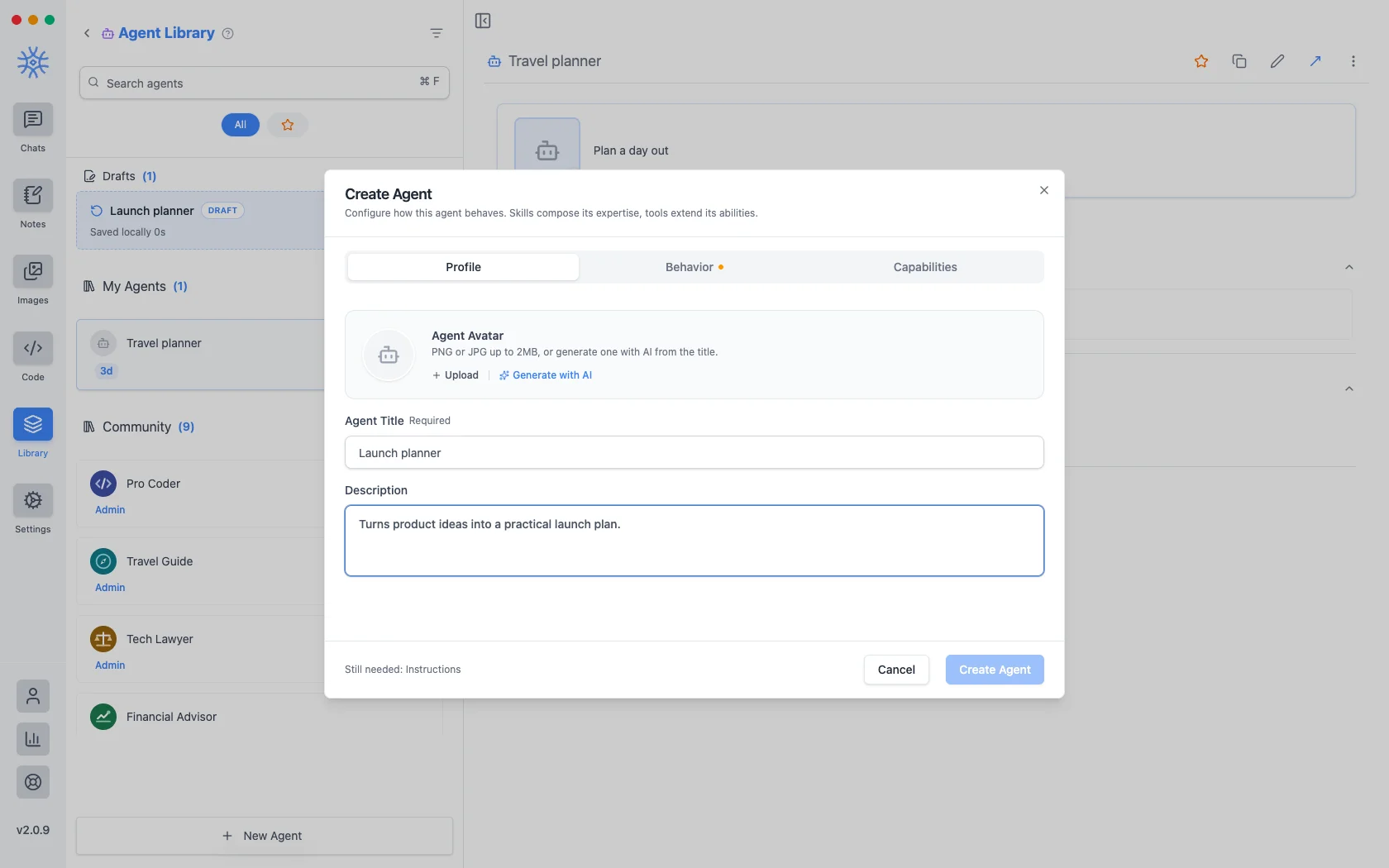
Profilkimliktir: bir başlık, temsilcilerin listelendiği her yerde gösterilen kısa bir açıklama ve bir avatar. 2 MB'a kadar bir PNG veya JPG yükleyin ya da başlıktan bir tane oluşturmak içinAI ile oluşturun.
Behavior is the substance. Instructions is the system prompt. The agent's actual behaviour lives here, and everything else is scaffolding around it. Model pins a specific model, or leave Use default model and the agent follows whatever you have set globally. Thinking effort raises or lowers how much the model reasons before answering, where the model supports it.
Yetenekler neye ulaşabileceğine karar verir.
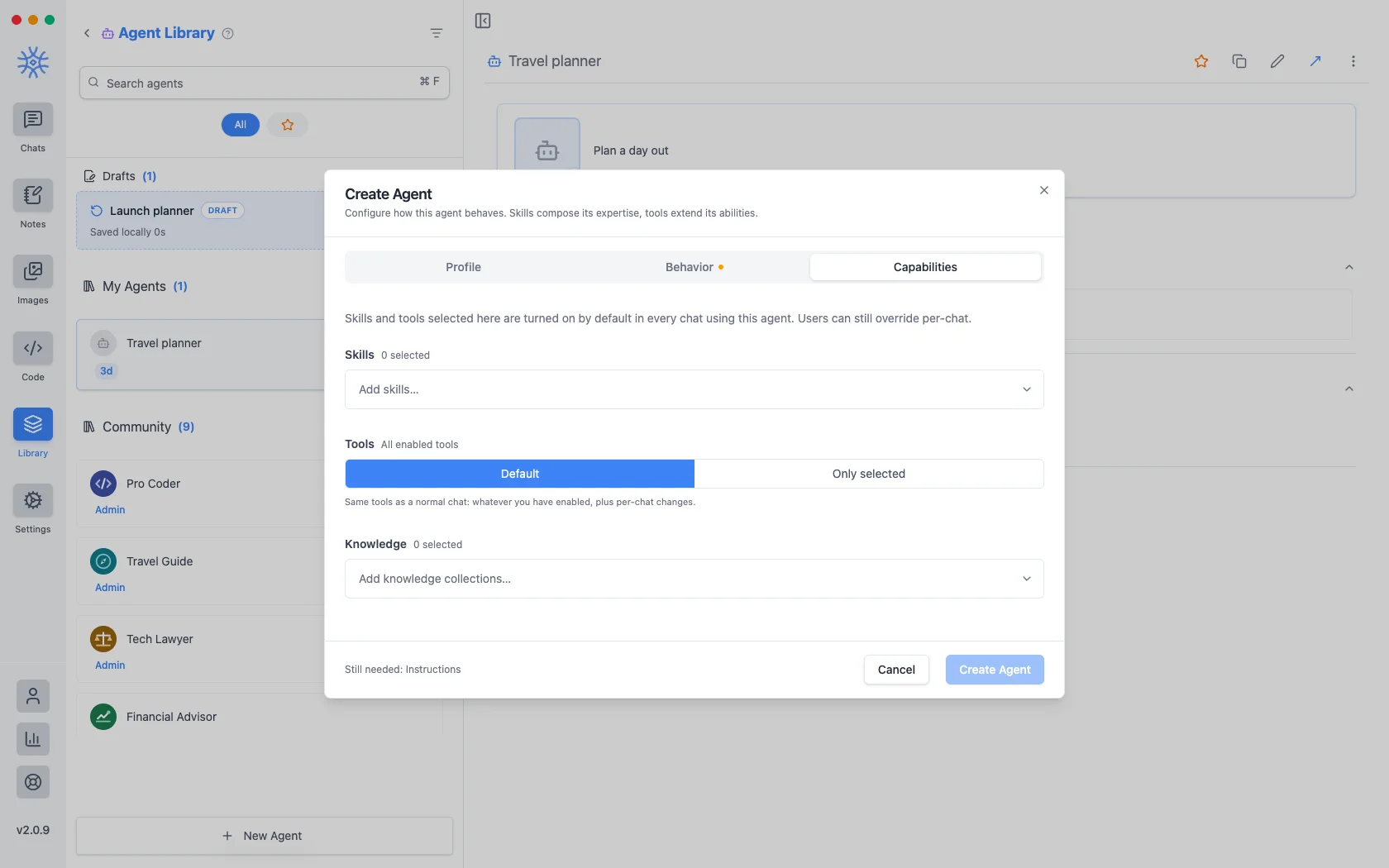
- Beceriler yanıt verme biçimini şekillendirir. Bkz. Araçlar, Beceriler ve MCP.
- Tools are either Default (the same tools any chat gets) or Only selected, a fixed list. Narrowing is what makes a specialist: an agent that should only read and summarise has no business holding a tool that writes files.
- Bilgi arayabileceği koleksiyonları ekler. Bkz. Bilgi ve anılar.
Burada seçtiğiniz her şey, aracıyı kullanan her sohbette varsayılan olarak açıktır ve yine de bir konuşma için geçersiz kılınabilir.
Başlattığınız ve bitirmediğiniz bir temsilci, kayıtlı temsilcilerinizin üstünde listelenerek taslak olarak tutulur. Düzenlemenin ortasında pencereyi kapatmak hiçbir şey kaybetmez.
İstemler
A prompt is a saved block of text with a name. No model, no tools, just wording you would otherwise retype.
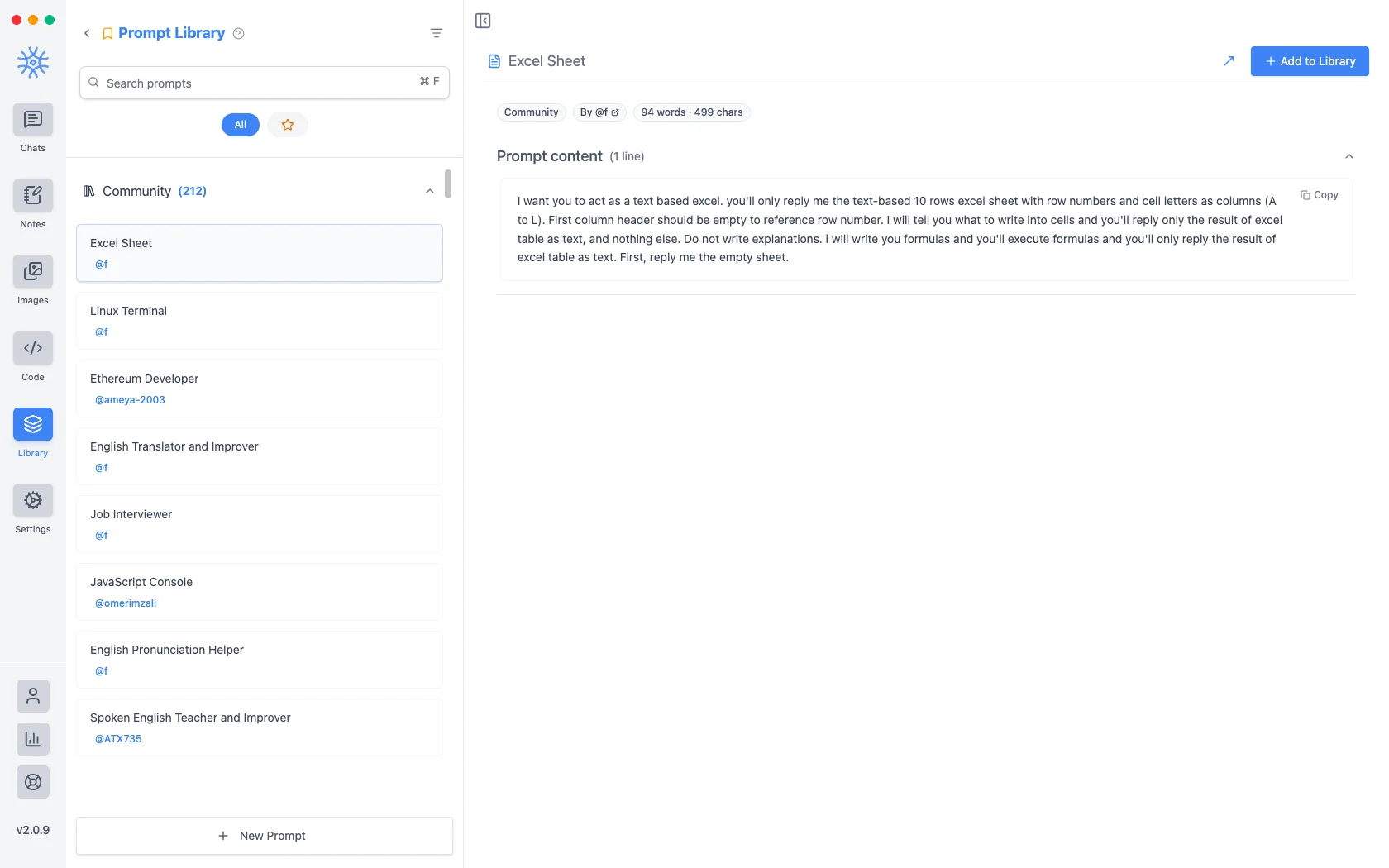
İki yüzden fazla topluluk istemi uygulamayla birlikte gönderilir. Yeni İstem bir başlık ve içerik alır.
Değişkenler
Bilgi istemi içeriği, istemin yazılmasından ziyade kullanıldığı anda doldurulan yer tutucuları taşıyabilir. İmlecin bulunduğu yere eklemek için düzenleyicide bir tanesine tıklayın.
Bunlar, her birinin neye dönüştüğünü gösteren bir örnekle birlikte yer tutuculardır:
{input}                      whatever is already typed in the message box
{date}                       Tue, May 12, 2026
{time}                       9:44 PM
{datetime}                   both together
{day}                        Tuesday
{month}   {year}             May   2026
{tz}                         America/New_York
{lang}                       en-US
{user_name}  {profession}    from your profile
Birincisi, istemlerin nasıl hissettirdiğini değiştiren şeydir. Giriş yer tutucusu etrafında oluşturulmuş bir bilgi istemi, daha önce yazmış olduğunuz şeyi değiştirmek yerine sarar; böylece "bunu resmi olarak çevir", yapıştırıp doldurduğunuz bir şablon yerine taslağa uyguladığınız bir şey haline gelir.
Besteciden onlara ulaşmak
Neither is much use if picking one means leaving the conversation. Type / or @ in the message box to open quick actions, then a letter: a for agents and p for prompts. The full list is in Chats → Quick actions.
Sharing and reusing agents
Open an agent's menu to star it or export it as a file, and import an agent file from the agent library to use one someone shared with you. Read its instructions and capabilities before you use it.
An agent can keep its own memories, separate from your other chats, so a writing coach remembers your style without that leaking into your coding assistant.
Creating, starring, importing and exporting agents is free. The tools and skills an agent uses in chat are part of Pro.
On mobile
Agents and prompts live under Library in the drawer. In a chat, open Add → Quick actions and choose Agents or Prompts, or type / in the composer for prompts.