
첨부파일
The library of every file you have shared into a chat, for finding one again, reusing it, and seeing which conversations depend on it.
메시지에 첨부하는 모든 파일은 라이브러리 → 첨부 파일에 보관됩니다. 요점은 재사용입니다. 세 번의 대화 전에 공유한 스크린샷은 어떤 대화였는지 기억하지 않고도 찾을 수 있습니다.
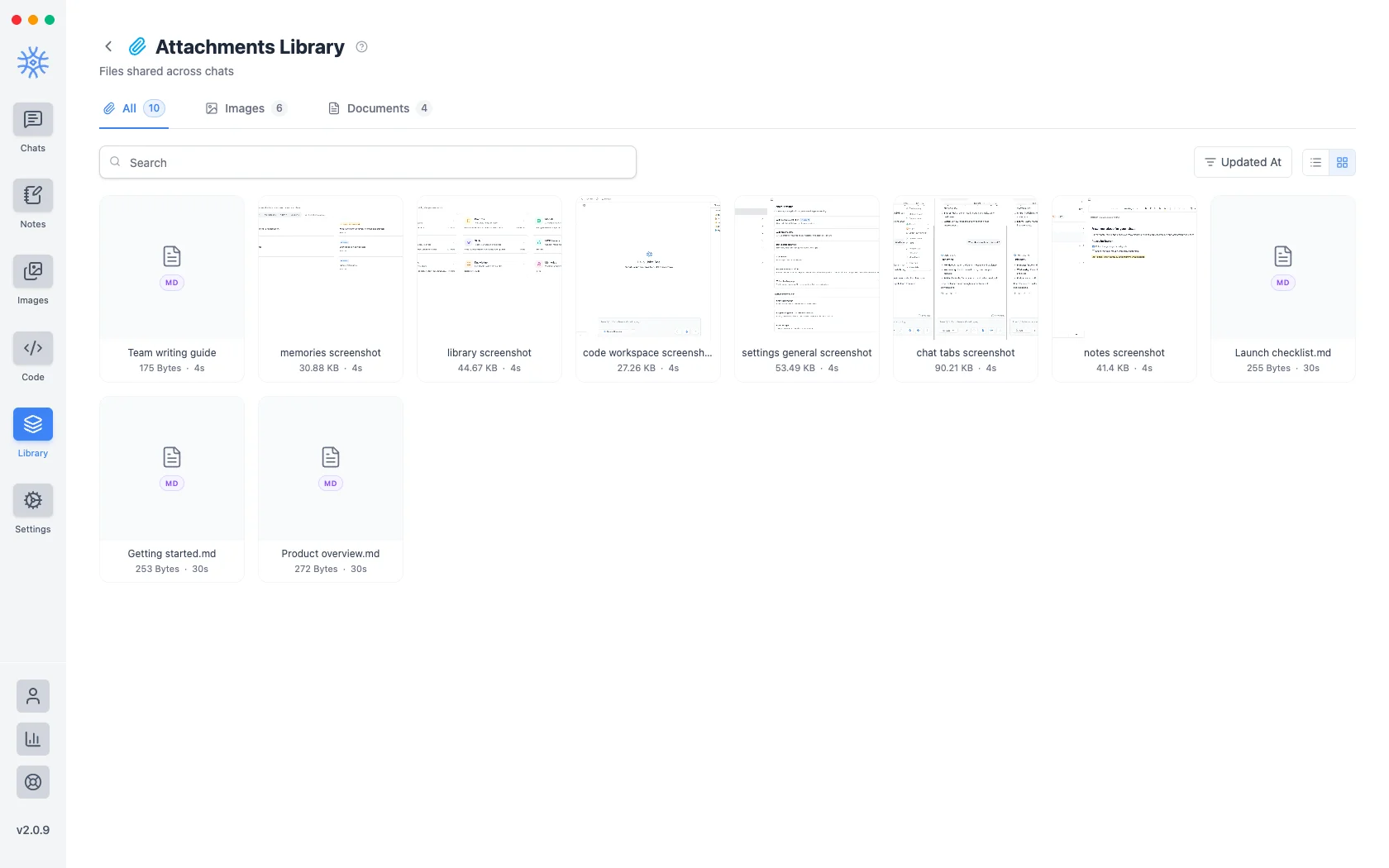
첨부 파일이 Knowledge가 아닙니다. 첨부 파일은 대화의 일부인 파일입니다. Knowledge는 보조자가 대화 전체에서 검색하는 폴더입니다. 문서를 반복적으로 참조하려는 경우 해당 문서는 컬렉션에 속합니다.
Adding files to a message
- Add → Attach files or Paste from clipboard in the composer.
- Add → Take a screenshot (desktop) captures a screen or a window straight into the message.
- Add → Camera or Image (mobile) attaches a new photo or one from your gallery.
- Share from another app (mobile) sends text, links and files into the current chat. See 9xChat on Android and iOS.
A free account attaches up to 3 files per message. Pro removes the limit, which makes it easy to compare a stack of documents in one question.
Every file you attach is also saved here, so it is ready to reuse.
하나를 찾는 중
- 검색은 파일 이름과 일치합니다.
- 이미지및문서는 유형별로 필터링됩니다.
- 별표만 표시한 항목으로 범위가 좁혀집니다.
- 업데이트 날짜, 작성 날짜또는 이름을 기준으로정렬 순서를 지정합니다. 방향.
- 목록 보기및바둑판 보기는 레이아웃을 전환합니다. 그리드 미리보기 이미지는 다음과 같습니다. 사진을 찾는 속도가 더 빠릅니다. 목록에는 화면당 더 많은 내용이 표시되므로 파일 이름을 찾는 속도가 더 빠릅니다.
Star anything you reach for repeatedly: starring is the only ordering that survives a library too big to scan.
다시 사용하기
첨부 파일 사용을 사용하면 파일을 다시 업로드하거나 원본을 찾아볼 필요 없이 현재 열려 있는 채팅에 파일을 추가할 수 있습니다.
파일에 따라 달라지는 사항 보기
소스 보기에는 이 첨부 파일을 참조하는 스레드가 나열되어 있으므로 파일을 제거하기 전에 파일이 여전히 로드를 견디고 있는지 확인할 수 있습니다. 대화에 사용되지 않은 파일은 그렇게 분명하게 말합니다.
첨부 파일은 첨부 파일을 소개한 대화보다 오래 지속되며 라이브러리에서 길을 잃은 것처럼 보이는 파일이 여전히 스레드 답변의 기반일 수 있기 때문에 이는 중요합니다.
제거
삭제는 첨부파일을 영구적으로 제거하고 여러 개를 선택하여 함께 제거합니다. 참조가 먼저 확인되므로 삭제는 여전히 파일을 가리키는 것이 무엇인지 아는 결정입니다.
Deleting an attachment cannot be undone, and it does not remove the file from the conversations that already used it. Those messages keep what was said about it, without the file behind it.