
상담원 및 프롬프트
구성된 어시스턴트를 빌드하고, 재사용 가능한 프롬프트를 저장하고, 작성기에서 둘 중 하나에 접근하세요.
The Library draws the line between them: a prompt is text you reuse, an agent is a configured assistant you talk to. This page is how to make each, and how to reach them without leaving the message box.
에이전트
에이전트는 모델, 지침 세트, 사용할 수 있는 기능을 이름 아래에 번들로 묶습니다. 다른 사람과 채팅을 여는 것은 채팅을 열고 매번 모든 것을 직접 설정하는 것과 같습니다.
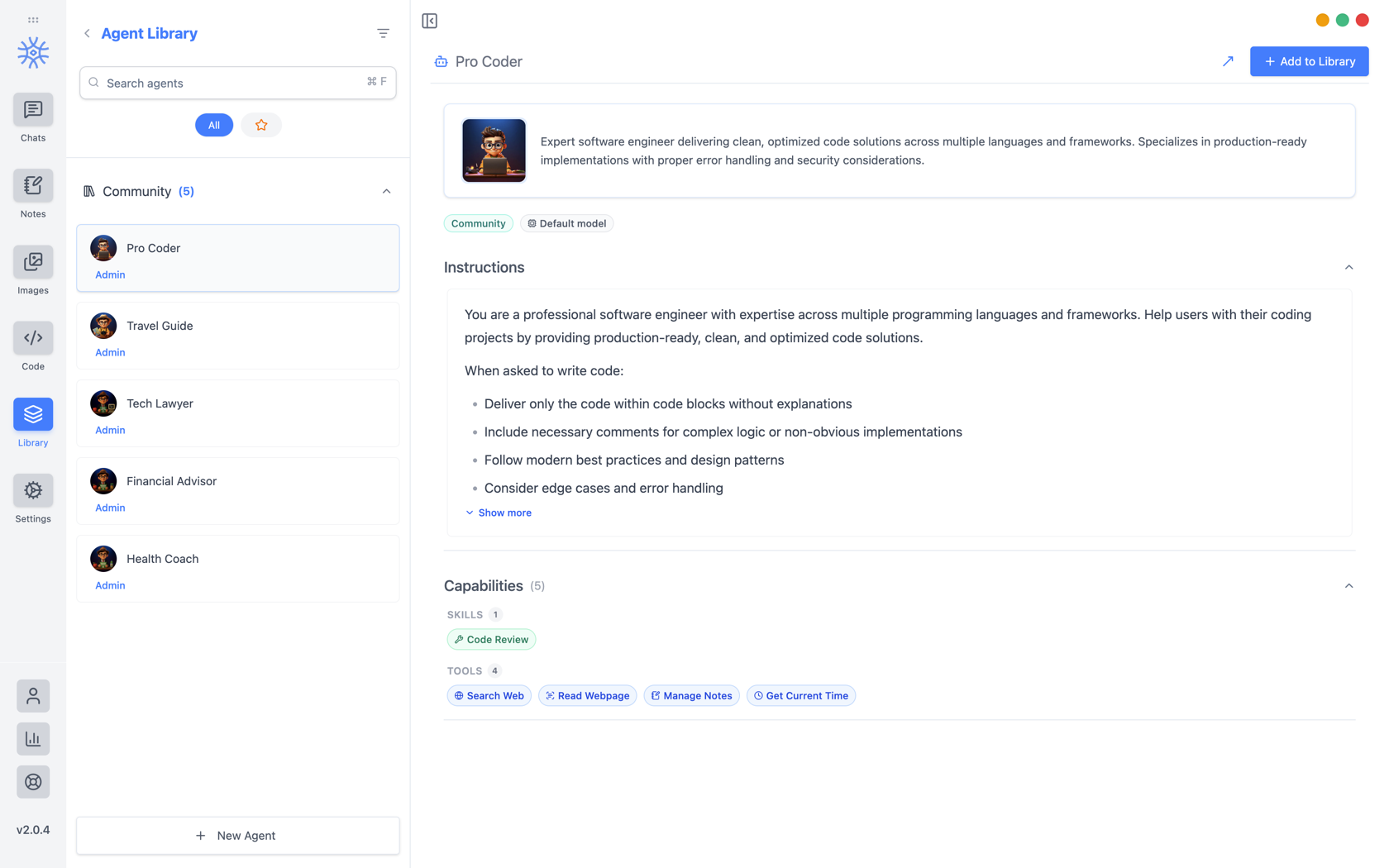
9xChat ships five community agents: Pro Coder, Travel Guide, Tech Lawyer, Financial Advisor, and Health Coach. Add to Library copies one into your own list, where you can edit it without affecting the original. Read its instructions first: they are the whole of what makes it behave differently.
나만의 건물 만들기
새 에이전트는 세 개의 탭을 엽니다.
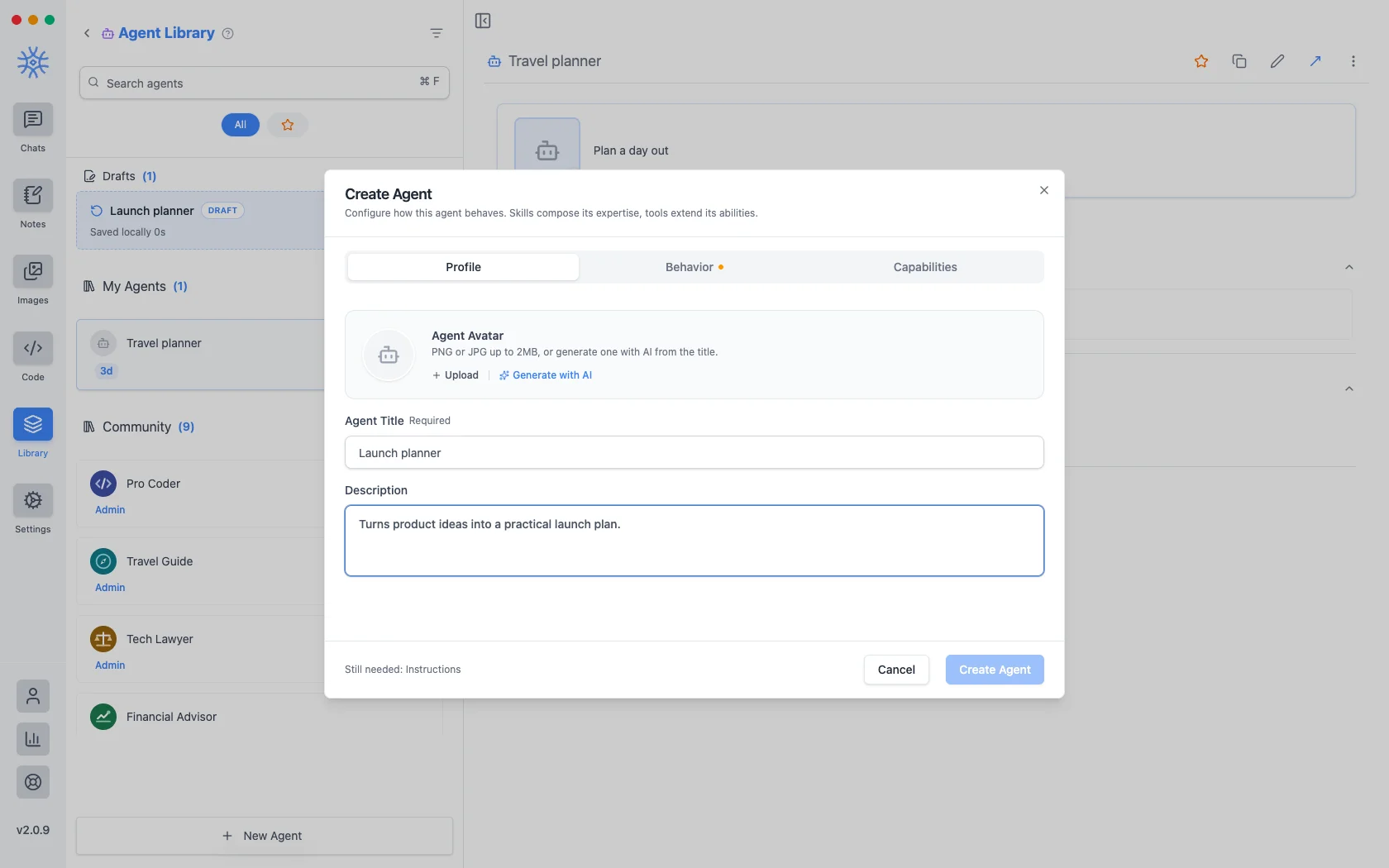
프로필은 신원입니다. 제목, 에이전트가 나열될 때마다 표시되는 간단한 설명, 아바타입니다. 최대 2MB의 PNG 또는 JPG를 업로드하거나 AI로 생성하여 제목에서 하나를 만드세요.
Behavior is the substance. Instructions is the system prompt. The agent's actual behaviour lives here, and everything else is scaffolding around it. Model pins a specific model, or leave Use default model and the agent follows whatever you have set globally. Thinking effort raises or lowers how much the model reasons before answering, where the model supports it.
역량은 도달할 수 있는 범위를 결정합니다.
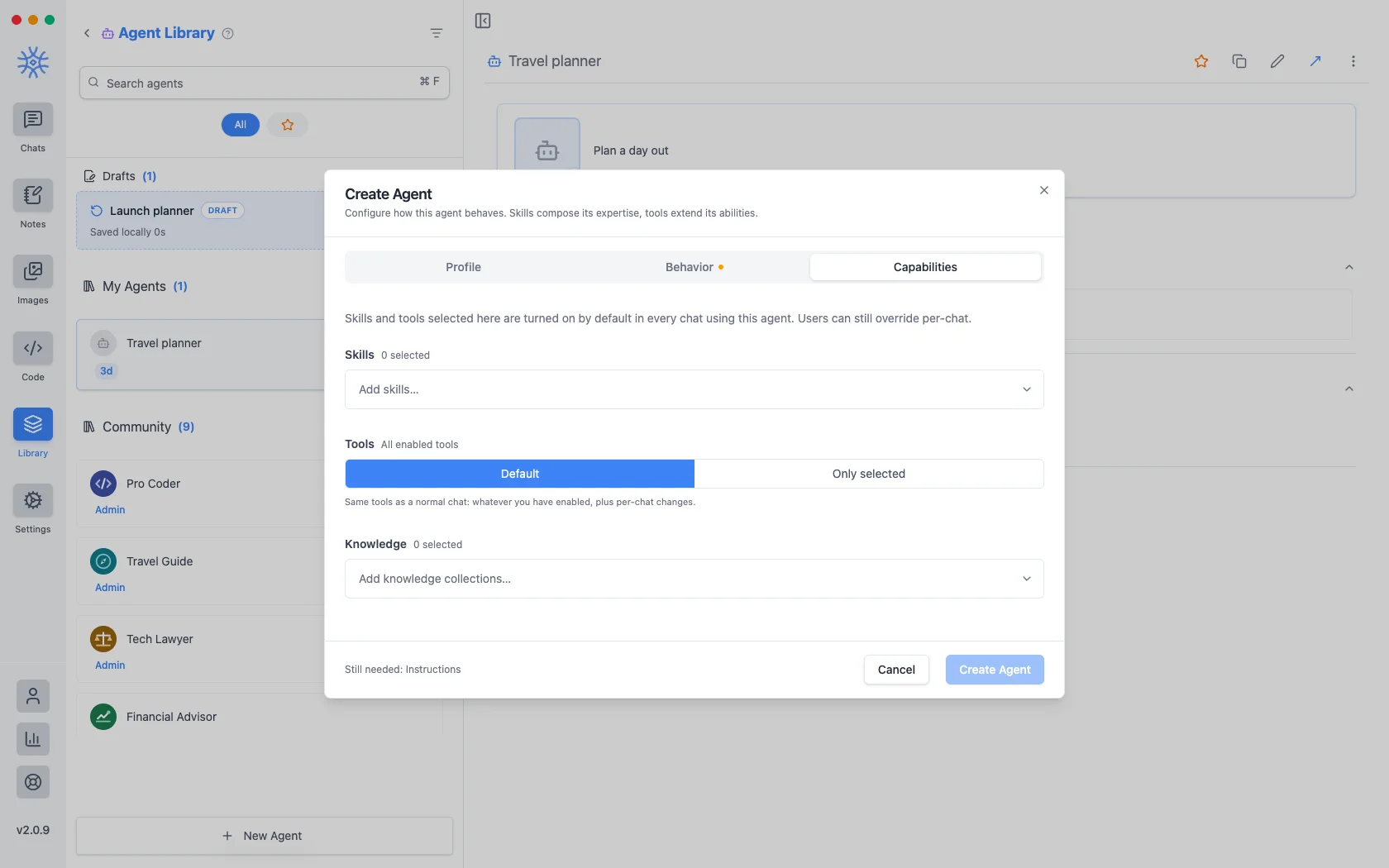
- 기술은 응답 방식을 결정합니다. 도구, 기술 및 MCP를 참조하세요.
- Tools are either Default (the same tools any chat gets) or Only selected, a fixed list. Narrowing is what makes a specialist: an agent that should only read and summarise has no business holding a tool that writes files.
- 지식은 검색할 수 있는 컬렉션을 첨부합니다. 지식과 추억를 참조하세요.
여기에서 선택하는 것은 에이전트를 사용하는 모든 채팅에서 기본적으로 켜져 있으며 한 번의 대화에서는 계속 재정의될 수 있습니다.
시작하고 완료하지 않은 에이전트는 저장된 에이전트 위에 나열된 초안으로 유지됩니다. 편집 중에 창을 닫아도 손실되는 것은 없습니다.
프롬프트
A prompt is a saved block of text with a name. No model, no tools, just wording you would otherwise retype.
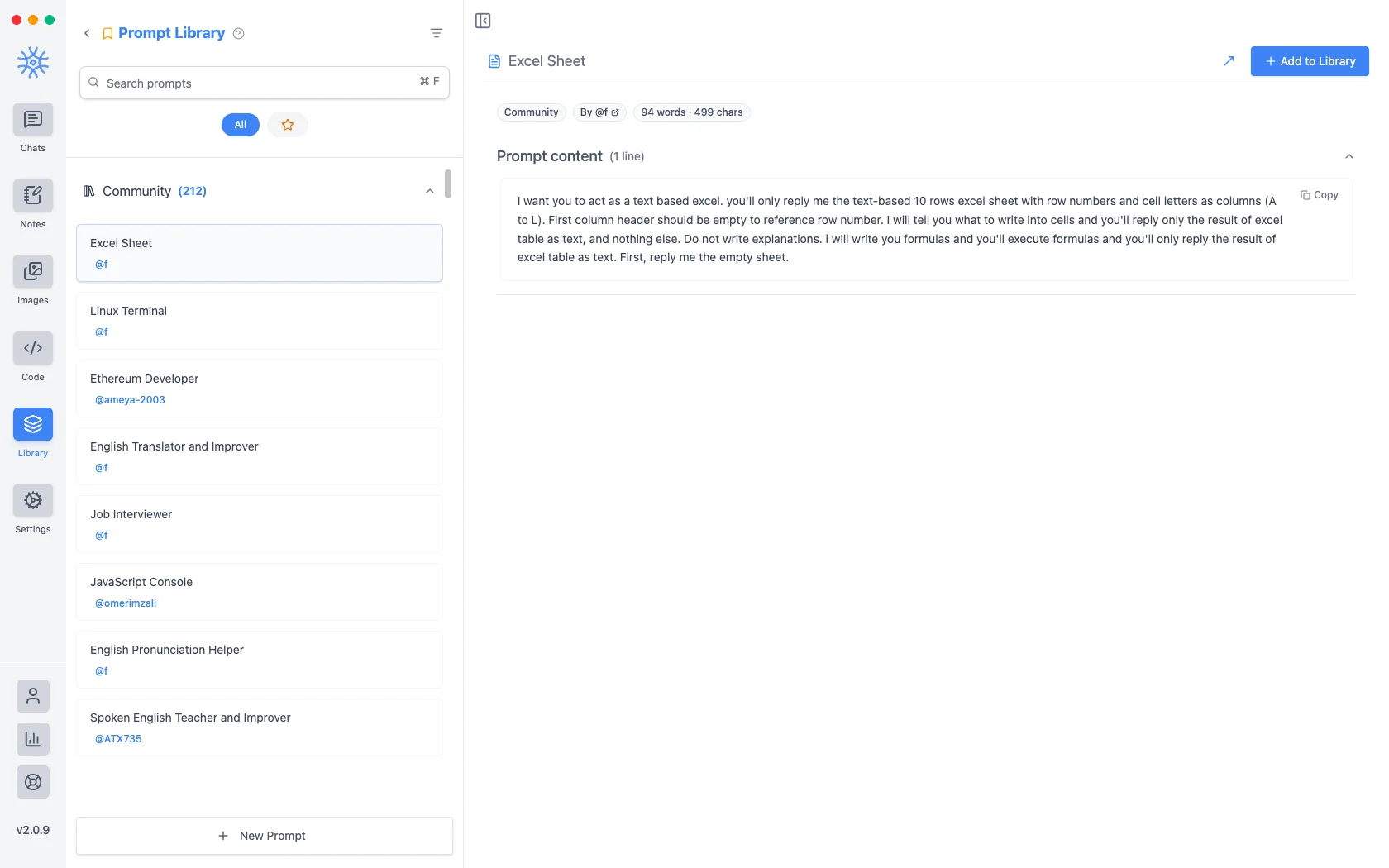
200개가 넘는 커뮤니티 메시지가 앱과 함께 제공됩니다. 새 프롬프트에는 제목과 내용이 사용됩니다.
변수
프롬프트 콘텐츠에는 프롬프트가 작성될 때가 아니라 사용되는 순간 채워지는 자리 표시자가 포함될 수 있습니다. 편집기에서 하나를 클릭하여 커서에 삽입합니다.
다음은 자리 표시자이며 각각의 예는 다음과 같습니다.
{input}                      whatever is already typed in the message box
{date}                       Tue, May 12, 2026
{time}                       9:44 PM
{datetime}                   both together
{day}                        Tuesday
{month}   {year}             May   2026
{tz}                         America/New_York
{lang}                       en-US
{user_name}  {profession}    from your profile
첫 번째는 프롬프트의 느낌을 바꾸는 것입니다. 입력 자리 표시자 주위에 구축된 프롬프트는 이미 입력한 내용을 바꾸는 대신 래핑하므로 "공식적으로 번역"은 붙여넣은 다음 채우는 템플릿이 아니라 초안에 적용하는 내용이 됩니다.
작곡가로부터 접근하기
Neither is much use if picking one means leaving the conversation. Type / or @ in the message box to open quick actions, then a letter: a for agents and p for prompts. The full list is in Chats → Quick actions.
Sharing and reusing agents
Open an agent's menu to star it or export it as a file, and import an agent file from the agent library to use one someone shared with you. Read its instructions and capabilities before you use it.
An agent can keep its own memories, separate from your other chats, so a writing coach remembers your style without that leaking into your coding assistant.
Creating, starring, importing and exporting agents is free. The tools and skills an agent uses in chat are part of Pro.
On mobile
Agents and prompts live under Library in the drawer. In a chat, open Add → Quick actions and choose Agents or Prompts, or type / in the composer for prompts.