
عوامل و درخواست ها
یک دستیار پیکربندی شده بسازید، یک اعلان قابل استفاده مجدد ذخیره کنید و به یکی از آنها از آهنگساز دسترسی پیدا کنید.
The Library draws the line between them: a prompt is text you reuse, an agent is a configured assistant you talk to. This page is how to make each, and how to reach them without leaving the message box.
عوامل
یک عامل یک مدل، مجموعهای از دستورالعملها و قابلیتهایی را که ممکن است استفاده کند، تحت یک نام جمعآوری میکند. باز کردن چت با یکی مانند باز کردن یک چت و تنظیم همه آن با دست هر بار است.
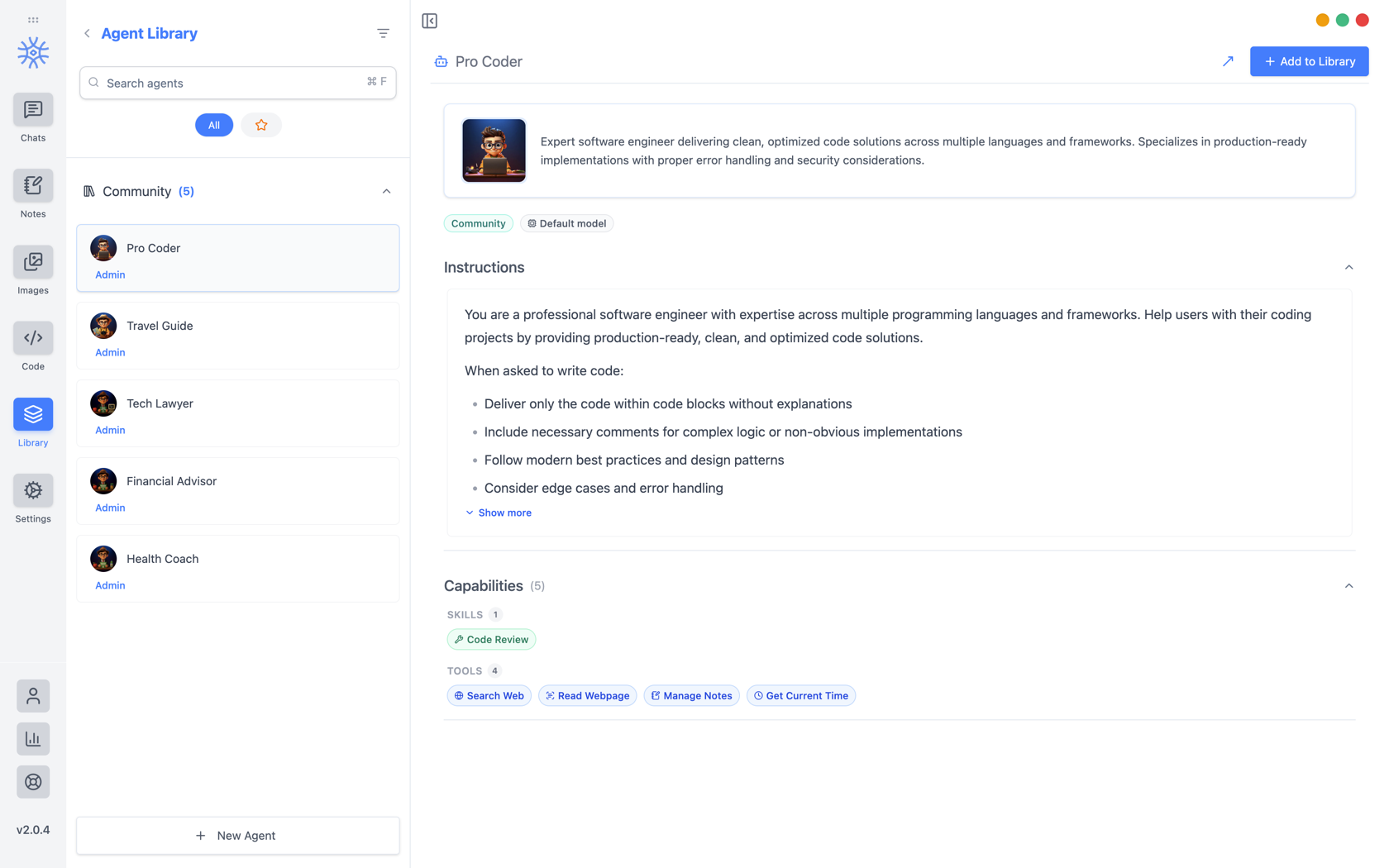
9xChat ships five community agents: Pro Coder, Travel Guide, Tech Lawyer, Financial Advisor, and Health Coach. Add to Library copies one into your own list, where you can edit it without affecting the original. Read its instructions first: they are the whole of what makes it behave differently.
ساختن خودت
نماینده جدید سه تب را باز می کند.
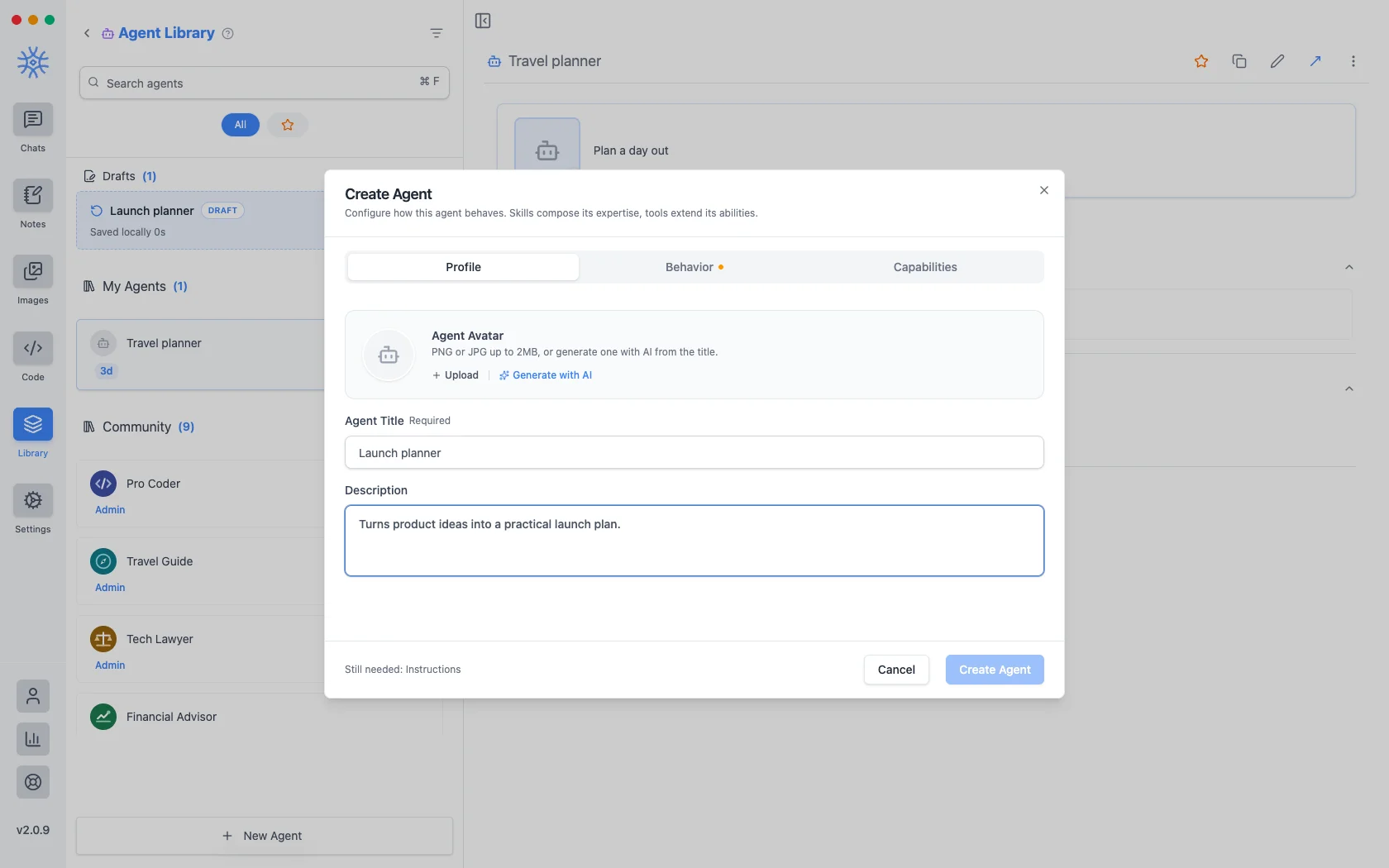
نمایههویت است: یک عنوان، یک توضیح کوتاه که در هر جایی که نمایندگان لیست شده اند نشان داده می شود، و یک آواتار. یک PNG یا JPG تا 2 مگابایت آپلود کنید، یابا هوش مصنوعی ایجاد کنید تا از عنوان یکی بسازید.
Behavior is the substance. Instructions is the system prompt. The agent's actual behaviour lives here, and everything else is scaffolding around it. Model pins a specific model, or leave Use default model and the agent follows whatever you have set globally. Thinking effort raises or lowers how much the model reasons before answering, where the model supports it.
قابلیت ها تصمیم می گیرد که به چه چیزی برسد.
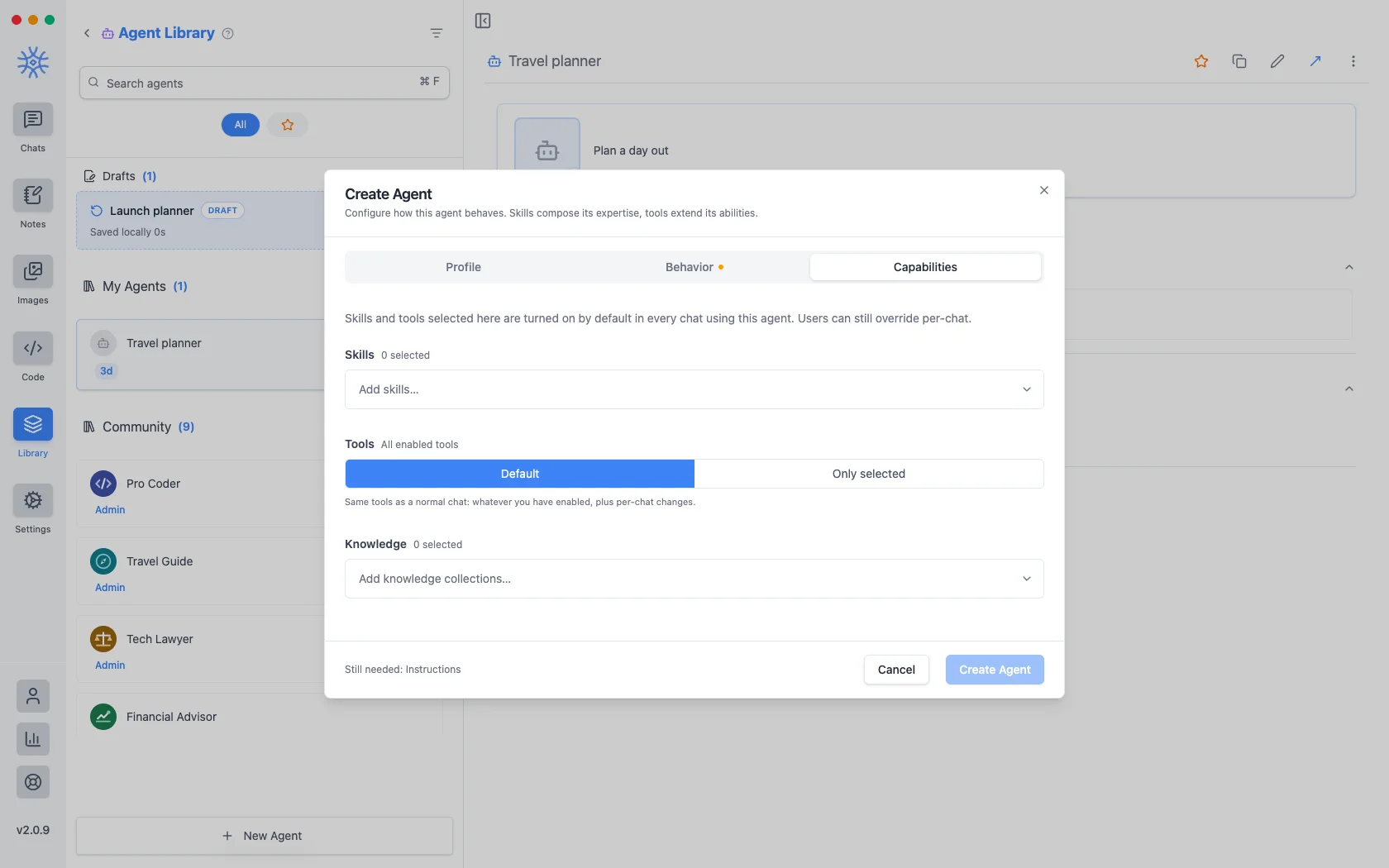
- مهارتها نحوه پاسخگویی را شکل می دهد. Tools، Skills و MCP را ببینید.
- Tools are either Default (the same tools any chat gets) or Only selected, a fixed list. Narrowing is what makes a specialist: an agent that should only read and summarise has no business holding a tool that writes files.
- دانش مجموعه هایی را که می تواند جستجو کند را پیوست می کند. دانش و خاطرات را ببینید.
هر چیزی که در اینجا انتخاب میکنید بهطور پیشفرض در هر چت با استفاده از عامل روشن میشود و همچنان میتواند برای یک مکالمه لغو شود.
عاملی که شروع میکنید و تمام نمیکنید بهعنوان پیشنویس نگهداری میشود که در بالای عوامل ذخیرهشده شما فهرست شده است. بستن پنجره در اواسط ویرایش چیزی از دست نمی دهد.
درخواست می کند
A prompt is a saved block of text with a name. No model, no tools, just wording you would otherwise retype.
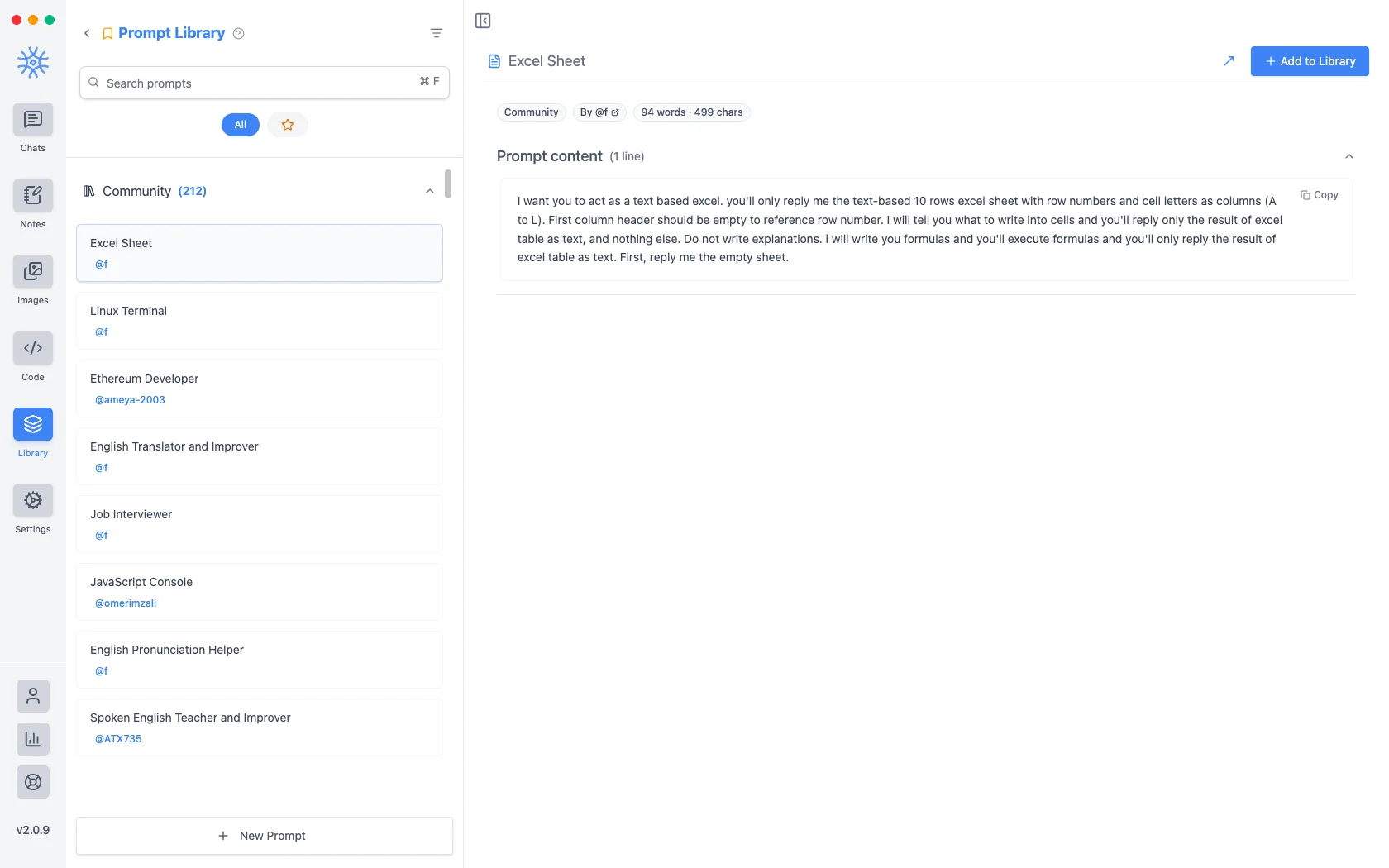
بیش از دویست پیام انجمن با برنامه ارسال می شود. New Prompt عنوان و محتوا را می گیرد.
متغیرها
محتوای درخواستی میتواند دارای جایبانهایی باشد که در لحظه استفاده از درخواست پر میشوند نه زمانی که نوشته میشود. روی یکی در ویرایشگر کلیک کنید تا آن را در مکان نما قرار دهید.
اینها متغیرهایی هستند، با مثالی از اینکه هر کدام چه می شوند:
{input}                      whatever is already typed in the message box
{date}                       Tue, May 12, 2026
{time}                       9:44 PM
{datetime}                   both together
{day}                        Tuesday
{month}   {year}             May   2026
{tz}                         America/New_York
{lang}                       en-US
{user_name}  {profession}    from your profile
اولین مورد این است که چه احساسی را تغییر می دهد. یک درخواست ساخته شده در اطراف مکاننمای ورودی، آنچه را که قبلاً تایپ کردهاید به جای جایگزین کردن آن میپیچد، بنابراین «ترجمه رسمی این» به چیزی تبدیل میشود که به جای الگویی که جایگذاری میکنید و سپس آن را پر میکنید، روی پیشنویس اعمال میکنید.
رسیدن به آنها از آهنگساز
Neither is much use if picking one means leaving the conversation. Type / or @ in the message box to open quick actions, then a letter: a for agents and p for prompts. The full list is in Chats → Quick actions.
Sharing and reusing agents
Open an agent's menu to star it or export it as a file, and import an agent file from the agent library to use one someone shared with you. Read its instructions and capabilities before you use it.
An agent can keep its own memories, separate from your other chats, so a writing coach remembers your style without that leaking into your coding assistant.
Creating, starring, importing and exporting agents is free. The tools and skills an agent uses in chat are part of Pro.
On mobile
Agents and prompts live under Library in the drawer. In a chat, open Add → Quick actions and choose Agents or Prompts, or type / in the composer for prompts.