
الوكلاء والمطالبات
أنشئ مساعدًا تم تكوينه، واحفظ مطالبة قابلة لإعادة الاستخدام، وتوصل إلى أي منهما من الملحن.
The Library draws the line between them: a prompt is text you reuse, an agent is a configured assistant you talk to. This page is how to make each, and how to reach them without leaving the message box.
الوكلاء
يقوم الوكيل بتجميع نموذج ومجموعة من التعليمات والإمكانيات التي قد يستخدمها تحت اسم. إن فتح محادثة مع أحد الأشخاص هو نفس فتح الدردشة وتعيين كل ذلك يدويًا في كل مرة.
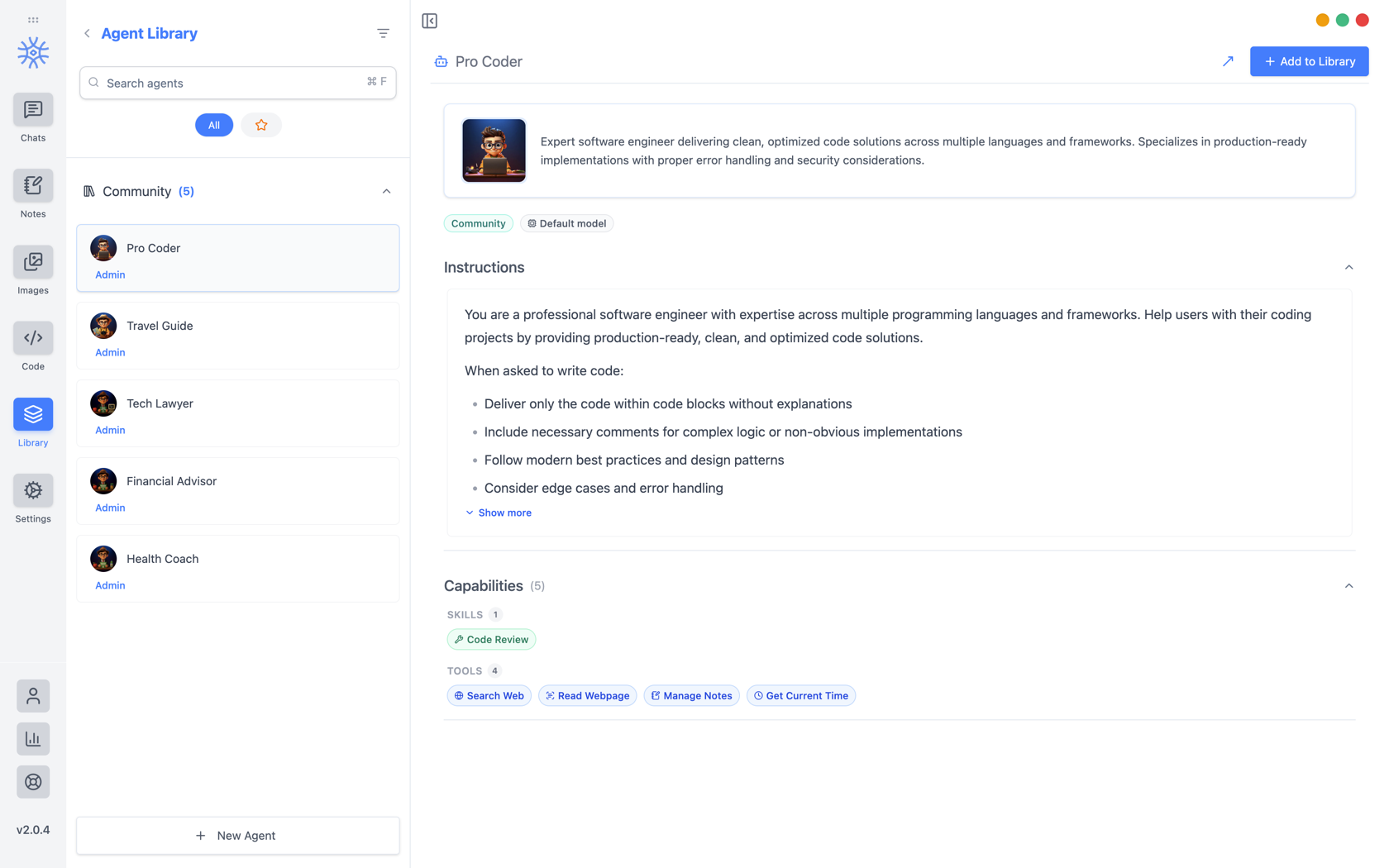
9xChat ships five community agents: Pro Coder, Travel Guide, Tech Lawyer, Financial Advisor, and Health Coach. Add to Library copies one into your own list, where you can edit it without affecting the original. Read its instructions first: they are the whole of what makes it behave differently.
بناء بنفسك
الوكيل الجديد يفتح ثلاث علامات تبويب.
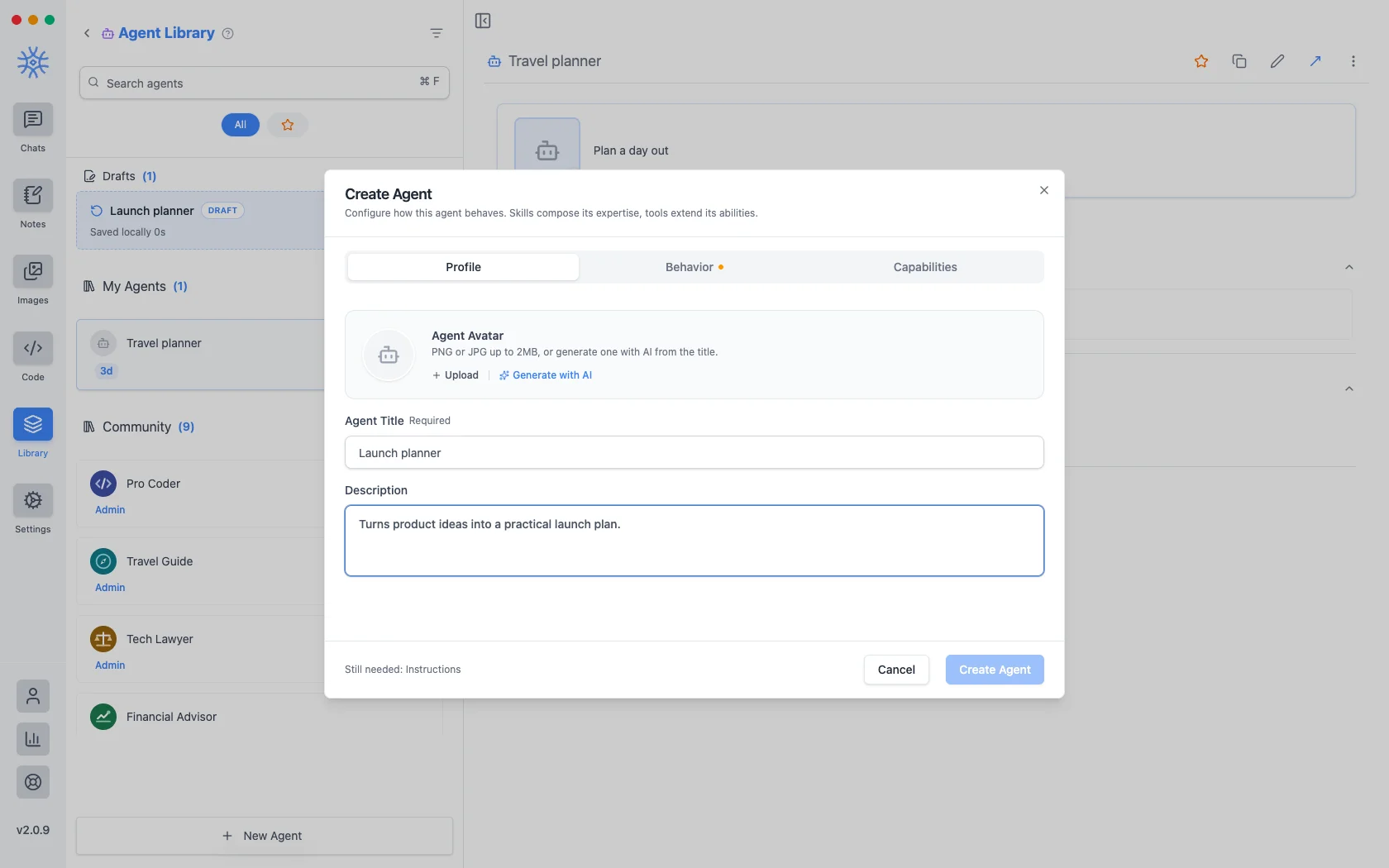
الملف الشخصيهو الهوية: عنوان، ووصف قصير يظهر أينما تم إدراج الوكلاء، وصورة رمزية. قم بتحميل ملف PNG أو JPG بحجم يصل إلى 2 ميجابايت، أوأنشئ باستخدام الذكاء الاصطناعي لإنشاء ملف من العنوان.
Behavior is the substance. Instructions is the system prompt. The agent's actual behaviour lives here, and everything else is scaffolding around it. Model pins a specific model, or leave Use default model and the agent follows whatever you have set globally. Thinking effort raises or lowers how much the model reasons before answering, where the model supports it.
القدرات تقرر ما يمكنها الوصول إليه.
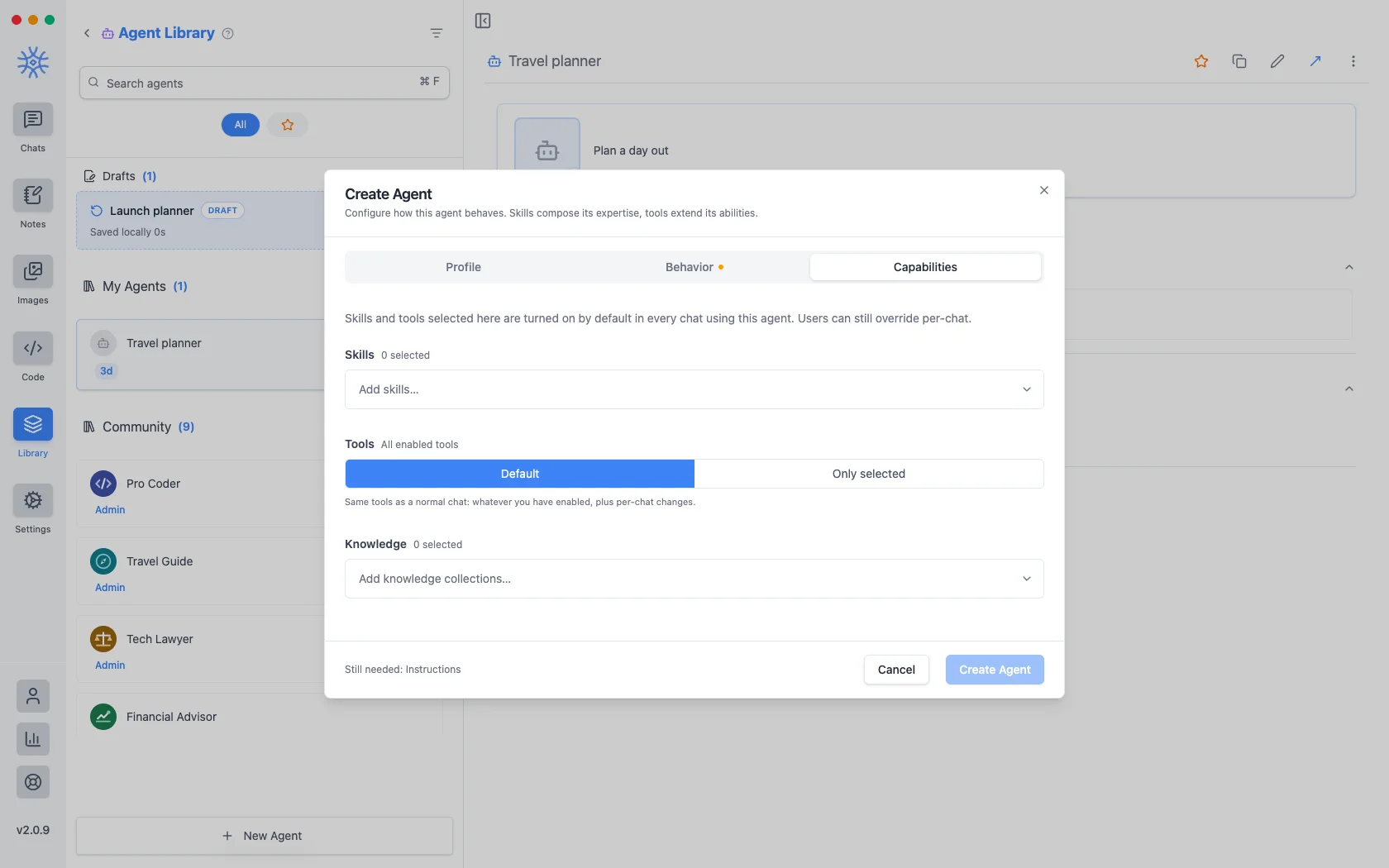
- المهارات تشكل كيفية الإجابة. راجع الأدوات والمهارات وMCP.
- Tools are either Default (the same tools any chat gets) or Only selected, a fixed list. Narrowing is what makes a specialist: an agent that should only read and summarise has no business holding a tool that writes files.
- المعرفة تعلق المجموعات التي يمكن البحث فيها. راجع المعرفة والذكريات.
كل ما تختاره هنا يتم تشغيله افتراضيًا في كل محادثة باستخدام الوكيل، ولا يزال من الممكن تجاوزه لمحادثة واحدة.
يتم الاحتفاظ بالوكيل الذي تبدأه ولا تنهيه كمسودة، وهو مدرج أعلى الوكلاء المحفوظين. إغلاق النافذة في منتصف التحرير لا يفقد شيئًا.
يطالب
A prompt is a saved block of text with a name. No model, no tools, just wording you would otherwise retype.
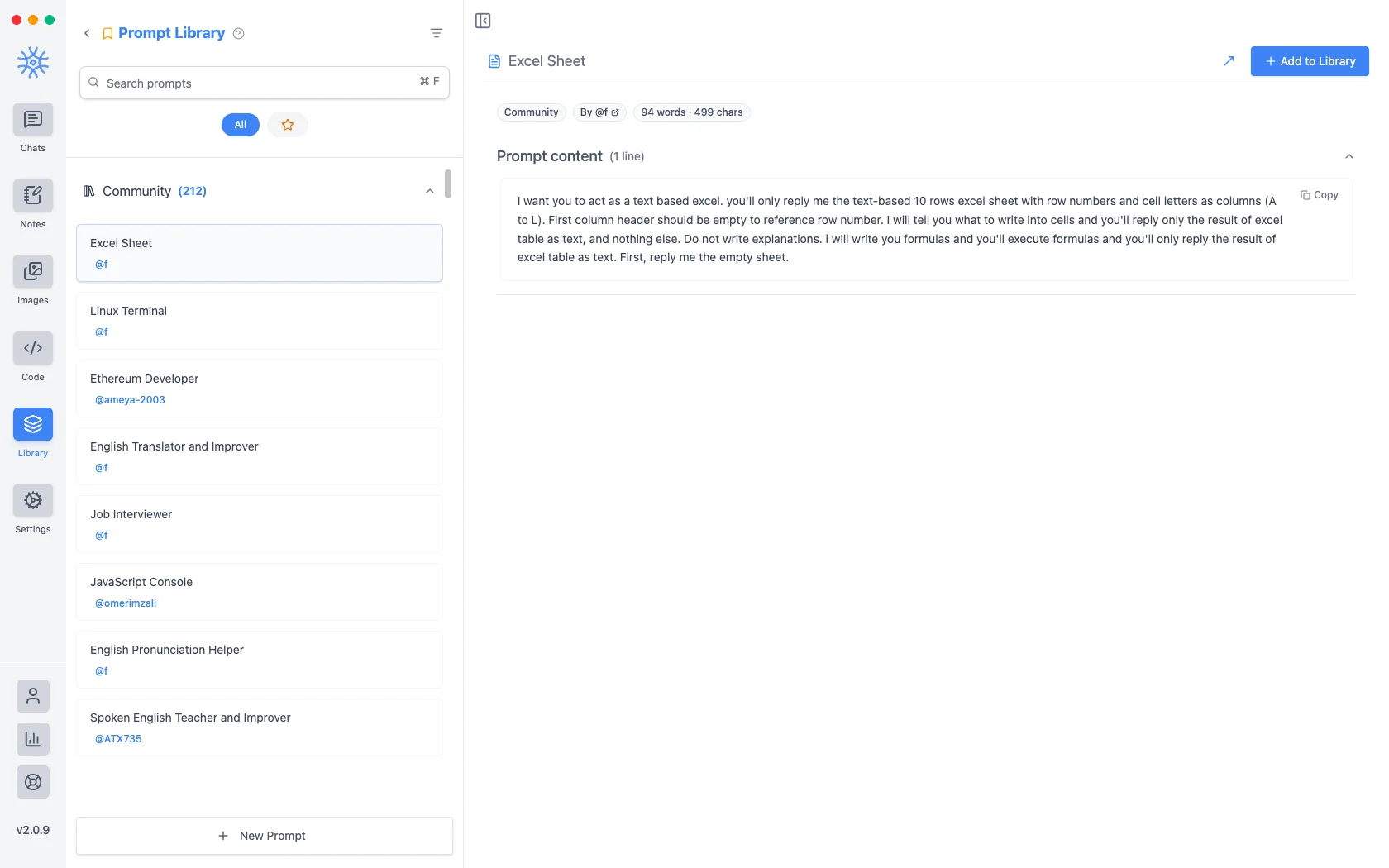
يتم شحن أكثر من مائتي مطالبة مجتمعية مع التطبيق. مطالبة جديدة تأخذ العنوان والمحتوى.
المتغيرات
يمكن أن يحمل المحتوى الموجه عناصر نائبة، يتم ملؤها في لحظة استخدام الموجه وليس عند كتابته. انقر فوق أحدها في المحرر لإدراجه عند المؤشر.
هذه هي العناصر النائبة، مع مثال لما سيصبح عليه كل منها:
{input}                      whatever is already typed in the message box
{date}                       Tue, May 12, 2026
{time}                       9:44 PM
{datetime}                   both together
{day}                        Tuesday
{month}   {year}             May   2026
{tz}                         America/New_York
{lang}                       en-US
{user_name}  {profession}    from your profile
الأول هو ما يغير كيف تشعر المطالبات. تقوم المطالبة المبنية حول العنصر النائب للإدخال بتغليف ما كتبته بالفعل بدلاً من استبداله، لذا تصبح "ترجمة هذا رسميًا" شيئًا تطبقه على مسودة بدلاً من قالب تلصقه ثم تملأه.
الوصول إليهم من الملحن
Neither is much use if picking one means leaving the conversation. Type / or @ in the message box to open quick actions, then a letter: a for agents and p for prompts. The full list is in Chats → Quick actions.
Sharing and reusing agents
Open an agent's menu to star it or export it as a file, and import an agent file from the agent library to use one someone shared with you. Read its instructions and capabilities before you use it.
An agent can keep its own memories, separate from your other chats, so a writing coach remembers your style without that leaking into your coding assistant.
Creating, starring, importing and exporting agents is free. The tools and skills an agent uses in chat are part of Pro.
On mobile
Agents and prompts live under Library in the drawer. In a chat, open Add → Quick actions and choose Agents or Prompts, or type / in the composer for prompts.