
UID and devices
Save your 123sudo UID, reuse a 9xConvert license and manage the device allowance.
A Free UID has one device slot for 9xConvert. Pro allows up to three. Use the same saved UID on each device so its 9xConvert entitlement follows the account.
Free and unpaid active trials allow one device per UID. Active paid and lifetime licenses allow up to three. Trials still include Pro app features.
Save a new UID
Choosing the create option on the welcome screen shows your new UID once. Choose Copy or Save as .txt, store it privately, tick I have saved my UID somewhere safe, then choose Continue.
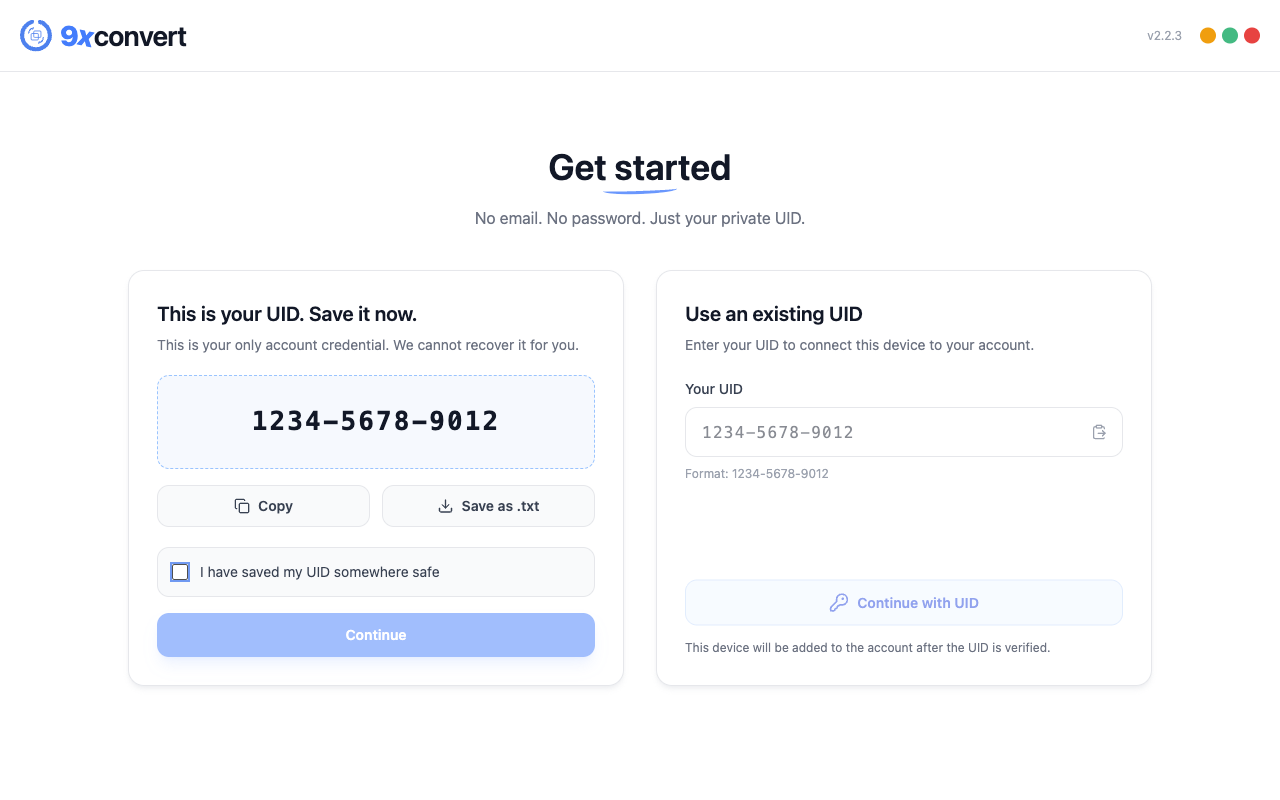
Copy the UID from the first device
On desktop, open the person icon in the sidebar to reach User Account. On Android, open More → User Account. Copy the UID and store it privately. The desktop account dialog can also save it as text.
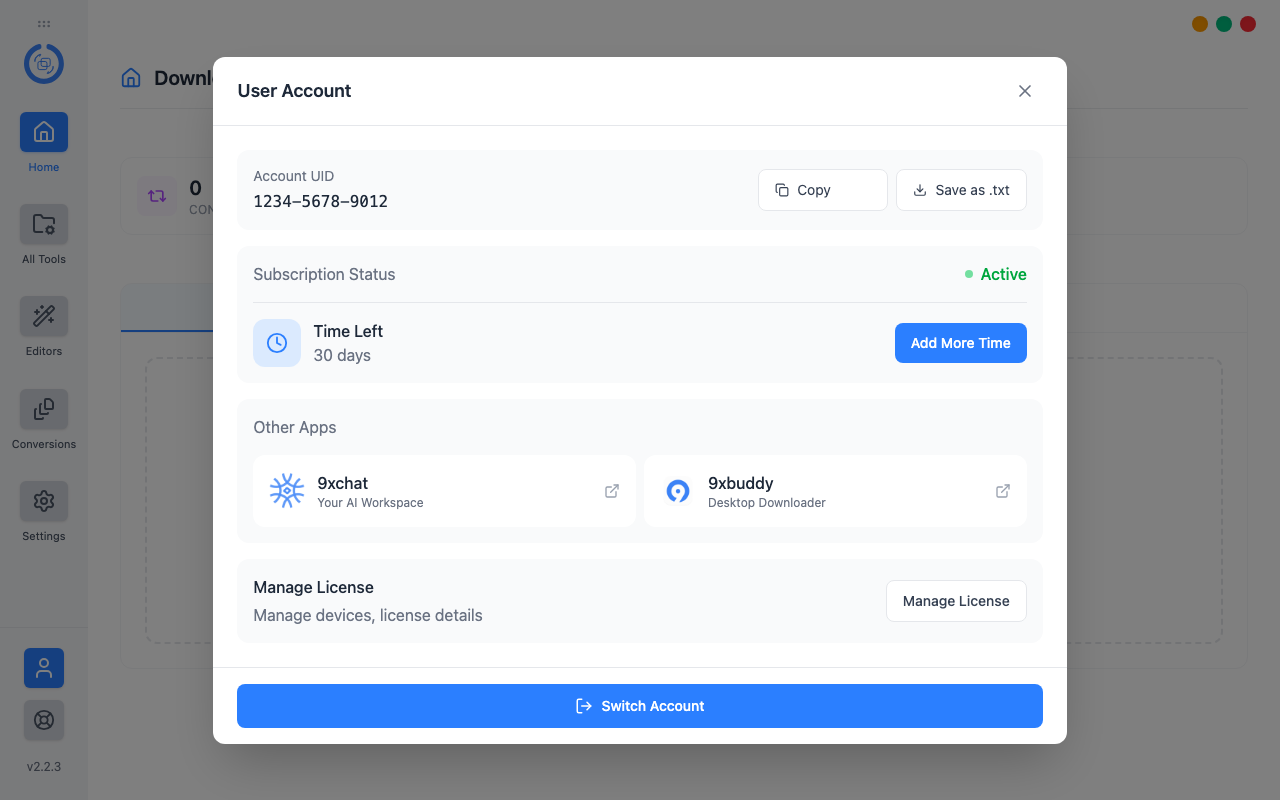
Treat the UID like a password. Do not include it in public screenshots, posts or an ordinary error report.
Connect devices two and three
- Install and open 9xConvert on the additional device.
- Choose the existing-UID option on the welcome screen.
- Paste your saved UID and choose Continue with UID.
- Wait for online verification.
Additional simultaneous devices need the appropriate allowance. Local conversion can work offline after verification, but adding or verifying an account needs a connection.
Switch the UID used on this device
Save the current UID before using Switch Account. Confirm the switch, then sign in with the replacement UID. Creating a new UID creates a separate account; it does not transfer a purchase, remaining license time or device history.
Switching an account does not combine it with another account or make local flows and drafts synchronize to other devices.
If all three device slots are occupied
Open license management from the account screen and review Devices. Remove an unused device before verifying the new one. A device-limit response is not an instruction to create a different UID.
Free has one slot, so a second registered device needs Pro or replacement of the existing registered device. The backend determines the actual allowance for the account.
Reuse the UID in another 123sudo app
The same UID can identify you in supported 123sudo apps, but product licenses are separate. A 9xConvert purchase does not automatically unlock 9xBuddy or 9xChat.
For creation, recovery limits and safe storage, read Your 123sudo UID. For entitlement differences, see Free and Pro.