
9xconvert
Convert and edit video, audio, images, GIFs, subtitles, and documents locally.
9xconvert converts and edits files on your own machine — video, audio, images, GIFs, subtitles, PDFs and the other document formats. Nothing is uploaded, which is why there is no server file-size limit or upload wait. Once the account is verified, local file conversion works without a connection.
Start here
Install 9xconvert
Get the app on Windows, macOS, Linux, or Android.
Set up your UID
Create, save, find, verify, and reuse your 123sudo UID.
UID on three devices
Connect a Pro UID to three devices or switch this app to another UID.
Your first conversion
Add a file, pick a format and preset, and run it.
Free and Pro
Daily limits, device count, the 3-day trial, and what Pro adds.
What is in the desktop app
| Area | What it is for |
|---|---|
| Home | Add files or a URL, stage them, choose formats, and convert |
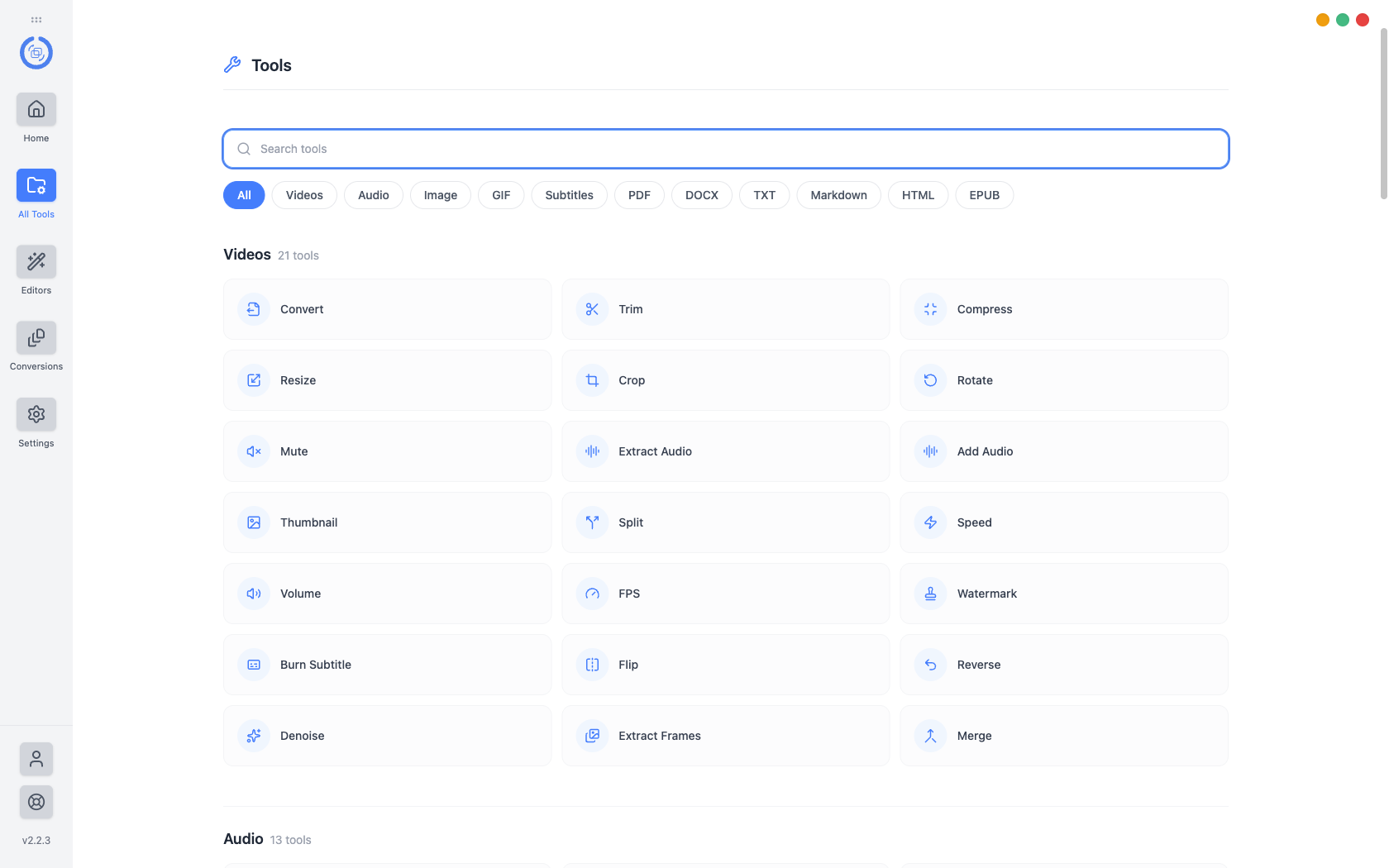
| All Tools | The full catalogue of 100+ tools, searchable and filterable |
| Editors | Video, audio, image, GIF, and PDF editors for one file at a time |
| Conversions | Queue, progress, retries, and the completed history |
| Settings | Language, appearance, default formats, parallel conversions, output folder |
The feature map breaks each of these down and points at the guide that covers it.
At a glance
| Desktop | Windows, macOS, Linux |
| Mobile | Android |
| Internet required | Not for local conversion after verification; From URL, UID verification, and updates need it |
| File size limit | None |
| Account required | Yes — a UID, created in the app in one click |
9xconvert uses available CPU and GPU capabilities where supported. Actual speed depends on your device, input format, output codec, resolution, filters, and selected settings; not every operation is GPU-accelerated.
Where to find other things
- Downloads — 123sudo.com/download/9xconvert
- Release notes — 123sudo.com/changelog/9xconvert
- Pricing — 123sudo.com/pricing/9xconvert