
Your 123sudo UID
Create, save, find, verify, and reuse the UID shared by supported 123sudo apps.
A UID is your private 123sudo account identifier. It replaces an email and password in supported desktop apps and keeps your license connected to the same account across devices.
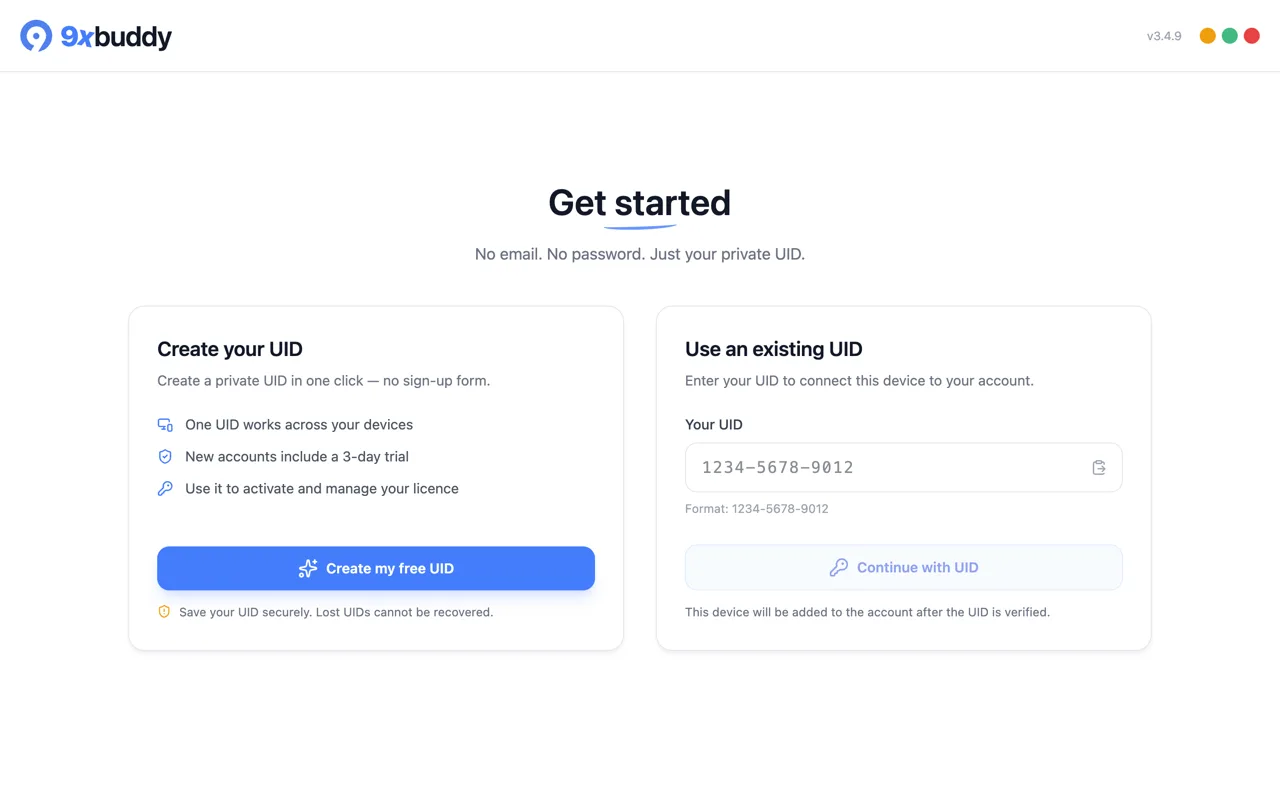
Create a UID
- Choose Create my free UID.
- Copy the new UID or choose Save as .txt.
- Store it somewhere private and backed up.
- Confirm that you saved it, then continue into the app.
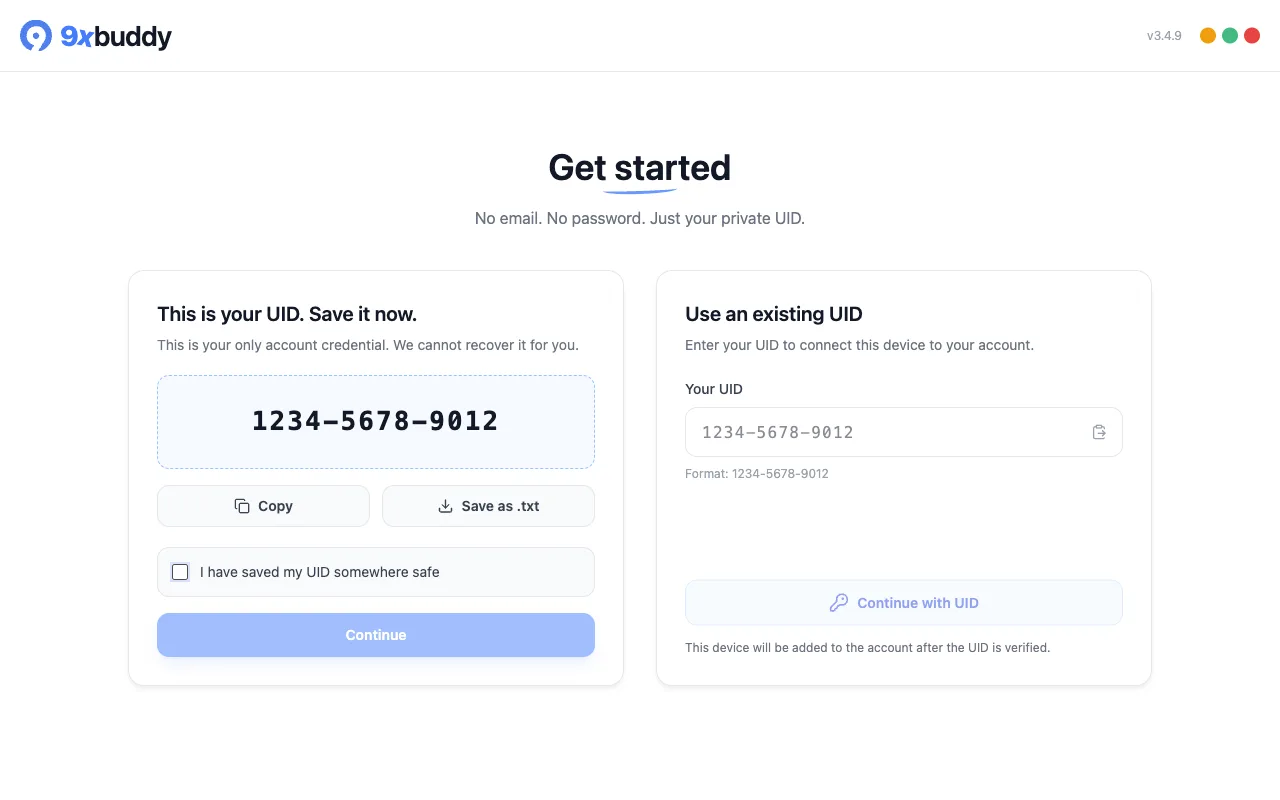
Creating a UID this way starts a 3-day trial, as the onboarding screen says. When it ends the account keeps working on the free limits. A UID bought on 123sudo.com instead grants nothing until the payment settles, because that account is on its way to a checkout rather than trying the product.
Your UID is the account credential
123sudo cannot recover a UID that is lost. Someone who has your UID may be able to connect a device to your account, so treat it like a password.
Use or revalidate an existing UID
Choose Use an existing UID, paste the UID, and select Continue with UID. The app verifies it before adding the device to the account.
When 9xbuddy starts with a UID already saved on the device, it verifies that UID automatically. If the previous sign-in was interrupted, the welcome screen can show the saved UID again so you can continue. Recover this device's UID returns that installation to the account originally created on the device; it does not recover a UID from another device.
Find your UID later
In 9xbuddy, choose the person icon near the bottom of the left sidebar. The the Account dialog window shows the current UID and gives you Copy and Save as .txt actions.
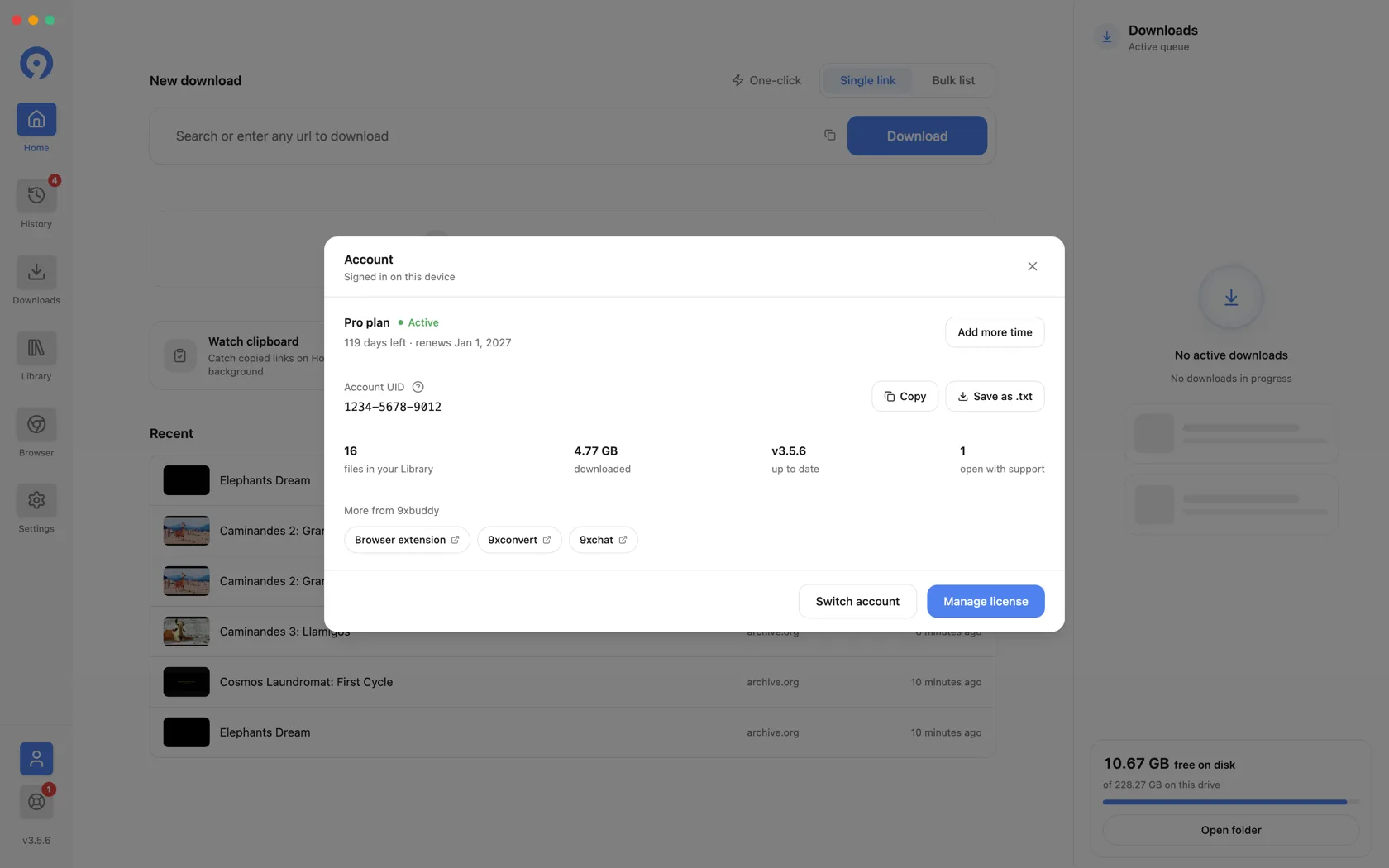
The same account window also links to license and device management. Choose Switch Account only when you intend to replace the UID used by this app.
For the complete account-switch and three-device flow, open the guide for the app you are using:
9xchat UID and devices
Copy the current UID, connect devices two and three, or switch accounts.
9xconvert UID and devices
Copy the current UID, connect devices two and three, or switch accounts.
9xbuddy UID and devices
Copy the current UID, connect devices two and three, or switch accounts.
Use the same UID in another 123sudo app
Open the other supported app, choose Use an existing UID, and paste the UID you saved. The destination app verifies the account before continuing. Its features and subscription status can still differ by product.