
What it does
The five surfaces, where the words come from, and what Pro adds.
9xLyrics reads what your system says is playing, finds the words, and shows them in time. It can follow your existing music app or play local audio files itself from Songs, with albums, artists, folders and an editable Up next queue. Local playback is free; overlays and advanced lyric tools still require Pro.
Five ways to see the words
| Surface | Best for |
|---|---|
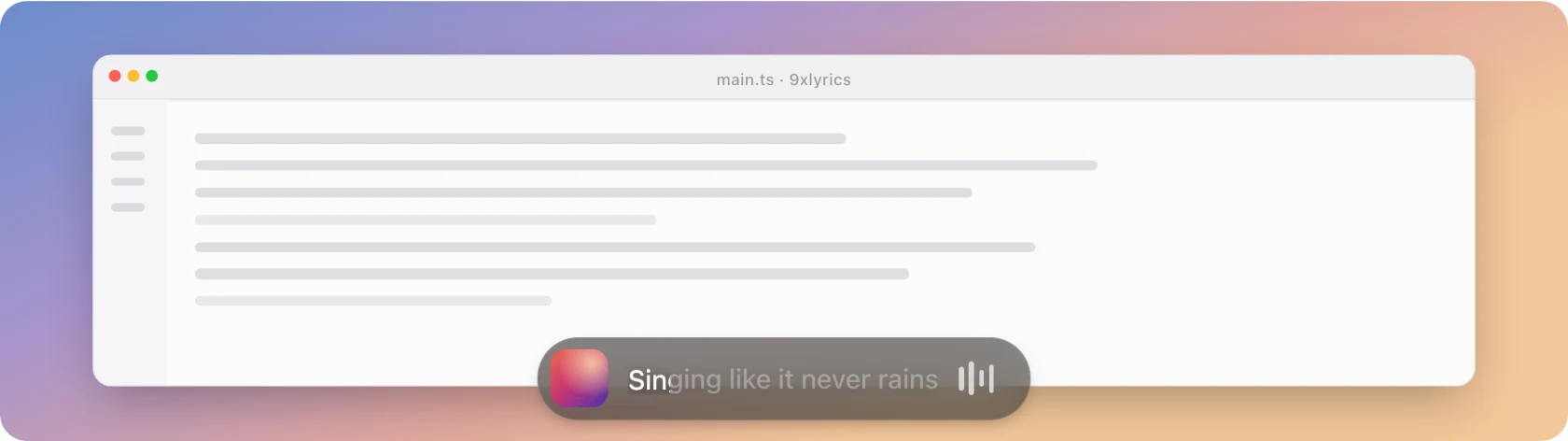
| Floating Lyrics | One line, anywhere on screen, clicks falling through it |
| The Lyrics Window | Reading the whole song, and jumping to a line |
| The Mini Bar | A pill on a screen edge, with controls on hover |
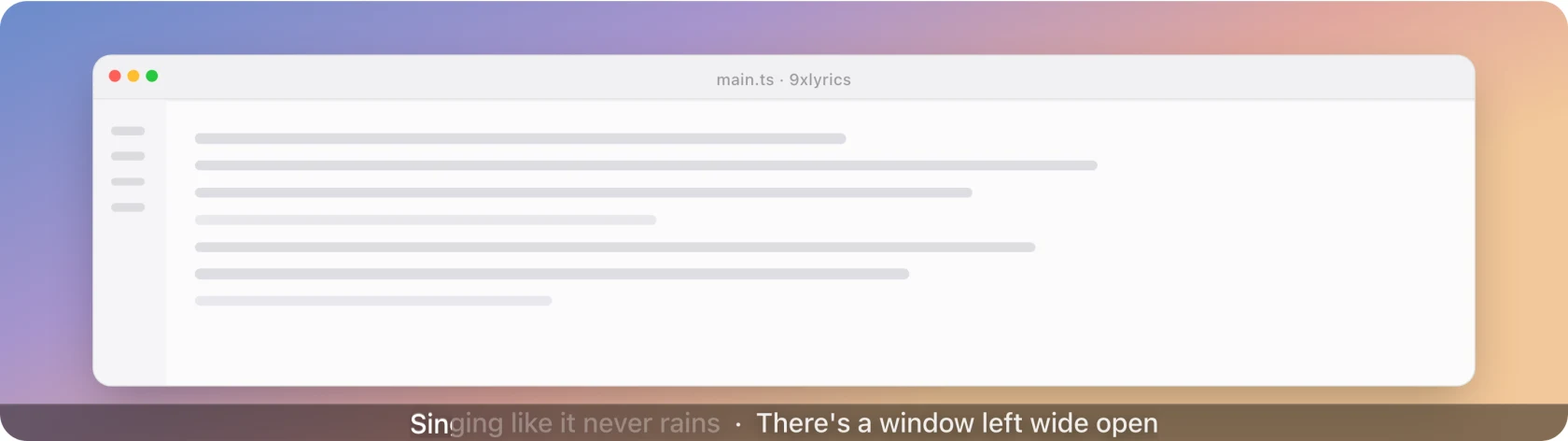
| The Edge Strip | The lightest possible presence: one thin line |
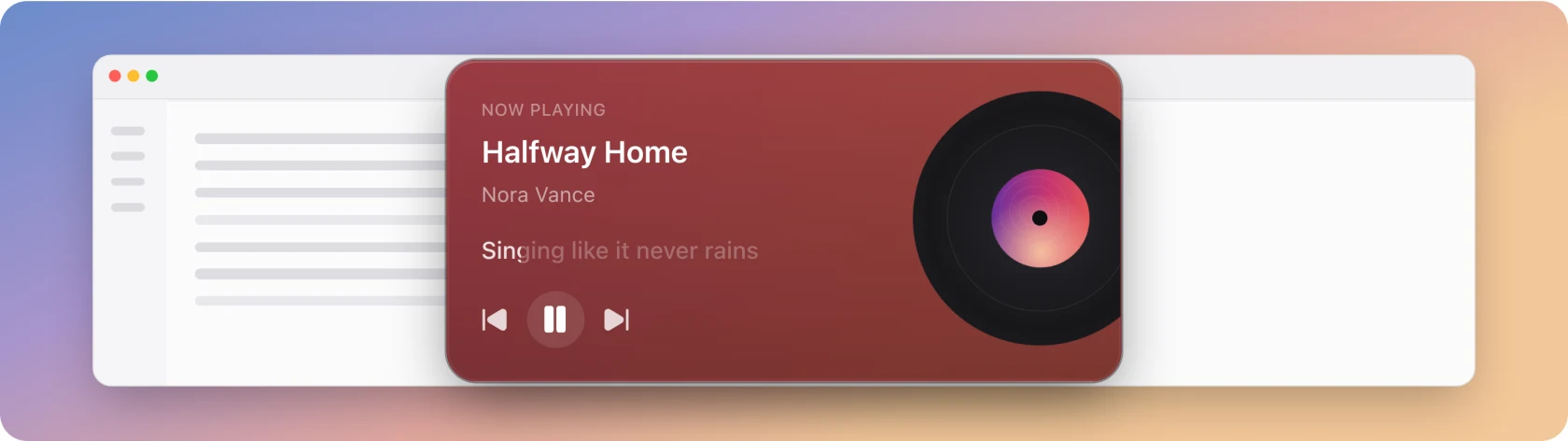
| The Widget | A player card parked on the desktop |
The standard Lyrics Window is free. Every desktop overlay requires Pro or an active trial; Pro can run them together.
And a few things around them
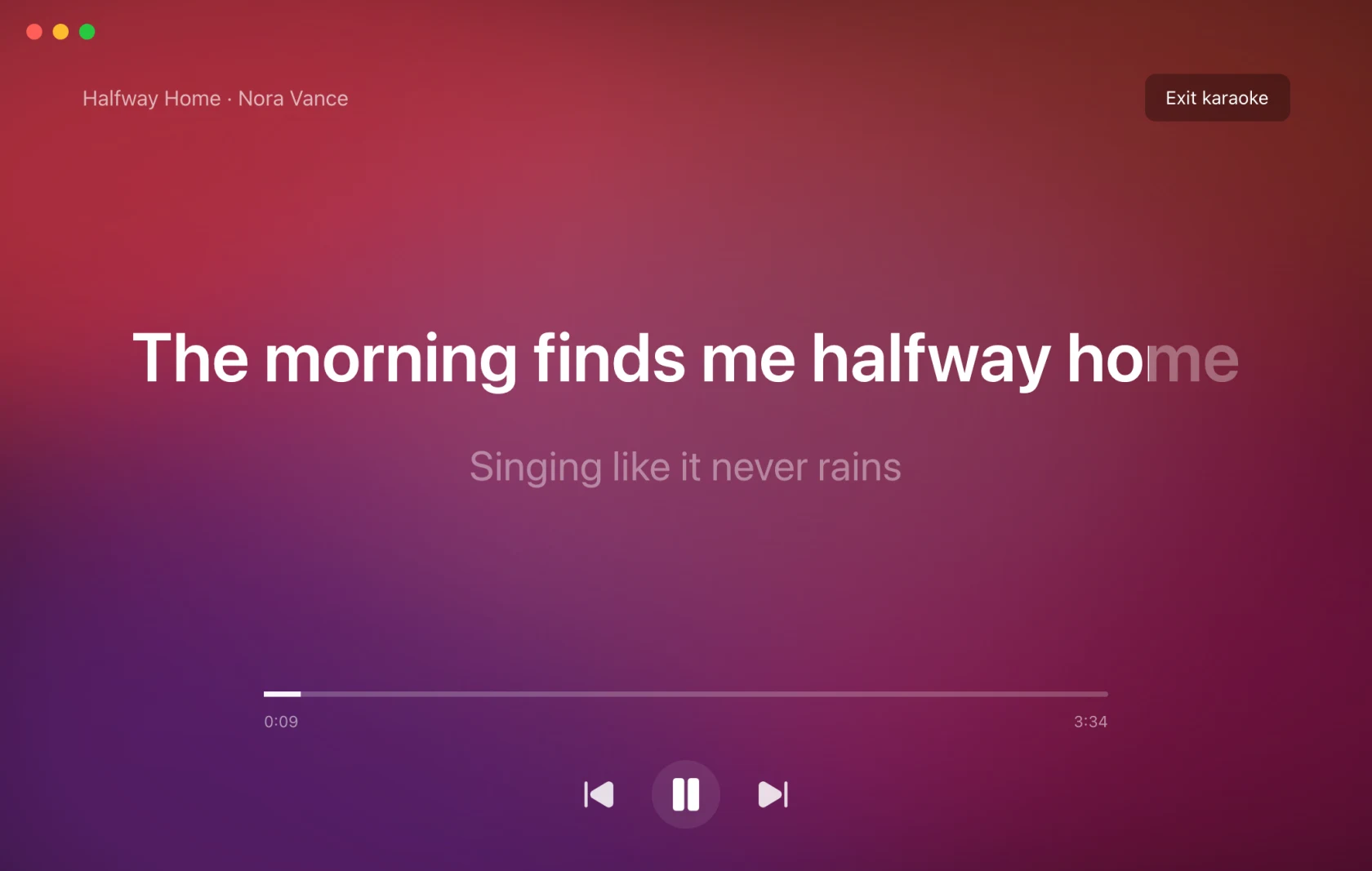
- Karaoke: the current line, full screen, filling word by word.
- Identify Song (Pro): what is playing in the room, not on this computer.
- Library: songs you played, songs you identified, and lines you starred. Free.
- Share cards: a few lines as a picture.
Where the words come from
Automatically, matched by title, artist and length. Your own .lrc files are
checked first, so a file you have beats anything online. When the automatic match
is wrong you can search the sources yourself, paste or load your own lyrics, or
use a YouTube video's captions, then fix the words and time each line in the
lyrics editor. What you save follows the song to any player. See
the Lyrics Window.
Two timing controls: a global delay for a system that runs ahead, and a per-song offset for a recording that does not match the common lyrics. Both are free and both are remembered.
On Android
The phone app brings the same lyrics to Android, with surfaces made for a phone:
| Feature | Computer | Android |
|---|---|---|
| Whole song with tap or click to seek | Lyrics Window | Now Playing |
| Floating Lyrics over other apps | Yes | Yes |
| Lyric in the notification and on the lock screen | macOS Lock Screen | Yes |
| Widget | On the desktop | On the home screen |
| Karaoke, Identify Song, share cards, Library | Yes | Yes |
| Play the songs saved on the device | Yes | Yes |
| Mini Bar, Edge Strip, menu bar text | Yes | Made for the computer |
| Quick Settings tile and app-icon shortcuts | Yes |
Pro covers the same features on both, and one UID works on your phone and your computer. See 9xLyrics on Android.
What Pro adds
All desktop overlays, Karaoke, Follow music player, choosing, editing and timing lyrics yourself, recognition, album artwork and gradient backgrounds, sharing and animated word fill. The full split is in Free and Pro.
Everything, by screen
Each card below is one screen of the app. Rows tagged Pro need an active trial or subscription; everything else works on a free account.
Lirik Terapung
- Baris semasa di atas setiap tetingkapPro
- Klik diteruskan ke tetingkap di belakangPro
- Pada setiap paparan dan setiap ruang kerjaPro
- Seret ke mana-mana atau kunci pada kedudukannyaPro
- Satu baris atau baris seterusnya di bawahnyaPro
- Pudar apabila penuding berada di atasnyaPro
Tetingkap Lirik
- Seluruh lagu dengan baris semasa diserlahkan
- Klik baris untuk melompat ke bahagian itu dalam pemain
- Pelarasan masa diingati bagi setiap lagu
- Cari dalam setiap sumber, termasuk lirik yang anda simpanPro
- Tampal lirik, muatkan fail atau gunakan kapsyen YouTubePro
- Sunting perkataan dan tetapkan masa setiap barisPro
- Segerakkan secara automatik daripada versi lagu yang telah disegerakkanPro
- Lirik tersimpan anda mengikut lagu ke mana-mana pemainPro
Lagu dan Pustaka
- Mainkan muzik setempat mengikut album, artis dan folder
- Kocok, ulang dan urus Seterusnya
- Lagu yang anda mainkan, dikumpulkan mengikut hari
- Lagu yang dikenal pasti dengan Shazam
- Tandakan baris dengan bintang dan simpan dalam Baris tersimpan
- Buka semula lirik lagu, walaupun selepas dimulakan semula
- Disimpan pada komputer ini, dengan suis untuk mematikannya
Bar Mini, Jalur Tepi dan Widget
- Elemen berbentuk pil yang dilekapkan pada tepi skrinPro
- Kawalan main balik apabila penuding berada di atasnyaPro
- Satu baris nipis di sepanjang tepiPro
- Kad pemain media pada desktop, dalam empat gayaPro
- Beberapa tindanan serentakPro
Karaoke dan penyerlahan
- Skrin penuh, satu baris pada satu masaPro
- Penyerlahan perkataan demi perkataan
- Warna serlahan yang sama pada semua paparan
- Tujuh kecerunan, daripada Matahari Terbenam hingga Pelangi
- Isian warna yang lancar pada setiap perkataan semasa dinyanyikanPro
Kenal Pasti Lagu
- Kenal pasti lagu yang sedang dimainkan di dalam bilikPro
- Paparkan liriknya pada semua paparanPro
- Pemasaan dianggarkan berdasarkan padananPro
- Terbina dalam pada Windows dan LinuxPro
- Integrasi Shazam Apple pada macOSPro
Kad perkongsian
- Sehingga empat baris sebagai gambarPro
- Format Segi Empat Sama, Cerita dan LebarPro
- Tema Seni, Gelap dan CerahPro
- Salin, simpan sebagai PNG atau kongsiPro
Tetapan - Umum, Main Balik dan Lirik
- Kesan satu pemain muzik atau mana-mana pemain yang aktif
- Lancarkan semasa log masuk dan mulakan dalam keadaan diminimumkan
- Lengah lirik sejagat untuk setiap lagu
- Folder .lrc anda sendiri, disemak dahulu
- Buka dan tutup bersama pemain muzik andaPro
- Tajuk lagu atau lirik dalam bar menu macOSPro
Penampilan
- Warna aksen dan saiz antara muka
- Sembilan belas bahasa
- Warna padu di belakang lirik
- Warna album atau kulit album itu sendiriPro
- Pratetap kecerunan, kabur dan malapPro
Pintasan dan dulang sistem
- Pintasan global yang boleh anda sesuaikan
- Hidupkan atau matikan setiap paparan dari dulang
- Pemilih pemain media dan pelarasan kecil ofset dalam menu
- Mainkan, jeda dan langkau lagu dalam pemain media yang diikuti
Skrin Kunci (macOS)
- Lagu dan lirik semasa Mac anda dikunciPro
- Susun atur Kad, Lebar dan VinilPro
- Seret ke tempat yang anda mahuPro
- Bunyi apabila kunci dibukaPro